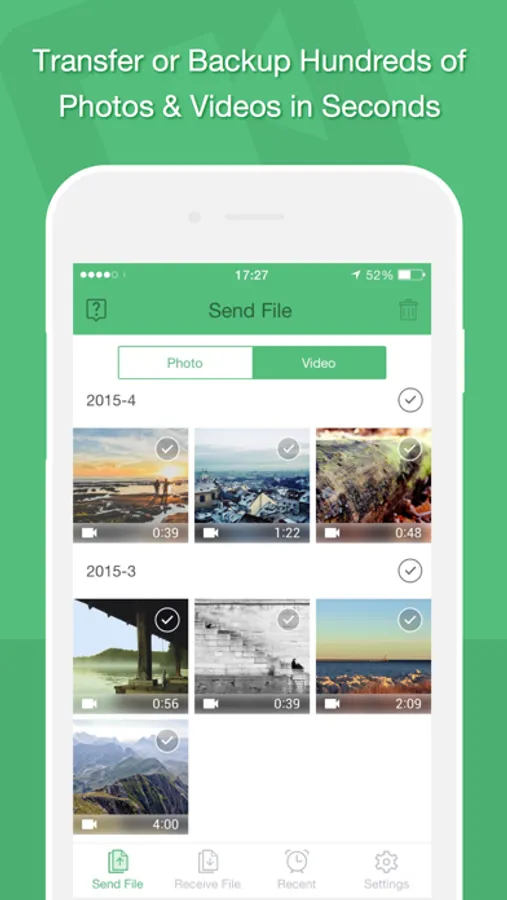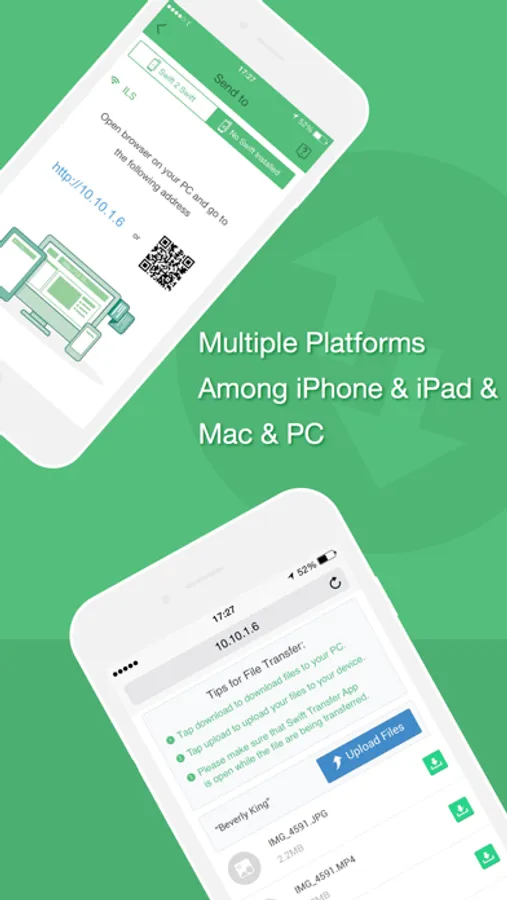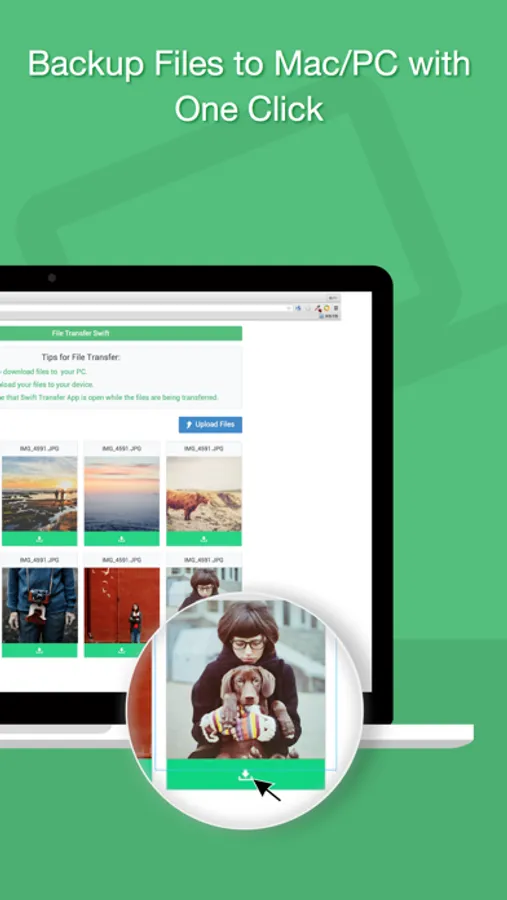
With this file transfer app, you can quickly share and back up photos, videos, contacts, and files across multiple devices using one tap. Includes support for device syncing, file previews, and group transfers.
AppRecs review analysis
AppRecs rating 3.7. Trustworthiness 69 out of 100. Review manipulation risk 33 out of 100. Based on a review sample analyzed.
★★★☆☆
3.7
AppRecs Rating
Ratings breakdown
5 star
64%
4 star
16%
3 star
5%
2 star
1%
1 star
14%
What to know
✓
High user satisfaction
80% of sampled ratings are 4+ stars (4.1★ average)
✓
Authentic reviews
Natural distribution, no red flags
About Swift Photo+ File Transfer App
Swift, the ever best app for transferring photos and videos face to face, and the fastest tool for backing up photos and videos to your computer.
Free but cool, NO In-App-Purchase.
With one Swift app only, you can transfer and sync your photos and videos to any devices.
Also, you can transfer the contacts and files with our app, preview the files like pdf, doc and etc.
Features:
- Multiple devices supported: For use with iPhone, iPad, iPod Touch, Mac and other computers.
- Easy: One tap to backup photos you took and screenshot.
- Speed: Never waste time on waiting.
- Safety: No personal info released.
- Not One Less: No photo or video missing.
- Group Transfer: Send photos/videos to multiple people.
You need Swift:
When there are too many photos need to be transferred to computer;
When you wanna share an interesting video with your friends;
When you wanna back up screenshots only to your computers;
When you wanna transfer videos from computers to iPhone;
When you can’t find your data cable;
When you need a free file transfer app;
If you are lazy and want a free all-in-one app, Swift is your best choice.
Information about the auto-renewable subscription of Swift File Transfer Subscription:
The nature of the subscriptions in Swift File Transfer is auto-renewable subscription.
– There is one monthly subscription in our app, the monthly auto-renewable subscription is $2.99/Month (subscription periods is 1 month, and price is $2.99 ).
– Payment will be charged to iTunes Account at confirmation of purchase
– Subscription automatically renews unless auto-renew is turned off at least 24-hours before the end of the current period
– Your Account will be charged for renewal within 24-hours prior to the end of the current period, and identify the cost of the renewal
– Subscriptions may be managed by the user and auto-renewal may be turned off by going to the user's Account Settings after purchase
– You can cancel your subscription via this url: https://support.apple.com/en-us/HT202039
- Any unused portion of a free trial period, if offered, will be forfeited when the user purchases a subscription to that publication, where applicable
- Subscriber Privacy Policy located here: https://swiftfiletransfer.weebly.com/about.html
- Subscriber Terms of Service located here: https://swiftfiletransfer.weebly.com/services.html
Free but cool, NO In-App-Purchase.
With one Swift app only, you can transfer and sync your photos and videos to any devices.
Also, you can transfer the contacts and files with our app, preview the files like pdf, doc and etc.
Features:
- Multiple devices supported: For use with iPhone, iPad, iPod Touch, Mac and other computers.
- Easy: One tap to backup photos you took and screenshot.
- Speed: Never waste time on waiting.
- Safety: No personal info released.
- Not One Less: No photo or video missing.
- Group Transfer: Send photos/videos to multiple people.
You need Swift:
When there are too many photos need to be transferred to computer;
When you wanna share an interesting video with your friends;
When you wanna back up screenshots only to your computers;
When you wanna transfer videos from computers to iPhone;
When you can’t find your data cable;
When you need a free file transfer app;
If you are lazy and want a free all-in-one app, Swift is your best choice.
Information about the auto-renewable subscription of Swift File Transfer Subscription:
The nature of the subscriptions in Swift File Transfer is auto-renewable subscription.
– There is one monthly subscription in our app, the monthly auto-renewable subscription is $2.99/Month (subscription periods is 1 month, and price is $2.99 ).
– Payment will be charged to iTunes Account at confirmation of purchase
– Subscription automatically renews unless auto-renew is turned off at least 24-hours before the end of the current period
– Your Account will be charged for renewal within 24-hours prior to the end of the current period, and identify the cost of the renewal
– Subscriptions may be managed by the user and auto-renewal may be turned off by going to the user's Account Settings after purchase
– You can cancel your subscription via this url: https://support.apple.com/en-us/HT202039
- Any unused portion of a free trial period, if offered, will be forfeited when the user purchases a subscription to that publication, where applicable
- Subscriber Privacy Policy located here: https://swiftfiletransfer.weebly.com/about.html
- Subscriber Terms of Service located here: https://swiftfiletransfer.weebly.com/services.html