AppRecs review analysis
AppRecs rating 1.9. Trustworthiness 65 out of 100. Review manipulation risk 30 out of 100. Based on a review sample analyzed.
★☆☆☆☆
1.9
AppRecs Rating
Ratings breakdown
5 star
13%
4 star
25%
3 star
0%
2 star
13%
1 star
50%
What to know
✓
Low review manipulation risk
30% review manipulation risk
⚠
Mixed user feedback
Average 2.4★ rating suggests room for improvement
About Mobil Serv Sample Scan
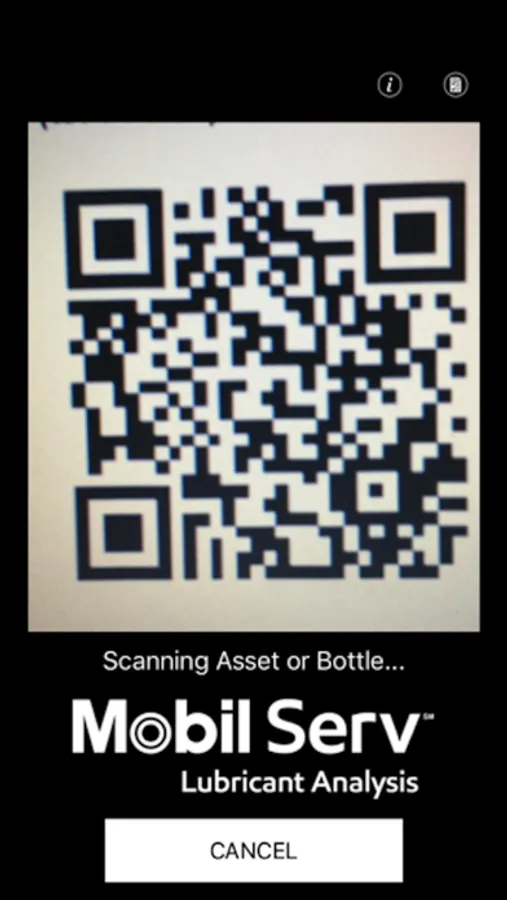
Simply scan and go! Use the Mobil Serv Sample Scan App to scan and submit your sample bottle without a printed label.
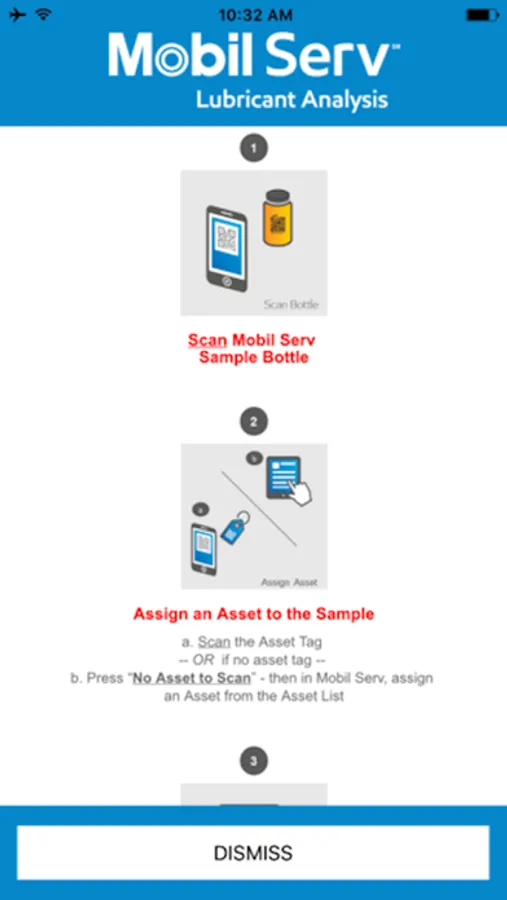
Open the Mobil Serv Sample Scan app, scan the QR code on the Mobil Serv sample bottle, then scan the asset QR code to associate the sample, or click ‘No Asset to Scan’ to select an asset from your asset list in Mobil Serv.
This easy sampling method helps:
• Save time
• Avoid printing labels
• Easily and accurately capture equipment data
Once you assign the sample bottle to an asset, there is no additional labeling required. The data entered on your asset’s oil sample will meet the sample bottle at the laboratory.
The Mobil Serv Sample Scan App only works with the Mobil Serv Lubrication Analysis program.
Open the Mobil Serv Sample Scan app, scan the QR code on the Mobil Serv sample bottle, then scan the asset QR code to associate the sample, or click ‘No Asset to Scan’ to select an asset from your asset list in Mobil Serv.
This easy sampling method helps:
• Save time
• Avoid printing labels
• Easily and accurately capture equipment data
Once you assign the sample bottle to an asset, there is no additional labeling required. The data entered on your asset’s oil sample will meet the sample bottle at the laboratory.
The Mobil Serv Sample Scan App only works with the Mobil Serv Lubrication Analysis program.