Adding Texts on Photo
handyCloset Inc.
4.8 ★
store rating
Free
AppRecs review analysis
AppRecs rating 4.6. Trustworthiness 71 out of 100. Review manipulation risk 27 out of 100. Based on a review sample analyzed.
★★★★☆
4.6
AppRecs Rating
Ratings breakdown
5 star
86%
4 star
8%
3 star
3%
2 star
1%
1 star
1%
What to know
✓
Low review manipulation risk
27% review manipulation risk
✓
Credible reviews
71% trustworthiness score from analyzed reviews
⚠
Ad complaints
Many low ratings mention excessive ads
About Adding Texts on Photo
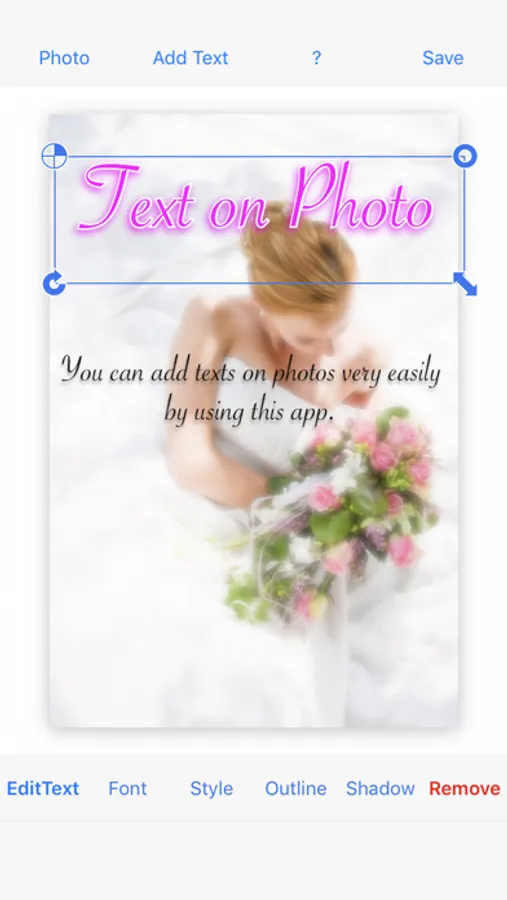
◇ This is an application for adding multiple decorated texts to a photograph.
- So many different fonts.
- Multiple texts can be added on one photo.
- Outline can be added.
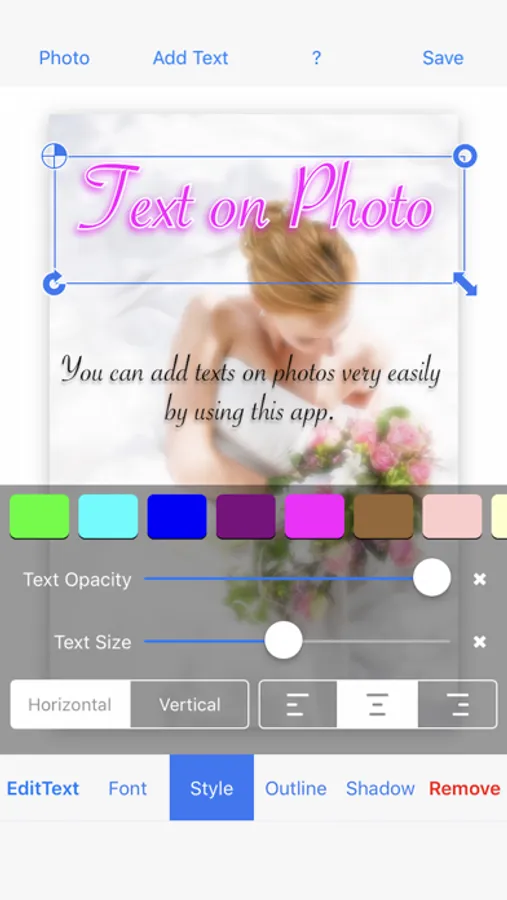
- Shadow can be edited.
◇ How to use
1. Tap "Background" button to add a photograph
2. Tap the "Add Text" button to add a text
3. Edit color/style, font size, font name
4. Add an outline to the text
5. Resize, rotate and move the text
( Repeat 2 - 5 )
6. Tap the "Save" button.
- So many different fonts.
- Multiple texts can be added on one photo.
- Outline can be added.
- Shadow can be edited.
◇ How to use
1. Tap "Background" button to add a photograph
2. Tap the "Add Text" button to add a text
3. Edit color/style, font size, font name
4. Add an outline to the text
5. Resize, rotate and move the text
( Repeat 2 - 5 )
6. Tap the "Save" button.