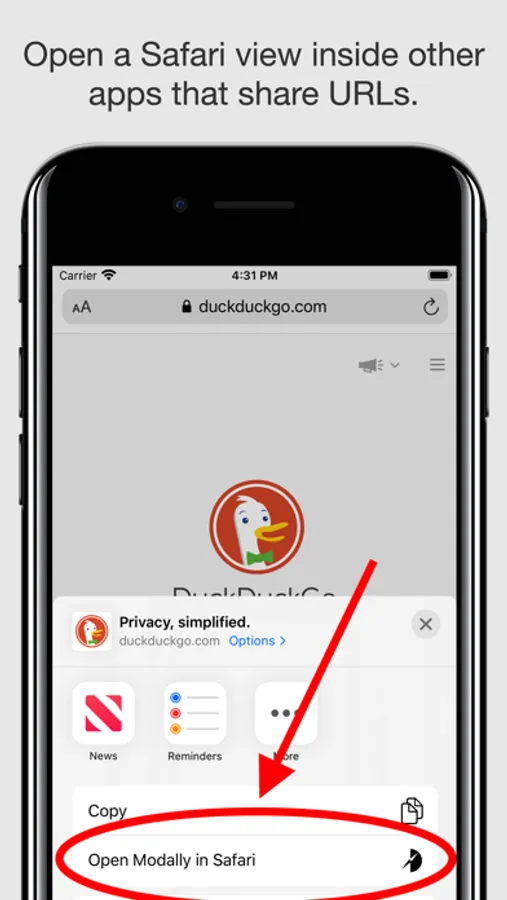
With this app, you can view a mini version of Safari embedded within other apps using the Safari View Controller. Includes content blockers and an extension to open websites modally in Safari.
AppRecs review analysis
AppRecs rating 3.5. Trustworthiness 80 out of 100. Review manipulation risk 25 out of 100. Based on a review sample analyzed.
★★★☆☆
3.5
AppRecs Rating
Ratings breakdown
5 star
63%
4 star
10%
3 star
6%
2 star
2%
1 star
19%
What to know
✓
Low review manipulation risk
25% review manipulation risk
✓
Credible reviews
80% trustworthiness score from analyzed reviews
✓
Good user ratings
73% positive sampled reviews
About Sidefari
Sidefari is a simple web browser that is designed to act as a companion to Safari.
Sidefari uses a feature built into iOS called the Safari View Controller to display a "mini" version of Safari that shares many features of the full Safari app, like content blockers. How can this help you?
In iOS 10.2 and newer:
Sidefari features an extension called "Open Modally in Safari" that will enable you to bring a Safari-based window inside of other apps that enable ways to share website URLs. Why would you want to do this? Perhaps you prefer the convenience of having some Safari features inside the same app, or if you're conscious about your privacy perhaps you don't want to use the custom web browser many apps have.
In iOS 9:
When on an iPad, besides the "Open Modally in Safari" extension mentioned above, Sidefari shows as an extra Safari-based browser on the side of your screen when summoned to the side thanks to multi-tasking. Now you'll be able to have two websites simultaneously on the same screen.
** Please note that compatible iPads include the iPad Air 2, iPad mini 4, and iPad Pro, or greater.
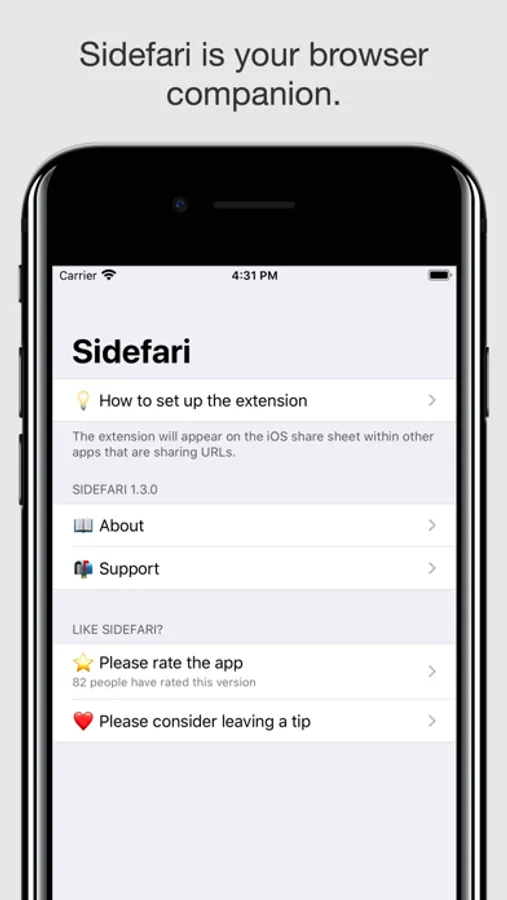
Please refer to the "How to set up the extension" inside the app to learn more about how to enable Sidefari.
Sidefari uses a feature built into iOS called the Safari View Controller to display a "mini" version of Safari that shares many features of the full Safari app, like content blockers. How can this help you?
In iOS 10.2 and newer:
Sidefari features an extension called "Open Modally in Safari" that will enable you to bring a Safari-based window inside of other apps that enable ways to share website URLs. Why would you want to do this? Perhaps you prefer the convenience of having some Safari features inside the same app, or if you're conscious about your privacy perhaps you don't want to use the custom web browser many apps have.
In iOS 9:
When on an iPad, besides the "Open Modally in Safari" extension mentioned above, Sidefari shows as an extra Safari-based browser on the side of your screen when summoned to the side thanks to multi-tasking. Now you'll be able to have two websites simultaneously on the same screen.
** Please note that compatible iPads include the iPad Air 2, iPad mini 4, and iPad Pro, or greater.
Please refer to the "How to set up the extension" inside the app to learn more about how to enable Sidefari.