PDF to Word by Flyingbee
Flyingbee Software Co., Ltd.
4.7 ★
store rating
Free
AppRecs review analysis
AppRecs rating 4.2. Trustworthiness 55 out of 100. Review manipulation risk 28 out of 100. Based on a review sample analyzed.
★★★★☆
4.2
AppRecs Rating
Ratings breakdown
5 star
83%
4 star
0%
3 star
17%
2 star
0%
1 star
0%
What to know
✓
High user satisfaction
83% of sampled ratings are 5 stars
About PDF to Word by Flyingbee
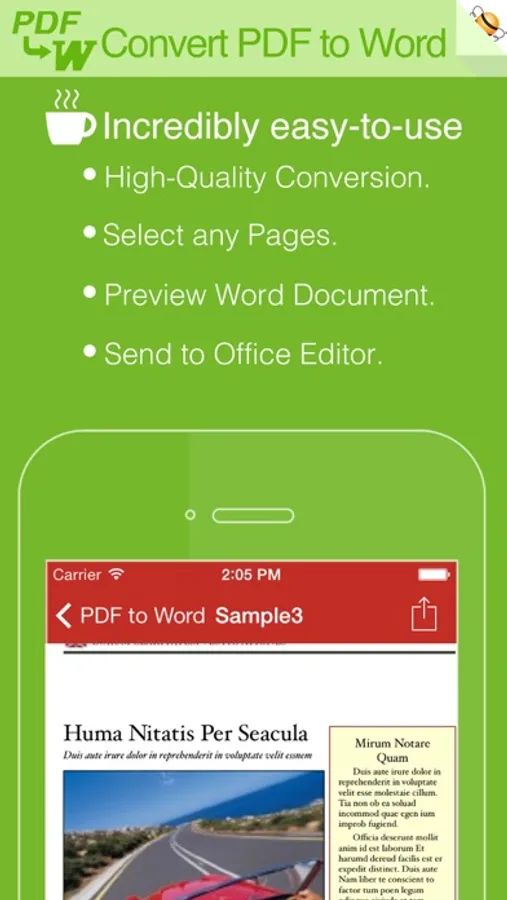
PDF to Word is an utility designed to convert Adobe PDF document to Microsoft Office Word files(.docx), PDF to Word can keep the original content, layout and formatting for easier editing or reusing the content, support opened in popular mobile office editor app(such as: Microsoft Office, Polaris Office, Smart Office or QuickOffice).
PDF to Word Converter Can Help You
• Initiative interface & simple workflow, easy to use.
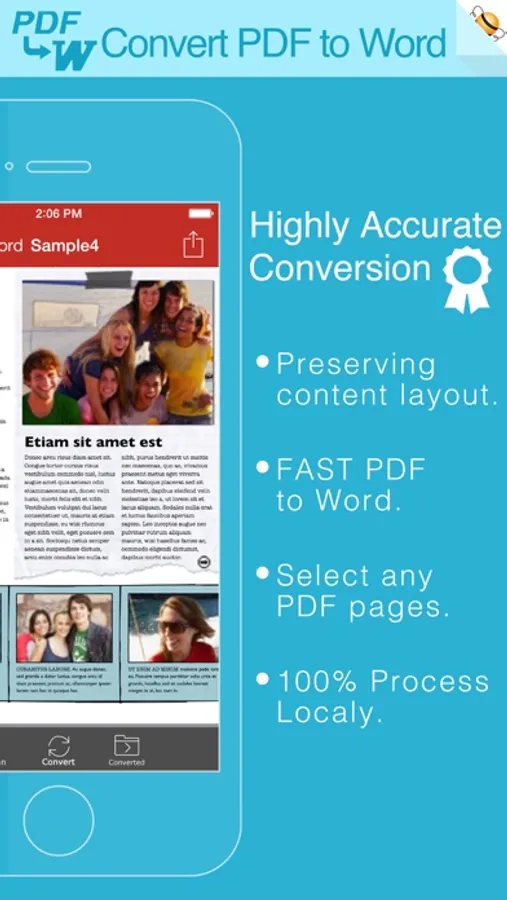
• Easily import PDF, convert a 50 pages PDF to Word within 30 secs, Extremely fast!!
• Support convert PDF to Word(.docx), RTF(.rtf), Text(.txt) and HTML(.html) formats.
• Conversion Process 100% on your local iOS device, No internet connection need.
• Output well organized Word content, preserving content layout, the color, font style and images remain the same as the original pdf document, Very convenient tool.
• Convert any particular pages (e.g. 1, 3-8, 26 or all pages) to save your time.
• Save time on learning complicated Word editing knowledge;
• Save energy on skipping ads and annoying pop-up window ask for buying;
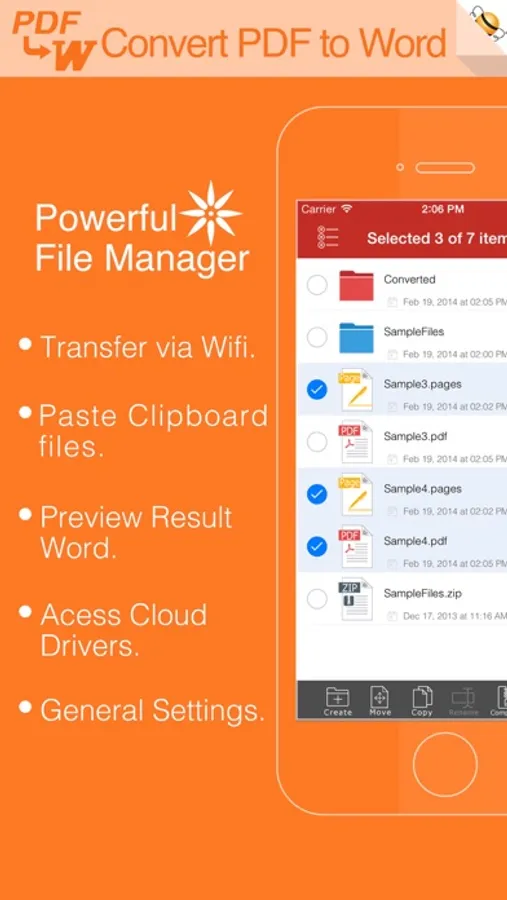
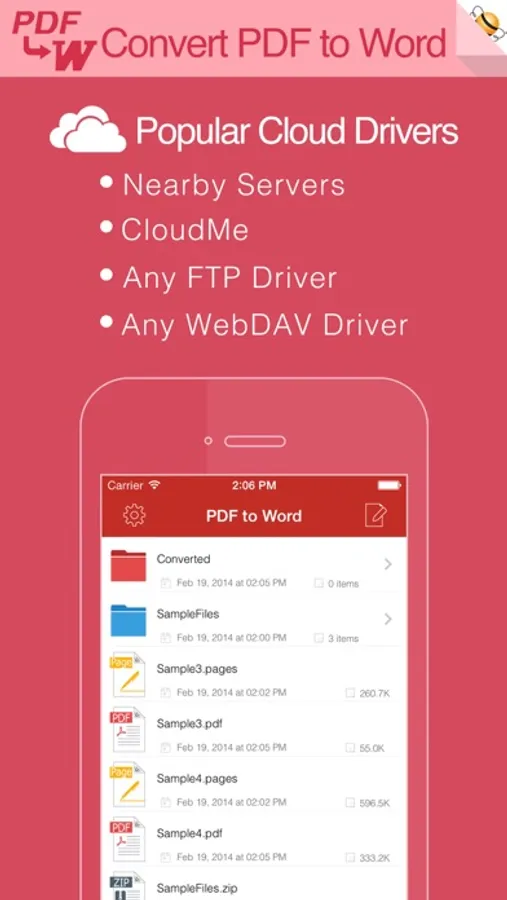
• Connect to online cloud storage support, include Cloud Me and any FTP or WebDAV Server.
• Offer you 4 ways to transfer files(Open in.., iTunes USB file sharing, Wifi Sharing and Cloud Disk)
• Support Microsoft Office 2007, 2008, 2011 and 2025 Word Application, not completely compatible with iWork Pages.
== Quick Start Guide ==
Export Office Word from a PDF file in mail app can be as easy as three steps:
1. Open Mail app, use "Open In.." to send source PDF file to PDF to Word.
2. Go to PDF to Word app, touch to open the source PDF file where text come from.
3. Click "Convert" button to extract PDF to Word files.
Notice: Currently PDF to Word version don't have OCR function, the scanned PDF files will be extracted to image in Word doc. However, we suggest you to use other professional OCR app to recognize editable text from image.
Several sample files have been included, you can test it right now!
Q&A
1. Why I get "Conversion Failed" error message when I extracting from a PDF file?
Do you have a PDF (Adobe Acrobat) file which cannot be printed, copied, or edited? Your PDF file has had password security and other restrictions added, you need remove restrictions.
2. Why some text in PDF file can not be extracted out?
The PDF file format is complex, there are cases that text in a PDF file are actually pictures. We do not grantee PDF to Word will work for every PDF file, especially ones that have picture text, we suggest you to use professional OCR app to recognize text from image.
We are continuously developing PDF to Word, so please feel free to contact us with your questions, suggestions or any problems, and we will reply ASAP.
PDF to Word Converter Can Help You
• Initiative interface & simple workflow, easy to use.
• Easily import PDF, convert a 50 pages PDF to Word within 30 secs, Extremely fast!!
• Support convert PDF to Word(.docx), RTF(.rtf), Text(.txt) and HTML(.html) formats.
• Conversion Process 100% on your local iOS device, No internet connection need.
• Output well organized Word content, preserving content layout, the color, font style and images remain the same as the original pdf document, Very convenient tool.
• Convert any particular pages (e.g. 1, 3-8, 26 or all pages) to save your time.
• Save time on learning complicated Word editing knowledge;
• Save energy on skipping ads and annoying pop-up window ask for buying;
• Connect to online cloud storage support, include Cloud Me and any FTP or WebDAV Server.
• Offer you 4 ways to transfer files(Open in.., iTunes USB file sharing, Wifi Sharing and Cloud Disk)
• Support Microsoft Office 2007, 2008, 2011 and 2025 Word Application, not completely compatible with iWork Pages.
== Quick Start Guide ==
Export Office Word from a PDF file in mail app can be as easy as three steps:
1. Open Mail app, use "Open In.." to send source PDF file to PDF to Word.
2. Go to PDF to Word app, touch to open the source PDF file where text come from.
3. Click "Convert" button to extract PDF to Word files.
Notice: Currently PDF to Word version don't have OCR function, the scanned PDF files will be extracted to image in Word doc. However, we suggest you to use other professional OCR app to recognize editable text from image.
Several sample files have been included, you can test it right now!
Q&A
1. Why I get "Conversion Failed" error message when I extracting from a PDF file?
Do you have a PDF (Adobe Acrobat) file which cannot be printed, copied, or edited? Your PDF file has had password security and other restrictions added, you need remove restrictions.
2. Why some text in PDF file can not be extracted out?
The PDF file format is complex, there are cases that text in a PDF file are actually pictures. We do not grantee PDF to Word will work for every PDF file, especially ones that have picture text, we suggest you to use professional OCR app to recognize text from image.
We are continuously developing PDF to Word, so please feel free to contact us with your questions, suggestions or any problems, and we will reply ASAP.