In this Bluetooth scanning app, you can detect and identify nearby devices using signal strength, heat maps, and direction finding. Includes device recognition, cloud storage, and location features.
AppRecs review analysis
AppRecs rating 4.1. Trustworthiness 80 out of 100. Review manipulation risk 21 out of 100. Based on a review sample analyzed.
★★★★☆
4.1
AppRecs Rating
Ratings breakdown
5 star
82%
4 star
9%
3 star
3%
2 star
1%
1 star
5%
What to know
✓
Low review manipulation risk
21% review manipulation risk
✓
Credible reviews
80% trustworthiness score from analyzed reviews
⚠
Ad complaints
Many low ratings mention excessive ads
About Blue Hound
The essential Bluetooth app for scanning and locating your smart devices from Apple, FitBit, Garmin, and many other companies.
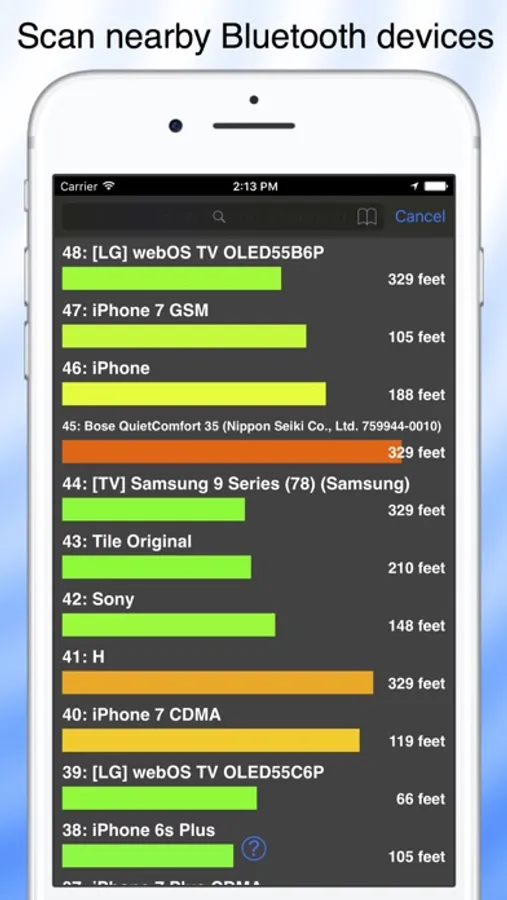
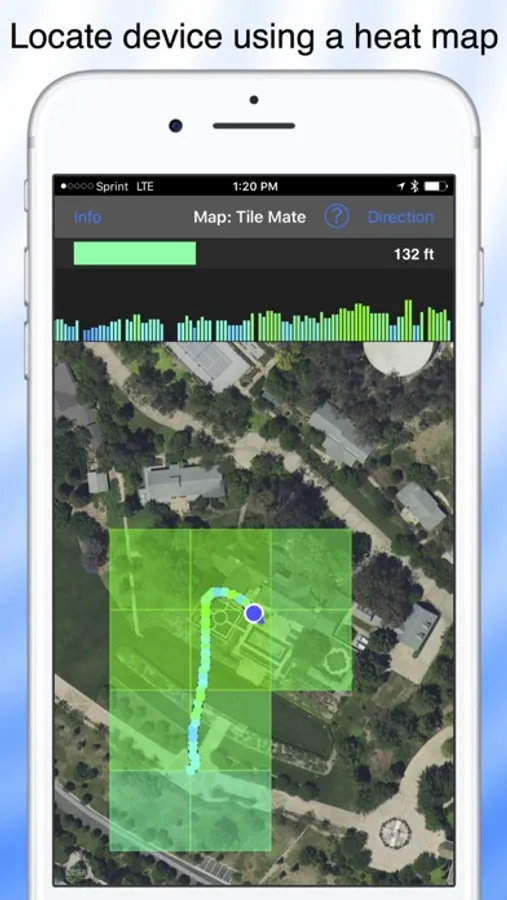
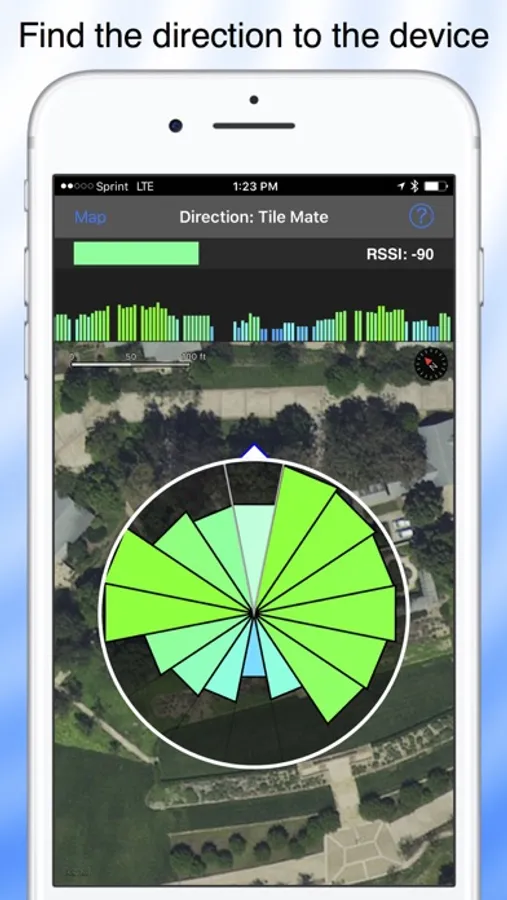
Scan and identify nearby devices. Locate devices by signal strength, heat map or direction finder.
You can now find Fitbit and other Bluetooth devices that are paired with your iPhone. If the Bluetooth device is paired with another iPhone, turn off Bluetooth on that iPhone.
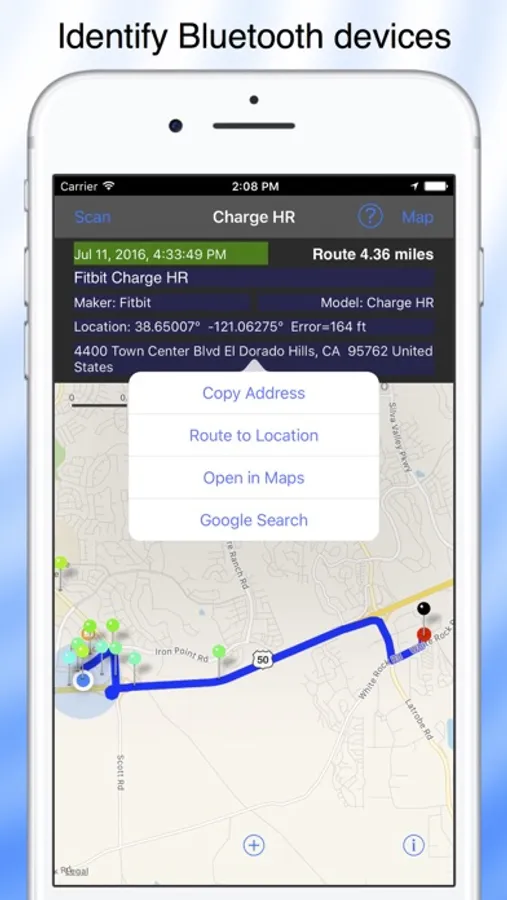
Blue Hound is always scanning for Bluetooth devices. When a device is detected, Blue Hound identifies it by name, maker and model when possible. It does this using a large database of smart recognizers that are updated automatically. Devices you find are uploaded to the cloud to help you search for them later.
Blue Hound works great with Bluetooth tags. If you attach one to your keys, you can locate them within 100 feet or more even outdoors in high grass. Attach one to your drone and you will be able to find it if it lands unexpectedly.
Scanning for Bluetooth devices can be a fun outdoor activity. Take Blue Hound out for a walk. Enable Power Saver Mode for Blue Hound in Settings and put your iPhone in your pocket upside down. The screen will go dark and the app will enter power saver mode. If you wish, Blue Hound can even bark to alert you when a new device is found.
Blue Hound has features not found in any other Bluetooth scanner or finder:
• Real time Bluetooth scanner with signal strength and description
• Sort the scanner list by age, distance or name
• Filter the scanner list for matching text
• List both active and inactive devices
• Power saver option and audio alerts for scanning while walking
• Search the cloud for devices you have found in the past
• Search for past devices using an interactive map
• Smart device identification using cloud updated recognizers
• Display detailed information about a devices including is maker and model
• Search Google for more information about the device
• Get directions to the last known location of the device
• Locate a device indoors using a signal strength meter
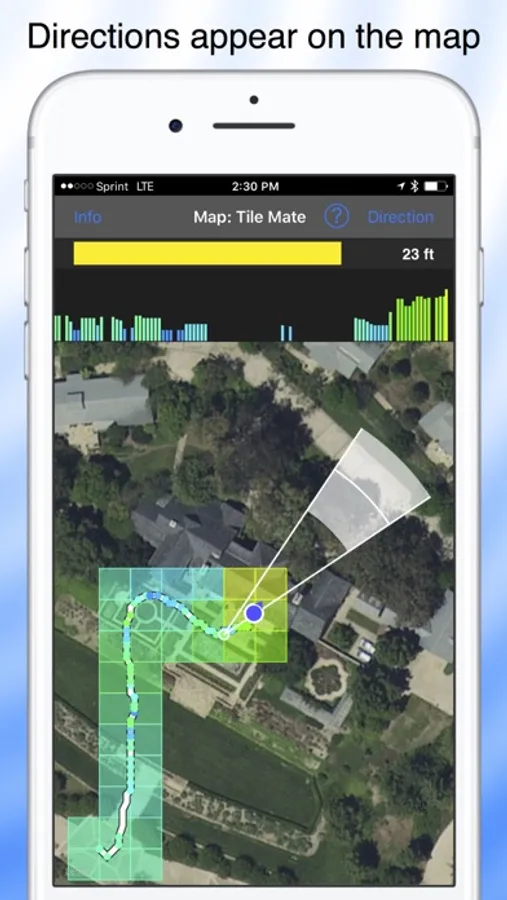
• Locate a device outdoors using a heat map and signal graph
• Outdoor direction finder saves time when searching
• Display the directions on the map to triangulate the location
Scan and identify nearby devices. Locate devices by signal strength, heat map or direction finder.
You can now find Fitbit and other Bluetooth devices that are paired with your iPhone. If the Bluetooth device is paired with another iPhone, turn off Bluetooth on that iPhone.
Blue Hound is always scanning for Bluetooth devices. When a device is detected, Blue Hound identifies it by name, maker and model when possible. It does this using a large database of smart recognizers that are updated automatically. Devices you find are uploaded to the cloud to help you search for them later.
Blue Hound works great with Bluetooth tags. If you attach one to your keys, you can locate them within 100 feet or more even outdoors in high grass. Attach one to your drone and you will be able to find it if it lands unexpectedly.
Scanning for Bluetooth devices can be a fun outdoor activity. Take Blue Hound out for a walk. Enable Power Saver Mode for Blue Hound in Settings and put your iPhone in your pocket upside down. The screen will go dark and the app will enter power saver mode. If you wish, Blue Hound can even bark to alert you when a new device is found.
Blue Hound has features not found in any other Bluetooth scanner or finder:
• Real time Bluetooth scanner with signal strength and description
• Sort the scanner list by age, distance or name
• Filter the scanner list for matching text
• List both active and inactive devices
• Power saver option and audio alerts for scanning while walking
• Search the cloud for devices you have found in the past
• Search for past devices using an interactive map
• Smart device identification using cloud updated recognizers
• Display detailed information about a devices including is maker and model
• Search Google for more information about the device
• Get directions to the last known location of the device
• Locate a device indoors using a signal strength meter
• Locate a device outdoors using a heat map and signal graph
• Outdoor direction finder saves time when searching
• Display the directions on the map to triangulate the location