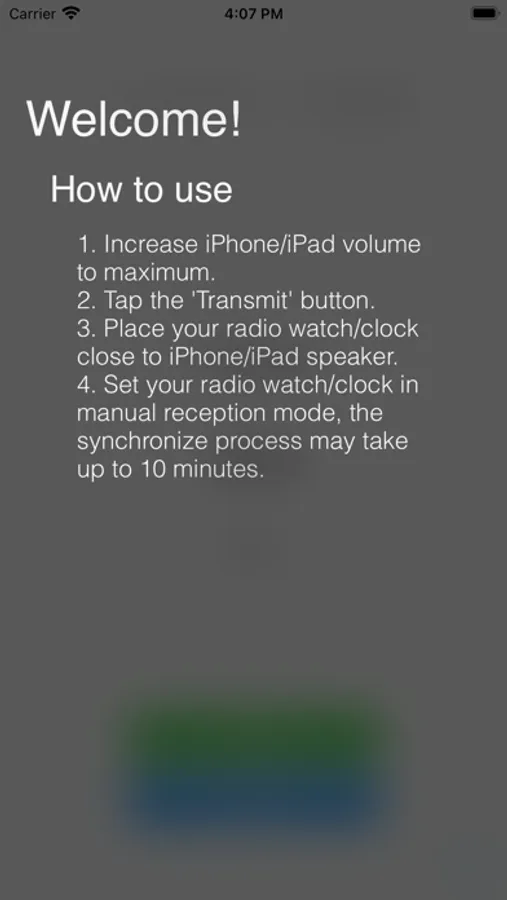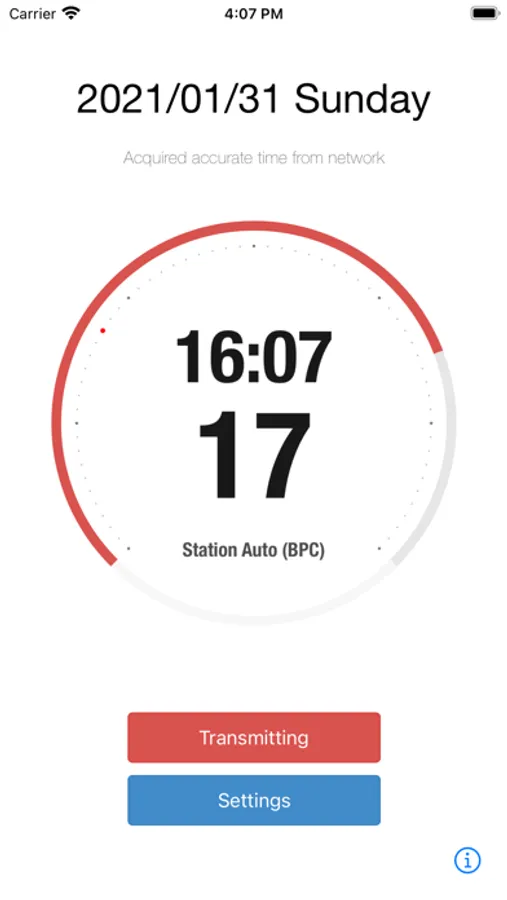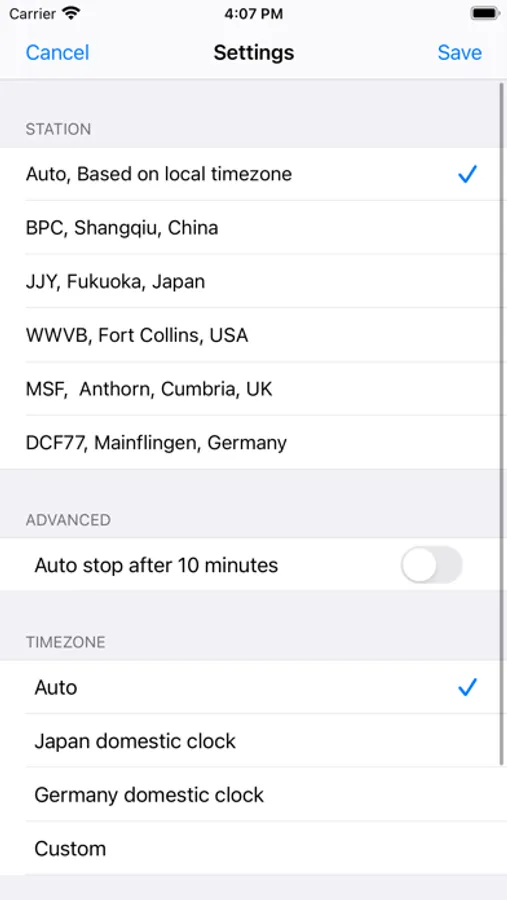
Use this calibration app to synchronize radio-controlled watches or clocks by transmitting time signals via your device's speaker. Includes support for five major longwave stations globally and options for manual station and timezone selection.
AppRecs review analysis
AppRecs rating 4.5. Trustworthiness 75 out of 100. Review manipulation risk 33 out of 100. Based on a review sample analyzed.
★★★★☆
4.5
AppRecs Rating
Ratings breakdown
5 star
93%
4 star
1%
3 star
0%
2 star
0%
1 star
6%
What to know
✓
Credible reviews
75% trustworthiness score from analyzed reviews
✓
High user satisfaction
93% of sampled ratings are 5 stars
✓
Authentic reviews
No red flags detected
About Clock Wave
Clock Wave allows you calibrate radio controlled watch or clock anytime and anywhere. Just click "Transmit" button, set your watch or clock to manual receive time signal, and place it nearby your iPhone/iPad's speaker, it will be calibrated in a few minutes.
Clock Wave features:
- Covers 5 major longwave time signal stations all over the world.
* USA: WWVB
* Japan: JJY
* China: BPC
* UK: MSF
* DE: DCF77
- Automatically transmit the accurate time.
* If your radio controlled watch/clock doesn't support station BPC, select station JJY manually to use in China.
* If your radio controlled watch/clock doesn't support station MSF, select station DCF77 manually to use in UK.
* If your radio controlled watch/clock support only a specified timezone or station, (e.g. Using a radio controlled clock support only JJY station in Australia.), select the watch/clock timezone manually in app settings.
Clock Wave features:
- Covers 5 major longwave time signal stations all over the world.
* USA: WWVB
* Japan: JJY
* China: BPC
* UK: MSF
* DE: DCF77
- Automatically transmit the accurate time.
* If your radio controlled watch/clock doesn't support station BPC, select station JJY manually to use in China.
* If your radio controlled watch/clock doesn't support station MSF, select station DCF77 manually to use in UK.
* If your radio controlled watch/clock support only a specified timezone or station, (e.g. Using a radio controlled clock support only JJY station in Australia.), select the watch/clock timezone manually in app settings.