AppRecs review analysis
AppRecs rating 1.0. Trustworthiness 45 out of 100. Review manipulation risk 27 out of 100. Based on a review sample analyzed.
★☆☆☆☆
1.0
AppRecs Rating
Ratings breakdown
5 star
0%
4 star
0%
3 star
0%
2 star
0%
1 star
100%
What to know
⚠
Mixed user feedback
Average 1.0★ rating suggests room for improvement
About Multi-Counter.
◇◆◇How many now? not say anymore◇◆◇
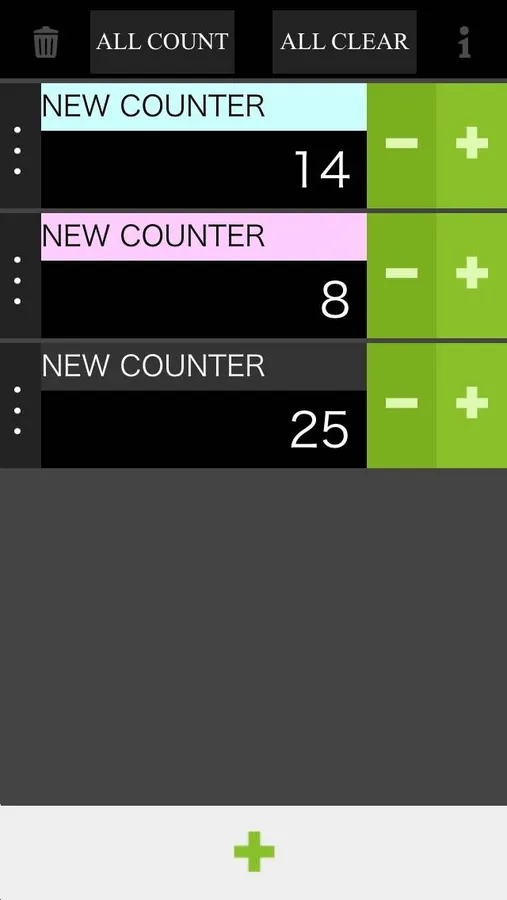
Leave it up to count the number!It is the "counter" app.
Title and color change, it is also possible multiple simultaneous count.
■How to use
【Number】
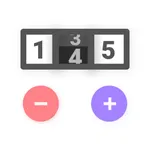
・Tap the [+] button to +1.
・Tap the [-] button to -1.
【Counter】
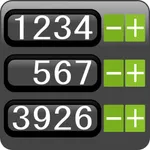
・Tap the [+] button at the bottom, and then add one counter.
※Scroll is compatible, it is also possible to add 20 or more.
・Tap the [Trash can] button to return the counter to the initial state.
※It will be the state of the first counter only.
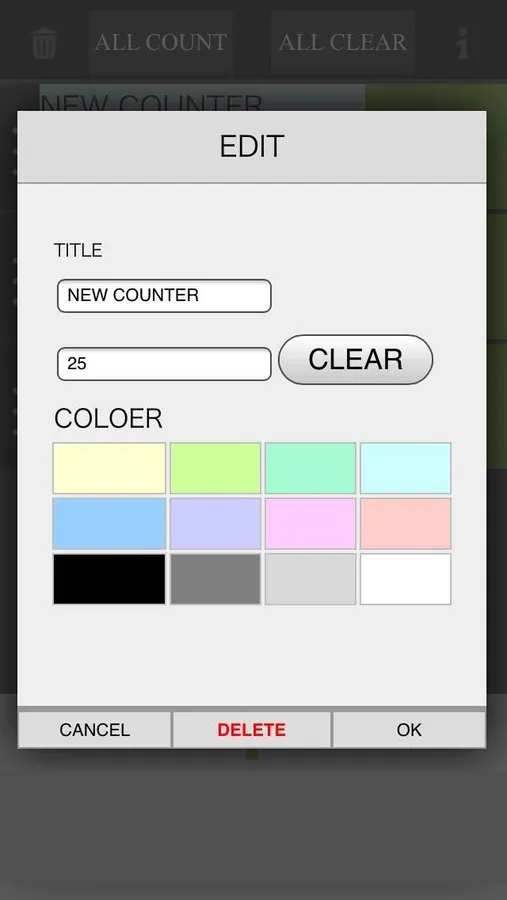
・Tap the [Delete] button on the edit screen, remove the counter.
【Title・Number・Color Edit】
・Tap the [ | ] button to display the edit screen.
・In the editing screen, you can change to any title.
・In the editing screen, you can change to any number.
・In the editing screen, you can change the color.(Select from 12 colors)
【Other】
・Tap the [ALL COUNT] button to +1 all the counter.
・Tap the [ALL CLEAR] button to 0 all the counter.
■Caution
・The maximum value is 9999, The minimum value is 0.
・Becomes 0 when you -1 to the maximum value.
・Becomes 9999 when you +1 to the minimum value.
・If you exit the app, the number and the counter is initialized.
※Initialization: The number is 0, the counter is one state.
Leave it up to count the number!It is the "counter" app.
Title and color change, it is also possible multiple simultaneous count.
■How to use
【Number】
・Tap the [+] button to +1.
・Tap the [-] button to -1.
【Counter】
・Tap the [+] button at the bottom, and then add one counter.
※Scroll is compatible, it is also possible to add 20 or more.
・Tap the [Trash can] button to return the counter to the initial state.
※It will be the state of the first counter only.
・Tap the [Delete] button on the edit screen, remove the counter.
【Title・Number・Color Edit】
・Tap the [ | ] button to display the edit screen.
・In the editing screen, you can change to any title.
・In the editing screen, you can change to any number.
・In the editing screen, you can change the color.(Select from 12 colors)
【Other】
・Tap the [ALL COUNT] button to +1 all the counter.
・Tap the [ALL CLEAR] button to 0 all the counter.
■Caution
・The maximum value is 9999, The minimum value is 0.
・Becomes 0 when you -1 to the maximum value.
・Becomes 9999 when you +1 to the minimum value.
・If you exit the app, the number and the counter is initialized.
※Initialization: The number is 0, the counter is one state.