AppRecs review analysis
AppRecs rating 3.5. Trustworthiness 80 out of 100. Review manipulation risk 22 out of 100. Based on a review sample analyzed.
★★★☆☆
3.5
AppRecs Rating
Ratings breakdown
5 star
53%
4 star
13%
3 star
5%
2 star
0%
1 star
29%
What to know
✓
Low review manipulation risk
22% review manipulation risk
✓
Credible reviews
80% trustworthiness score from analyzed reviews
✓
Good user ratings
66% positive sampled reviews
About Air Camera
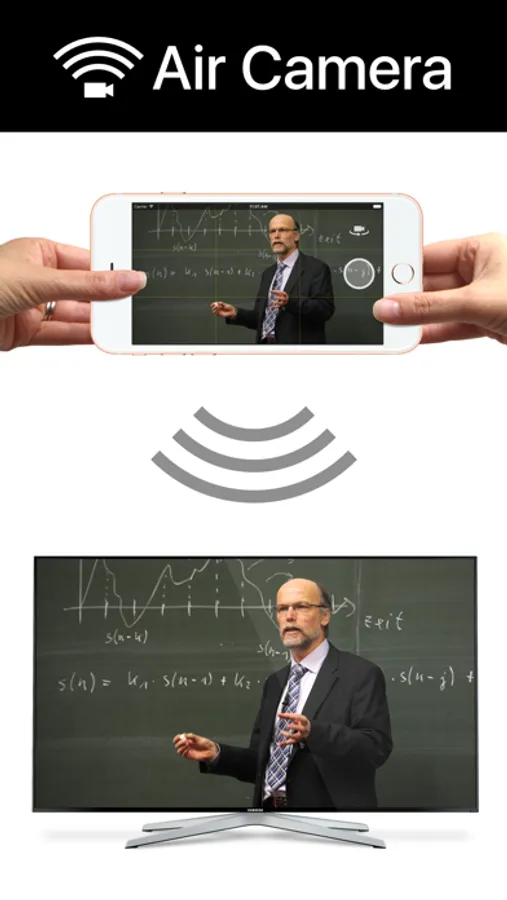
Air Camera is the best way to stream your camera to an airplay receiver. eg. Apple TV, AirParrot or AirServer. Perfect for live events when you need a simple video feed to an external display. The external display only shows the video so elements like notifications, battery status and time don't distract your audience.
Features:
• Rule of Thirds overlay shows on device.
• Double Tap to goggle Rule of Thirds overlay.
• Press and hold to lock focus & exposure on supported devices
• Smooth focus is enabled on supported devices.
• Left & Right Landscape orientation supported.
• Universal App (iPhone & iPad)
• Also supports Apple AV adapter.
• Take full resolution photos (with 3 second preview) during capture. High quality photos are saved to the camera roll.
• Swap between Front, Back, Telephoto and Wide Angle cameras.
• Pinch to zoom in and out
• Video Stabilisation - Standard or Cinematic
• Choose Video Quality - 720p, 1080p or 4k
• Toggle Audio on or off
Instructions for Use:
1. Open Control Center (swipe up from bottom of screen)
2. Tap AirPlay
3. Select the target screen and enable mirroring
4. Close Control Center
Features:
• Rule of Thirds overlay shows on device.
• Double Tap to goggle Rule of Thirds overlay.
• Press and hold to lock focus & exposure on supported devices
• Smooth focus is enabled on supported devices.
• Left & Right Landscape orientation supported.
• Universal App (iPhone & iPad)
• Also supports Apple AV adapter.
• Take full resolution photos (with 3 second preview) during capture. High quality photos are saved to the camera roll.
• Swap between Front, Back, Telephoto and Wide Angle cameras.
• Pinch to zoom in and out
• Video Stabilisation - Standard or Cinematic
• Choose Video Quality - 720p, 1080p or 4k
• Toggle Audio on or off
Instructions for Use:
1. Open Control Center (swipe up from bottom of screen)
2. Tap AirPlay
3. Select the target screen and enable mirroring
4. Close Control Center