About My Visonic
Control and monitor your PowerMax Tyco alarm systems from anywhere. With this App you can access your PowerMax panels from home or work or from anywhere in the world.
With this App you can:
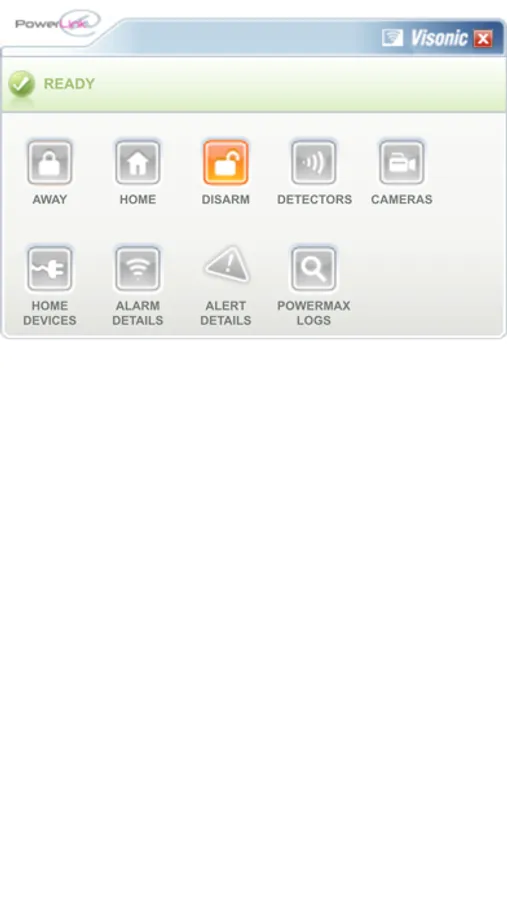
- Arm the system in home or away mode
- Disarm the system
- Check the current status of the system
- View the history of all the events and alarms
- Check the status of all the sensors
- Live view of IP cameras
- Control your home devices
- Shows the live alarm status in case of an alarm.
Parameters:
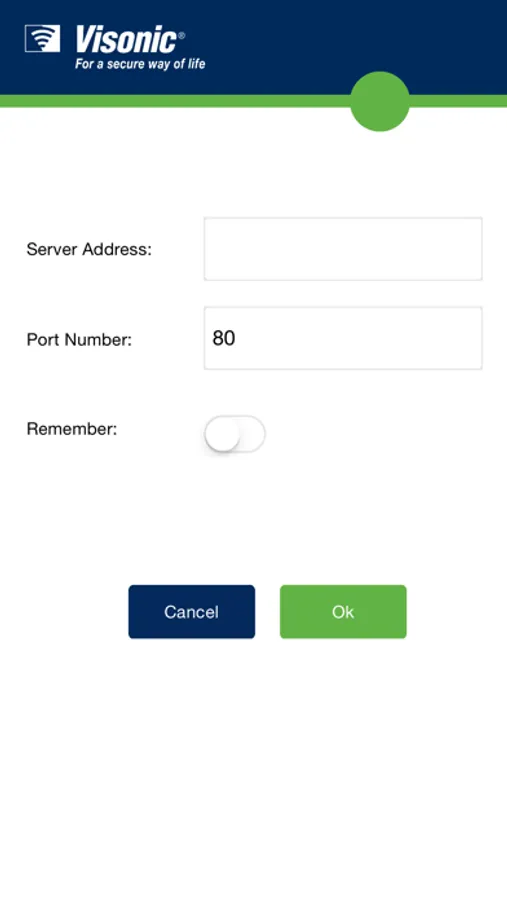
- Static IP address or URL of the home router
- Port number (default 80) provided by security service installer
- User name provided by security service installer
- Password provided by security service installer
Pre-requisite:
To access the PowerMax alarm system from outside the premises over Internet, your security service installer should have forwarded the relevant ports on the home/office router. You also require an Internet connection to access the PowerMax alarm system from outside the premises.
To access the PowerMax alarm system from inside the premises, you will require a WiFi access point or router.
To download “My Visonic” User Manual Click here:
http://visonic.in/wp-content/uploads/2016/04/My-Visonic-User-Guide.pdf
With this App you can:
- Arm the system in home or away mode
- Disarm the system
- Check the current status of the system
- View the history of all the events and alarms
- Check the status of all the sensors
- Live view of IP cameras
- Control your home devices
- Shows the live alarm status in case of an alarm.
Parameters:
- Static IP address or URL of the home router
- Port number (default 80) provided by security service installer
- User name provided by security service installer
- Password provided by security service installer
Pre-requisite:
To access the PowerMax alarm system from outside the premises over Internet, your security service installer should have forwarded the relevant ports on the home/office router. You also require an Internet connection to access the PowerMax alarm system from outside the premises.
To access the PowerMax alarm system from inside the premises, you will require a WiFi access point or router.
To download “My Visonic” User Manual Click here:
http://visonic.in/wp-content/uploads/2016/04/My-Visonic-User-Guide.pdf