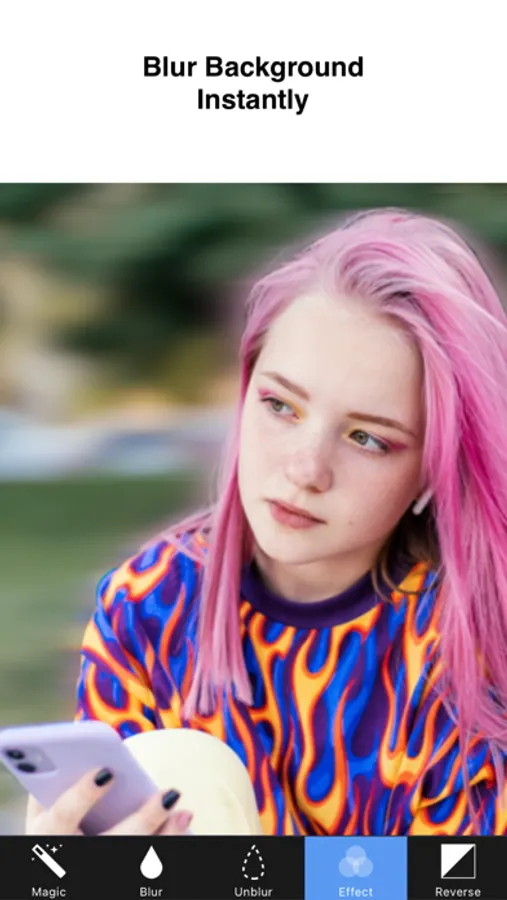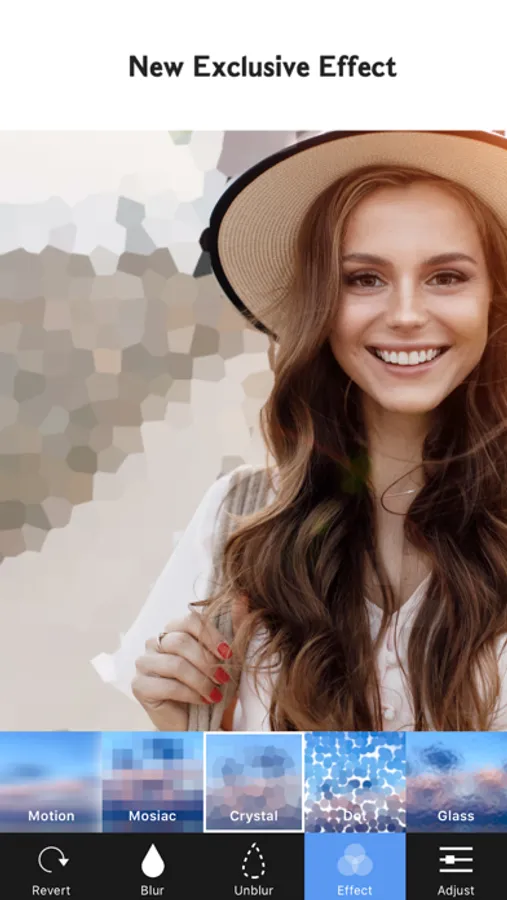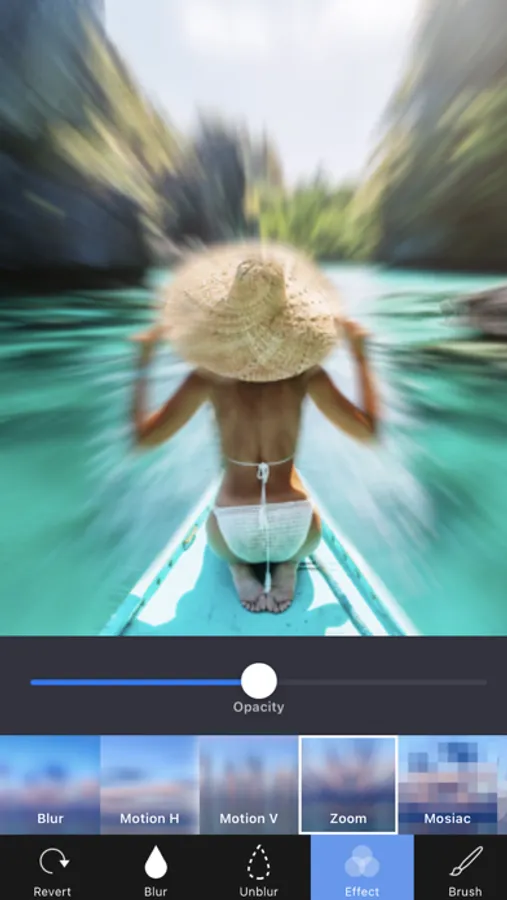
In this photo editing app, you can blur backgrounds and objects with easy-to-use tools. Includes various blur effects, mosaic styles, and sharing options.
AppRecs review analysis
AppRecs rating 3.8. Trustworthiness 79 out of 100. Review manipulation risk 24 out of 100. Based on a review sample analyzed.
★★★☆☆
3.8
AppRecs Rating
Ratings breakdown
5 star
61%
4 star
17%
3 star
12%
2 star
4%
1 star
5%
What to know
✓
Low review manipulation risk
24% review manipulation risk
⚠
Ad complaints
Many low ratings mention excessive ads
⚠
Pricing complaints
Many low ratings mention paywalls or pricing
About Blur Photo Background
Blur Background helps to blur the background of any picture of yours with just few taps.
Blur unwanted object, face or anything!
Features
+ Blur Tool
- Blur / UnBlur : Blur / UnBlur the area you touched
+ Unique Blur Effect
- Gaussian Blur
- Zoom Blur
- Motion Blur
+ Mosaic Effect
- Pixel Effect
- Crystalize Effect
- Dots Effect
- Glass Effect
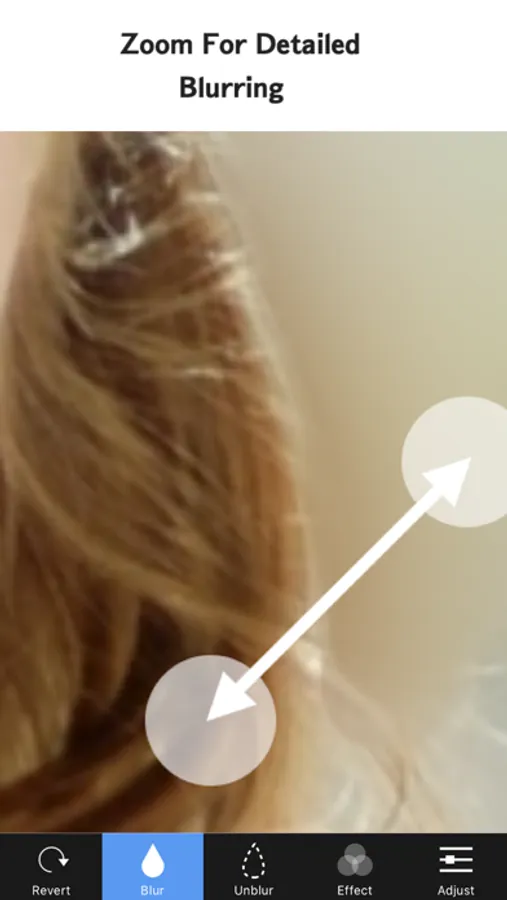
+ Zoom
- Zoom & rotate to work in detail!
+ Full Resolution
+ Share
- Save Camera roll
- Instagram, Facebook, Twitter, Other Apps
- Send Mail
========================================
BlurBackground is completely free to use, but you can unlock even more with a BlurBackground Pro subscription! A subscription removes the BlurBackground watermark and offers an ad-free experience.
Subscription option include :
- Pro monthly subscription (paid monthly) for $2.99 / month
- Pro yearly subscription (paid yearly) for $11.99 / year
Subscription to BlurBackground Pro automatically renew, unless auto-renew is turned off at least 24 - hours before the end of the current payment period.
- Payment will be charged to iTunes Account at confirmation of purchase.
- Account will be charged for renewal within 24-hours prior to the end of the current period.
- No cancellation of the current subscription is allowed during active subscription period.
- Subscriptions may be managed by the user and auto-renewal may be turned off by going to the user's Account Settings after purchase.
- Any unused portion of a free trial period will be forfeited when the user purchases a subscription.
# Subscriptions may be managed by the user and auto-renewal may be turned off by going to the user's iTunes Account Settings after purchase.
# Subscription can be cancelled during its free trial period via the subscription setting through your iTunes account. This must be done 24 hours before the end of the subscription period to avoid being charged.
Privacy Policy: https://sites.google.com/view/noonus-ltd/privacy-policy
Terms of Service: https://sites.google.com/view/noonus-ltd/terms-condition
If you have any issues or suggestions please let me know by tapping the setting button on the BlurBackground main screen.(setting button → Mail to Developer)
Blur unwanted object, face or anything!
Features
+ Blur Tool
- Blur / UnBlur : Blur / UnBlur the area you touched
+ Unique Blur Effect
- Gaussian Blur
- Zoom Blur
- Motion Blur
+ Mosaic Effect
- Pixel Effect
- Crystalize Effect
- Dots Effect
- Glass Effect
+ Zoom
- Zoom & rotate to work in detail!
+ Full Resolution
+ Share
- Save Camera roll
- Instagram, Facebook, Twitter, Other Apps
- Send Mail
========================================
BlurBackground is completely free to use, but you can unlock even more with a BlurBackground Pro subscription! A subscription removes the BlurBackground watermark and offers an ad-free experience.
Subscription option include :
- Pro monthly subscription (paid monthly) for $2.99 / month
- Pro yearly subscription (paid yearly) for $11.99 / year
Subscription to BlurBackground Pro automatically renew, unless auto-renew is turned off at least 24 - hours before the end of the current payment period.
- Payment will be charged to iTunes Account at confirmation of purchase.
- Account will be charged for renewal within 24-hours prior to the end of the current period.
- No cancellation of the current subscription is allowed during active subscription period.
- Subscriptions may be managed by the user and auto-renewal may be turned off by going to the user's Account Settings after purchase.
- Any unused portion of a free trial period will be forfeited when the user purchases a subscription.
# Subscriptions may be managed by the user and auto-renewal may be turned off by going to the user's iTunes Account Settings after purchase.
# Subscription can be cancelled during its free trial period via the subscription setting through your iTunes account. This must be done 24 hours before the end of the subscription period to avoid being charged.
Privacy Policy: https://sites.google.com/view/noonus-ltd/privacy-policy
Terms of Service: https://sites.google.com/view/noonus-ltd/terms-condition
If you have any issues or suggestions please let me know by tapping the setting button on the BlurBackground main screen.(setting button → Mail to Developer)