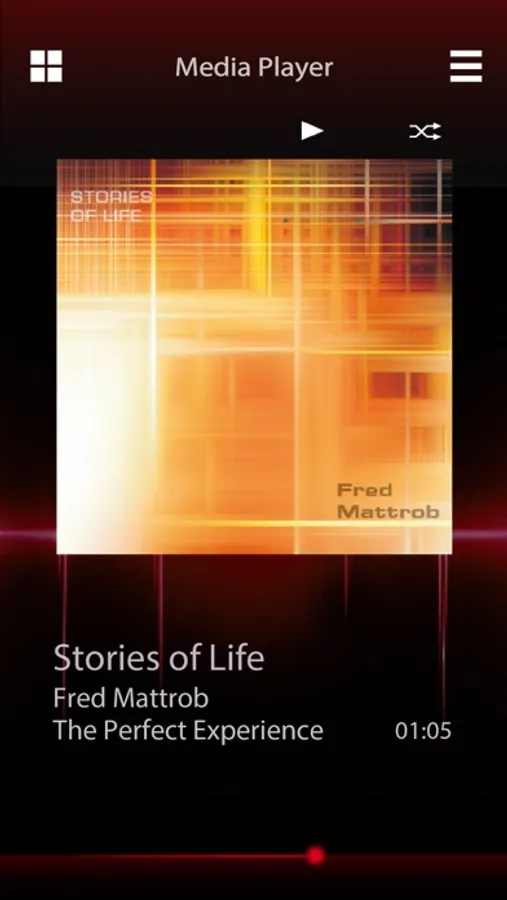
In this app, you can control compatible JVC car receivers via Bluetooth using gesture commands or a touchscreen interface. Includes receiver control, source display, and a standalone music player.
AppRecs review analysis
AppRecs rating 1.4. Trustworthiness 65 out of 100. Review manipulation risk 29 out of 100. Based on a review sample analyzed.
★☆☆☆☆
1.4
AppRecs Rating
Ratings breakdown
5 star
13%
4 star
7%
3 star
3%
2 star
3%
1 star
74%
What to know
✓
Low review manipulation risk
29% review manipulation risk
⚠
Mixed user feedback
Average 1.8★ rating suggests room for improvement
⚠
High negative review ratio
77% of sampled ratings are 1–2 stars
About JVC Remote
JVC Remote is an application that connects and controls compatible JVC car receivers via Bluetooth® like a wireless remote control.
This application can also display JVC car receiver’s source information on the smartphone’s screen,
and enables the user to make an audio setting using application's easy to use graphic user interface.
Application can also work as a free standalone music player application, when the unit is not connected to the headunit.
INNOVATIVE GESTURE CONTROL
You can command basic controls such as pause, skip or repeat simply by finger gesture operations on the screen of the smartphone.
Also, you can make a search for a specific song, album or an artist from your playlist.
RECEIVER SETTING USING SMARTPHONE GUI
Audio settings, such as Time Alignment and EQ setting can be easily be set using the JVC Remote application's easy to use graphic user interface.
Note: Depends on the model.
KEY FEATURES
・Remote Control Function (by Gesture Control or by Remote Control Screen)
・Standalone Music Player
・Receiver Setting(Depends on the model)
・Display Receiver Information
CAUTION
Do not operate any functions that takes your attention away from safe driving.
System requirements: iOS8.0 and above
This application can also display JVC car receiver’s source information on the smartphone’s screen,
and enables the user to make an audio setting using application's easy to use graphic user interface.
Application can also work as a free standalone music player application, when the unit is not connected to the headunit.
INNOVATIVE GESTURE CONTROL
You can command basic controls such as pause, skip or repeat simply by finger gesture operations on the screen of the smartphone.
Also, you can make a search for a specific song, album or an artist from your playlist.
RECEIVER SETTING USING SMARTPHONE GUI
Audio settings, such as Time Alignment and EQ setting can be easily be set using the JVC Remote application's easy to use graphic user interface.
Note: Depends on the model.
KEY FEATURES
・Remote Control Function (by Gesture Control or by Remote Control Screen)
・Standalone Music Player
・Receiver Setting(Depends on the model)
・Display Receiver Information
CAUTION
Do not operate any functions that takes your attention away from safe driving.
System requirements: iOS8.0 and above