AppRecs review analysis
AppRecs rating 4.3. Trustworthiness 79 out of 100. Review manipulation risk 22 out of 100. Based on a review sample analyzed.
★★★★☆
4.3
AppRecs Rating
Ratings breakdown
5 star
68%
4 star
13%
3 star
4%
2 star
4%
1 star
11%
What to know
✓
Low review manipulation risk
22% review manipulation risk
✓
Credible reviews
79% trustworthiness score from analyzed reviews
✓
High user satisfaction
81% of sampled ratings are 4+ stars (4.2★ average)
About Deleter - bulk clean photos
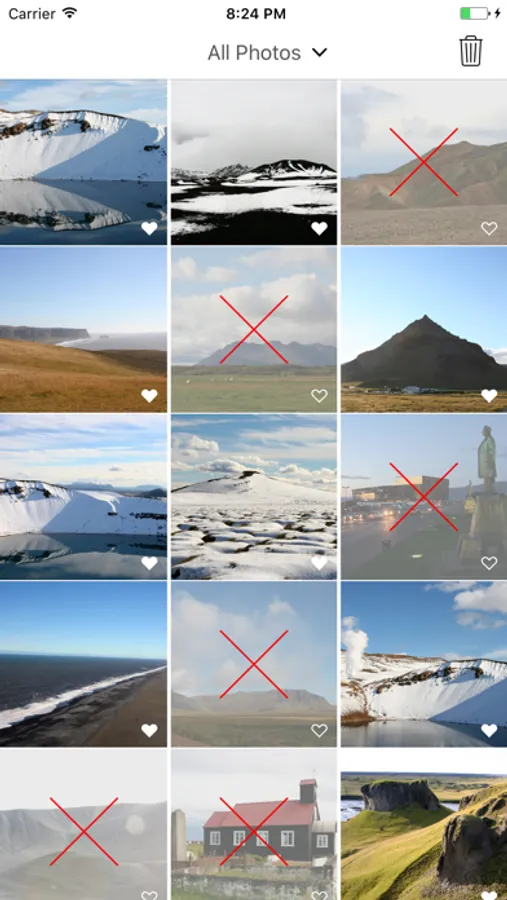
Deleter does one thing — and does it really well: deletes your unfavourited photos and videos.
HOW TO USE DELETER:
1 Pick a time range — Days, Weeks, Months, Years or All
2 See all your unfavourited pics
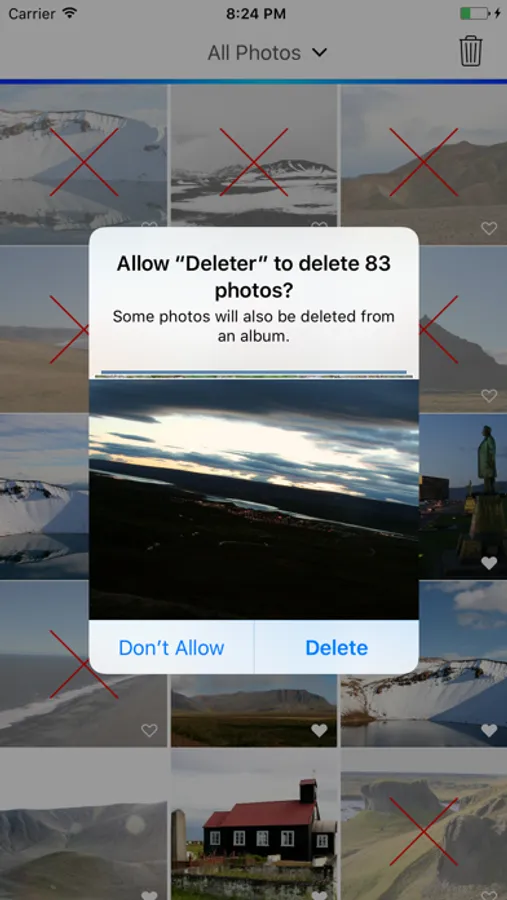
3 Tap once. Review and confirm. They’re gone.
Deleter is the easiest way to say goodbye to your photo clutter. No swiping, no second-guessing — just a clean camera roll in seconds.
If you are like us- constantly reviewing your camera roll and favouriting the pictures you want to keep, Deleter is a perfect tool for you.
The system puts all your deleted photos in the Recently Deleted folder of your default Photos app.
To remove them finally and free our disk space:
- Open default Photos app.
- Go to Albums/Recently Deleted.
- Press Select and Delete All.
- Confirm the deletion (this cannot be undone).
If you have any ideas or questions, please email us at aleksandras@coder.lt
HOW TO USE DELETER:
1 Pick a time range — Days, Weeks, Months, Years or All
2 See all your unfavourited pics
3 Tap once. Review and confirm. They’re gone.
Deleter is the easiest way to say goodbye to your photo clutter. No swiping, no second-guessing — just a clean camera roll in seconds.
If you are like us- constantly reviewing your camera roll and favouriting the pictures you want to keep, Deleter is a perfect tool for you.
The system puts all your deleted photos in the Recently Deleted folder of your default Photos app.
To remove them finally and free our disk space:
- Open default Photos app.
- Go to Albums/Recently Deleted.
- Press Select and Delete All.
- Confirm the deletion (this cannot be undone).
If you have any ideas or questions, please email us at aleksandras@coder.lt