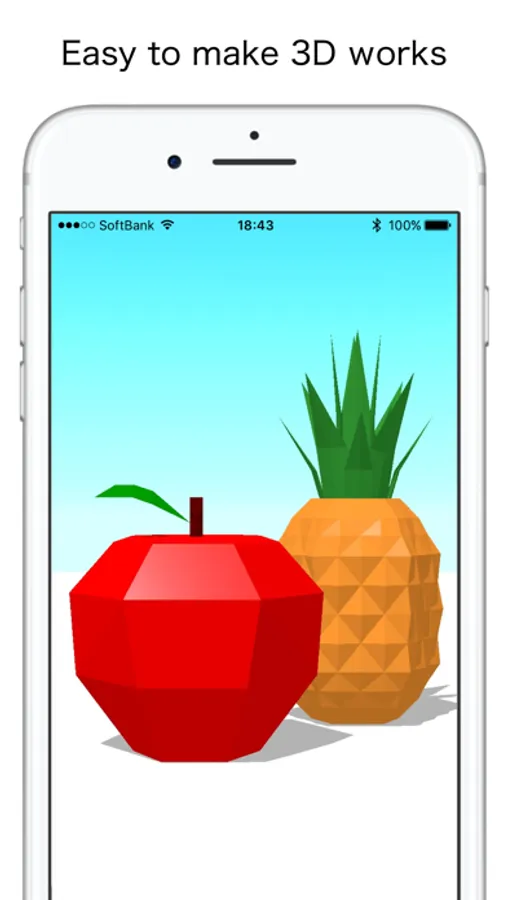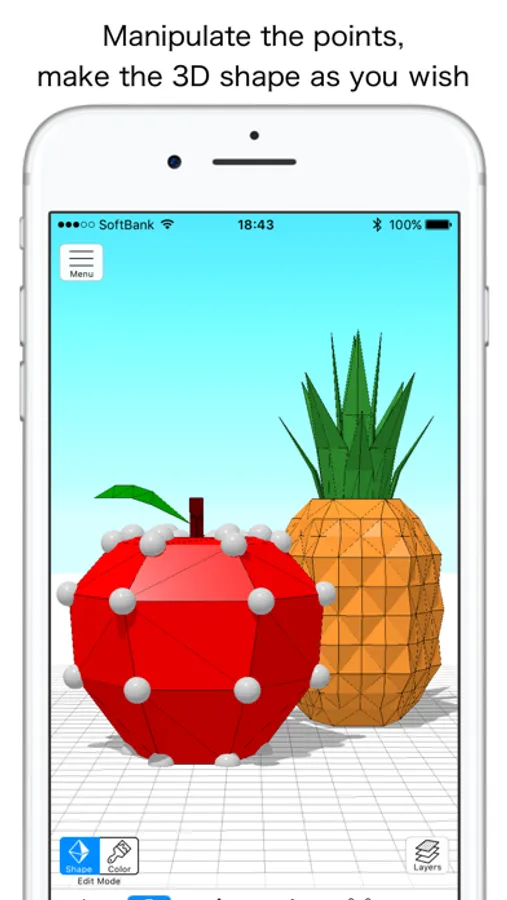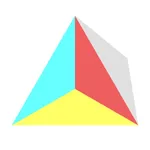
In this 3D modeling app, you can create shapes by adding or moving points and export your work in STL or OBJ formats. Includes editing tools, layer management, and options to share and publish artwork.
AppRecs review analysis
AppRecs rating 2.8. Trustworthiness 78 out of 100. Review manipulation risk 25 out of 100. Based on a review sample analyzed.
★★☆☆☆
2.8
AppRecs Rating
Ratings breakdown
5 star
33%
4 star
12%
3 star
8%
2 star
6%
1 star
41%
What to know
✓
Low review manipulation risk
25% review manipulation risk
⚠
Mixed user feedback
Average 2.9★ rating suggests room for improvement
⚠
High negative review ratio
47% of sampled ratings are 1–2 stars
About Tetra - Easy 3D Creation
Tetra is a 3D modeling app that makes 3D works easily.
Easily create 3D shapes
By adding points or moving points, you can make a 3D shape as you wish.
Publish artwork
You can post and publish your finished artwork.
Share artwork
By exporting in STL format, OBJ format, you can use it with 3D printer or other 3D editing application.
You can save it to iCloud and share it among devices.
Main 3D editing functions
· Add, delete, move, resize points
· Flip the edge of the surfaces of 3D shape
(Repartition of the two surfaces sandwiching the edge by the other diagonal line)
· Paint color on the surface of 3D shape, erase it, pick it
· Paint color on the floor, erase it, pick it
· Show / hide, lock the floor.
· Left-right symmetry, front-back symmetry
· Guide
· Capture and save images
· Export in STL format (not applicable for iPhone 5, iPhone 5C, iPad 4th generation), OBJ format
· Undoing / Redoing
· Lock (editing prohibited)
· Show / hide line (grid / wire frame)
· Show / hide 3D shape (translucent with long press)
· Light
· Display the coordinates that you manipulated
· Add, delete, duplicate, rename, move, rotate, flip horizontally, import layers
Show / hide 3D shape, color, lock for each layer
* Viewpoint operation
· Rotate: Swipe with one finger
· Zoom: Pinch with 2 fingers, or Swipe up and down with long press
· Focus: Long press to menu selection
· Front-rear / left-right movement: Swipe with 2 fingers
· Up / down movement: Swipe with 3 fingers
· Reset: Double tap with 2 fingers
Main artwork edit function
· Create, delete, duplicate, rename artworks
· Move to, from iCloud
· Export to file
Main artwork public function
· Upload, delete artworks
· Browsing and downloading published artworks
*Tetra is using the icons8.com icon. https://icons8.com
Easily create 3D shapes
By adding points or moving points, you can make a 3D shape as you wish.
Publish artwork
You can post and publish your finished artwork.
Share artwork
By exporting in STL format, OBJ format, you can use it with 3D printer or other 3D editing application.
You can save it to iCloud and share it among devices.
Main 3D editing functions
· Add, delete, move, resize points
· Flip the edge of the surfaces of 3D shape
(Repartition of the two surfaces sandwiching the edge by the other diagonal line)
· Paint color on the surface of 3D shape, erase it, pick it
· Paint color on the floor, erase it, pick it
· Show / hide, lock the floor.
· Left-right symmetry, front-back symmetry
· Guide
· Capture and save images
· Export in STL format (not applicable for iPhone 5, iPhone 5C, iPad 4th generation), OBJ format
· Undoing / Redoing
· Lock (editing prohibited)
· Show / hide line (grid / wire frame)
· Show / hide 3D shape (translucent with long press)
· Light
· Display the coordinates that you manipulated
· Add, delete, duplicate, rename, move, rotate, flip horizontally, import layers
Show / hide 3D shape, color, lock for each layer
* Viewpoint operation
· Rotate: Swipe with one finger
· Zoom: Pinch with 2 fingers, or Swipe up and down with long press
· Focus: Long press to menu selection
· Front-rear / left-right movement: Swipe with 2 fingers
· Up / down movement: Swipe with 3 fingers
· Reset: Double tap with 2 fingers
Main artwork edit function
· Create, delete, duplicate, rename artworks
· Move to, from iCloud
· Export to file
Main artwork public function
· Upload, delete artworks
· Browsing and downloading published artworks
*Tetra is using the icons8.com icon. https://icons8.com