PanoSlicer
Dr. Tae
1.0 ★
store rating
Free
AppRecs review analysis
AppRecs rating 1.0. Trustworthiness 72 out of 100. Review manipulation risk 24 out of 100. Based on a review sample analyzed.
★☆☆☆☆
1.0
AppRecs Rating
Ratings breakdown
5 star
13%
4 star
0%
3 star
0%
2 star
0%
1 star
88%
What to know
✓
Low review manipulation risk
24% review manipulation risk
✓
Credible reviews
72% trustworthiness score from analyzed reviews
⚠
Mixed user feedback
Average 1.0★ rating suggests room for improvement
About PanoSlicer
PanoSlicer is the easiest way to share your panoramas on Instagram! Check out @PanoSlicer on Instagram to see PanoSlicer in action.
PanoSlicer helps you take advantage of Instagram's multi-image posts by slicing your panoramas into square pieces that can be uploaded at the same time into a seamless panorama that can swiped through on Instagram.
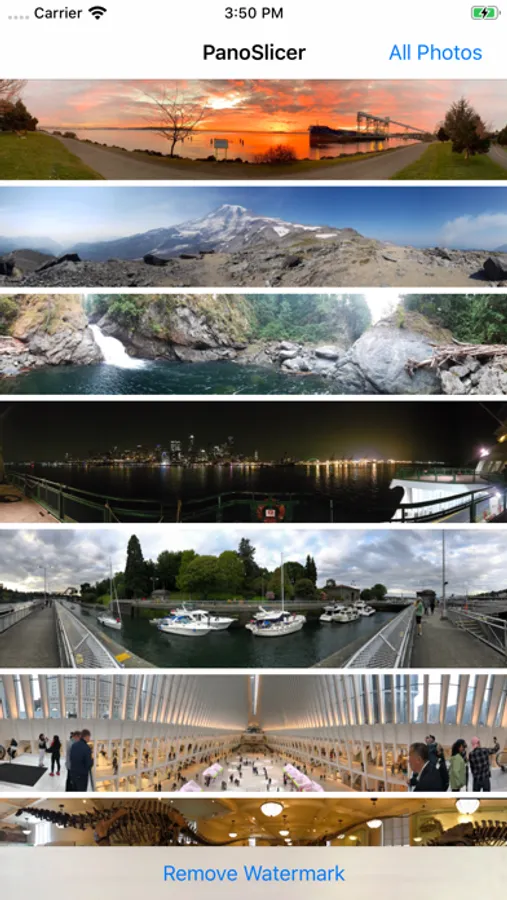
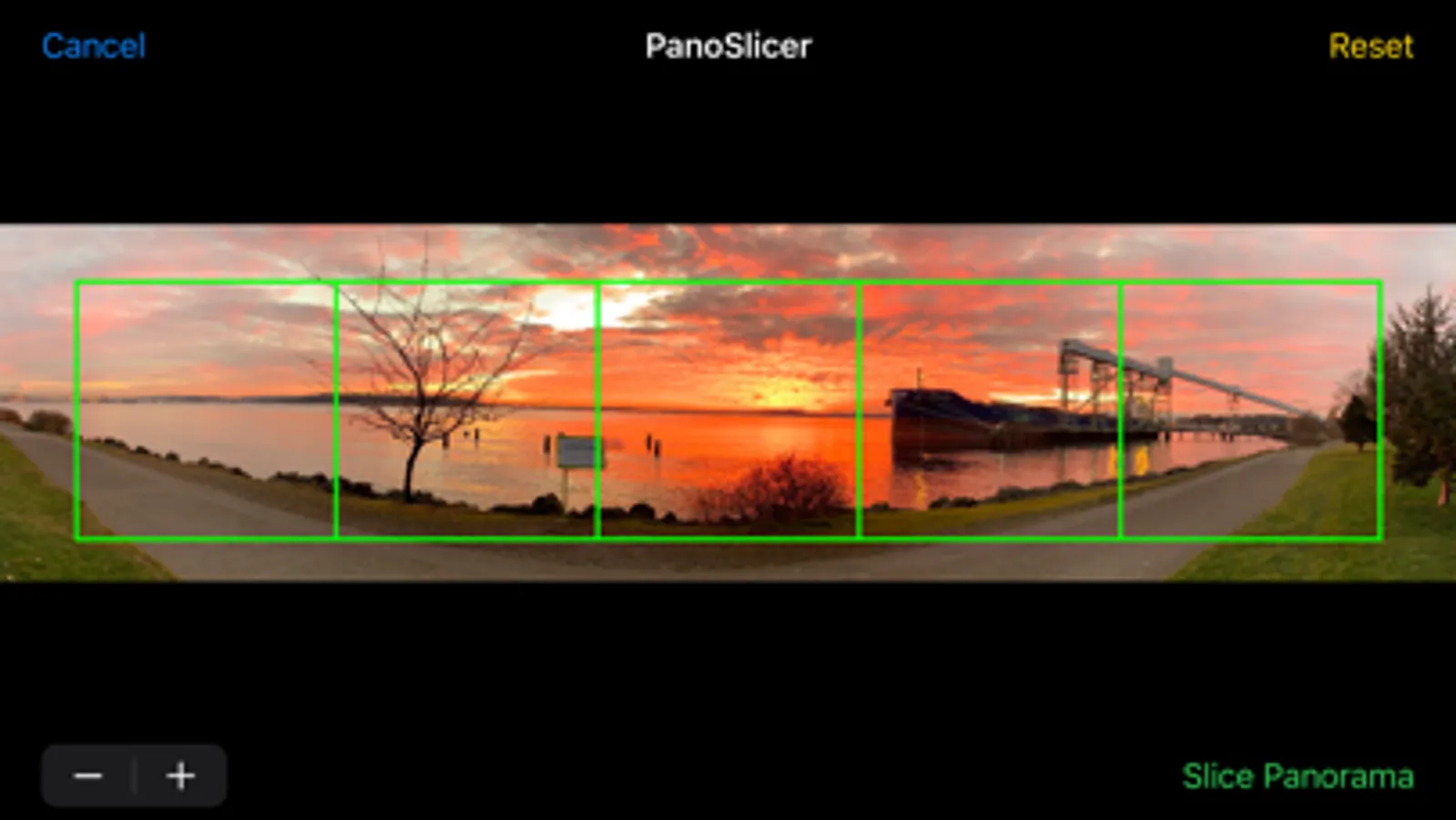
1) PanoSlicer displays thumbnails of all the panoramas* in your photo library. Simply tap the panorama you want to upload to Instagram, and customize the slicing by choosing the number of slices you want (up to Instagram's limit of 10) and which part of the panorama to slice by scrolling and zooming. After tapping on the "Slice Panorama" button, PanoSlicer slices your panorama into squares (keeping the original intact, of course), saves those slices to your photo library, and then automatically opens the Instagram uploader for you.
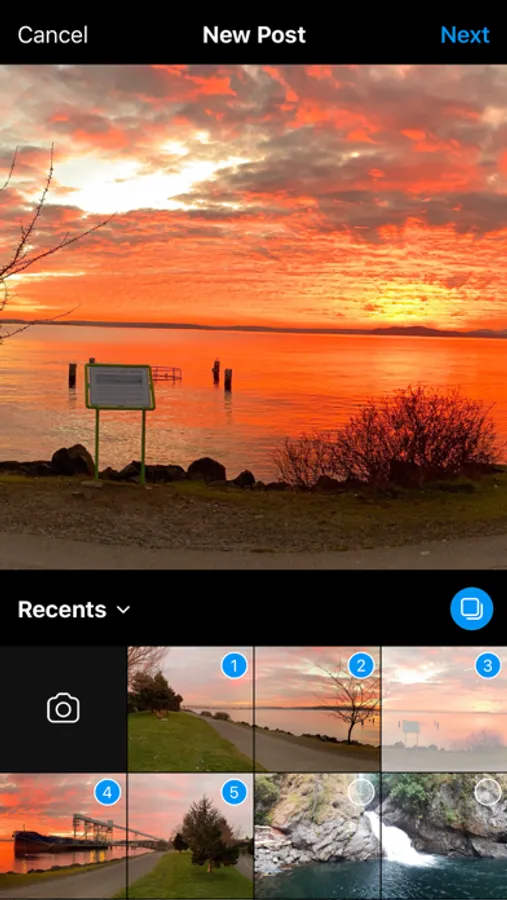
2) Use Instagram's "select multiple" option to upload your sliced panorama. PanoSlicer saves the slices to your photo library so that it's easy to select them in the correct order in Instagram's uploader.
3) Finish your upload and enjoy sharing your full panorama on Instagram!
PanoSlicer is free to try before you buy and initially adds a watermark to the images it creates. If you decide that PanoSlicer suits your needs, you can make an in-app purchase to unlock PanoSlicer so that it slices your panoramas without adding the watermark.
*Panoramas are defined as images with a height of more than 800 pixels and an aspect ratio (width/height) of at least 2.75. If you want to slice images that aren't recognized as panoramas, tap the "All Photos" button to browse your entire photo library.
PanoSlicer helps you take advantage of Instagram's multi-image posts by slicing your panoramas into square pieces that can be uploaded at the same time into a seamless panorama that can swiped through on Instagram.
1) PanoSlicer displays thumbnails of all the panoramas* in your photo library. Simply tap the panorama you want to upload to Instagram, and customize the slicing by choosing the number of slices you want (up to Instagram's limit of 10) and which part of the panorama to slice by scrolling and zooming. After tapping on the "Slice Panorama" button, PanoSlicer slices your panorama into squares (keeping the original intact, of course), saves those slices to your photo library, and then automatically opens the Instagram uploader for you.
2) Use Instagram's "select multiple" option to upload your sliced panorama. PanoSlicer saves the slices to your photo library so that it's easy to select them in the correct order in Instagram's uploader.
3) Finish your upload and enjoy sharing your full panorama on Instagram!
PanoSlicer is free to try before you buy and initially adds a watermark to the images it creates. If you decide that PanoSlicer suits your needs, you can make an in-app purchase to unlock PanoSlicer so that it slices your panoramas without adding the watermark.
*Panoramas are defined as images with a height of more than 800 pixels and an aspect ratio (width/height) of at least 2.75. If you want to slice images that aren't recognized as panoramas, tap the "All Photos" button to browse your entire photo library.