GitDrive - Git client & server
磊 李
4.3 ★
store rating
Free
AppRecs review analysis
AppRecs rating 4.1. Trustworthiness 77 out of 100. Review manipulation risk 21 out of 100. Based on a review sample analyzed.
★★★★☆
4.1
AppRecs Rating
Ratings breakdown
5 star
71%
4 star
10%
3 star
10%
2 star
0%
1 star
10%
What to know
✓
Low review manipulation risk
21% review manipulation risk
✓
Credible reviews
77% trustworthiness score from analyzed reviews
✓
High user satisfaction
80% of sampled ratings are 4+ stars (4.3★ average)
About GitDrive - Git client & server
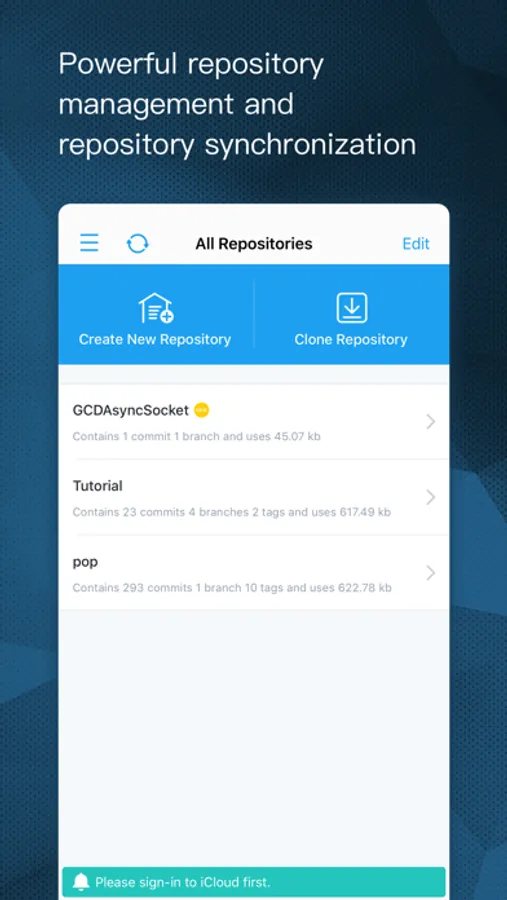
The repository pushed from your PC to GitDrive will be automatically synced to iCloud. As a result, it turns the iOS device already in the palm of your hand into a Git-enabled mobile hard drive!
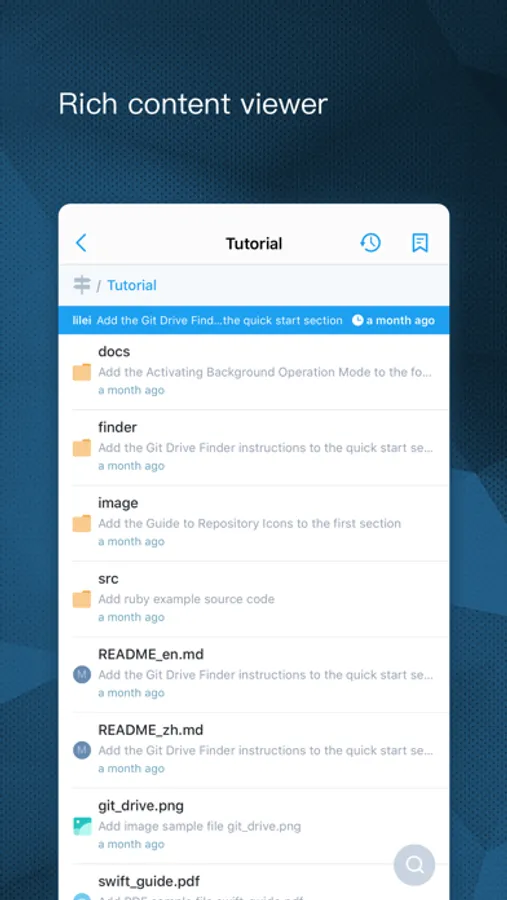
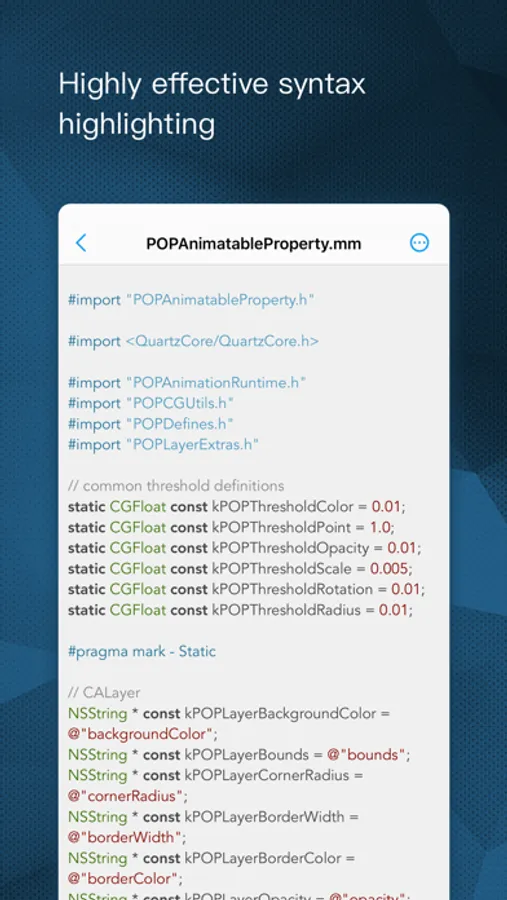
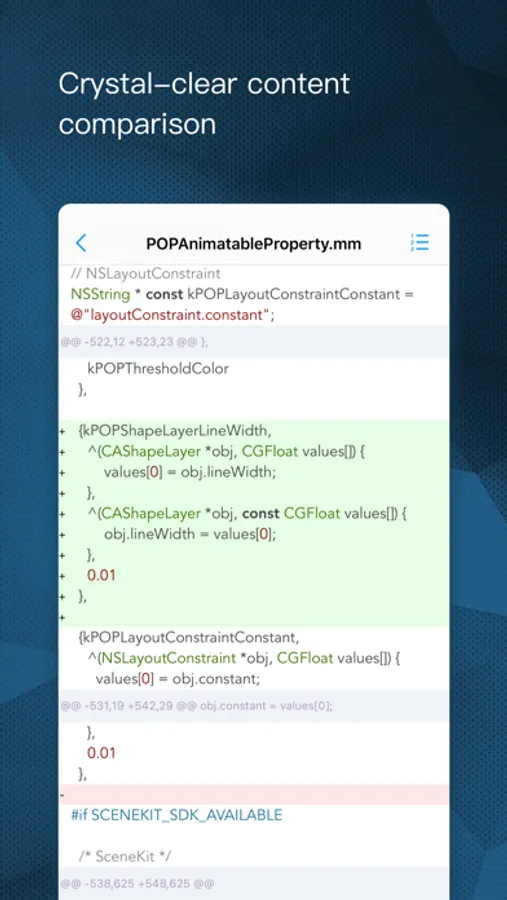
GitDrive also has powerful Git client functionality; whether you need to trace file versions, view branches and tags, or apply syntax coloring to source code; from viewing Markdown files, to checking PDF, Word, or the various types of image and audio-video files; it can get the job done!
Main Features:
- Powerful Git Server supports Git Smart transfer protocol; supports access by 5-10 users concurrently (using iPad will increase concurrent user accessibility).
- Support for repository-based user authorization control.
- Shallow updates and cloning operations for the repository.
- Repository management; every repository update operation will be controlled by transaction; if the operation is interrupted, all data will be immediately rolled back, or automatically rolled back when App is re-started, reliable and dependable!
- iCloud repository syncing; no need to worry about data loss, because all repositories are backed up on the cloud!
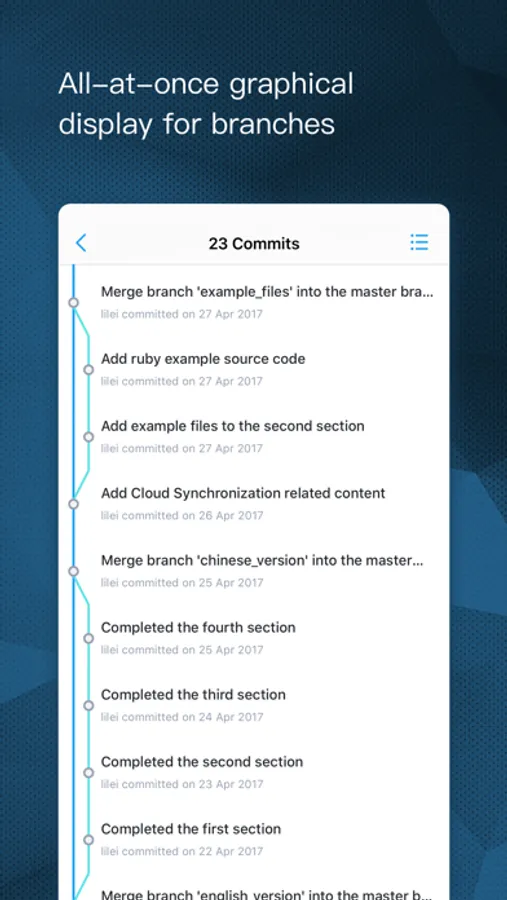
- Graphical commit record; all branches are available at a glance.
- High-speed syntax coloring engine; supports syntax coloring for over 100 programming languages; will be updated periodically.
- GitHub integration; simple to search and clone GitHub repositories.
If you want to access server by domain, but don't want to manually modify the hosts file each time, then GitDrive Finder can help! Finder will search the app in LAN and automatically add the IP address and domain mapping to the hosts file. Anytime you switch between LAN connections and run the Finder, the IP address and domain mapping will be updated.
Finder is located in the ‘finder’ directory, part of the Tutorial that is included with the App.
GitDrive also has powerful Git client functionality; whether you need to trace file versions, view branches and tags, or apply syntax coloring to source code; from viewing Markdown files, to checking PDF, Word, or the various types of image and audio-video files; it can get the job done!
Main Features:
- Powerful Git Server supports Git Smart transfer protocol; supports access by 5-10 users concurrently (using iPad will increase concurrent user accessibility).
- Support for repository-based user authorization control.
- Shallow updates and cloning operations for the repository.
- Repository management; every repository update operation will be controlled by transaction; if the operation is interrupted, all data will be immediately rolled back, or automatically rolled back when App is re-started, reliable and dependable!
- iCloud repository syncing; no need to worry about data loss, because all repositories are backed up on the cloud!
- Graphical commit record; all branches are available at a glance.
- High-speed syntax coloring engine; supports syntax coloring for over 100 programming languages; will be updated periodically.
- GitHub integration; simple to search and clone GitHub repositories.
If you want to access server by domain, but don't want to manually modify the hosts file each time, then GitDrive Finder can help! Finder will search the app in LAN and automatically add the IP address and domain mapping to the hosts file. Anytime you switch between LAN connections and run the Finder, the IP address and domain mapping will be updated.
Finder is located in the ‘finder’ directory, part of the Tutorial that is included with the App.