Gladys
Pavlos Tsochantaris
4.7 ★
store rating
Free
AppRecs review analysis
AppRecs rating 5.0. Trustworthiness 77 out of 100. Review manipulation risk 20 out of 100. Based on a review sample analyzed.
★★★★☆
5.0
AppRecs Rating
Ratings breakdown
5 star
82%
4 star
9%
3 star
5%
2 star
1%
1 star
2%
What to know
✓
Low review manipulation risk
20% review manipulation risk
✓
Credible reviews
77% trustworthiness score from analyzed reviews
✓
High user satisfaction
82% of sampled ratings are 5 stars
About Gladys
Gladys is a drag-and-drop shelf that holds things you want to set aside, such as links, text snippets, map locations, contacts, images, photos, emails, messages and much more (even if the application that the information came from is removed)
It works with any app that supports drag-and-drop, and helps keep you focused by letting you quickly set something aside, without having to consider where it needs to be dropped, or having to constantly switch between apps.
• Works with any app that supports drag-and-drop, but also provides an extension for apps that don't yet support it, as well as the ability to paste items to & from the clipboard.
• Quickly search for items inside the app or via Spotlight. Access your top items from the home screen / Today widget, your Apple Watch, and even iMessage.
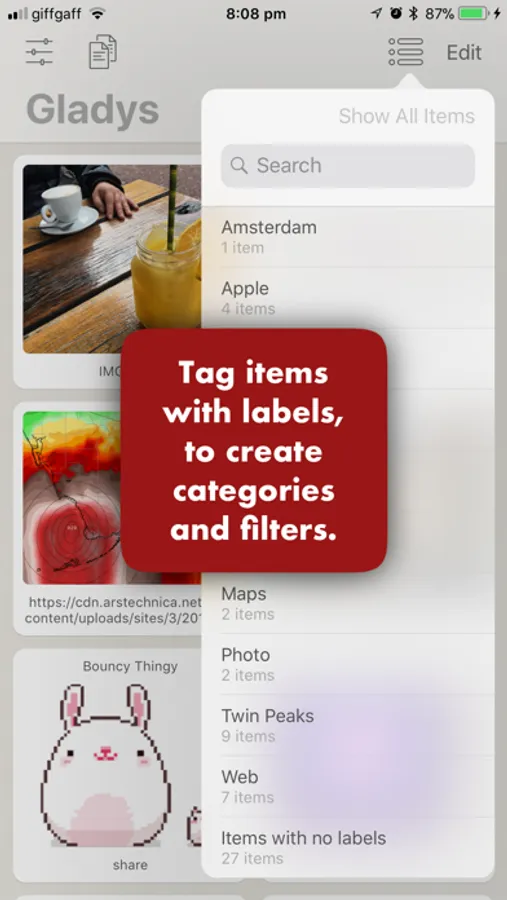
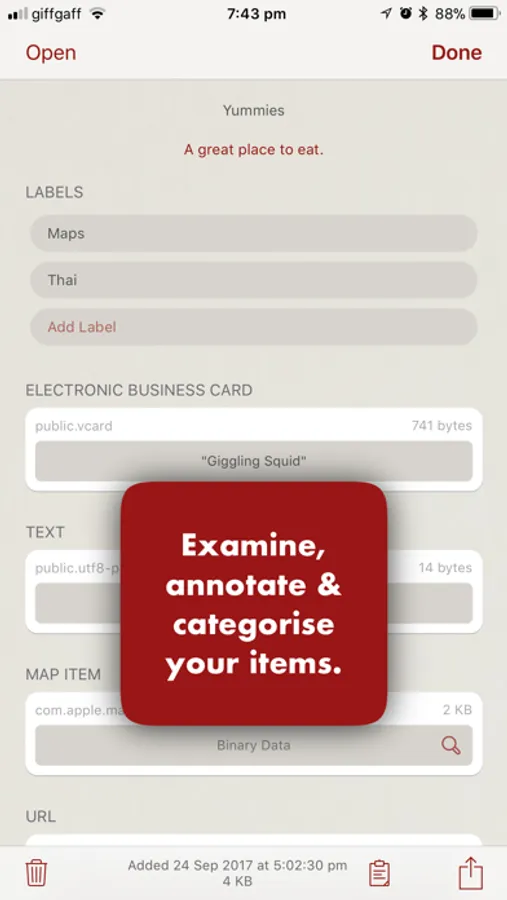
• Annotate items with notes, custom titles, and tag items with labels that allow you to easily categorise, browse, and sort your collection.
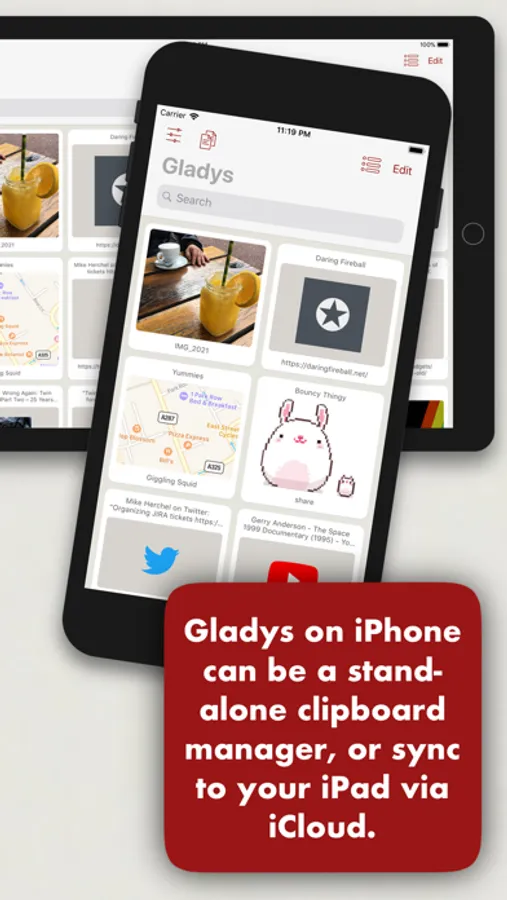
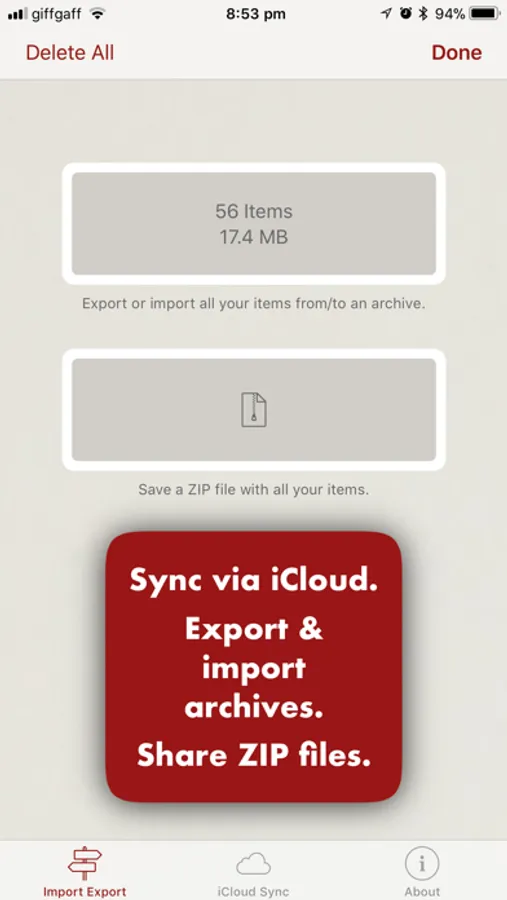
• Take your collection with you on your iPhone, and keep it updated by turning on automatic iCloud syncing.
• Invite friends to keep items from your own collection in their own collections, and, if you give permission, even collaboratively annotate and edit them.
• Import/export/merge collection archives simply by dragging.
• Ideal for bookmarking between apps: For example you can quickly return to dropped email items by selecting 'Open' in their info view, quickly share links between different browsers, or use Siri shortcuts to copy often-used items to and from your clipboard.
• Experienced users can get details on dropped items and extract or modify specific data components (e.g. extract the URL of an image link, instead of the whole item, add a new image, or edit the title).
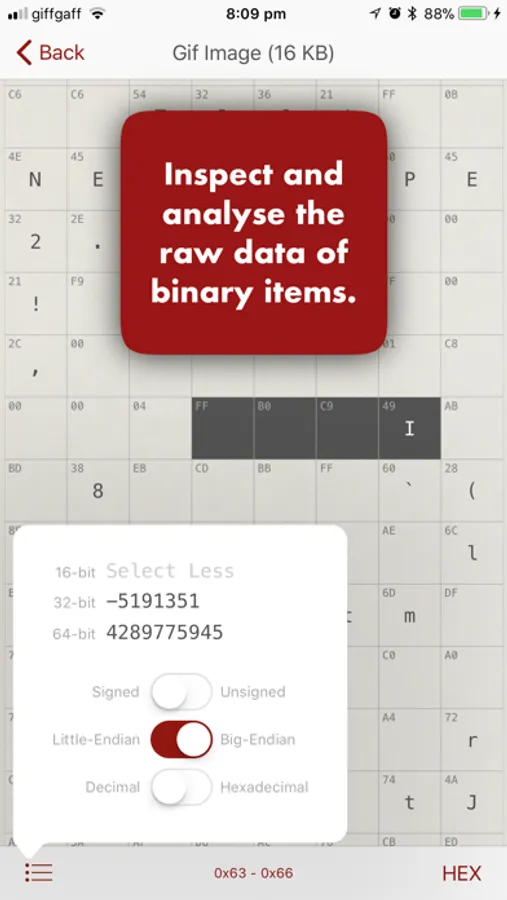
• Technical users can inspect binary data using the in-built hex viewer, download items pointed to by web links, and even archive web pages.
• Contains no analytics, ratings prompts, or noise.
It works with any app that supports drag-and-drop, and helps keep you focused by letting you quickly set something aside, without having to consider where it needs to be dropped, or having to constantly switch between apps.
• Works with any app that supports drag-and-drop, but also provides an extension for apps that don't yet support it, as well as the ability to paste items to & from the clipboard.
• Quickly search for items inside the app or via Spotlight. Access your top items from the home screen / Today widget, your Apple Watch, and even iMessage.
• Annotate items with notes, custom titles, and tag items with labels that allow you to easily categorise, browse, and sort your collection.
• Take your collection with you on your iPhone, and keep it updated by turning on automatic iCloud syncing.
• Invite friends to keep items from your own collection in their own collections, and, if you give permission, even collaboratively annotate and edit them.
• Import/export/merge collection archives simply by dragging.
• Ideal for bookmarking between apps: For example you can quickly return to dropped email items by selecting 'Open' in their info view, quickly share links between different browsers, or use Siri shortcuts to copy often-used items to and from your clipboard.
• Experienced users can get details on dropped items and extract or modify specific data components (e.g. extract the URL of an image link, instead of the whole item, add a new image, or edit the title).
• Technical users can inspect binary data using the in-built hex viewer, download items pointed to by web links, and even archive web pages.
• Contains no analytics, ratings prompts, or noise.