AppRecs review analysis
AppRecs rating 4.5. Trustworthiness 65 out of 100. Review manipulation risk 22 out of 100. Based on a review sample analyzed.
★★★★☆
4.5
AppRecs Rating
Ratings breakdown
5 star
100%
4 star
0%
3 star
0%
2 star
0%
1 star
0%
What to know
✓
Low review manipulation risk
22% review manipulation risk
✓
High user satisfaction
100% of sampled ratings are 5 stars
About Radio Code for Ford M
First offline code generator for Ford radio 3000, 4000, 4500, 5000, 6000, 6006, 7000 and 9006 assuming they have a serial number starting with "M".
Sometimes during the repair of the car, the battery is disconnected. After battery reconnected the radio is protected by a four digit code.
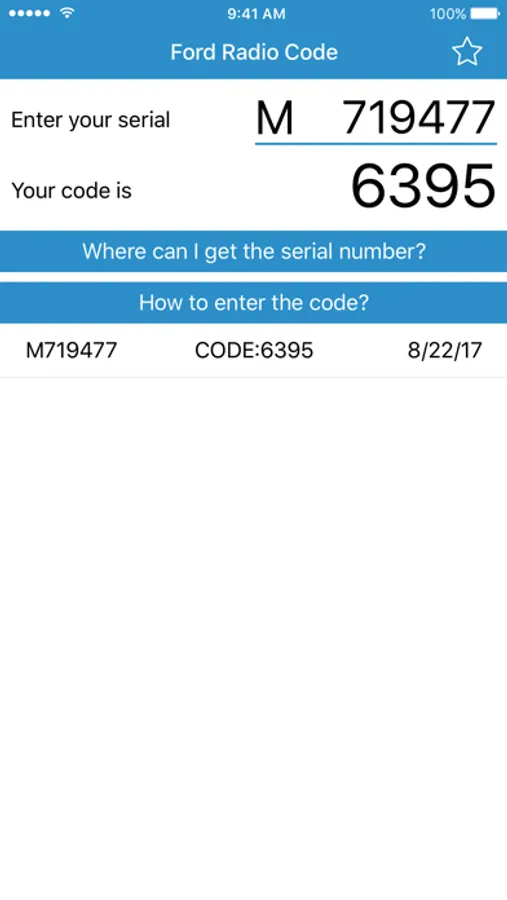
If you don't remember radio code or lost it, you can recover it quickly and easily with this app using serial number.
Note: serial number is located on the rear side of your radio. It must be starting with "M". Compatible with: 3000, 4000, 4500, 5000, 6000, 6006, 7000 and 9006.
To find the serial number:
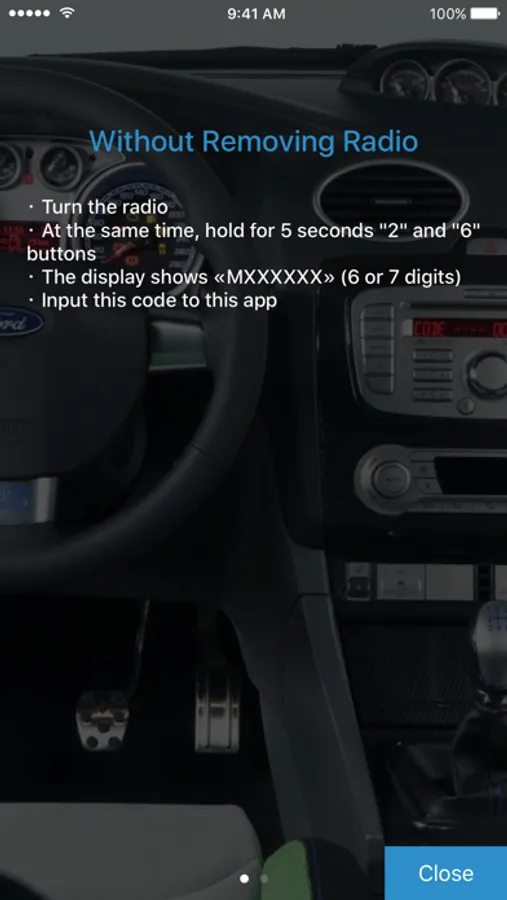
- Turn the radio on and hold at the same time the button 2 and 6 (In some cases, it is necessary to remove the radio)
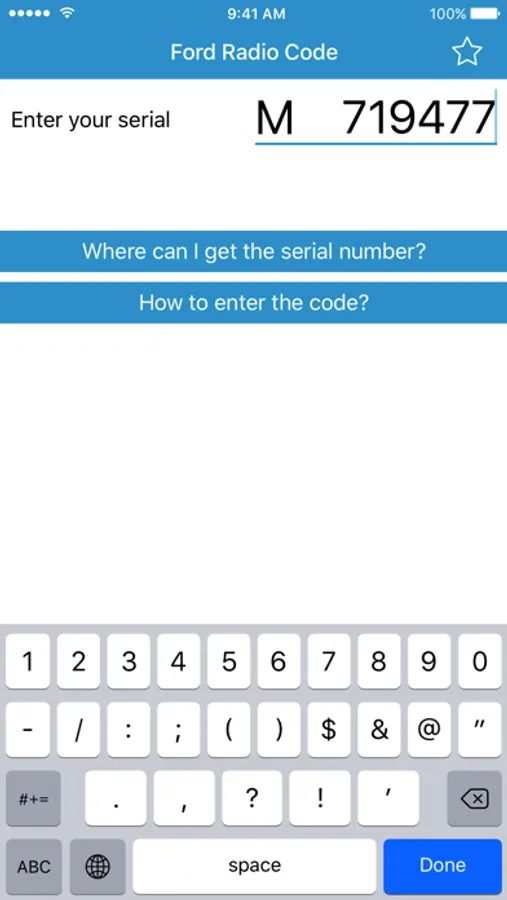
- See the unit serial. The serial consists of "M" letter and 6 or 7 digits. For example: M033125, M719477, M003538
- Input serial to this app
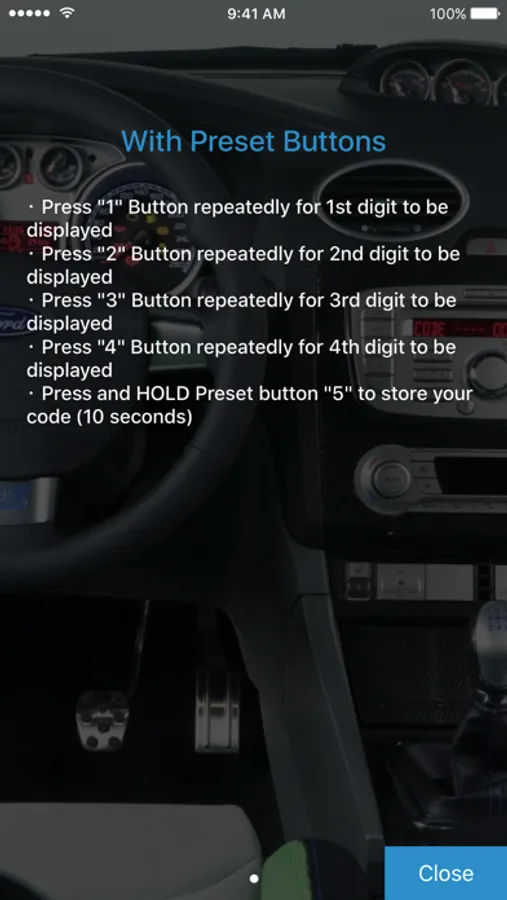
How to input radio code ?
・ Press 1 Button repeatedly for 1st digit to be displayed
・ Press 2 Button repeatedly for 2nd digit to be displayed
・ Press 3 Button repeatedly for 3rd digit to be displayed
・ Press 4 Button repeatedly for 4th digit to be displayed
・ Press and HOLD preset button 5 to store your code (10 seconds)
Please support us with your reviews in AppStore, it's very important for new users! Thank you!
If you experience difficulties with the app, please contact us.
support@kcandr.ru
Sometimes during the repair of the car, the battery is disconnected. After battery reconnected the radio is protected by a four digit code.
If you don't remember radio code or lost it, you can recover it quickly and easily with this app using serial number.
Note: serial number is located on the rear side of your radio. It must be starting with "M". Compatible with: 3000, 4000, 4500, 5000, 6000, 6006, 7000 and 9006.
To find the serial number:
- Turn the radio on and hold at the same time the button 2 and 6 (In some cases, it is necessary to remove the radio)
- See the unit serial. The serial consists of "M" letter and 6 or 7 digits. For example: M033125, M719477, M003538
- Input serial to this app
How to input radio code ?
・ Press 1 Button repeatedly for 1st digit to be displayed
・ Press 2 Button repeatedly for 2nd digit to be displayed
・ Press 3 Button repeatedly for 3rd digit to be displayed
・ Press 4 Button repeatedly for 4th digit to be displayed
・ Press and HOLD preset button 5 to store your code (10 seconds)
Please support us with your reviews in AppStore, it's very important for new users! Thank you!
If you experience difficulties with the app, please contact us.
support@kcandr.ru