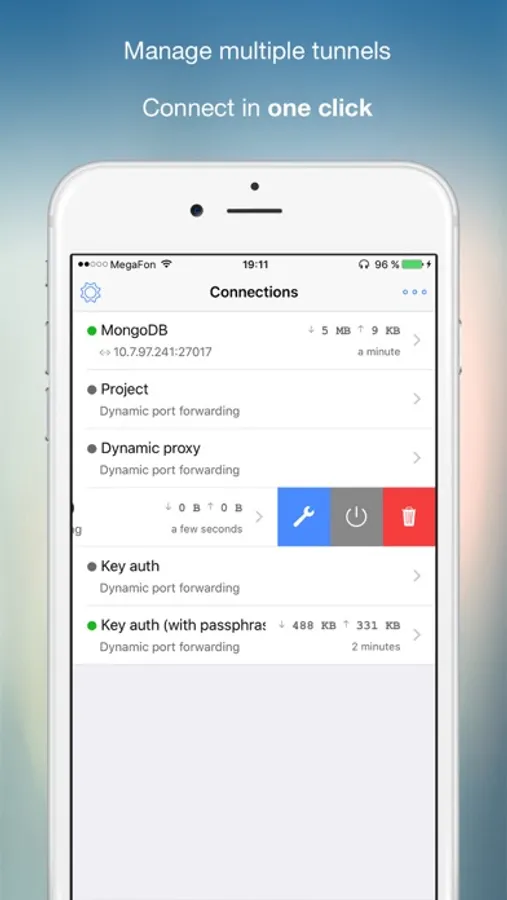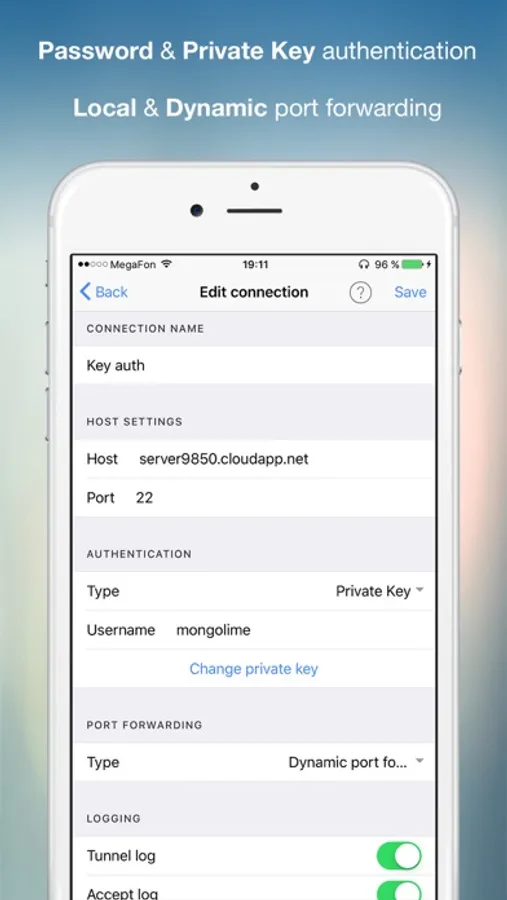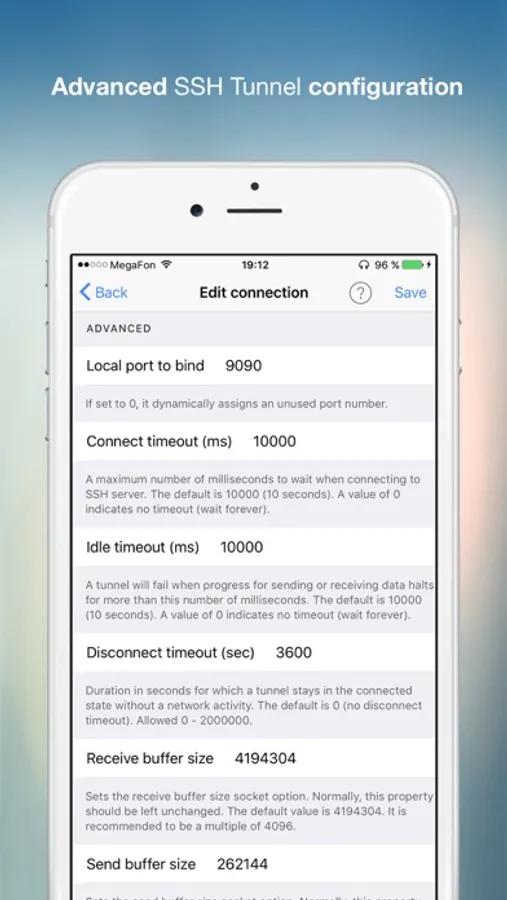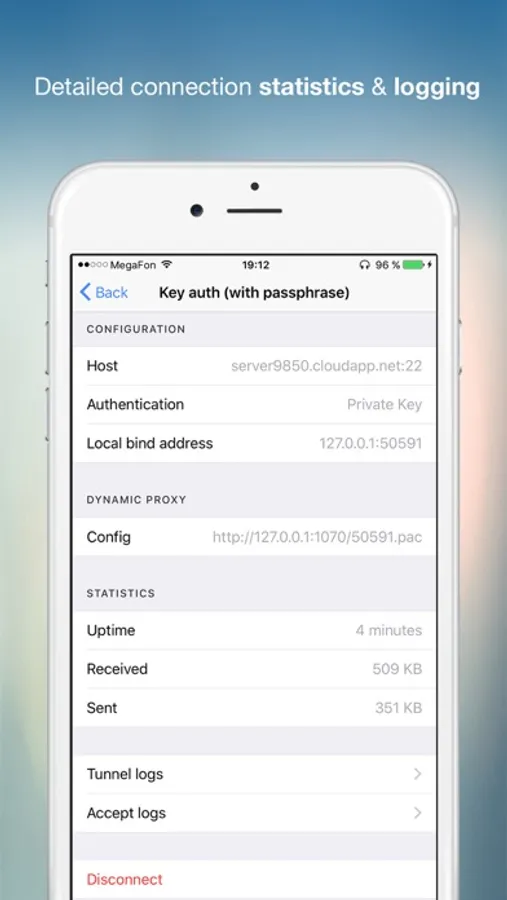
In this app, you can configure SSH tunnels and manage local SOCKS5 proxies on iOS devices. Includes password and key authentication options, connection statistics, and security features.
AppRecs review analysis
AppRecs rating 3.9. Trustworthiness 85 out of 100. Review manipulation risk 22 out of 100. Based on a review sample analyzed.
★★★☆☆
3.9
AppRecs Rating
Ratings breakdown
5 star
66%
4 star
5%
3 star
7%
2 star
4%
1 star
17%
What to know
✓
Low review manipulation risk
22% review manipulation risk
✓
Credible reviews
85% trustworthiness score from analyzed reviews
✓
High user satisfaction
72% of sampled ratings are 4+ stars (4.0★ average)
About SSH Tunnel - with SOCKS5 proxy
SSH Tunnel is the best and most convenient way to manage SSH tunnels on a mobile device running iOS.
The application allows you to configure a local socks5 proxy with a private tunnel to your own server.
Main functions and features of the application:
- Local Port Forwarding (works similar to: "ssh -L 80:intra.example.com:80 gw.example.com")
- Dynamic Port Forwarding (SOCKS5 proxy)
- Password, Private Key, 2FA (OTP) authentication
- Supported SSH Keys: ECDSA, ed25519, RSA, PuTTY keys.
- Host Key Fingerprint checking feature
- Connection data transfer statistics
- Connection Export & Import (iCloud Drive and other services)
- Passcode & Face ID protection
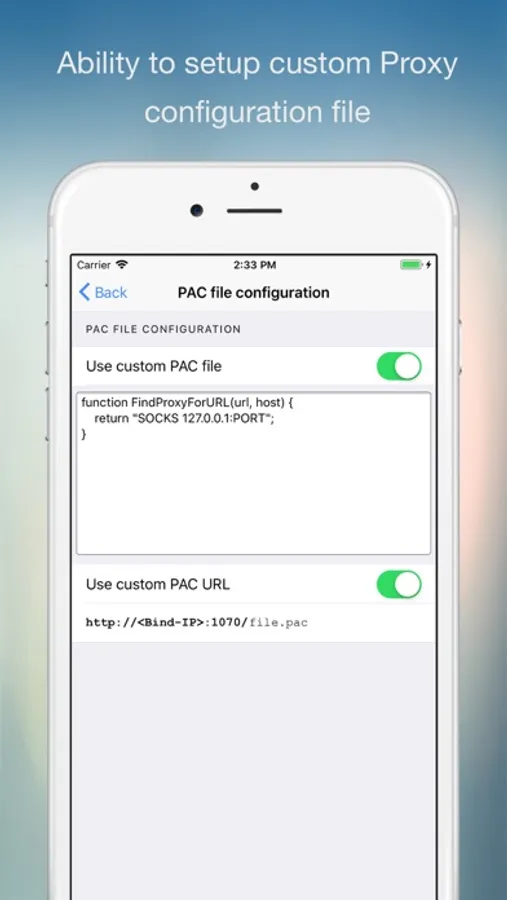
- Provides a local URL for a Proxy Auto-Configuration (PAC) file (for WiFi proxy autoconfiguration)
- Idle disconnect timer
- Advanced logging for a debug purpose
- Add free app
You need to have an SSH server configured to use this application.
The advantage of the SSH Tunnel is the ability to fully control traffic redirection. The application allows manual configuration of the PAC (Proxy Auto-Config) file using special rules. For example, redirection depending on the Wi-Fi network to which the phone is connected (home/work), time of day or the address of the requested resource itself.
SSH Tunnel support email: support@mobibean.zendesk.com
The application allows you to configure a local socks5 proxy with a private tunnel to your own server.
Main functions and features of the application:
- Local Port Forwarding (works similar to: "ssh -L 80:intra.example.com:80 gw.example.com")
- Dynamic Port Forwarding (SOCKS5 proxy)
- Password, Private Key, 2FA (OTP) authentication
- Supported SSH Keys: ECDSA, ed25519, RSA, PuTTY keys.
- Host Key Fingerprint checking feature
- Connection data transfer statistics
- Connection Export & Import (iCloud Drive and other services)
- Passcode & Face ID protection
- Provides a local URL for a Proxy Auto-Configuration (PAC) file (for WiFi proxy autoconfiguration)
- Idle disconnect timer
- Advanced logging for a debug purpose
- Add free app
You need to have an SSH server configured to use this application.
The advantage of the SSH Tunnel is the ability to fully control traffic redirection. The application allows manual configuration of the PAC (Proxy Auto-Config) file using special rules. For example, redirection depending on the Wi-Fi network to which the phone is connected (home/work), time of day or the address of the requested resource itself.
SSH Tunnel support email: support@mobibean.zendesk.com