With this keyboard app, you can create and customize layouts with over 100 Unicode characters and access special symbols through long-press gestures. Includes options for numeric symbols, customizable phrases, and a preview display with caret control.
AppRecs review analysis
AppRecs rating 3.8. Trustworthiness 67 out of 100. Review manipulation risk 26 out of 100. Based on a review sample analyzed.
★★★☆☆
3.8
AppRecs Rating
Ratings breakdown
5 star
60%
4 star
10%
3 star
30%
2 star
0%
1 star
0%
What to know
✓
Low review manipulation risk
26% review manipulation risk
✓
High user satisfaction
70% of sampled ratings are 4+ stars (4.3★ average)
About Pokéyboard
Pocket Keyboard is a customizable keyboard app extension!
NOTE: This customizable keyboard DOES NOT COLLECT ANY KIND OF INPUT DATA.
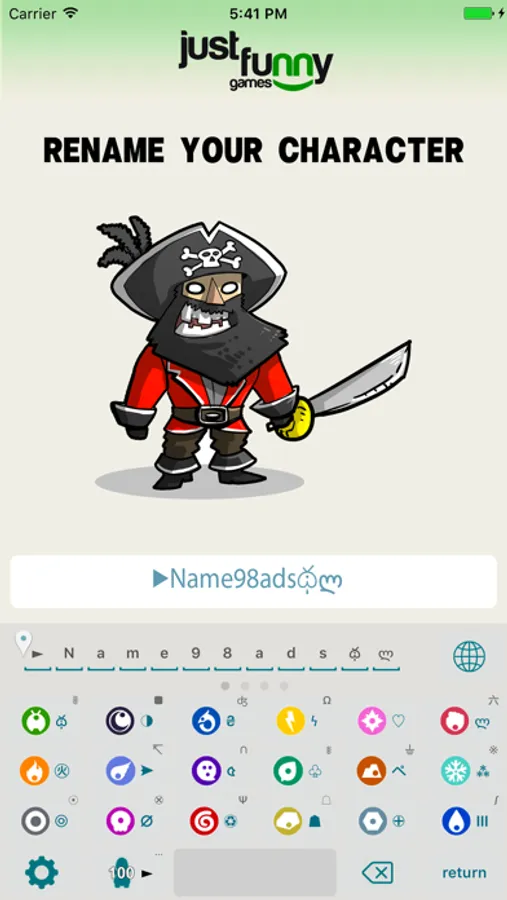
Pocket Keyboard features more than 100 customizable unicode characters that differ from traditional emojis and that are ready to use in any app that doesn't support other kinds of input.
Install this keyboard to use it just like any other system keyboard in all of your apps.
The keyboard is pre-configured with a scrolling layout (swipe across to scroll) with 4 pages:
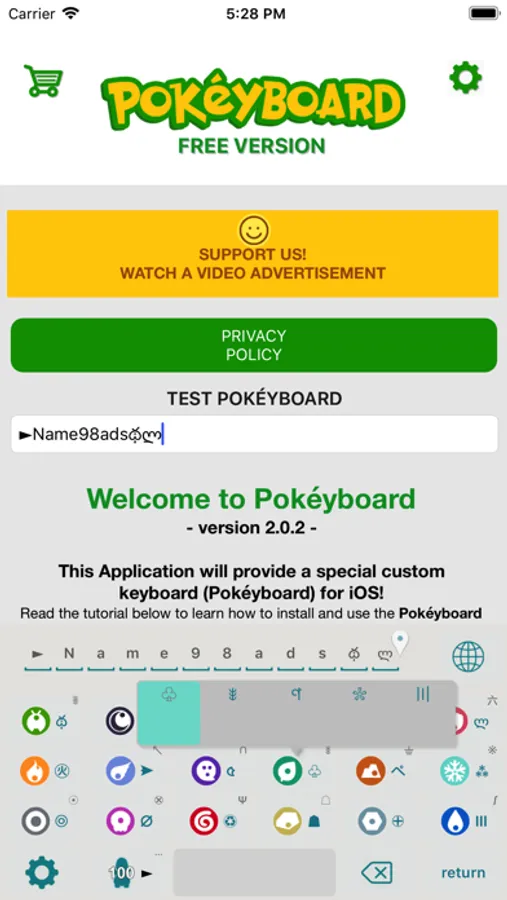
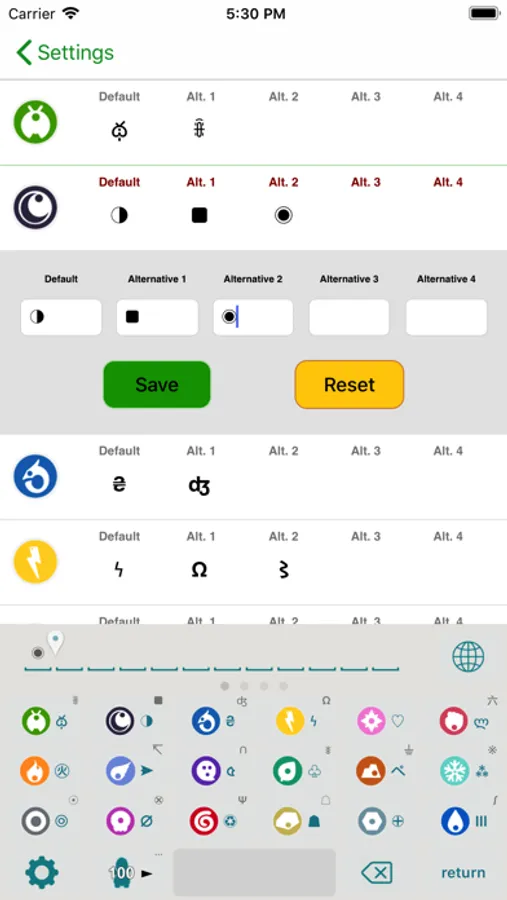
Page 1 - Unicode symbols (customizable by upgrading to Premium) with alternate symbols through a long-press gesture.
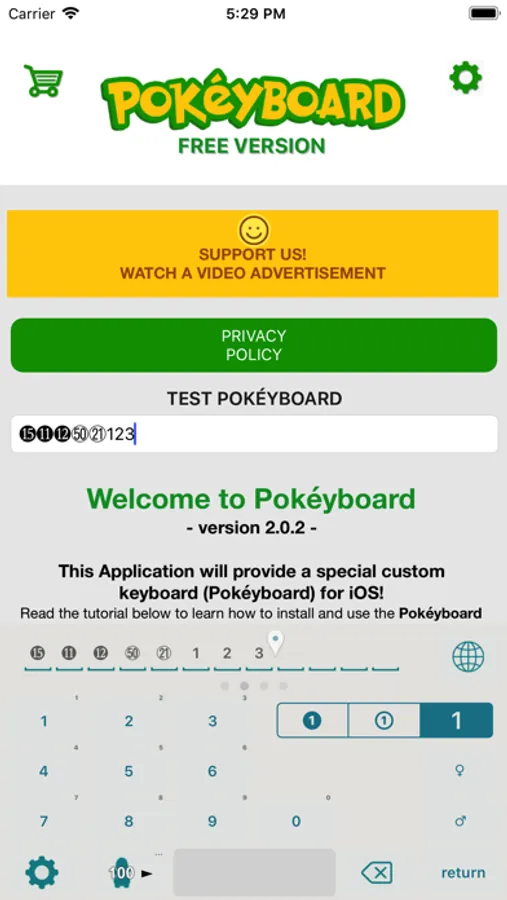
Page 2 - Unicode number symbols (black from ⓿ to ⓴ and white from ⓪ to ㊿).
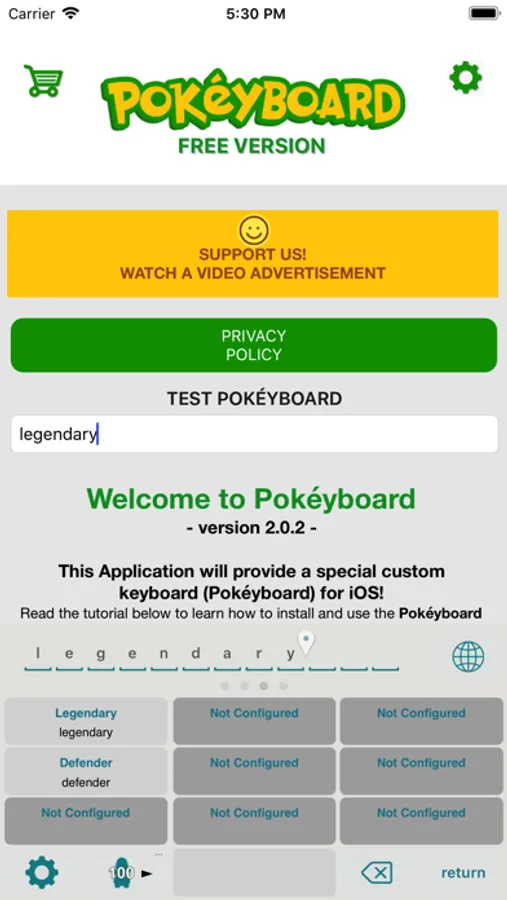
Page 3 - Customizable texts (by upgrading to Premium) for one-touch pasting of pre-configured phrases.
Page 4 - Classic QWERTY keyboard
Pocket Keyboard features a special preview field in the upper-left-hand corner that shows the first 12 input characters. Use the slider above the preview to move the input caret.
SEE THE COMPLETE INSTRUCTIONS INSIDE THE APP!
Features:
- Customizable keyboard with 100+ unicode characters, both pre-configured and customizable (by upgrading to Premium).
- Alternate symbols pop-ups by long-pressing a character.
- Numeric pad with special unicode number symbols (black from ⓿ to ⓴ and white from ⓪ to ㊿).
- 9 customizable keys (by upgrading to Premium) for one-touch pasting of pre-configured phrases.
- Preview field with caret position selector.
NOTE: This customizable keyboard DOES NOT COLLECT ANY KIND OF INPUT DATA.
Pocket Keyboard features more than 100 customizable unicode characters that differ from traditional emojis and that are ready to use in any app that doesn't support other kinds of input.
Install this keyboard to use it just like any other system keyboard in all of your apps.
The keyboard is pre-configured with a scrolling layout (swipe across to scroll) with 4 pages:
Page 1 - Unicode symbols (customizable by upgrading to Premium) with alternate symbols through a long-press gesture.
Page 2 - Unicode number symbols (black from ⓿ to ⓴ and white from ⓪ to ㊿).
Page 3 - Customizable texts (by upgrading to Premium) for one-touch pasting of pre-configured phrases.
Page 4 - Classic QWERTY keyboard
Pocket Keyboard features a special preview field in the upper-left-hand corner that shows the first 12 input characters. Use the slider above the preview to move the input caret.
SEE THE COMPLETE INSTRUCTIONS INSIDE THE APP!
Features:
- Customizable keyboard with 100+ unicode characters, both pre-configured and customizable (by upgrading to Premium).
- Alternate symbols pop-ups by long-pressing a character.
- Numeric pad with special unicode number symbols (black from ⓿ to ⓴ and white from ⓪ to ㊿).
- 9 customizable keys (by upgrading to Premium) for one-touch pasting of pre-configured phrases.
- Preview field with caret position selector.