AppRecs review analysis
AppRecs rating 1.9. Trustworthiness 82 out of 100. Review manipulation risk 26 out of 100. Based on a review sample analyzed.
★☆☆☆☆
1.9
AppRecs Rating
Ratings breakdown
5 star
19%
4 star
4%
3 star
6%
2 star
6%
1 star
65%
What to know
✓
Low review manipulation risk
26% review manipulation risk
✓
Credible reviews
82% trustworthiness score from analyzed reviews
⚠
Mixed user feedback
Average 2.1★ rating suggests room for improvement
About MW Connect
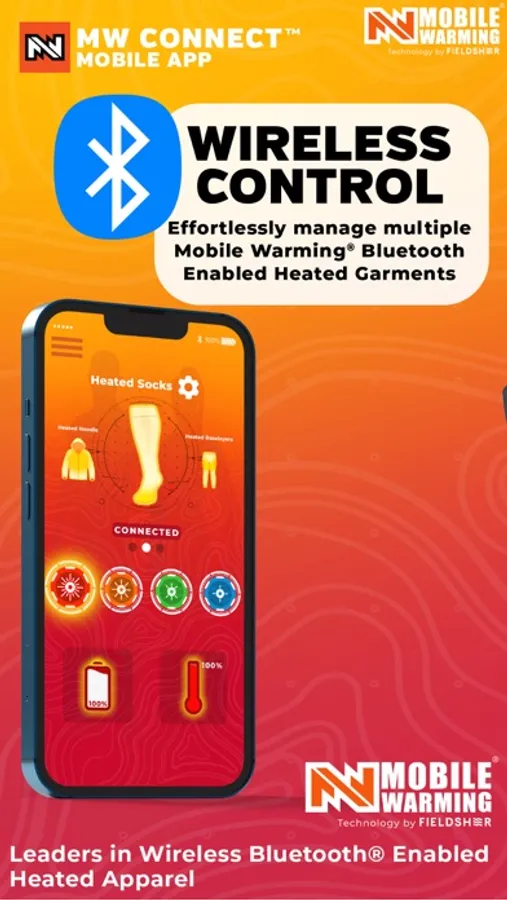
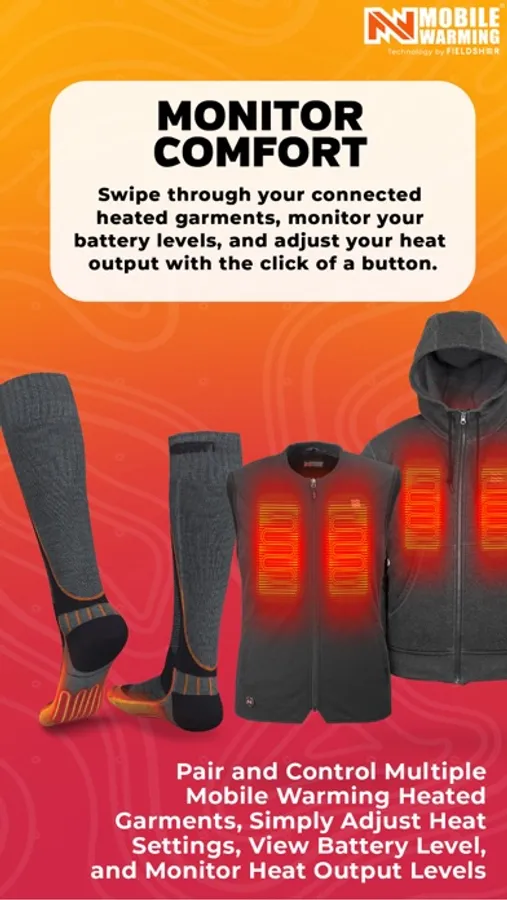
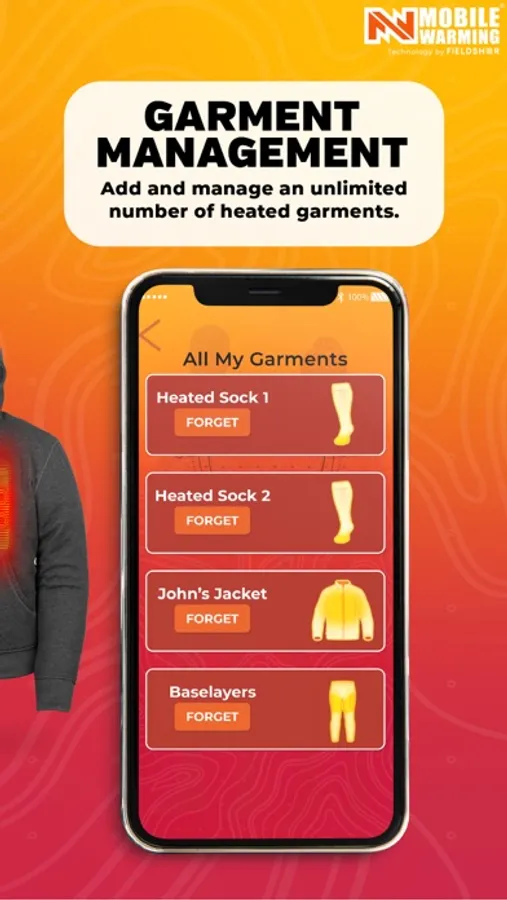
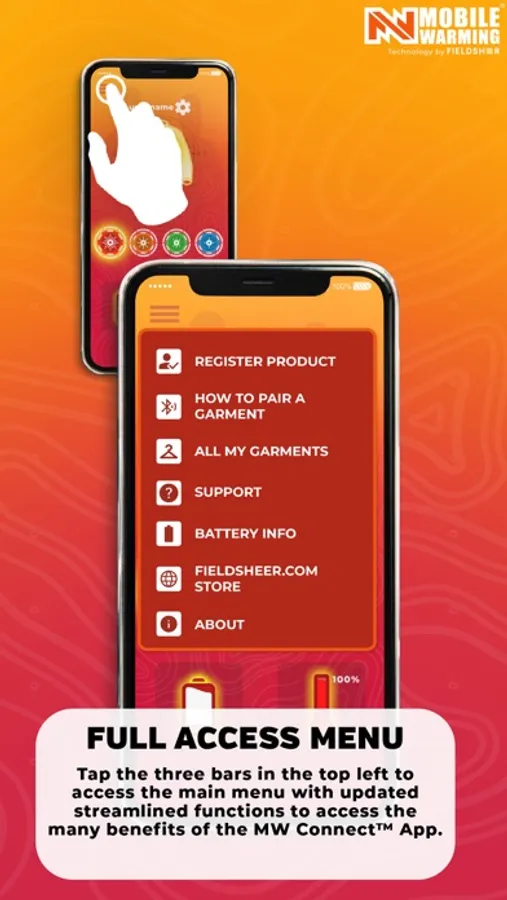
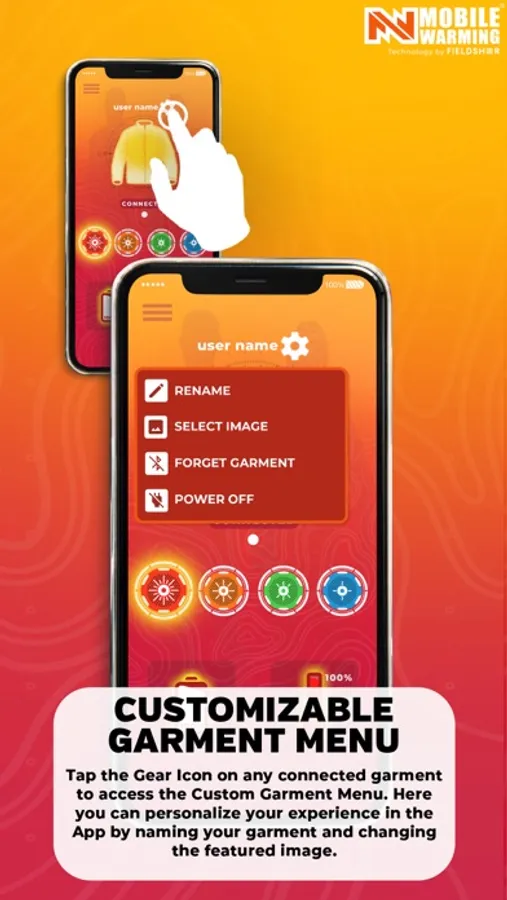
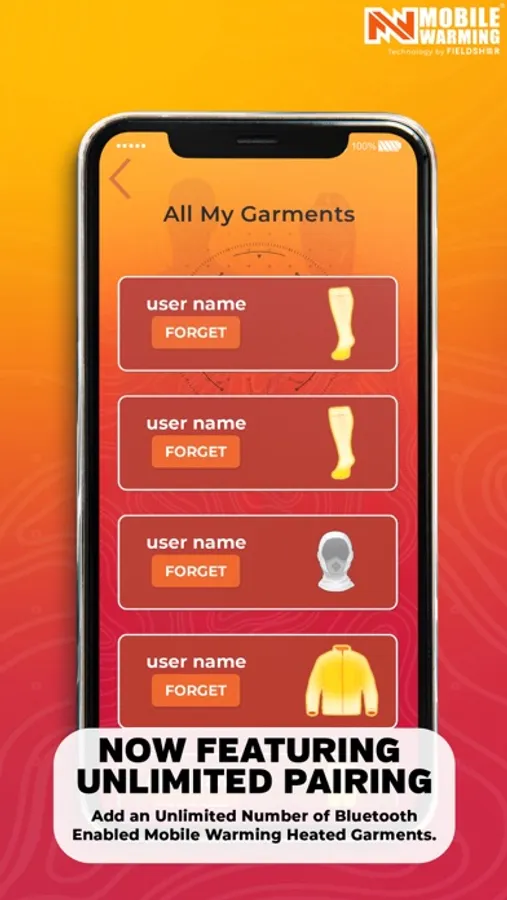
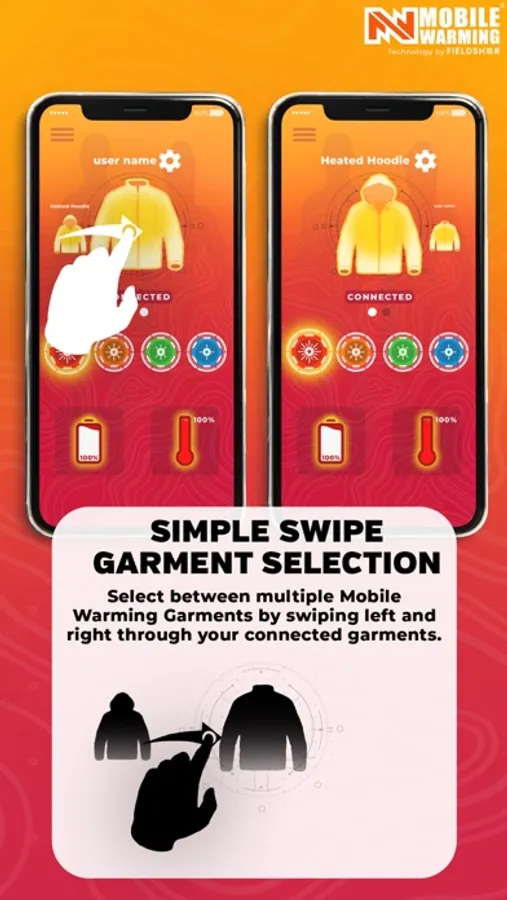
Mobile Warming® by Fieldsheer® specializes in heated garments including jackets, vests, base layers, socks, gloves and head gear. The next generation MW Connect App™ provides easy wireless connect and control using Bluetooth®, especially convenient on hard -to-reach items like socks and base layers. Pair multiple garments, control temperature, and custom name for easy identification, and select garment image right from your Apple mobile device or smart watch with WatchOS. And now with Siri control. You’ll even receive real time battery level updates and can register new products all through the MW Connect App. Stay Warm, Stay Comfortable, Stay Connected. Mobile Warming.
HOW IT WORKS
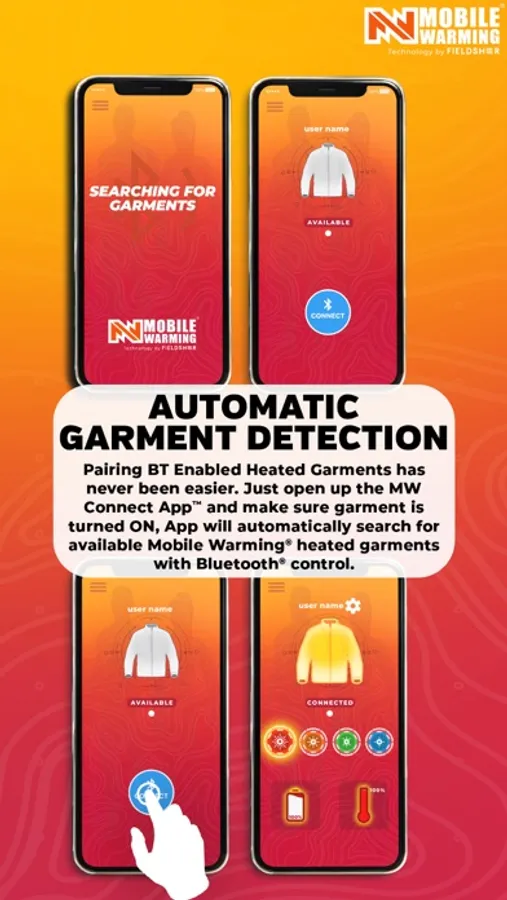
1. Connect your Mobile Warming® battery to your heated garment and turn it ON.
2. Open MW Connect App and follow the prompts to autoscan and pair your heated garment with your mobile device Apple smart watch.
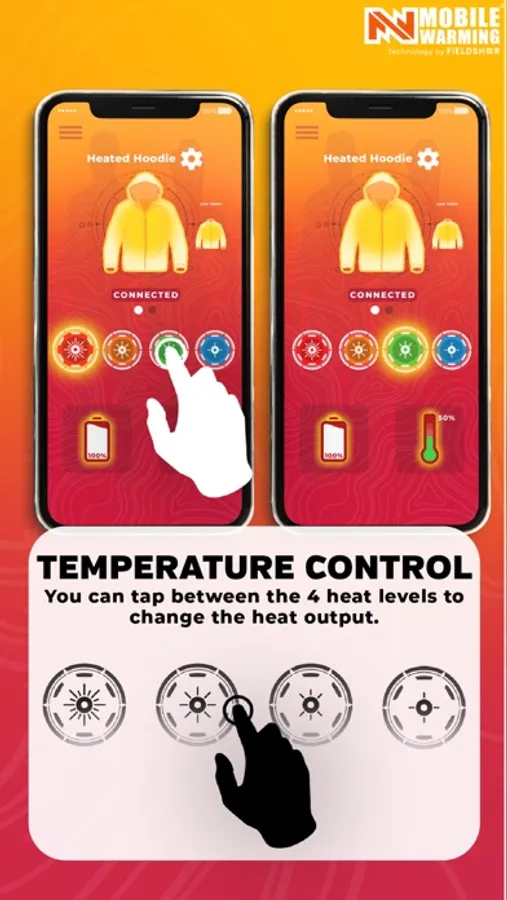
3. When connected, MW Connect will display heat controls, battery level, and current heat setting of the garment. Adjust heat levels according to your needs.
ABOUT Mobile Warming® technology
Integrated heated system is controlled by exclusive MW Connect® app.
- Multiple heated zones depending on garment.
- Stay warm with up to 12 hours of heat power per charge with Mobile Warming battery included with your garment.
- Mobile Warming® heating system can provide heating temperatures ranging from 135°F on high to 90°F on low.
- Instant heat when the weather turns cold, keeping you outdoors and enjoying your favorite activity.
Find more details about Mobile Warming technology® at fieldsheer.com/MWtech
HOW IT WORKS
1. Connect your Mobile Warming® battery to your heated garment and turn it ON.
2. Open MW Connect App and follow the prompts to autoscan and pair your heated garment with your mobile device Apple smart watch.
3. When connected, MW Connect will display heat controls, battery level, and current heat setting of the garment. Adjust heat levels according to your needs.
ABOUT Mobile Warming® technology
Integrated heated system is controlled by exclusive MW Connect® app.
- Multiple heated zones depending on garment.
- Stay warm with up to 12 hours of heat power per charge with Mobile Warming battery included with your garment.
- Mobile Warming® heating system can provide heating temperatures ranging from 135°F on high to 90°F on low.
- Instant heat when the weather turns cold, keeping you outdoors and enjoying your favorite activity.
Find more details about Mobile Warming technology® at fieldsheer.com/MWtech