DVR-Link
SHENYANG TITLETECH CO., LTD
2.6 ★
store rating
Free
AppRecs review analysis
AppRecs rating 2.6. Trustworthiness 65 out of 100. Review manipulation risk 20 out of 100. Based on a review sample analyzed.
★★☆☆☆
2.6
AppRecs Rating
Ratings breakdown
5 star
20%
4 star
20%
3 star
0%
2 star
20%
1 star
40%
What to know
✓
Low review manipulation risk
20% review manipulation risk
⚠
Mixed user feedback
Average 2.6★ rating suggests room for improvement
About DVR-Link
This app is the matching mobile phone app of Honda genuine accessories dashcam.
This app must be used in conjunction with the Honda DVR dashcam to operate the dashcam:
Control start / stop recording, taking photos, setting parameters, viewing video playback, pictures, etc. the detailed functions are as follows:
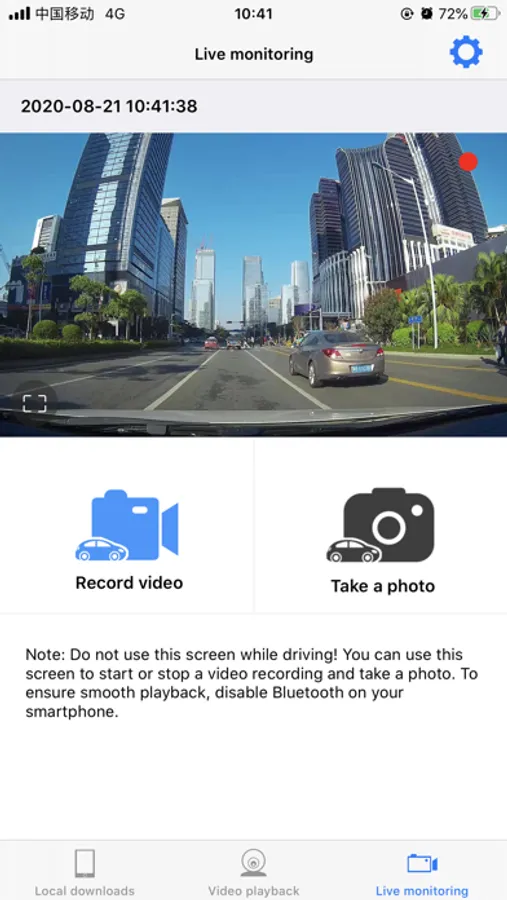
1. Real-time monitoring: it can view the image display of the current dashcam in real time, control its recording and photographing;
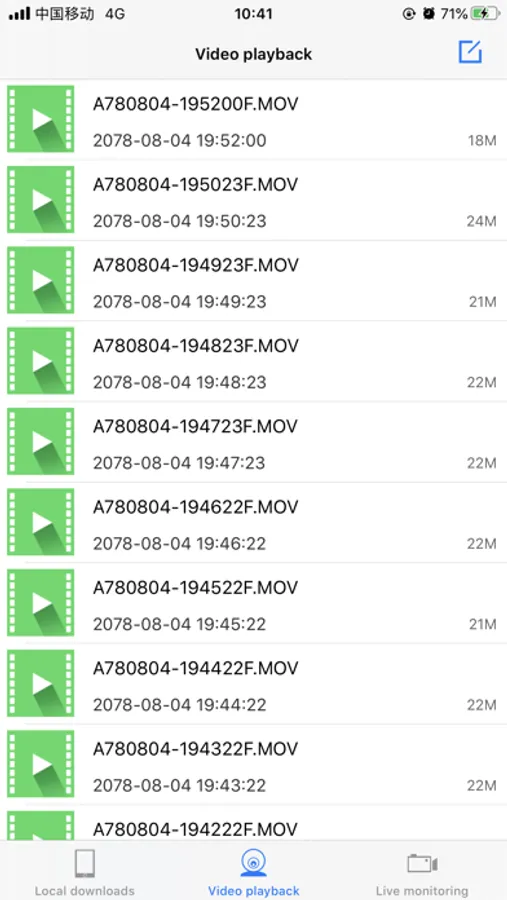
2. Video playback: display the video files in the device in the form of a list, click to play the video files, or delete or download them to the mobile phone;
3. Local download: display the pictures taken in the form of file list, click to view the pictures, and delete the files to release the storage space of mobile phone;
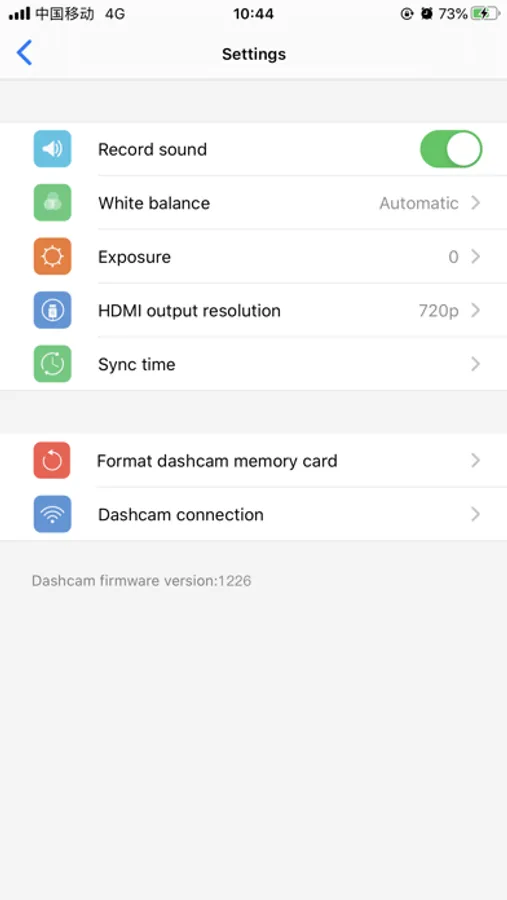
4. Settings: it can adjust the white balance, exposure, HDMI output resolution and other parameters of the dashcam, display the current hardware and app version number, and also adjust the relevant settings of the hot spots of the dashcam.
This app must be used in conjunction with the Honda DVR dashcam to operate the dashcam:
Control start / stop recording, taking photos, setting parameters, viewing video playback, pictures, etc. the detailed functions are as follows:
1. Real-time monitoring: it can view the image display of the current dashcam in real time, control its recording and photographing;
2. Video playback: display the video files in the device in the form of a list, click to play the video files, or delete or download them to the mobile phone;
3. Local download: display the pictures taken in the form of file list, click to view the pictures, and delete the files to release the storage space of mobile phone;
4. Settings: it can adjust the white balance, exposure, HDMI output resolution and other parameters of the dashcam, display the current hardware and app version number, and also adjust the relevant settings of the hot spots of the dashcam.