AppRecs review analysis
AppRecs rating 1.0. Trustworthiness 65 out of 100. Review manipulation risk 21 out of 100. Based on a review sample analyzed.
★☆☆☆☆
1.0
AppRecs Rating
Ratings breakdown
5 star
0%
4 star
0%
3 star
0%
2 star
0%
1 star
100%
What to know
✓
Low review manipulation risk
21% review manipulation risk
⚠
Mixed user feedback
Average 1.0★ rating suggests room for improvement
About IceWarp Authenticator
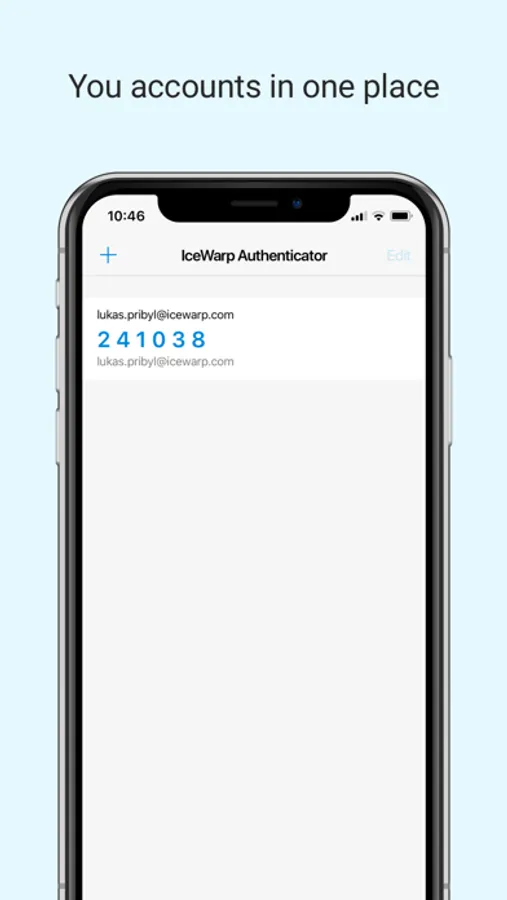
IceWarp Authenticator provides ultimate security for your IceWarp account through a Two-Step Verification process. Step one: type your password as usual. Step two: retype the one-time code generated by IceWarp Authenticator. The code changes every 30 seconds and proves your identity through something you always carry with you - your mobile phone.
Why Two-Step Verification?
-------------------------------------
Protects you against password theft
No extra password to remember
Easily accessible through the application
Works without cellular/internet connection
Features
-------------------------------------
Effortless setup by scanning a QR code
Supports multiple accounts
Time-based code generation
Setup Two-Step Verification
-------------------------------------
1. Download the IceWarp Authenticator app.
2. Login to your WebClient account and open Options under your photo.
3. On the screen that opens click the Two-Step Verification button and select the IceWarp Authenticator app.
4. Open the IceWarp Authenticator, tap Start Setup, tap the icon to Scan QR Code. Allow the app to access the camera when prompted.
5. Scan the QR code displayed in WebClient, or alternatively retype the Key into the app.
Why Two-Step Verification?
-------------------------------------
Protects you against password theft
No extra password to remember
Easily accessible through the application
Works without cellular/internet connection
Features
-------------------------------------
Effortless setup by scanning a QR code
Supports multiple accounts
Time-based code generation
Setup Two-Step Verification
-------------------------------------
1. Download the IceWarp Authenticator app.
2. Login to your WebClient account and open Options under your photo.
3. On the screen that opens click the Two-Step Verification button and select the IceWarp Authenticator app.
4. Open the IceWarp Authenticator, tap Start Setup, tap the icon to Scan QR Code. Allow the app to access the camera when prompted.
5. Scan the QR code displayed in WebClient, or alternatively retype the Key into the app.