TSM Drink Log
C Three Foundation, Inc
3.3 ★
store rating
Free
AppRecs review analysis
AppRecs rating 3.6. Trustworthiness 81 out of 100. Review manipulation risk 20 out of 100. Based on a review sample analyzed.
★★★☆☆
3.6
AppRecs Rating
Ratings breakdown
5 star
31%
4 star
15%
3 star
23%
2 star
15%
1 star
15%
What to know
✓
Low review manipulation risk
20% review manipulation risk
✓
Credible reviews
81% trustworthiness score from analyzed reviews
About TSM Drink Log
How can you "drink responsibly" if you don't know how much alcohol you are really drinking?
Warnings about harmful alcohol use typically use “standard units.” That can be confusing to most people, who are not going to take the time to convert alcohol by volume (ABV%) and ounces or milliliters into these standard units. Track your drinks with the TSM Drink Log and let the app calculate that for you.
Create Drinks
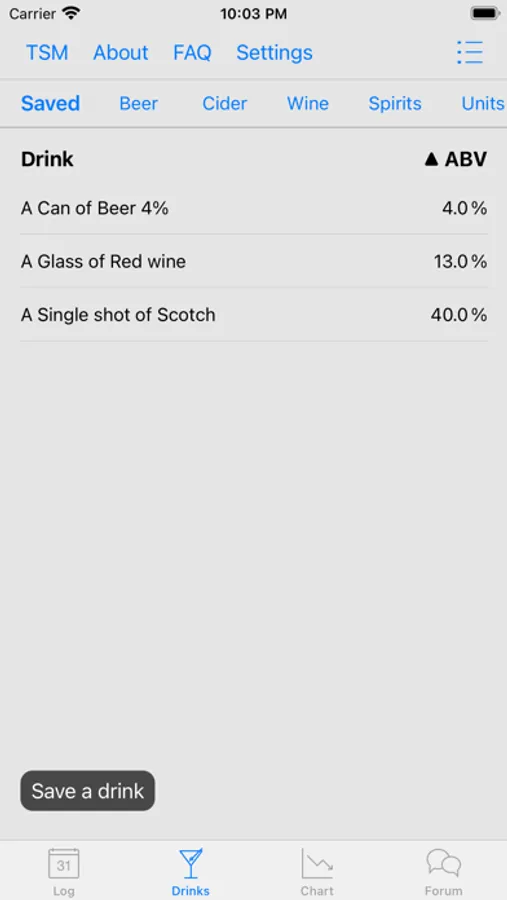
Whether you're a beer, wine, or liquor drinker, you can add your drink to your own custom list and save it for easy entry later on. Add a name, the ABV%, and create different sizes in oz or ml. The TSM Drink Log will convert the information to standard drinks (sd) based on your geographic area.
Medication Tracking and Reminders
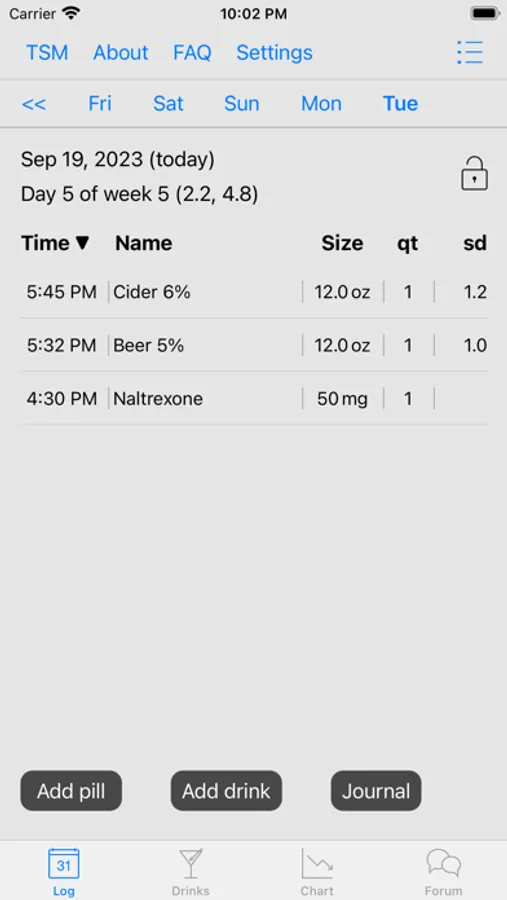
If you are using the TSM Drink Log with the Sinclair Method, you can log your medication time with one touch and edit the quantity if your doctor has recommended taking less than a full dose. Logging medication sets an alarm for the minimum wait time - the built-in timer is set for 60 minutes if you have been prescribed naltrexone and 120 minutes if you have been prescribed nalmefene. (Prescription medication should only be obtained through your doctor according to all local and Federal laws. Follow your doctor's instructions for any medication use.)
Chart Alcohol Reduction Progress
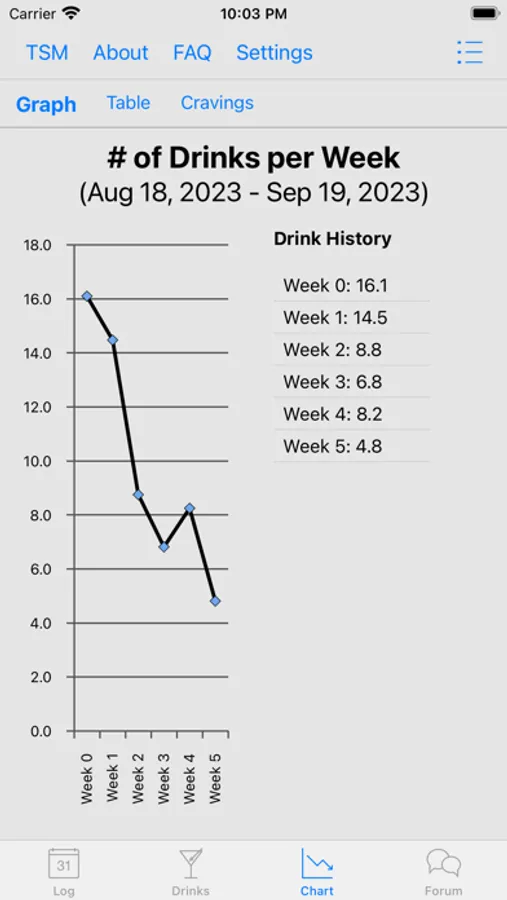
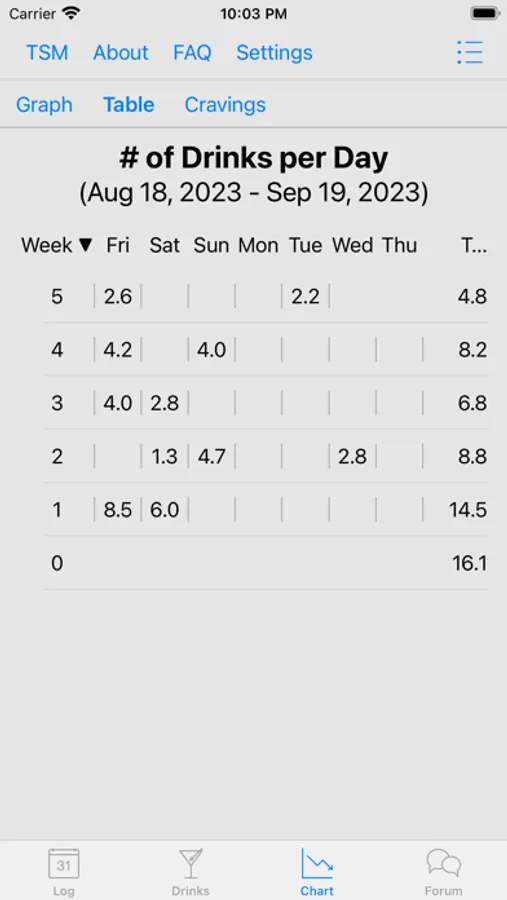
Logged drinks automatically update your drink reduction chart. If you are on TSM and would like to see your overall reduction for treatment, input your "pre-TSM" drinks/week average in the Settings for "Week 0." This chart makes it easy to show your medical provider your progress during follow-up appointments.
Connect to Peer Support
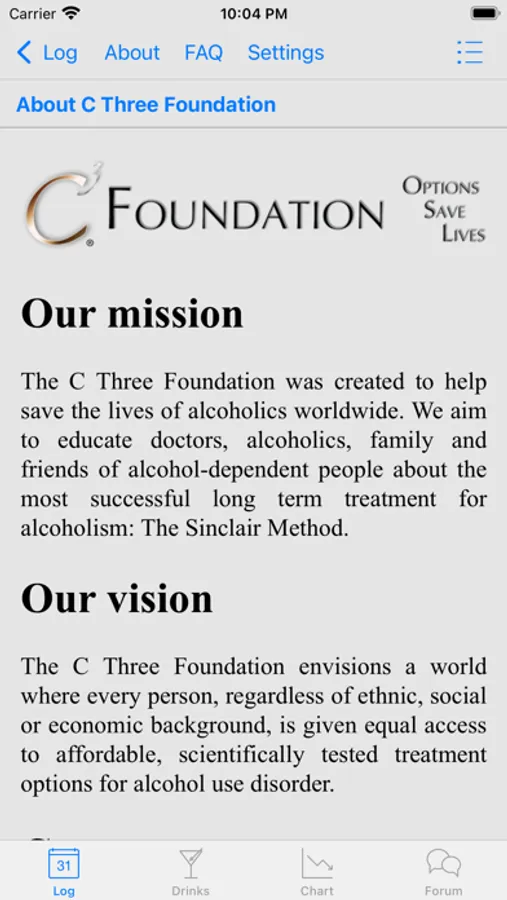
Easily access the Options Saves Lives moderated peer support forum, a community with more than 1,500 members around the world.
Warnings about harmful alcohol use typically use “standard units.” That can be confusing to most people, who are not going to take the time to convert alcohol by volume (ABV%) and ounces or milliliters into these standard units. Track your drinks with the TSM Drink Log and let the app calculate that for you.
Create Drinks
Whether you're a beer, wine, or liquor drinker, you can add your drink to your own custom list and save it for easy entry later on. Add a name, the ABV%, and create different sizes in oz or ml. The TSM Drink Log will convert the information to standard drinks (sd) based on your geographic area.
Medication Tracking and Reminders
If you are using the TSM Drink Log with the Sinclair Method, you can log your medication time with one touch and edit the quantity if your doctor has recommended taking less than a full dose. Logging medication sets an alarm for the minimum wait time - the built-in timer is set for 60 minutes if you have been prescribed naltrexone and 120 minutes if you have been prescribed nalmefene. (Prescription medication should only be obtained through your doctor according to all local and Federal laws. Follow your doctor's instructions for any medication use.)
Chart Alcohol Reduction Progress
Logged drinks automatically update your drink reduction chart. If you are on TSM and would like to see your overall reduction for treatment, input your "pre-TSM" drinks/week average in the Settings for "Week 0." This chart makes it easy to show your medical provider your progress during follow-up appointments.
Connect to Peer Support
Easily access the Options Saves Lives moderated peer support forum, a community with more than 1,500 members around the world.