AppRecs review analysis
AppRecs rating 1.7. Trustworthiness 72 out of 100. Review manipulation risk 25 out of 100. Based on a review sample analyzed.
★☆☆☆☆
1.7
AppRecs Rating
Ratings breakdown
5 star
22%
4 star
0%
3 star
0%
2 star
0%
1 star
78%
What to know
✓
Low review manipulation risk
25% review manipulation risk
✓
Credible reviews
72% trustworthiness score from analyzed reviews
⚠
Mixed user feedback
Average 1.9★ rating suggests room for improvement
About Go Power! Connect
Stay connected, even when you’re off the grid.
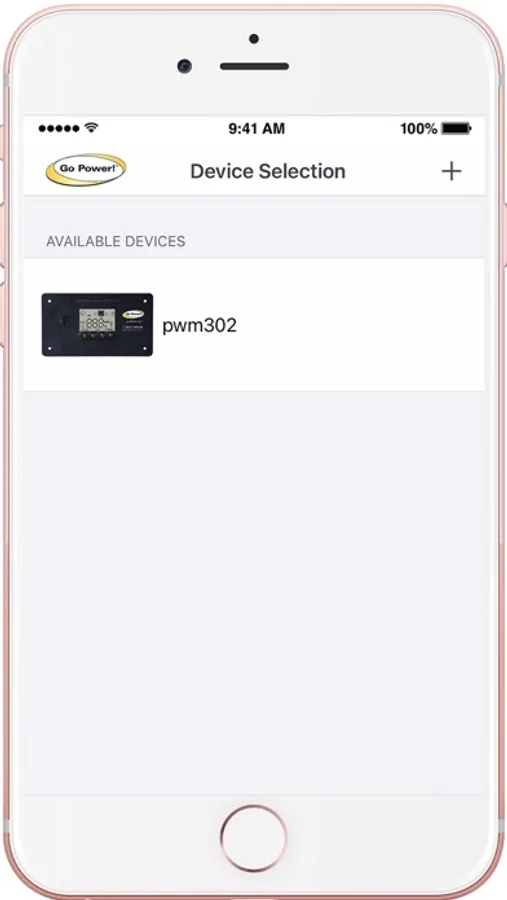
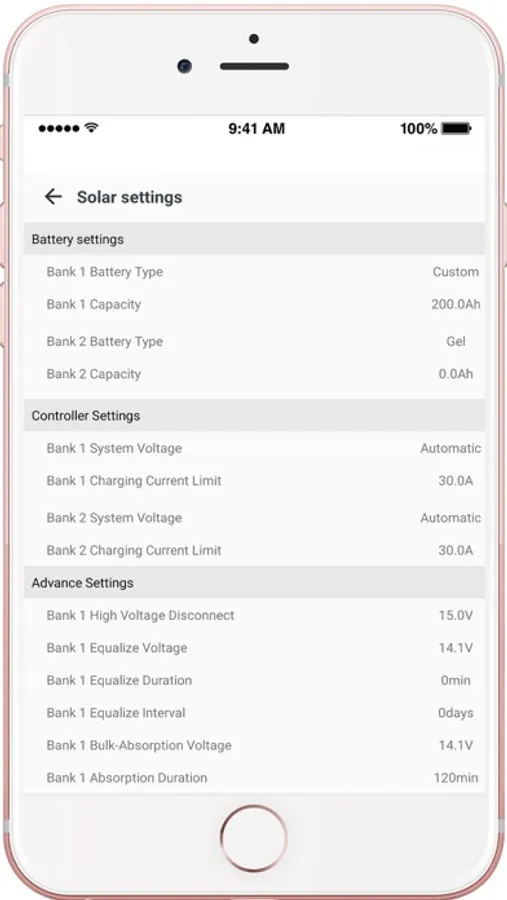
View essential battery and solar charging information for your Go Power! mobile solar system from your cell phone or tablet. Go Power! Connect allows you to stay connected to your solar charging system from up to 25-feet away.
Compatible with Go Power! Bluetooth enabled products, this connectivity suite allows you to view your battery charging information, set your charge controller from afar, and view your solar performance remotely.
30-Amp PWM Solar Charge Controller
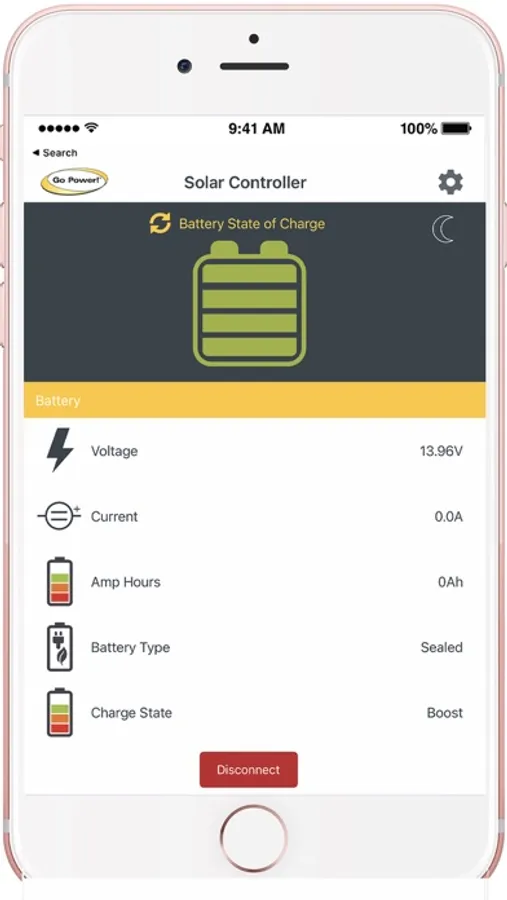
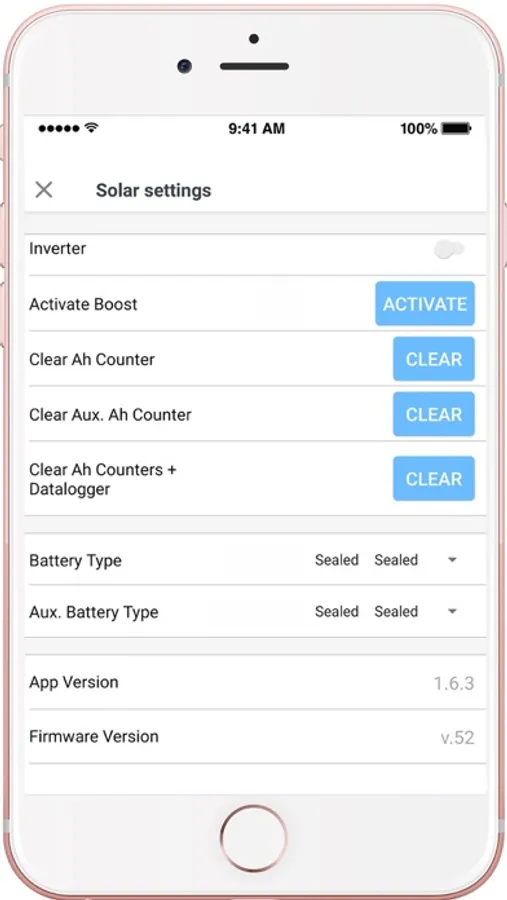
The Go Power! Bluetooth Enabled 30-amp Solar Controller (GP-PWM-30-UL) allows you to view and set essential battery information, including:
- Review Solar Charging Current,
- Activate Max Boost,
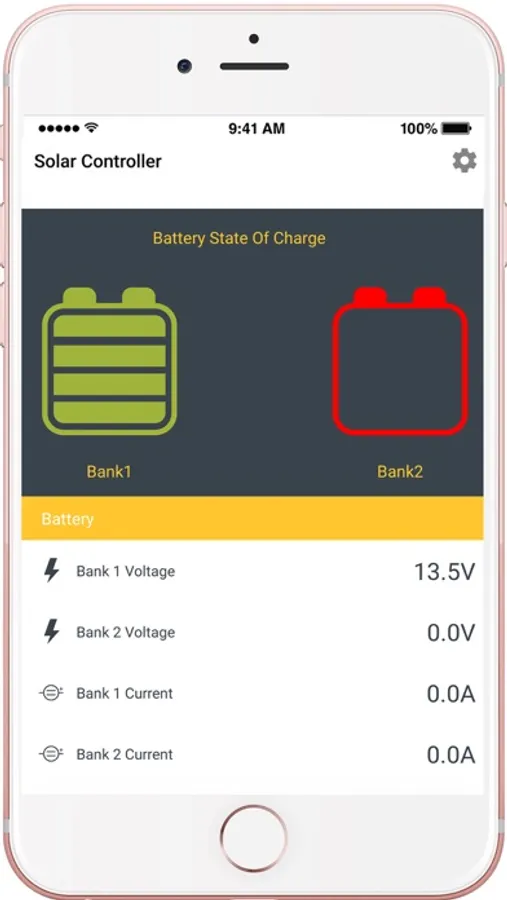
- Viewing Battery Voltage,
- Check on Battery State of Charge (SOC),
- and Set the battery type and charging profile
10 & 30-amp MPPT (RV-C) Solar Charge Controllers
The newest Go Power! solar controllers feature an optional Bluetooth Enabled remote (GP-RVC-R) which allows you to use the controller without being connected to an RV-C system. Features include:
- Review Solar Charging Current,
- Viewing Battery Voltage,
- Check on Battery State of Charge (SOC),
- and Set the battery type and charging profile
Supported Bluetooth GP-Products:
1. GP-PWM-30-UL BLE
2. GP-PWM-30-SB BLE Controller
3. GP-ADV-LITHIUM-100Ah + 300Ah Batteries with Bluetooth security *NEW*
4. GP-Battery Manager *NEW*
4. 30A & 10A MPPT-RVC Controller with BLE-Remote
5. 60A MPPT-RVC Controller with BLE-Remote
Users having PWM-30-UL issues please do the following:
1. App loads nothing on display: Disconnect PWM-30 (POWER OFF) for 30 Seconds, Forget Device on phone's bluetooth, Delete App, Re-install, follow pairing procedure (A+B) & Add Device.
2.Please ensure to press the disconnect button after using the app.
View essential battery and solar charging information for your Go Power! mobile solar system from your cell phone or tablet. Go Power! Connect allows you to stay connected to your solar charging system from up to 25-feet away.
Compatible with Go Power! Bluetooth enabled products, this connectivity suite allows you to view your battery charging information, set your charge controller from afar, and view your solar performance remotely.
30-Amp PWM Solar Charge Controller
The Go Power! Bluetooth Enabled 30-amp Solar Controller (GP-PWM-30-UL) allows you to view and set essential battery information, including:
- Review Solar Charging Current,
- Activate Max Boost,
- Viewing Battery Voltage,
- Check on Battery State of Charge (SOC),
- and Set the battery type and charging profile
10 & 30-amp MPPT (RV-C) Solar Charge Controllers
The newest Go Power! solar controllers feature an optional Bluetooth Enabled remote (GP-RVC-R) which allows you to use the controller without being connected to an RV-C system. Features include:
- Review Solar Charging Current,
- Viewing Battery Voltage,
- Check on Battery State of Charge (SOC),
- and Set the battery type and charging profile
Supported Bluetooth GP-Products:
1. GP-PWM-30-UL BLE
2. GP-PWM-30-SB BLE Controller
3. GP-ADV-LITHIUM-100Ah + 300Ah Batteries with Bluetooth security *NEW*
4. GP-Battery Manager *NEW*
4. 30A & 10A MPPT-RVC Controller with BLE-Remote
5. 60A MPPT-RVC Controller with BLE-Remote
Users having PWM-30-UL issues please do the following:
1. App loads nothing on display: Disconnect PWM-30 (POWER OFF) for 30 Seconds, Forget Device on phone's bluetooth, Delete App, Re-install, follow pairing procedure (A+B) & Add Device.
2.Please ensure to press the disconnect button after using the app.