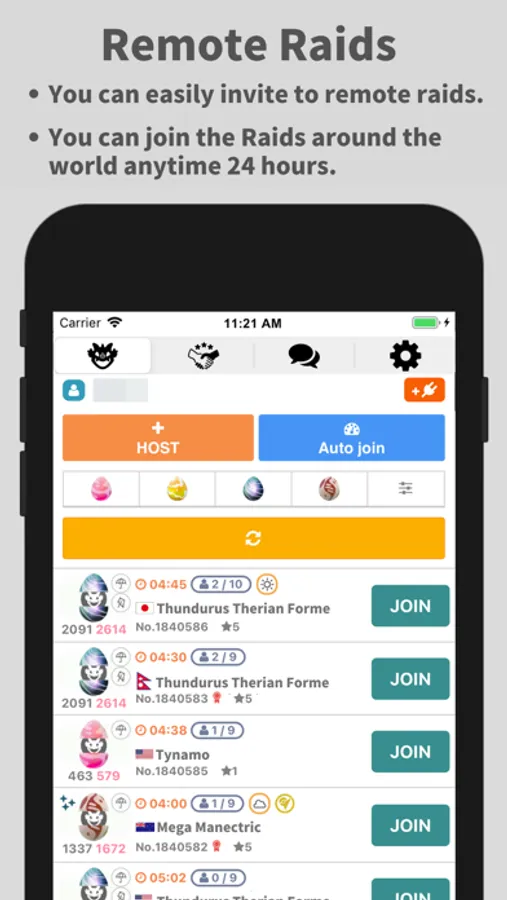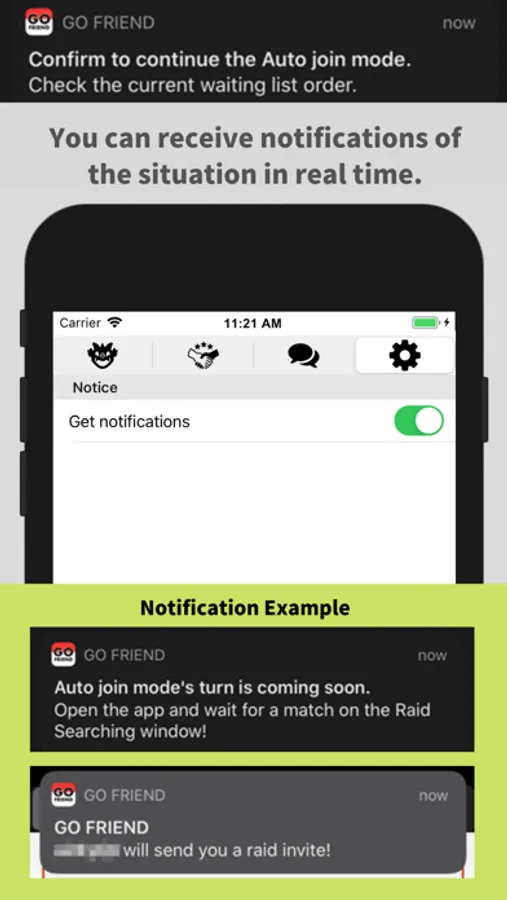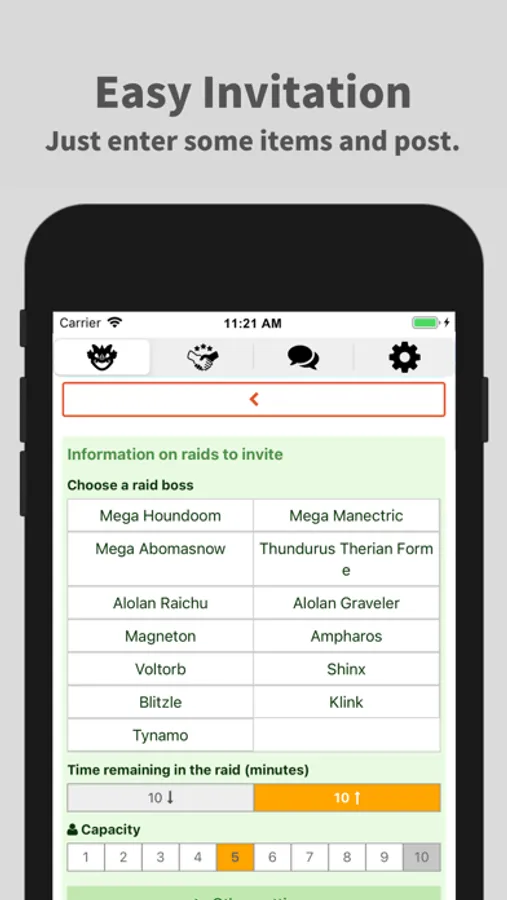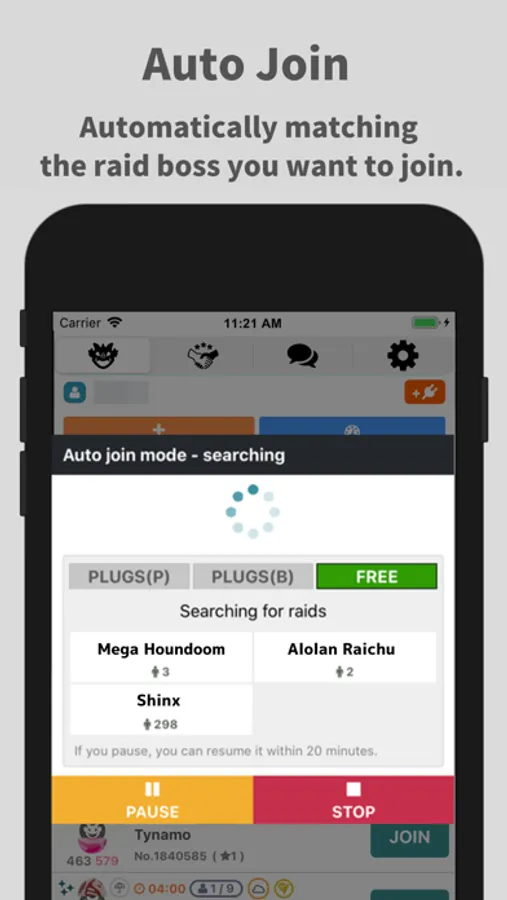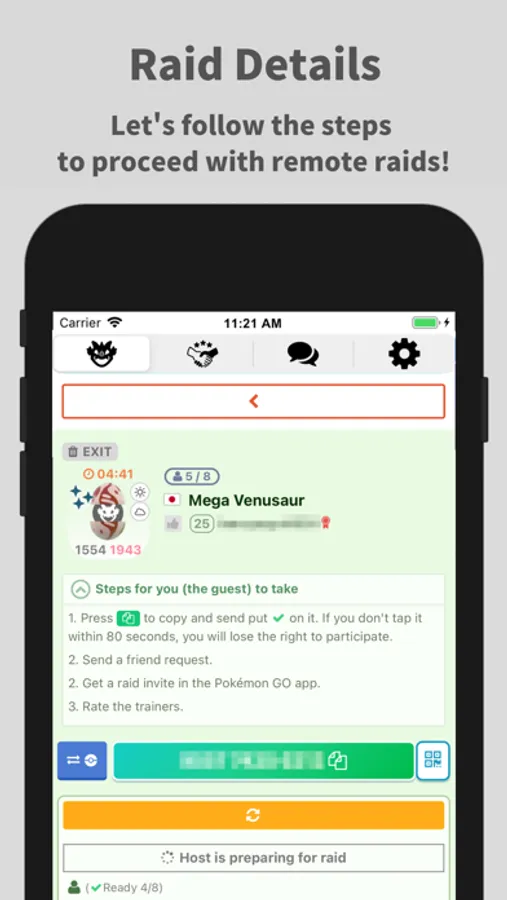
In this app, you can find trainers for participation in Invitation Raid Battles and coordinate raid details. Includes features for posting raids, accepting friend requests, and searching for active raids worldwide.
AppRecs review analysis
AppRecs rating 4.1. Trustworthiness 80 out of 100. Review manipulation risk 26 out of 100. Based on a review sample analyzed.
★★★★☆
4.1
AppRecs Rating
Ratings breakdown
5 star
69%
4 star
15%
3 star
4%
2 star
2%
1 star
10%
What to know
✓
Low review manipulation risk
26% review manipulation risk
✓
Credible reviews
80% trustworthiness score from analyzed reviews
✓
High user satisfaction
84% of sampled ratings are 4+ stars (4.3★ average)
About GO FRIEND
GO Friend is an application to find trainers who want participate in Invitation Raid Battle.
Let's participate Raids around the world using "Invitation Raid BBS" of GO Friend !
【How to use Invitation Raid BBS】
■Host Trainer (who invite Guest trainer to the raids)
1.Report Raids
Tap the “+” button at the top of Invitation Raid BBS
Enter the required contents such as Raid information and the number of recruitment, and post.
2.Approve the Friend Request from guests
3.Join the Raid and invite guests
■Guest Trainer (who invited to raids by the Host Trainer)
1.Search active Raids on BBS.
Search the active raids reported worldwide.
2.When you find the Raid you want to join, tap “ENTRY”.
3.Send a Friend Request
When you find the raid you want to join, copy the Host trainer's friend code and send a Friend Request to the trainer.
4.Wait for the invitation
Join the raid when you get an invitation from your Host trainer.
Let's participate Raids around the world using "Invitation Raid BBS" of GO Friend !
【How to use Invitation Raid BBS】
■Host Trainer (who invite Guest trainer to the raids)
1.Report Raids
Tap the “+” button at the top of Invitation Raid BBS
Enter the required contents such as Raid information and the number of recruitment, and post.
2.Approve the Friend Request from guests
3.Join the Raid and invite guests
■Guest Trainer (who invited to raids by the Host Trainer)
1.Search active Raids on BBS.
Search the active raids reported worldwide.
2.When you find the Raid you want to join, tap “ENTRY”.
3.Send a Friend Request
When you find the raid you want to join, copy the Host trainer's friend code and send a Friend Request to the trainer.
4.Wait for the invitation
Join the raid when you get an invitation from your Host trainer.