AppRecs review analysis
AppRecs rating 2.0. Trustworthiness 72 out of 100. Review manipulation risk 23 out of 100. Based on a review sample analyzed.
★★☆☆☆
2.0
AppRecs Rating
Ratings breakdown
5 star
31%
4 star
0%
3 star
0%
2 star
0%
1 star
69%
What to know
✓
Low review manipulation risk
23% review manipulation risk
✓
Credible reviews
72% trustworthiness score from analyzed reviews
⚠
Mixed user feedback
Average 2.3★ rating suggests room for improvement
About SublueGo
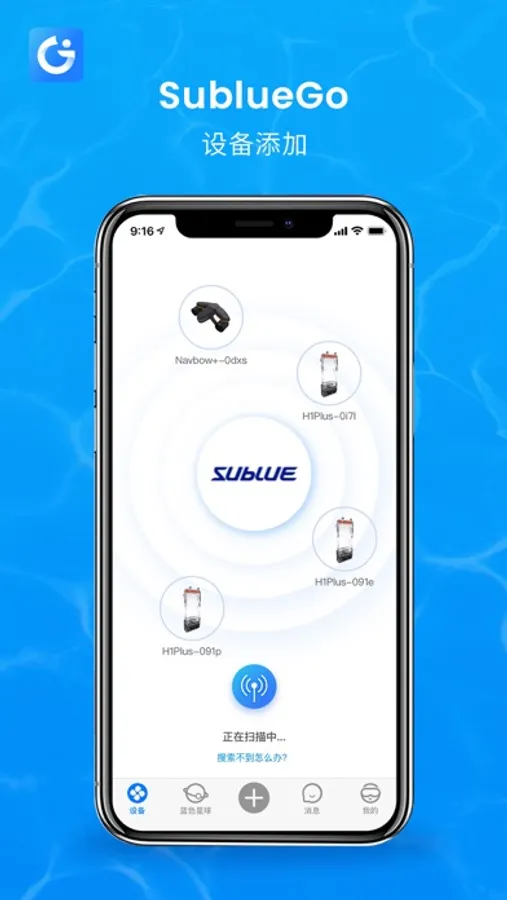
Connect Device:
1.Please make sure that the device is fully charged and is turned on.
2.Please make sure that the Bluetooth function of your mobile phone is enabled.
3.Use the mobile app to scan the QR code or search Bluetooth name on the device for connection.
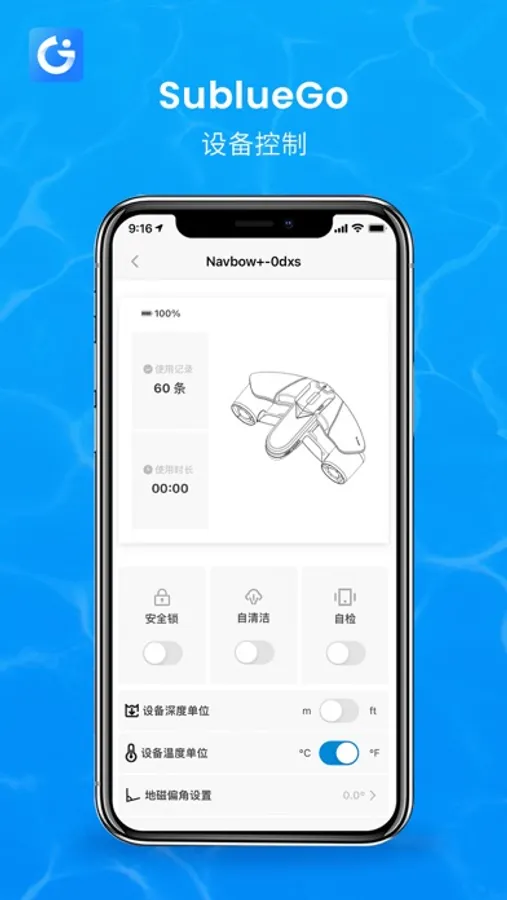
Safety lock:
During transportation, consignment of the device, or in case of untended use by children, we recommend the use of safety lock to prevent danger.
Self-cleaning:
When thorough cleaning is needed for the propeller, we recommend the use of self-cleaning function.
Self-checking:
Before using the self-checking function, we recommend that the user connect the device to his/her mobile phone. The mobile app will automatically check the status of the device.
Speed settings:
Changing speed according to user demand.
Please refer to Device User Guide.
1.Please make sure that the device is fully charged and is turned on.
2.Please make sure that the Bluetooth function of your mobile phone is enabled.
3.Use the mobile app to scan the QR code or search Bluetooth name on the device for connection.
Safety lock:
During transportation, consignment of the device, or in case of untended use by children, we recommend the use of safety lock to prevent danger.
Self-cleaning:
When thorough cleaning is needed for the propeller, we recommend the use of self-cleaning function.
Self-checking:
Before using the self-checking function, we recommend that the user connect the device to his/her mobile phone. The mobile app will automatically check the status of the device.
Speed settings:
Changing speed according to user demand.
Please refer to Device User Guide.