AppRecs review analysis
AppRecs rating 4.5. Trustworthiness 80 out of 100. Review manipulation risk 15 out of 100. Based on a review sample analyzed.
★★★★☆
4.5
AppRecs Rating
Ratings breakdown
5 star
65%
4 star
15%
3 star
10%
2 star
0%
1 star
10%
What to know
✓
Low review manipulation risk
15% review manipulation risk
✓
Credible reviews
80% trustworthiness score from analyzed reviews
✓
High user satisfaction
80% of sampled ratings are 4+ stars (4.3★ average)
About WeekTable2 Weekly menu creator
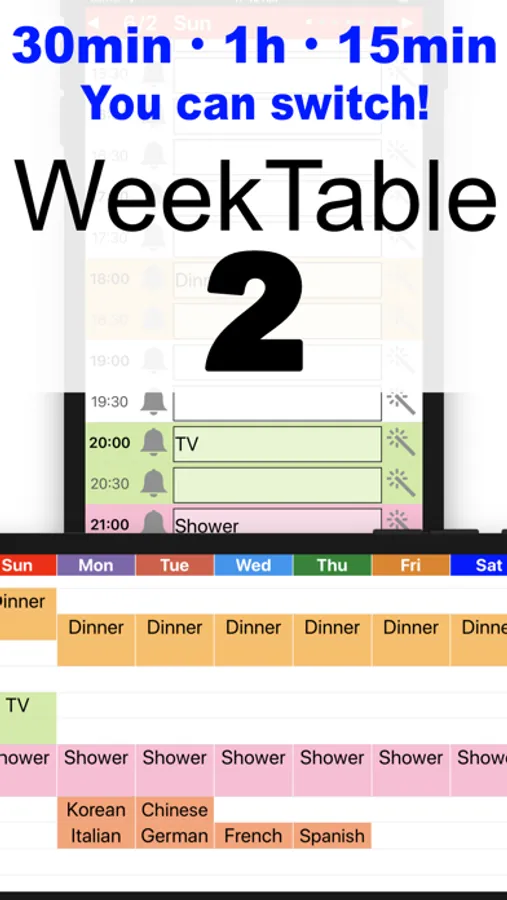
You can plan every 30 minutes (or 15 minutes or 1 hour) / 24 hours! on 7 days. Create a timetable with this simple and easy app. And let's use it for self time management.
Purpose
- Week schedule (scheduling)
- Study plan (time management)
- For teacher (lessons or cram)
- TV program guide
- Self time management
- Exercise timesheet
Feature
- Simple, Easy, Handy
- Every 30 minutes (or 15 minutes or 1 hour) / 24 hours!
- Holiday
- Color scheme
- Full-Weekly display (landscape)
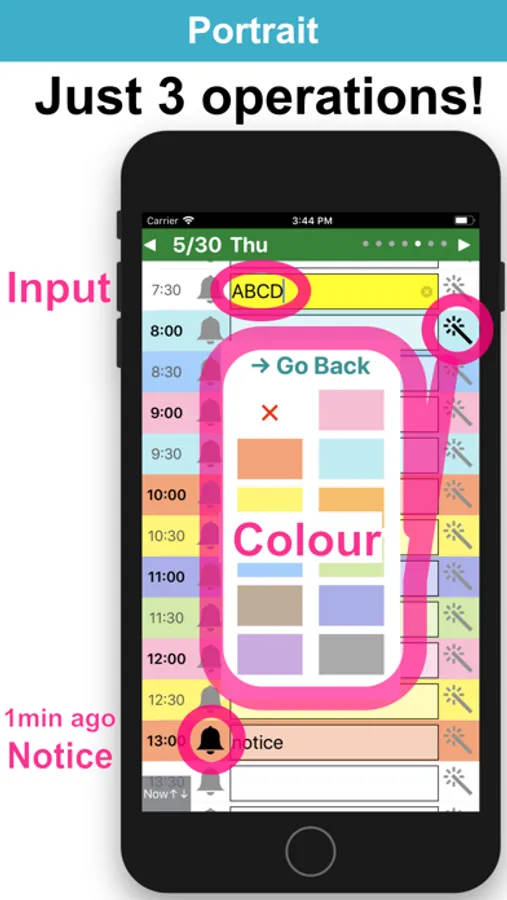
- Notification 1 minute ago.
"Free version" will appear advertisement.
"Pro version" will not appear advertisement
~Information of operation ~
[Portrait] Text input / Color change / Notification registration
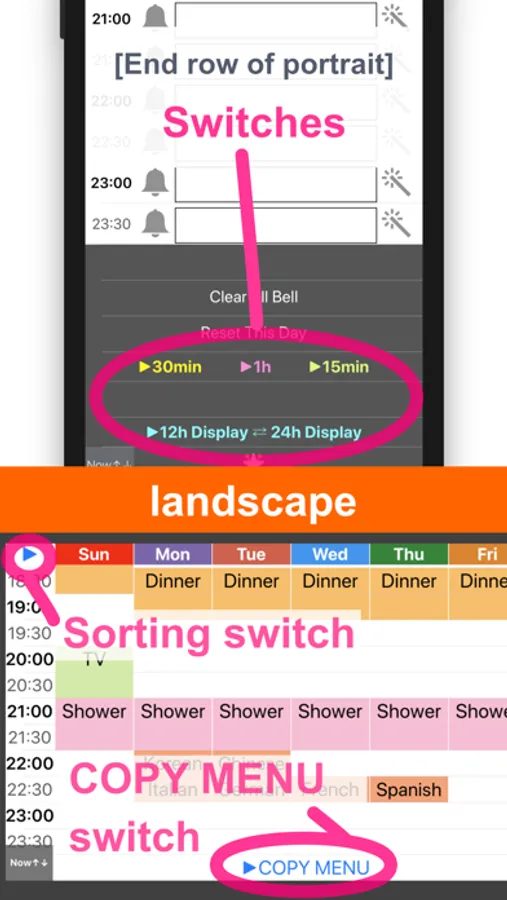
(Bottom row) Change of time mode
[Landscape] Show a week
(Top left) Switch on Sunday Start and Monday Start
(Bottom row) Copy Menu
~Hint~
Q. I did not receive a notification.
A. Please confirm that notification is ON from the setting application.
Q. The screen does not switch to landscape.
A. Please check "the screen rotation lock".
Kysymys 2. Ilmoituksia ei näy → Varmista, että ilmoitukset on sallittu Asetukset-sovelluksessa.
Purpose
- Week schedule (scheduling)
- Study plan (time management)
- For teacher (lessons or cram)
- TV program guide
- Self time management
- Exercise timesheet
Feature
- Simple, Easy, Handy
- Every 30 minutes (or 15 minutes or 1 hour) / 24 hours!
- Holiday
- Color scheme
- Full-Weekly display (landscape)
- Notification 1 minute ago.
"Free version" will appear advertisement.
"Pro version" will not appear advertisement
~Information of operation ~
[Portrait] Text input / Color change / Notification registration
(Bottom row) Change of time mode
[Landscape] Show a week
(Top left) Switch on Sunday Start and Monday Start
(Bottom row) Copy Menu
~Hint~
Q. I did not receive a notification.
A. Please confirm that notification is ON from the setting application.
Q. The screen does not switch to landscape.
A. Please check "the screen rotation lock".
Kysymys 2. Ilmoituksia ei näy → Varmista, että ilmoitukset on sallittu Asetukset-sovelluksessa.