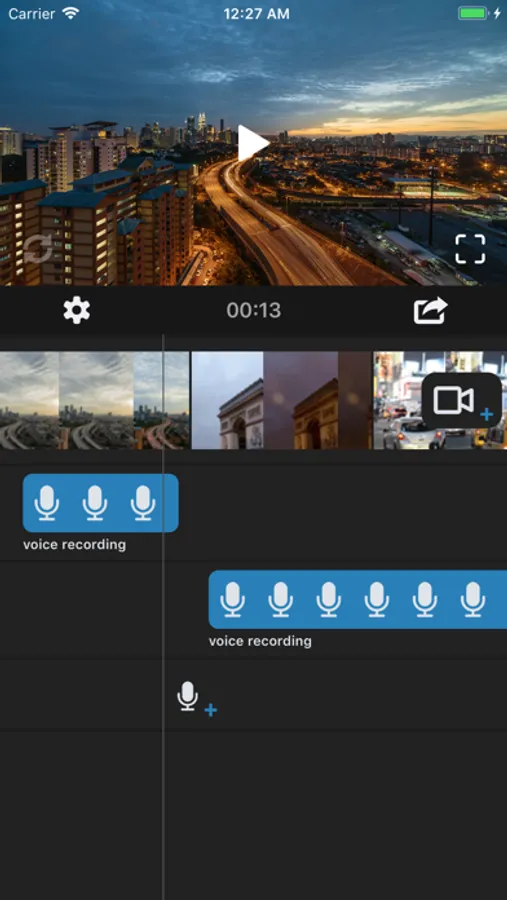
With this video editing app, you can add voice overs, trim clips, and adjust audio levels. Includes multiple voice recordings, video clips, and transition options.
AppRecs review analysis
AppRecs rating 4.0. Trustworthiness 74 out of 100. Review manipulation risk 28 out of 100. Based on a review sample analyzed.
★★★★☆
4.0
AppRecs Rating
Ratings breakdown
5 star
77%
4 star
8%
3 star
4%
2 star
2%
1 star
8%
What to know
✓
Low review manipulation risk
28% review manipulation risk
✓
Credible reviews
74% trustworthiness score from analyzed reviews
⚠
Pricing complaints
Many low ratings mention paywalls or pricing
About Voice Over Video
Add voice overs and audio recordings to your videos!
Features:
-Add multiple voice over recordings.
-Select and add multiple video clips.
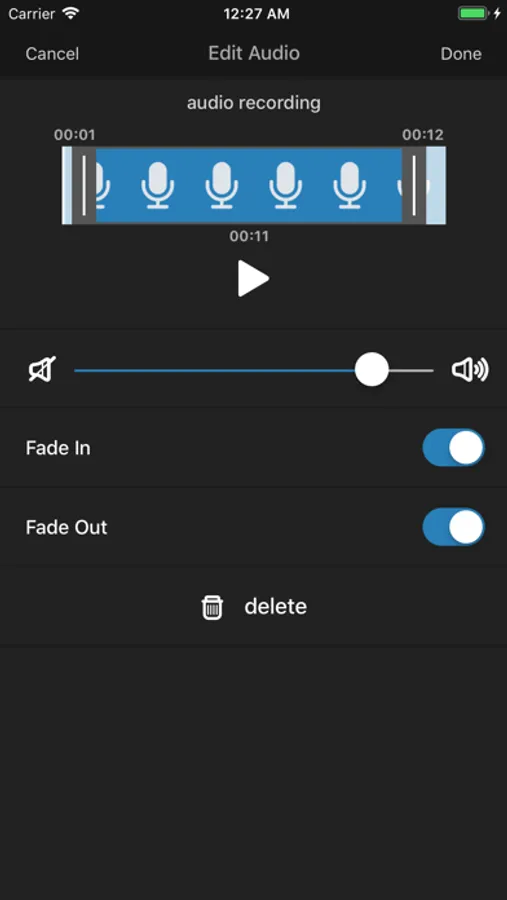
-Trim and crop voice over recordings.
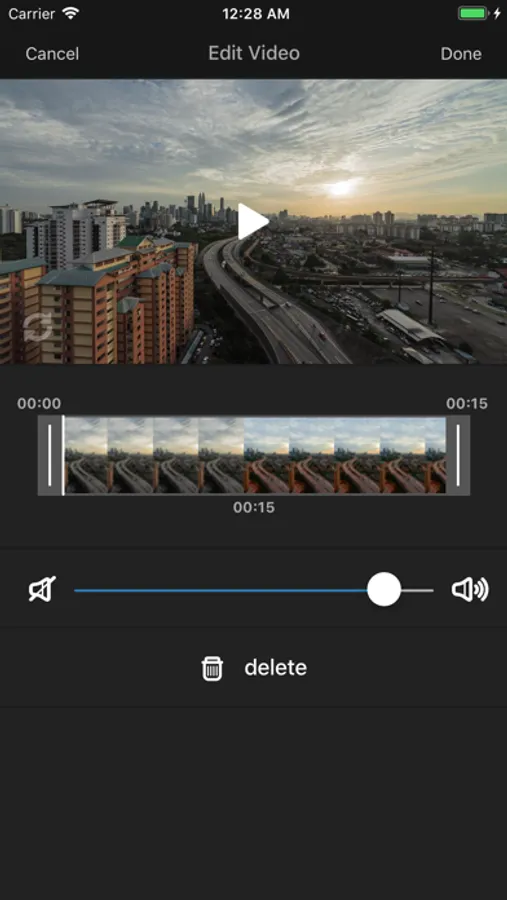
-Trim and crop video clips.
-Fade-in voice over recordings.
-Fade-out voice over recordings.
-Adjust voice over recording volume.
-Adjust video clip volume.
-Add transitions between video clips.
VIP Features auto-renewable subscription:
• Subscription options: weekly or monthly.
• Payment will be charged to iTunes Account at confirmation of purchase.
• Subscription automatically renews unless auto-renew is turned off at least 24-hours before the end of the current period.
• Account will be charged for renewal within 24-hours prior to the end of the current period.
• Subscriptions may be managed by the user and auto-renewal may be turned off by going to the user's Account Settings after purchase.
• Any unused portion of a free trial period, if offered, will be forfeited when the user purchases a subscription to that publication, where applicable.
Terms of Use: http://platinumcityapps.com/terms/
Privacy Policy: http://platinumcityapps.com/privacy/
Features:
-Add multiple voice over recordings.
-Select and add multiple video clips.
-Trim and crop voice over recordings.
-Trim and crop video clips.
-Fade-in voice over recordings.
-Fade-out voice over recordings.
-Adjust voice over recording volume.
-Adjust video clip volume.
-Add transitions between video clips.
VIP Features auto-renewable subscription:
• Subscription options: weekly or monthly.
• Payment will be charged to iTunes Account at confirmation of purchase.
• Subscription automatically renews unless auto-renew is turned off at least 24-hours before the end of the current period.
• Account will be charged for renewal within 24-hours prior to the end of the current period.
• Subscriptions may be managed by the user and auto-renewal may be turned off by going to the user's Account Settings after purchase.
• Any unused portion of a free trial period, if offered, will be forfeited when the user purchases a subscription to that publication, where applicable.
Terms of Use: http://platinumcityapps.com/terms/
Privacy Policy: http://platinumcityapps.com/privacy/