PB Play
codeDependent Software Incorporated
4.1 ★
store rating
$5.99
AppRecs review analysis
AppRecs rating 3.9. Trustworthiness 79 out of 100. Review manipulation risk 22 out of 100. Based on a review sample analyzed.
★★★☆☆
3.9
AppRecs Rating
Ratings breakdown
5 star
53%
4 star
24%
3 star
9%
2 star
7%
1 star
7%
What to know
✓
Low review manipulation risk
22% review manipulation risk
✓
Credible reviews
79% trustworthiness score from analyzed reviews
✓
High user satisfaction
78% of sampled ratings are 4+ stars (4.1★ average)
About PB Play
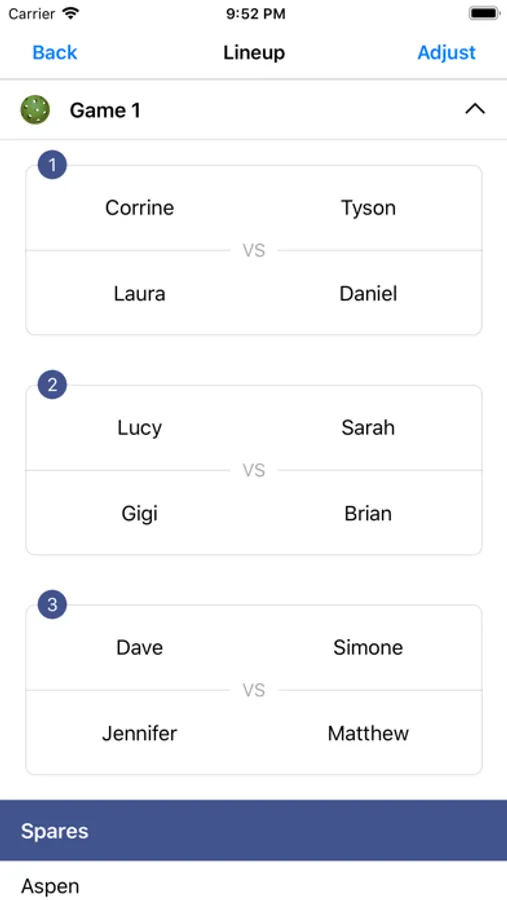
Use Pickleball Play to generate randomized doubles matches for league or recreational play. No more arguments or uncomfortable moments when players have to choose partners and opponents. In just minutes, you can organize fair play for any number of players on any number of courts.
Features:
- Players always have a new partner, until all unique combinations have been exhausted
- Games will keep being added indefinitely
- Opponents are always changing
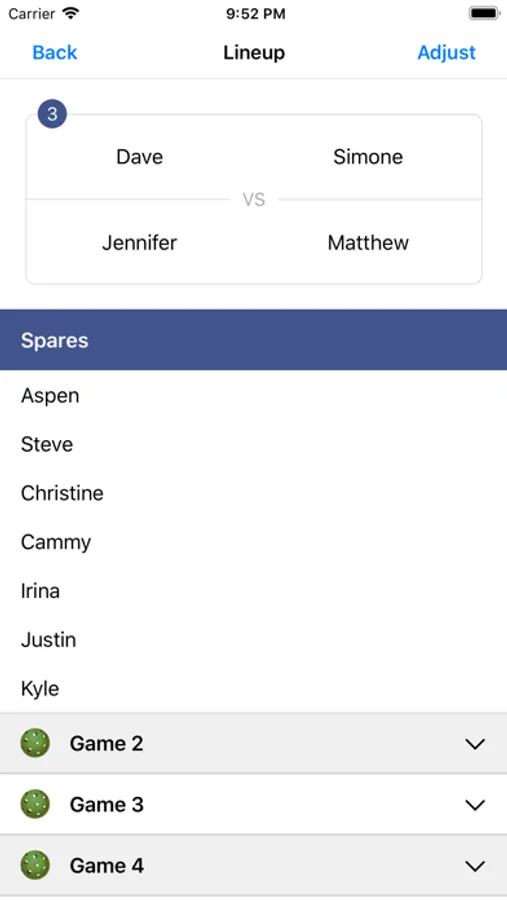
- Spares sit out evenly and in a fixed order
- Ability to add players who arrive late and to remove players who leave early, without messing up the spare rotation
- Any number of players
- Any number of courts
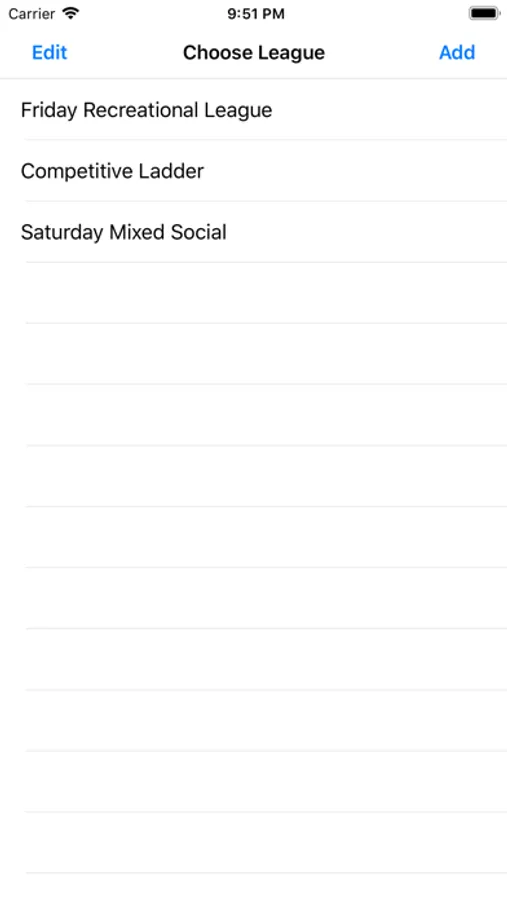
- Manage and save player lists for several leagues
How to use:
1) Input your league name, so you can use the same list of players in the future
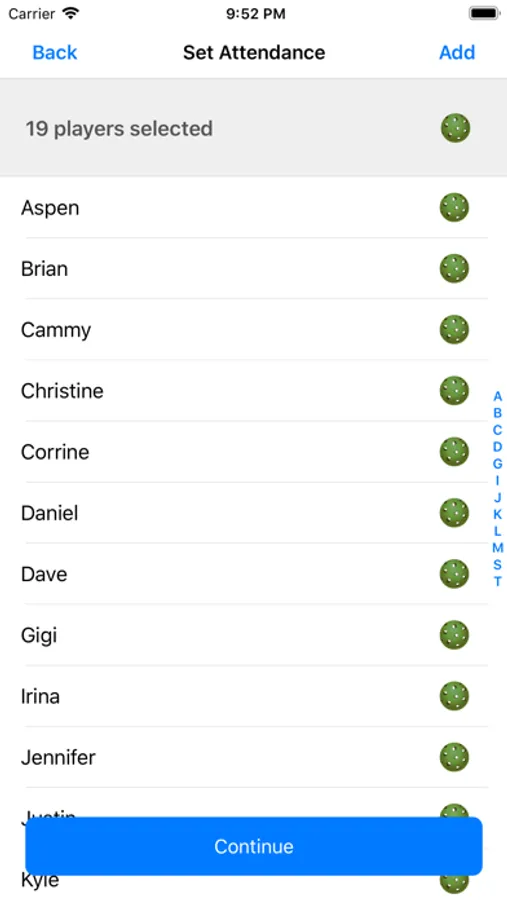
2) Add the players
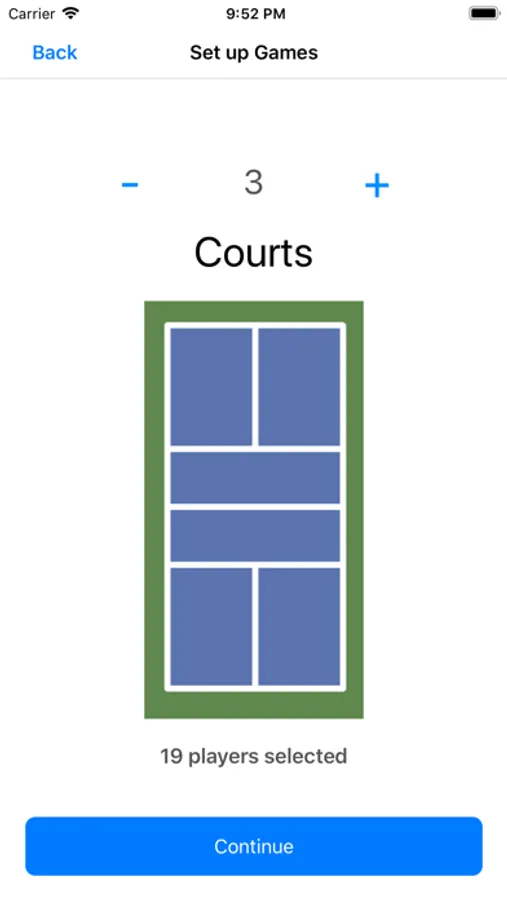
3) Select the number of courts
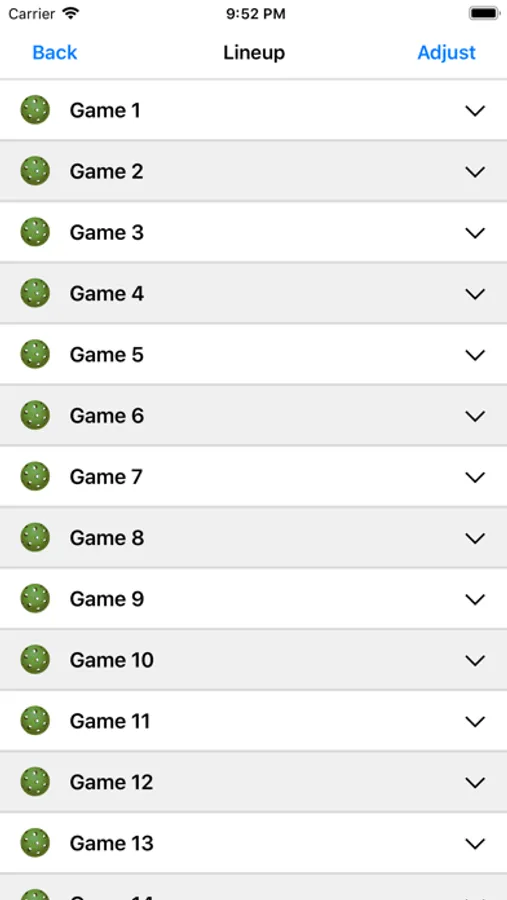
4) Tap on a game to view the details of who is playing
5) *Important! Tap the green pickleball to mark each completed game.
6) Tap on Adjust if you want to add or remove players as you go.
Features:
- Players always have a new partner, until all unique combinations have been exhausted
- Games will keep being added indefinitely
- Opponents are always changing
- Spares sit out evenly and in a fixed order
- Ability to add players who arrive late and to remove players who leave early, without messing up the spare rotation
- Any number of players
- Any number of courts
- Manage and save player lists for several leagues
How to use:
1) Input your league name, so you can use the same list of players in the future
2) Add the players
3) Select the number of courts
4) Tap on a game to view the details of who is playing
5) *Important! Tap the green pickleball to mark each completed game.
6) Tap on Adjust if you want to add or remove players as you go.