FR Configurator Mobile
Mitsubishi Electric Corporation
5.0 ★
store rating
Free
AppRecs review analysis
AppRecs rating 4.5. Trustworthiness 45 out of 100. Review manipulation risk 33 out of 100. Based on a review sample analyzed.
★★★★☆
4.5
AppRecs Rating
Ratings breakdown
5 star
100%
4 star
0%
3 star
0%
2 star
0%
1 star
0%
What to know
⚠
Unusually uniform ratings
100% of sampled ratings are 5 stars with very little variation
About FR Configurator Mobile
This application can operate the Mitsubishi Electric inverter.
You can operate the inverter connected to the Wi-Fi networks.
Compatible models
FR-A800-E series
FR-E800-E series
FR-E800-SCE series
FR-F800-E series
FR-D800-E series
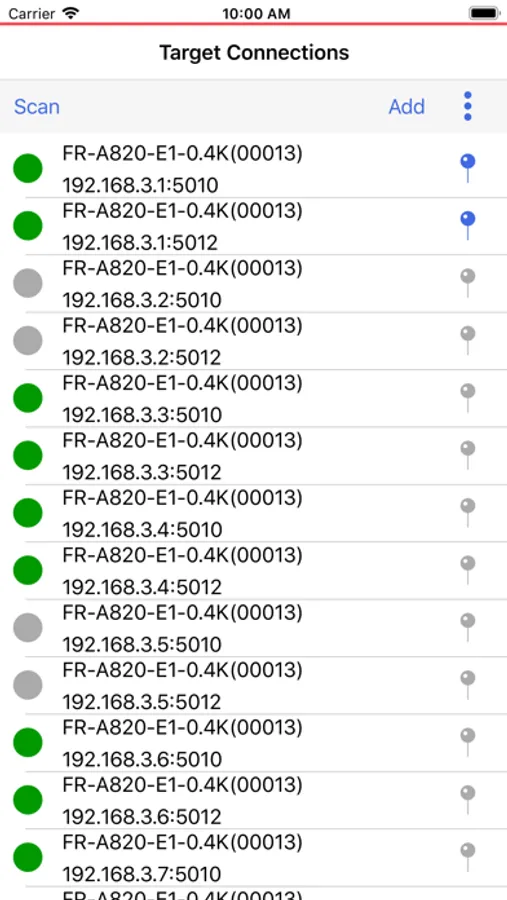
"Connection point"
You can scan, individually register and edit the connected inverters.
The connected inverter can be selected to start communication.
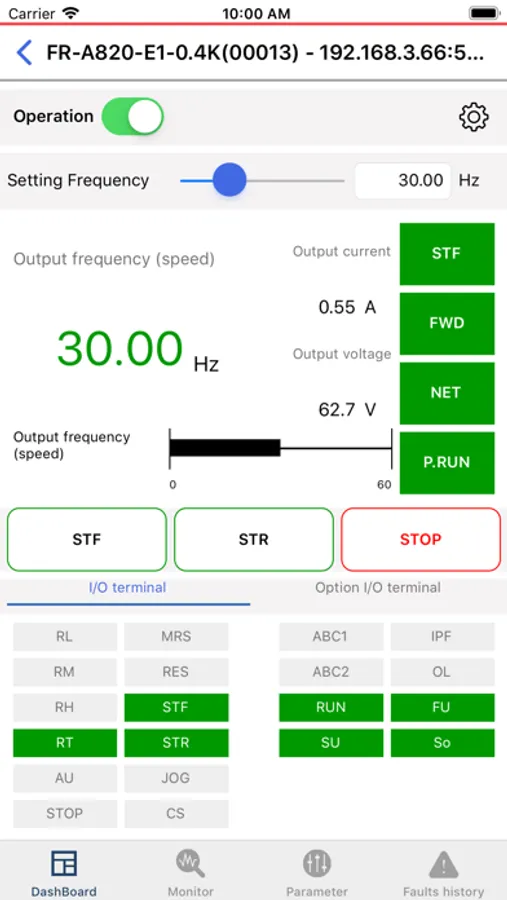
"Dashboard"
The following information can be displayed into one screen for operation and monitoring.
・ Monitor (Output frequency / Output current / Output voltage / Operation status display / I/O terminal status)
・ Operating frequency setting
・ Operation command input
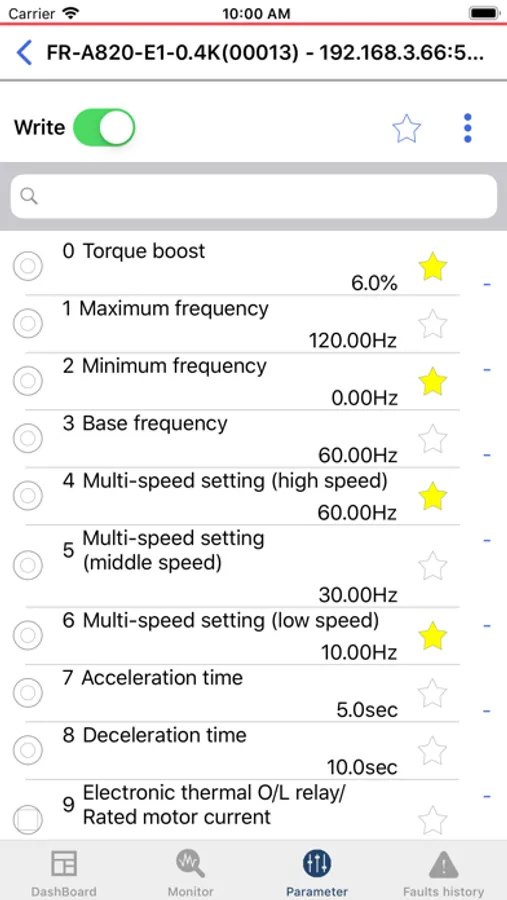
"Parameter"
You can list the inverter parameters.
You can use Search and Favorites filters to display search refinement.
You can change the set value of the parameter, clear the parameter, and reset the inverter.
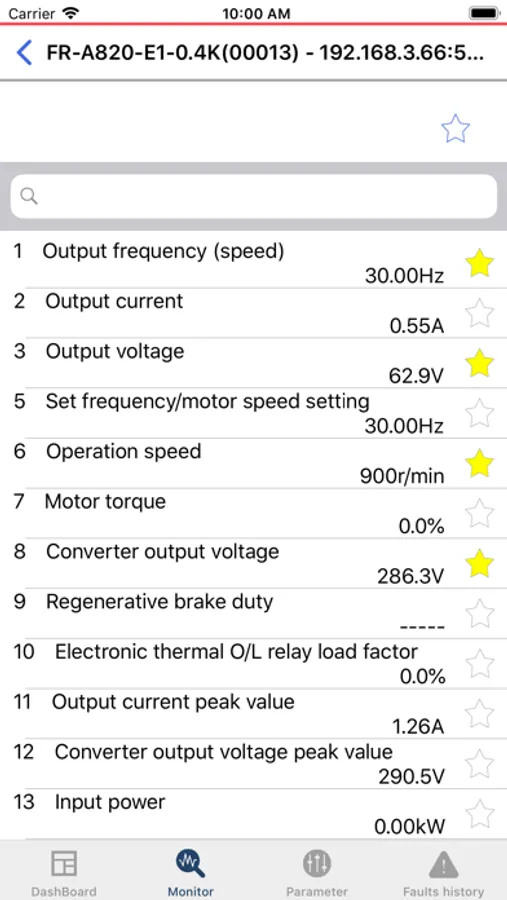
"Monitor"
Inverter monitors can be listed.
You can use Search and Favorites filters to display search refinement.
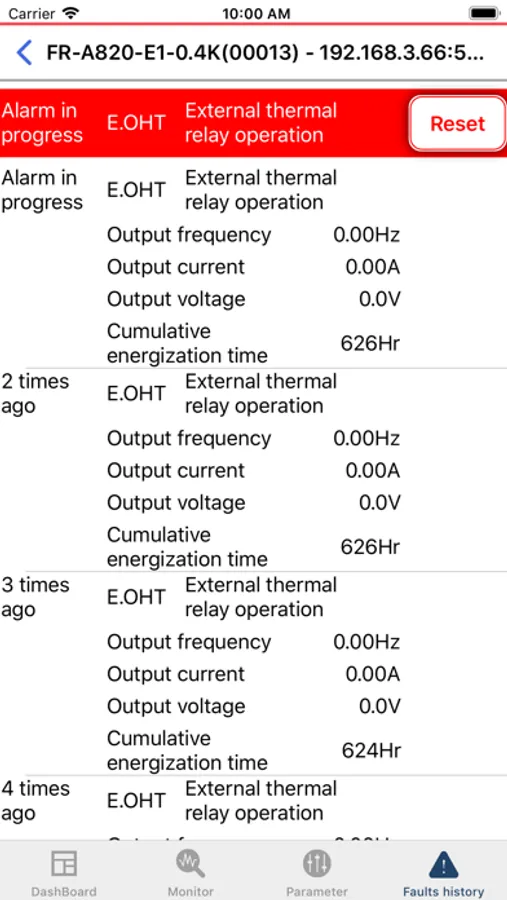
"Fault history"
The fault, fault status display and fault history of the inverter can be displayed.
Please refer to the Mitsubishi Electric FA site about the reset method for faults.
Caution: When operating the inverter, ensure the safety even if the inverter continues to operate inappropriately due to the unexpected communication break.
You can operate the inverter connected to the Wi-Fi networks.
Compatible models
FR-A800-E series
FR-E800-E series
FR-E800-SCE series
FR-F800-E series
FR-D800-E series
"Connection point"
You can scan, individually register and edit the connected inverters.
The connected inverter can be selected to start communication.
"Dashboard"
The following information can be displayed into one screen for operation and monitoring.
・ Monitor (Output frequency / Output current / Output voltage / Operation status display / I/O terminal status)
・ Operating frequency setting
・ Operation command input
"Parameter"
You can list the inverter parameters.
You can use Search and Favorites filters to display search refinement.
You can change the set value of the parameter, clear the parameter, and reset the inverter.
"Monitor"
Inverter monitors can be listed.
You can use Search and Favorites filters to display search refinement.
"Fault history"
The fault, fault status display and fault history of the inverter can be displayed.
Please refer to the Mitsubishi Electric FA site about the reset method for faults.
Caution: When operating the inverter, ensure the safety even if the inverter continues to operate inappropriately due to the unexpected communication break.