Pinnacle Bank Card Control
Pinnacle Data Services, LLC
4.2 ★
store rating
Free
With this card management app, you can set alerts, control transaction limits, and manage card activity through various security features. Includes transaction alerts, location controls, spending limits, and card on/off toggles.
AppRecs review analysis
AppRecs rating 4.2. Trustworthiness 0 out of 100. Review manipulation risk 0 out of 100. Based on a review sample analyzed.
★★★★☆
4.2
AppRecs Rating
Ratings breakdown
5 star
72%
4 star
9%
3 star
3%
2 star
1%
1 star
15%
What to know
✓
High user satisfaction
81% of sampled ratings are 4+ stars (4.2★ average)
✓
Authentic reviews
No red flags detected
About Pinnacle Bank Card Control
Pinnacle Bank Card Control helps protect your debit and credit cards by sending transaction alerts and giving you the ability to define when, where and how your cards are used. Simply download the app to your smartphone, then customize your alert preferences and usage settings to monitor and manage your cards.
Alerts Ensure Safe, Secure Card Usage
Alerts for PIN and Signature transactions can be set up to keep you informed of your debit and credit card usage and help you quickly detect unauthorized or fraudulent activity. The app can send an alert when a card is used or when a transaction has been attempted but is declined – and additional customizable alert options are available. Alerts are immediately after a transaction has taken place.
Location Based Alerts and Controls
The My location control can restrict transactions to merchants located within a certain range of your locations using your phone's GPS, transactions requested outside the specific range can be declined. The My Region control uses city, state country or zip code on an expandable interactive map, transactions requested by the merchants outside of a specific region can be declined
Usage Alerts and Controls
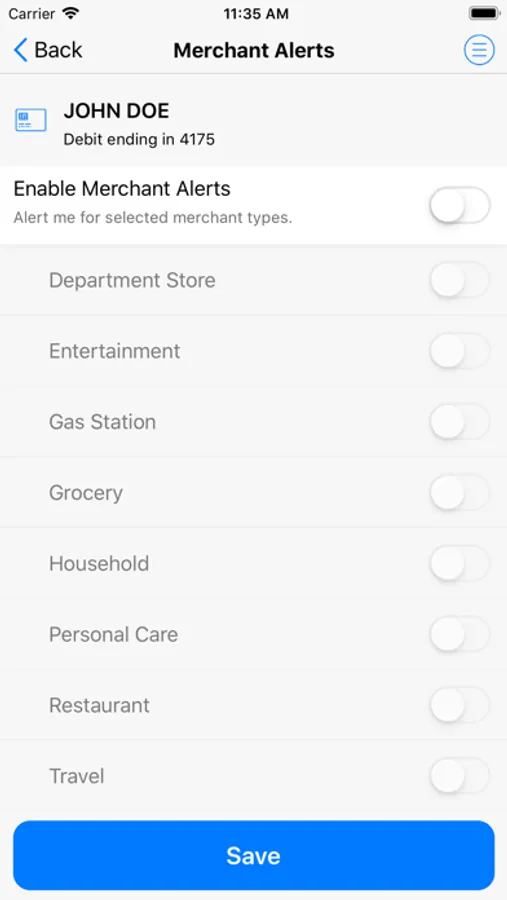
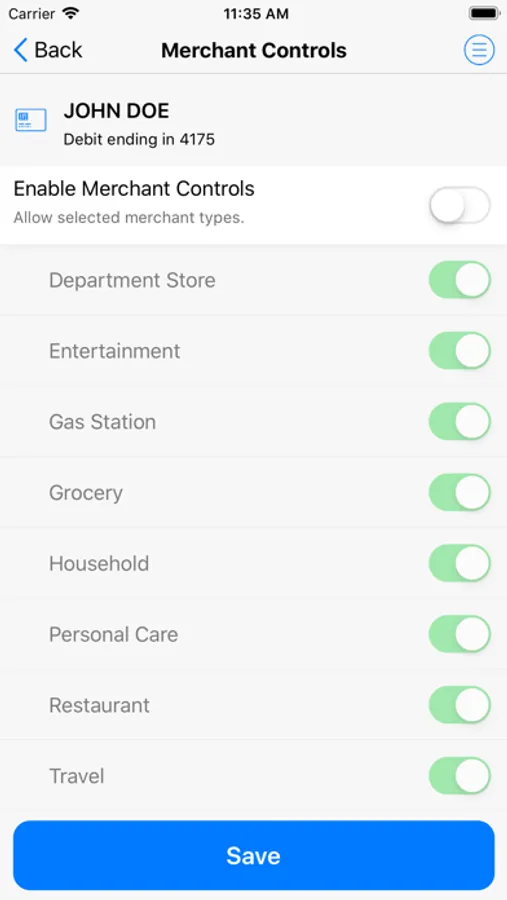
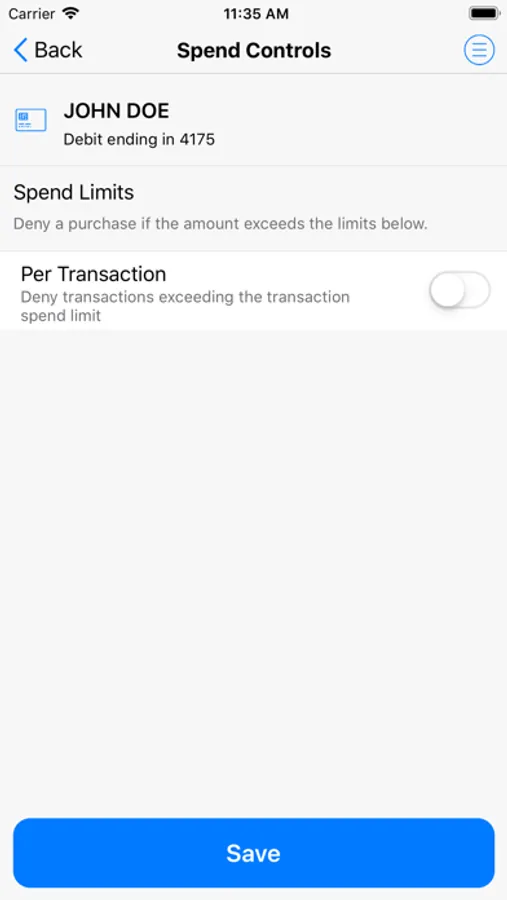
Spending limits can be established to allow transactions up to a certain dollar value and decline transactions when amounts exceed your defined thresholds. Transaction can be monitored and managed for specific merchant categories such as gas stations, department stores, restaurants, entertainment, travel and groceries. And you transaction can also be monitored for specific transaction types in store purchases, e-commerce transactions, mail/phone orders and ATM transactions
Card on/off Setting
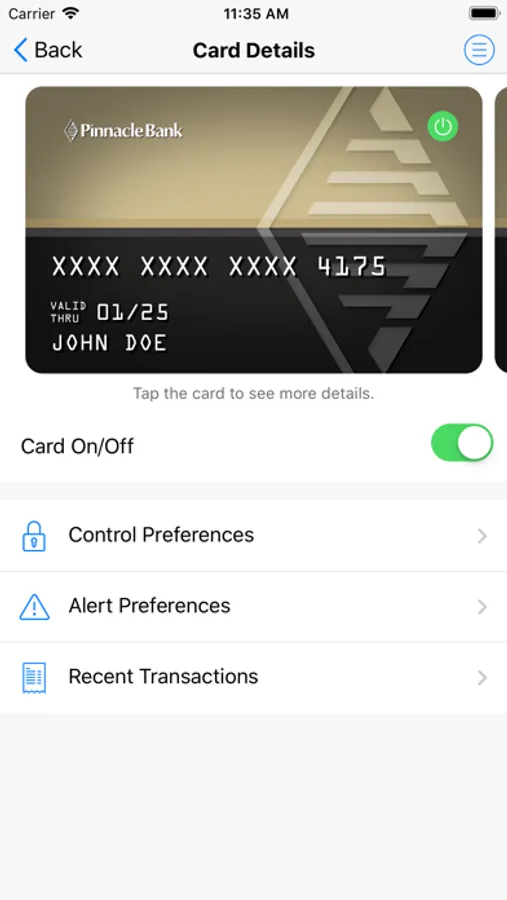
When the card is ""on"" transactions are allowed in accordance with your usage settings. When the card is ""off"" no purchase or withdrawals are approved until the card is subsequently turned back to ""on"". This control can be used to disable a lost or stolen card, prevent fraudulent activity
Alerts Ensure Safe, Secure Card Usage
Alerts for PIN and Signature transactions can be set up to keep you informed of your debit and credit card usage and help you quickly detect unauthorized or fraudulent activity. The app can send an alert when a card is used or when a transaction has been attempted but is declined – and additional customizable alert options are available. Alerts are immediately after a transaction has taken place.
Location Based Alerts and Controls
The My location control can restrict transactions to merchants located within a certain range of your locations using your phone's GPS, transactions requested outside the specific range can be declined. The My Region control uses city, state country or zip code on an expandable interactive map, transactions requested by the merchants outside of a specific region can be declined
Usage Alerts and Controls
Spending limits can be established to allow transactions up to a certain dollar value and decline transactions when amounts exceed your defined thresholds. Transaction can be monitored and managed for specific merchant categories such as gas stations, department stores, restaurants, entertainment, travel and groceries. And you transaction can also be monitored for specific transaction types in store purchases, e-commerce transactions, mail/phone orders and ATM transactions
Card on/off Setting
When the card is ""on"" transactions are allowed in accordance with your usage settings. When the card is ""off"" no purchase or withdrawals are approved until the card is subsequently turned back to ""on"". This control can be used to disable a lost or stolen card, prevent fraudulent activity