AppRecs review analysis
AppRecs rating 4.7. Trustworthiness 64 out of 100. Review manipulation risk 16 out of 100. Based on a review sample analyzed.
★★★★☆
4.7
AppRecs Rating
Ratings breakdown
5 star
80%
4 star
15%
3 star
0%
2 star
5%
1 star
0%
What to know
✓
Low review manipulation risk
16% review manipulation risk
✓
High user satisfaction
80% of sampled ratings are 5 stars
About RubySketch – Fun w/ Processing
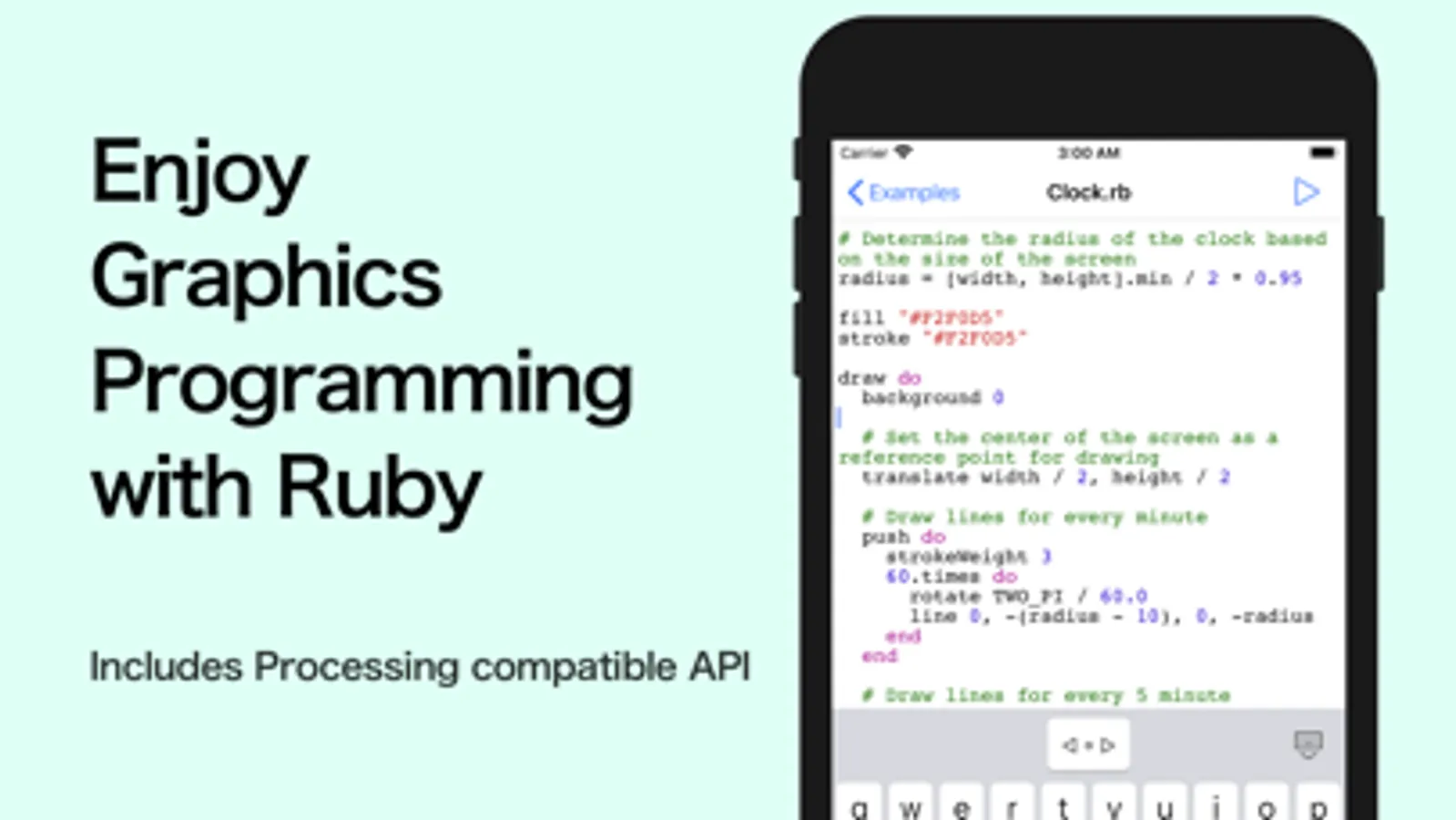
RubySketch is a mobile-friendly environment for graphics programming, equipped with a full scripting-language Ruby interpreter and a built-in text editor that lets you write and run Ruby scripts on the spot.
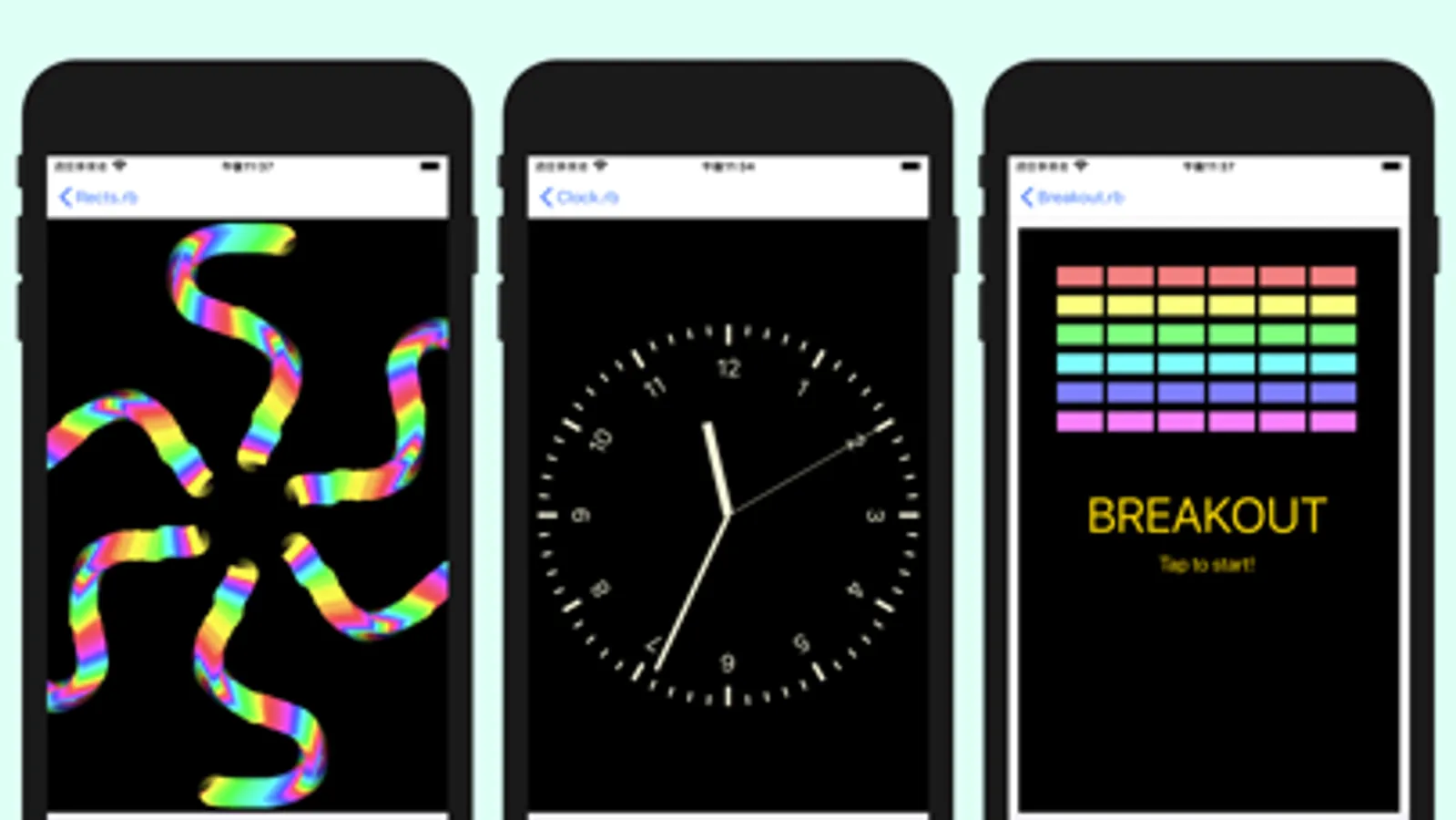
With a graphics API highly compatible with Processing, you can write code as if sketching ideas, and enjoy creating animations, visual expressions, interactive works, or even games—right on your iPhone or iPad. One of its biggest strengths is how easily you can dive in and start building the moment inspiration strikes.
Key features:
- Embedded Ruby interpreter (CRuby / official MRI implementation)
- Processing-compatible graphics API with shader support
- Lightweight, easy-to-use text editor
- Sprite system with physics support (collision, gravity)
- Camera input for image processing
- Sound playback support (great for games and effects)
- A large set of sample scripts included for immediate use
- Comes with a full-featured Klondike Solitaire game!
RubySketch also supports a wide range of Processing-compatible functions, making it a versatile tool for learning, creative coding, and playful experimentation:
---
abs, acos, alpha, angleMode, applyMatrix, arc, asin, atan, atan2, background, beginContour, beginShape, bezier, bezierDetail, bezierPoint, bezierTangent, bezierVertex, blend, blendMode, blue, brightness, ceil, circle, clear, clip, color, colorMode, constrain, copy, cos, createCanvas, createCapture, createFont, createGraphics, createImage, createShader, createShape, createVector, curve, curveDetail, curvePoint, curveTangent, curveTightness, curveVertex, degrees, deltaTime, displayDensity, displayHeight, displayWidth, dist, doubleClicked, draw, ellipse, ellipseMode, endContour, endShape, exp, fill, filter, floor, focused, frameCount, frameRate, fullScreen, fullscreen, green, height, hue, image, imageMode, key, keyCode, keyIsDown, keyIsPressed, keyPressed, keyReleased, keyTyped, lerp, lerpColor, line, loadFont, loadImage, loadPixels, loadShader, log, loop, mag, map, max, min, motion, motionGravity, mouseButton, mouseClicked, mouseDragged, mouseMoved, mousePressed, mouseReleased, mouseWheel, mouseX, mouseY, noClip, noFill, noLoop, noSmooth, noStroke, noTint, noise, noiseDetail, noiseSeed, norm, pixelDensity, pixelHeight, pixelWidth, pixels, pmouseX, pmouseY, point, pop, popMatrix, popStyle, pow, printMatrix, push, pushMatrix, pushStyle, quad, quadraticVertex, radians, random, randomGaussian, randomSeed, rect, rectMode, red, redraw, renderMode, requestImage, resetMatrix, resetShader, rotate, rotateX, rotateY, rotateZ, round, saturation, save, scale, setTitle, setup, shader, shape, shapeMode, shearX, shearY, sin, size, smooth, sq, sqrt, square, stroke, strokeCap, strokeJoin, strokeWeight, tan, text, textAlign, textAscent, textDescent, textFont, textLeading, textSize, textWidth, texture, textureMode, textureWrap, tint, touchEnded, touchMoved, touchStarted, touches, translate, triangle, updatePixels, vertex, width, windowHeight, windowMove, windowMoved, windowOrientation, windowResizable, windowResize, windowResized, windowWidth, windowX, windowY
With a graphics API highly compatible with Processing, you can write code as if sketching ideas, and enjoy creating animations, visual expressions, interactive works, or even games—right on your iPhone or iPad. One of its biggest strengths is how easily you can dive in and start building the moment inspiration strikes.
Key features:
- Embedded Ruby interpreter (CRuby / official MRI implementation)
- Processing-compatible graphics API with shader support
- Lightweight, easy-to-use text editor
- Sprite system with physics support (collision, gravity)
- Camera input for image processing
- Sound playback support (great for games and effects)
- A large set of sample scripts included for immediate use
- Comes with a full-featured Klondike Solitaire game!
RubySketch also supports a wide range of Processing-compatible functions, making it a versatile tool for learning, creative coding, and playful experimentation:
---
abs, acos, alpha, angleMode, applyMatrix, arc, asin, atan, atan2, background, beginContour, beginShape, bezier, bezierDetail, bezierPoint, bezierTangent, bezierVertex, blend, blendMode, blue, brightness, ceil, circle, clear, clip, color, colorMode, constrain, copy, cos, createCanvas, createCapture, createFont, createGraphics, createImage, createShader, createShape, createVector, curve, curveDetail, curvePoint, curveTangent, curveTightness, curveVertex, degrees, deltaTime, displayDensity, displayHeight, displayWidth, dist, doubleClicked, draw, ellipse, ellipseMode, endContour, endShape, exp, fill, filter, floor, focused, frameCount, frameRate, fullScreen, fullscreen, green, height, hue, image, imageMode, key, keyCode, keyIsDown, keyIsPressed, keyPressed, keyReleased, keyTyped, lerp, lerpColor, line, loadFont, loadImage, loadPixels, loadShader, log, loop, mag, map, max, min, motion, motionGravity, mouseButton, mouseClicked, mouseDragged, mouseMoved, mousePressed, mouseReleased, mouseWheel, mouseX, mouseY, noClip, noFill, noLoop, noSmooth, noStroke, noTint, noise, noiseDetail, noiseSeed, norm, pixelDensity, pixelHeight, pixelWidth, pixels, pmouseX, pmouseY, point, pop, popMatrix, popStyle, pow, printMatrix, push, pushMatrix, pushStyle, quad, quadraticVertex, radians, random, randomGaussian, randomSeed, rect, rectMode, red, redraw, renderMode, requestImage, resetMatrix, resetShader, rotate, rotateX, rotateY, rotateZ, round, saturation, save, scale, setTitle, setup, shader, shape, shapeMode, shearX, shearY, sin, size, smooth, sq, sqrt, square, stroke, strokeCap, strokeJoin, strokeWeight, tan, text, textAlign, textAscent, textDescent, textFont, textLeading, textSize, textWidth, texture, textureMode, textureWrap, tint, touchEnded, touchMoved, touchStarted, touches, translate, triangle, updatePixels, vertex, width, windowHeight, windowMove, windowMoved, windowOrientation, windowResizable, windowResize, windowResized, windowWidth, windowX, windowY