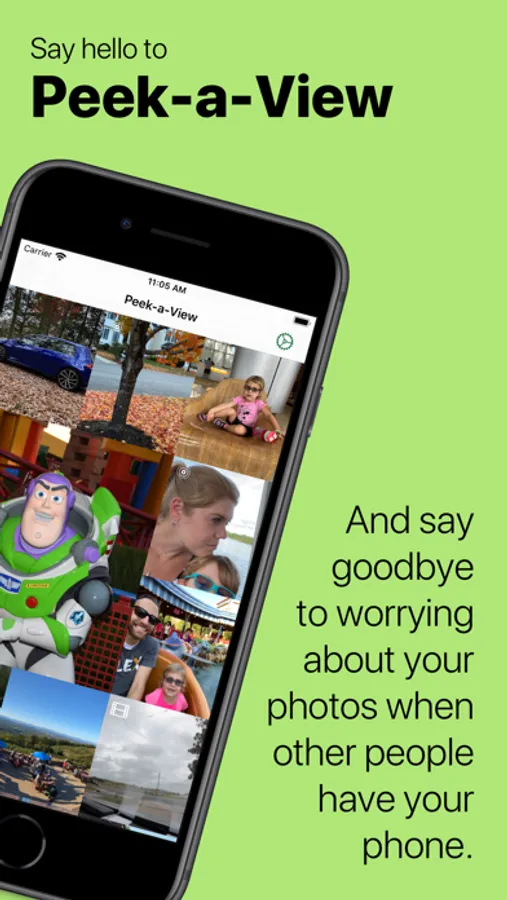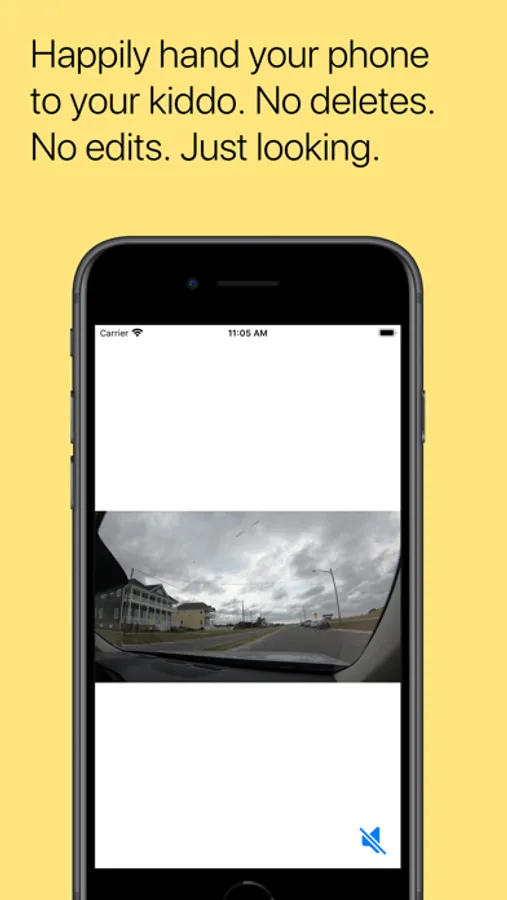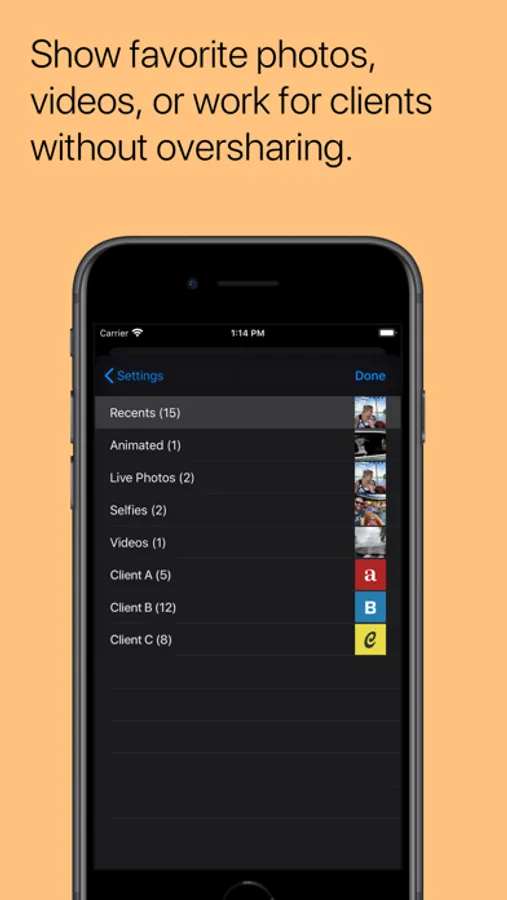
In this photo gallery app, you can view your images in a read-only mode to prevent accidental deletions and configure access restrictions with Guided Access. Includes support for Dark Mode, Live Photos, videos, GIFs, and configuration options for displaying specific albums.
AppRecs review analysis
AppRecs rating 4.4. Trustworthiness 77 out of 100. Review manipulation risk 22 out of 100. Based on a review sample analyzed.
★★★★☆
4.4
AppRecs Rating
Ratings breakdown
5 star
84%
4 star
6%
3 star
4%
2 star
3%
1 star
3%
What to know
✓
Low review manipulation risk
22% review manipulation risk
✓
Credible reviews
77% trustworthiness score from analyzed reviews
✓
High user satisfaction
84% of sampled ratings are 5 stars
About Peek-a-View
Save your photos from accidental — or deliberate! — deletion by toddlers, clients, or anyone that can't be trusted.
Peek-a-View is a read-only photo gallery. Using Peek-a-View, you can always feel safe sharing your photos with anyone, because there is literally no way to have Peek-a-View delete your photos. In fact, Peek-a-View does not write ANY data back to your photo library.
When paired with the Guided Access feature on iOS and iPadOS, you can lock your device into Peek-a-View, ensuring that the only thing that device can do is look at photos, until you decide otherwise.
By default, Peek-a-View will show your most recent photos in your photo gallery, but it can be configured to only show a specific album. Furthermore, access to Peek-a-View's settings is automatically restricted when Guided Access is started.
Peek-a-View will show you your 20 most recent photos for free; a one-time in-app purchase will remove that limitation.
Peek-a-View fully supports Dark Mode, Dynamic Type, Live Photos, videos, and animated GIFs. With purchase, it also supports several alternative icons.
Born from a trip to an amusement park with a very independent toddler, Peek-a-View was written so that my wife and I can give our phones to our precocious two-year-old and know that she won't accidentally delete any of our precious memories.
Without Peek-a-View, we'd have to hope that she didn't figure out how to delete anything, or spend time fiddling with the Guided Access settings to block out the delete features on the Photos app.
With Peek-a-View, we can simply open the app, start Guided Access, and hand her the phone. No deletion, no modifications, no worries.
Privacy Policy: https://www.caseyliss.com/peek-a-view-privacy
Peek-a-View is a read-only photo gallery. Using Peek-a-View, you can always feel safe sharing your photos with anyone, because there is literally no way to have Peek-a-View delete your photos. In fact, Peek-a-View does not write ANY data back to your photo library.
When paired with the Guided Access feature on iOS and iPadOS, you can lock your device into Peek-a-View, ensuring that the only thing that device can do is look at photos, until you decide otherwise.
By default, Peek-a-View will show your most recent photos in your photo gallery, but it can be configured to only show a specific album. Furthermore, access to Peek-a-View's settings is automatically restricted when Guided Access is started.
Peek-a-View will show you your 20 most recent photos for free; a one-time in-app purchase will remove that limitation.
Peek-a-View fully supports Dark Mode, Dynamic Type, Live Photos, videos, and animated GIFs. With purchase, it also supports several alternative icons.
Born from a trip to an amusement park with a very independent toddler, Peek-a-View was written so that my wife and I can give our phones to our precocious two-year-old and know that she won't accidentally delete any of our precious memories.
Without Peek-a-View, we'd have to hope that she didn't figure out how to delete anything, or spend time fiddling with the Guided Access settings to block out the delete features on the Photos app.
With Peek-a-View, we can simply open the app, start Guided Access, and hand her the phone. No deletion, no modifications, no worries.
Privacy Policy: https://www.caseyliss.com/peek-a-view-privacy