AppRecs review analysis
AppRecs rating 4.2. Trustworthiness 76 out of 100. Review manipulation risk 28 out of 100. Based on a review sample analyzed.
★★★★☆
4.2
AppRecs Rating
Ratings breakdown
5 star
80%
4 star
0%
3 star
0%
2 star
20%
1 star
0%
What to know
✓
Low review manipulation risk
28% review manipulation risk
✓
Credible reviews
76% trustworthiness score from analyzed reviews
✓
High user satisfaction
80% of sampled ratings are 4+ stars (4.4★ average)
About Stable Manager
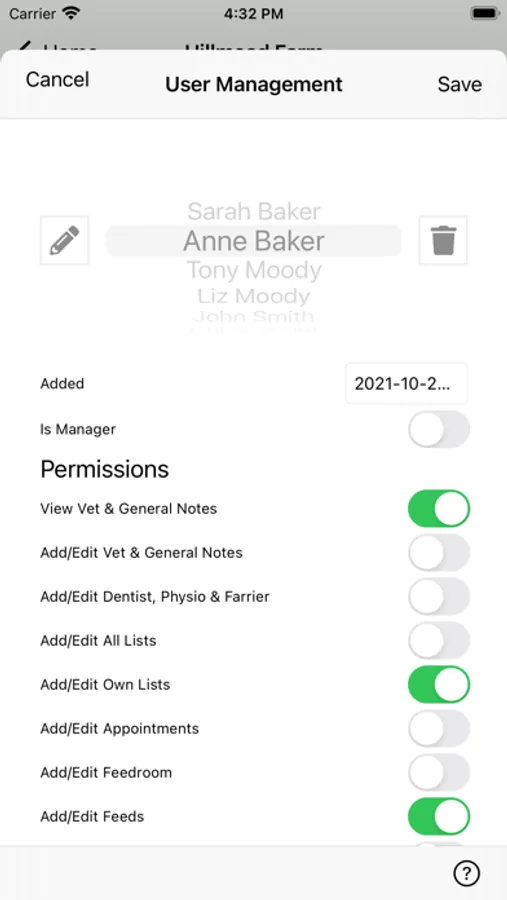
Stable Manager allows you to add ‘users’ who can be members of your family, grooms or riders, governed by individual 'permissions', to control what they can edit and see. When a record is updated, that information is synchronised with the apps on ALL your devices and those of your users.
The app is organised into a number of separate areas:
HOME SCREEN
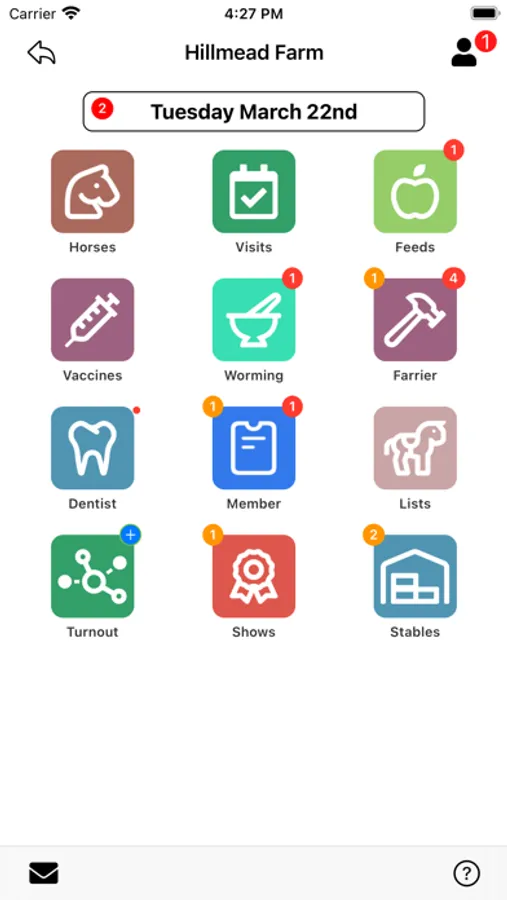
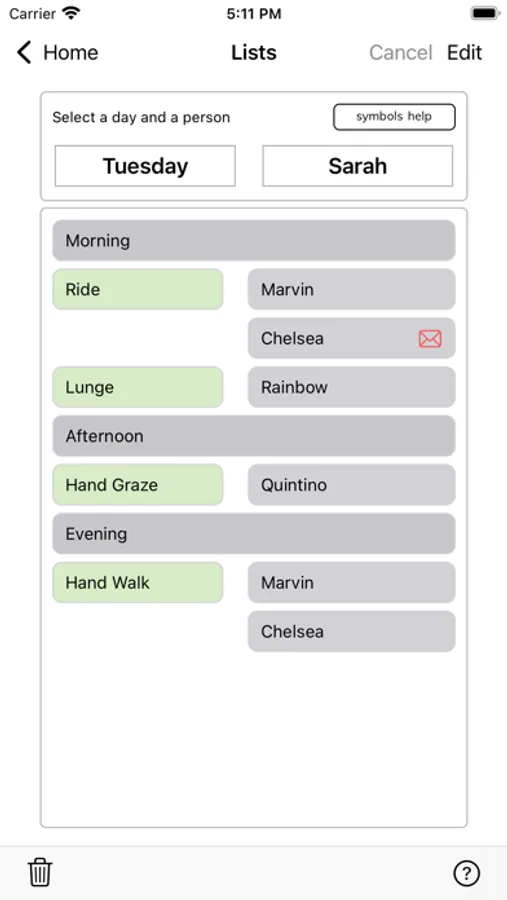
Once you have entered information about your horses, the home screen comes to life. It displays a consolidated view of your Stables with 'badges' over the icons, to remind you of imminent actions you need to take. Larger stables can also access shared Ride Lists, Turnout Plans and Feed Lists from here.
THE HORSE LIST
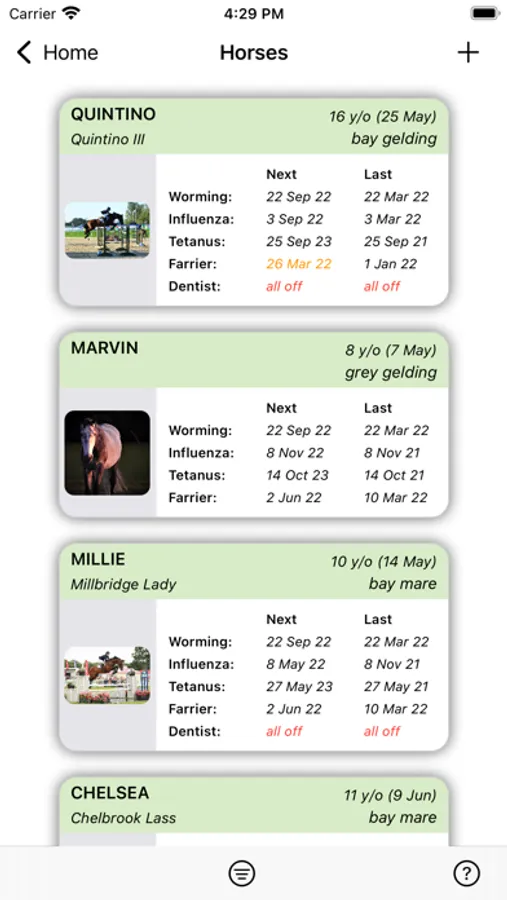
This is the entry point to the home screen for each individual horse. You can re-order the list for a convenient view of which horses have the most imminent vaccines, farrier visits etc..
HORSE HOME
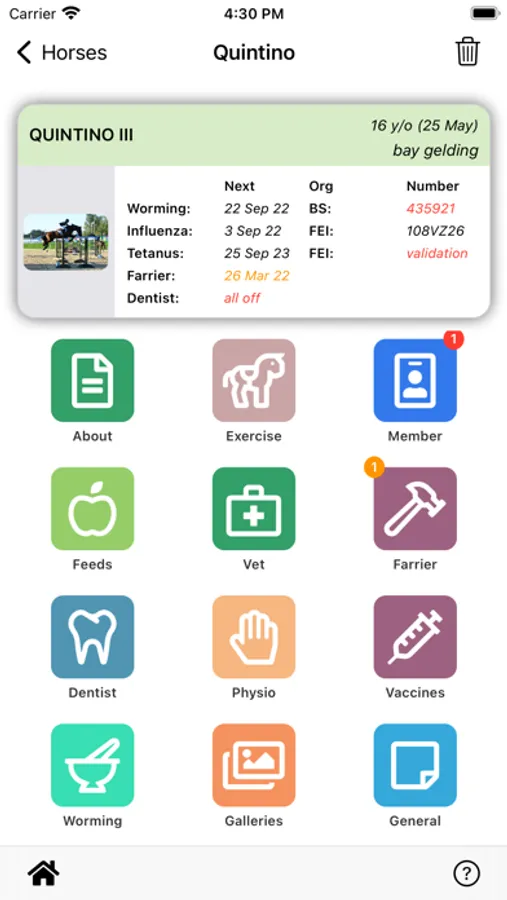
Each horse has its own Home Screen. Within that screen you can view, add and edit information about that horse. At the top of each home screen there is a panel summarising key dates and membership information.
ORGANISE YOUR VET AND PHYSIO RECORDS
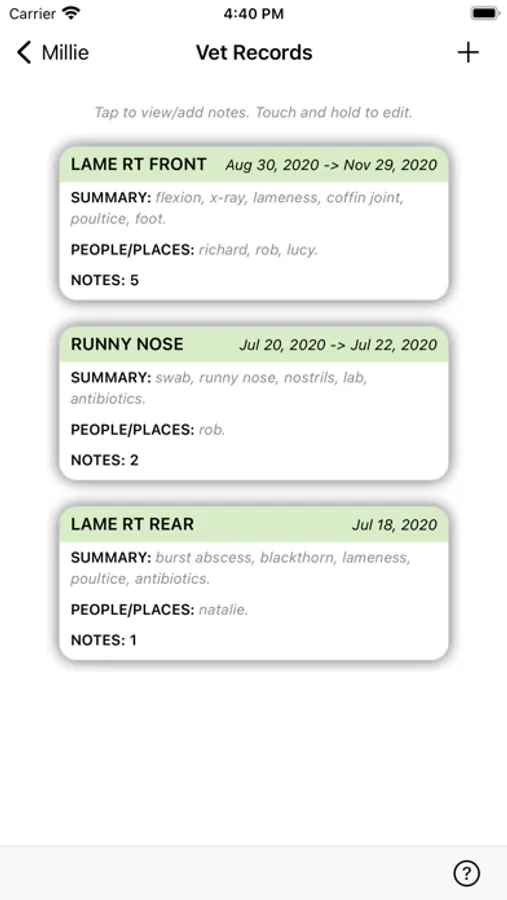
Keep vet and physio records for each horse. Attach photos, pdfs and videos to notes. The visibility of those records can be controlled depending on the user.
THE STABLES SCREEN
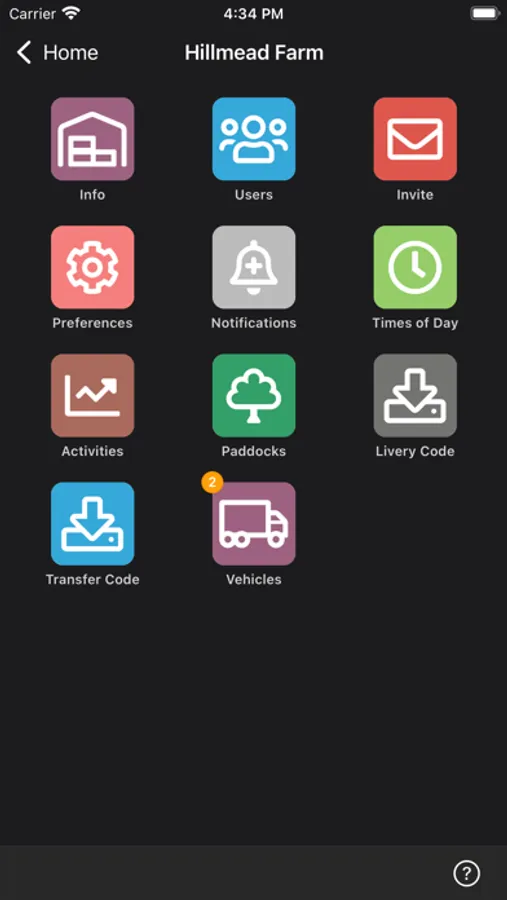
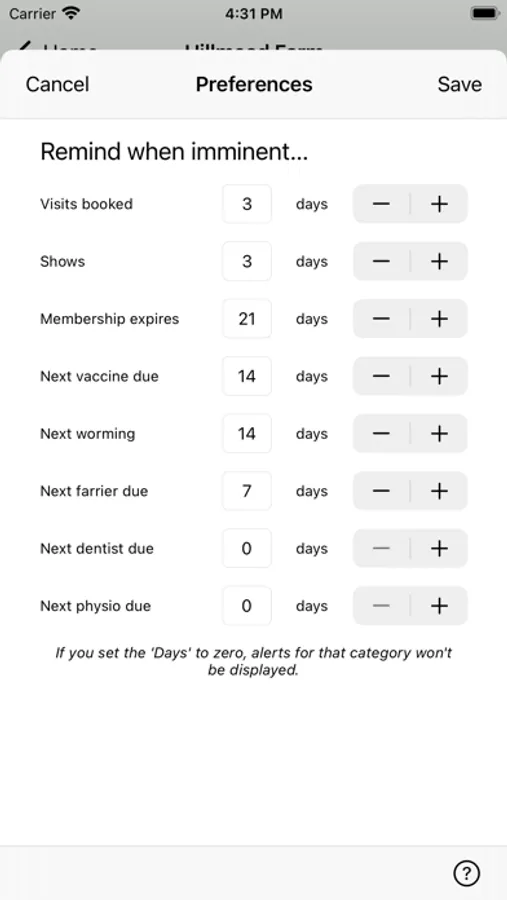
The Stables screen is where administrators and managers can control access and manage information about the Stables. They can invite users and set user permissions and notifications. This is also where you can set the number of days warning Stable Manger gives you when certain events are imminent or are indeed overdue.
VISITS
You can add and manage appointments here for professionals visiting your yard. Dates entered here will be tracked in the diary and you can set up reminders when visits are imminent. There are features to automatically update horse records following each visit to keep a history of the horse's treatment.
THE DIARY
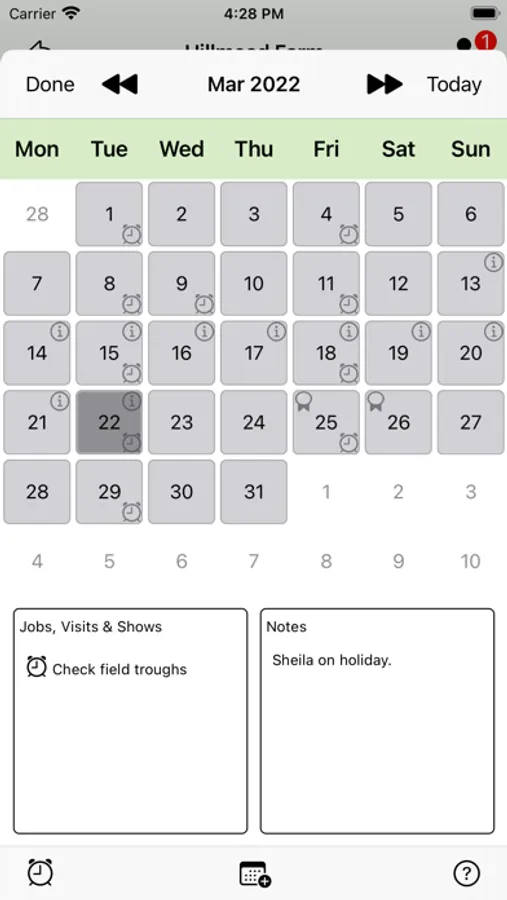
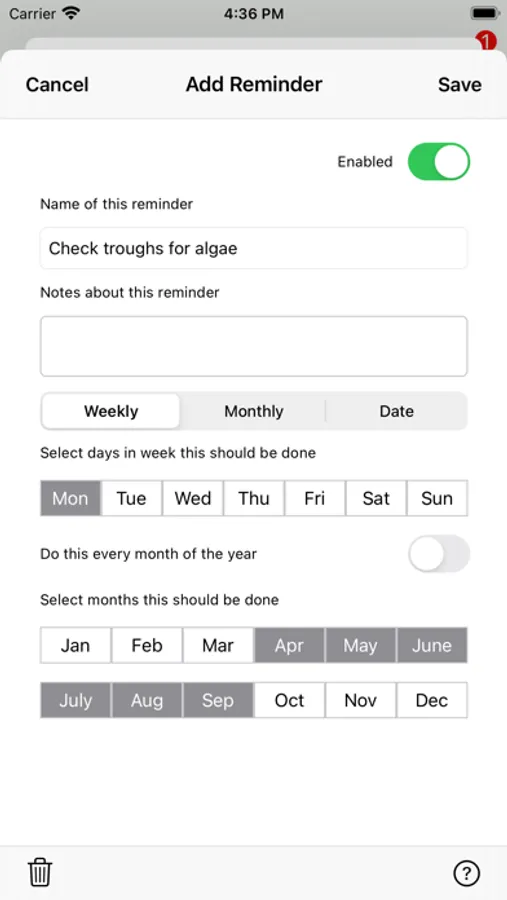
The diary screen on the app, displays a month view containing icons showing events such as visits or shows you have entered in the app. You can enter notes for a particular day such as people's holidays, and there is also a feature to set up regular weekly or monthly job reminders.
THE FEEDS SCREEN
This is where you can generate feed charts or lists for your Stables. You can manage items in your feedroom and enter the meals and portions for each horse.
LIVERIES AND TRANSFERS
Stable Manager also supports features for placing a horse on livery, or permanently transferring it to other stables with its records using Stable Manager.
The app is organised into a number of separate areas:
HOME SCREEN
Once you have entered information about your horses, the home screen comes to life. It displays a consolidated view of your Stables with 'badges' over the icons, to remind you of imminent actions you need to take. Larger stables can also access shared Ride Lists, Turnout Plans and Feed Lists from here.
THE HORSE LIST
This is the entry point to the home screen for each individual horse. You can re-order the list for a convenient view of which horses have the most imminent vaccines, farrier visits etc..
HORSE HOME
Each horse has its own Home Screen. Within that screen you can view, add and edit information about that horse. At the top of each home screen there is a panel summarising key dates and membership information.
ORGANISE YOUR VET AND PHYSIO RECORDS
Keep vet and physio records for each horse. Attach photos, pdfs and videos to notes. The visibility of those records can be controlled depending on the user.
THE STABLES SCREEN
The Stables screen is where administrators and managers can control access and manage information about the Stables. They can invite users and set user permissions and notifications. This is also where you can set the number of days warning Stable Manger gives you when certain events are imminent or are indeed overdue.
VISITS
You can add and manage appointments here for professionals visiting your yard. Dates entered here will be tracked in the diary and you can set up reminders when visits are imminent. There are features to automatically update horse records following each visit to keep a history of the horse's treatment.
THE DIARY
The diary screen on the app, displays a month view containing icons showing events such as visits or shows you have entered in the app. You can enter notes for a particular day such as people's holidays, and there is also a feature to set up regular weekly or monthly job reminders.
THE FEEDS SCREEN
This is where you can generate feed charts or lists for your Stables. You can manage items in your feedroom and enter the meals and portions for each horse.
LIVERIES AND TRANSFERS
Stable Manager also supports features for placing a horse on livery, or permanently transferring it to other stables with its records using Stable Manager.