TIMEFLIP2: Time&Task tracker
TimeFlip sp. z o.o.
3.7 ★
store rating
Free
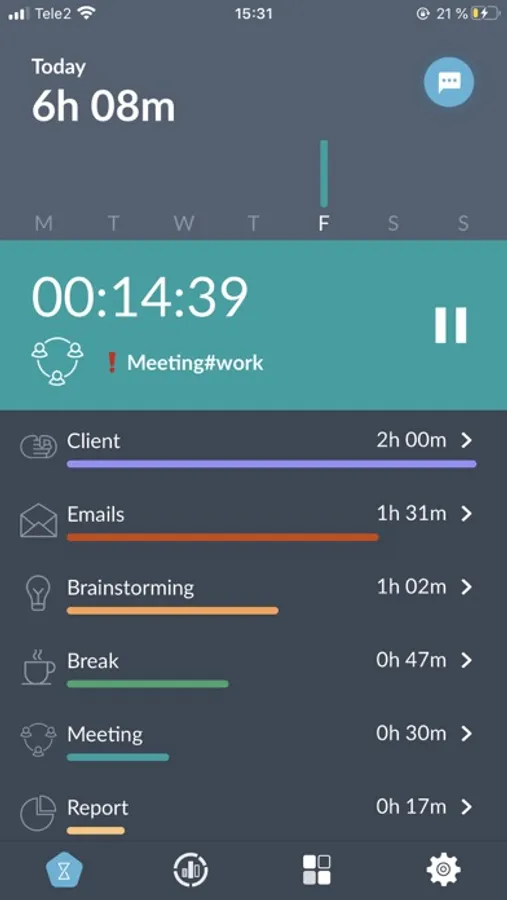
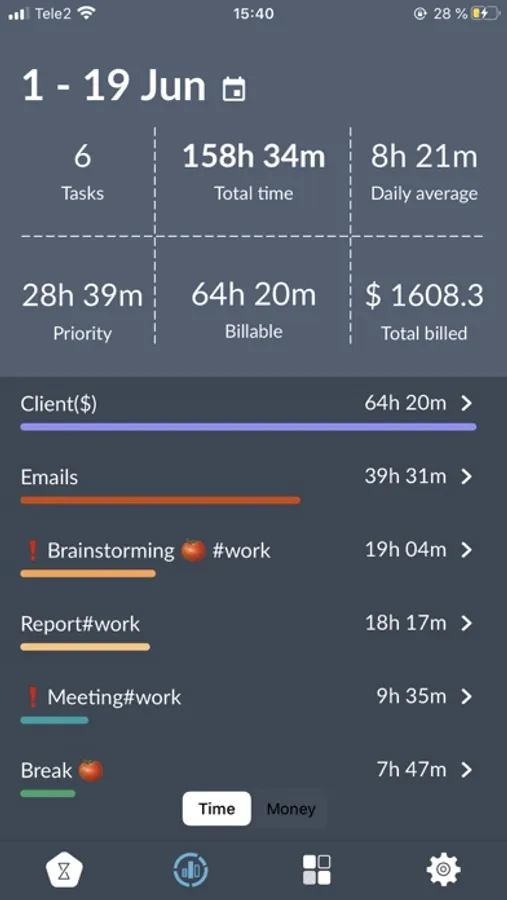
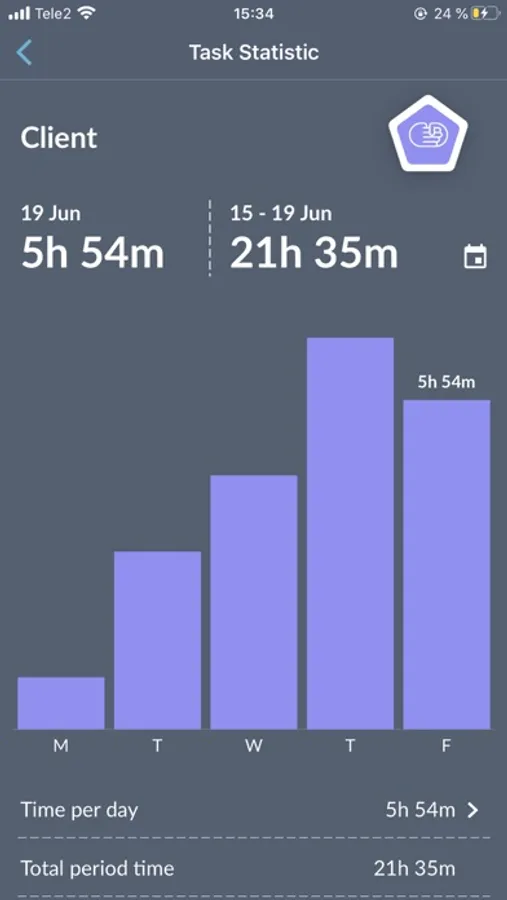
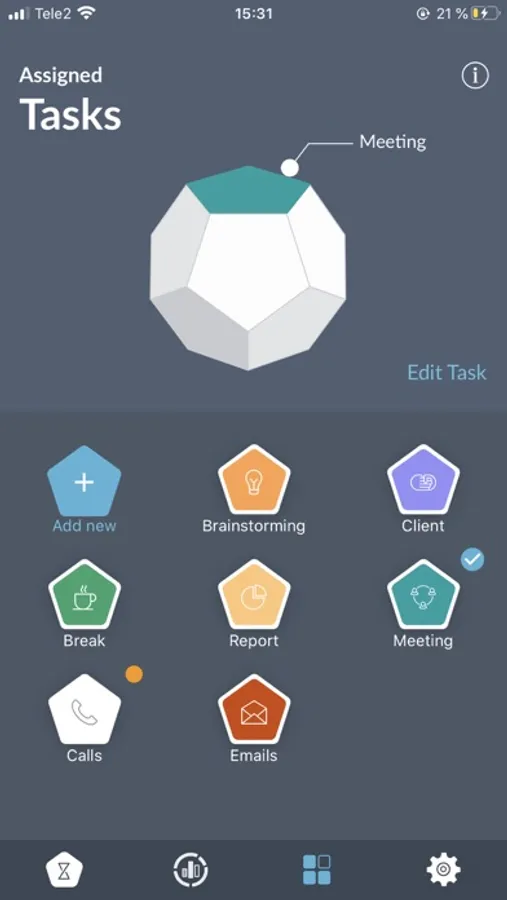
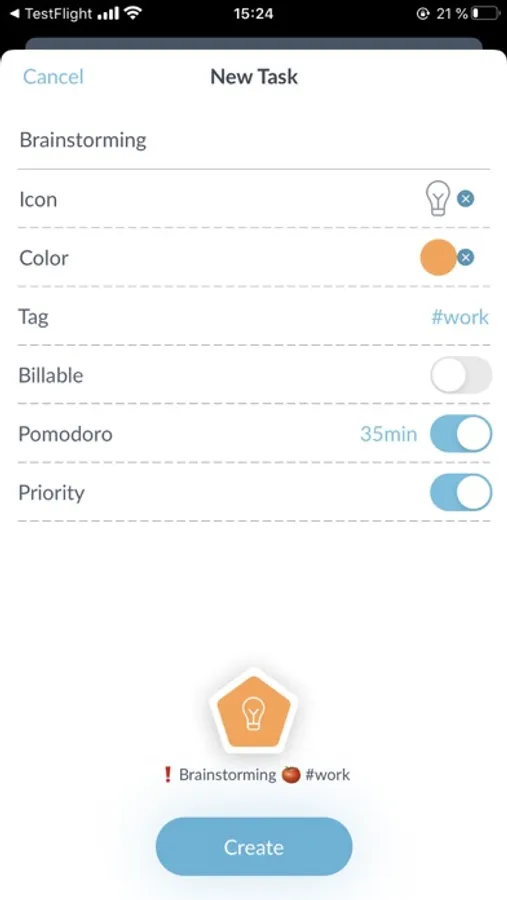
In this time and task tracker, users can assign tasks to the device and switch between them by flipping TIMEFLIP2 to the corresponding side. Includes task customization, time visualization, and export options.
AppRecs review analysis
AppRecs rating 3.3. Trustworthiness 83 out of 100. Review manipulation risk 22 out of 100. Based on a review sample analyzed.
★★★☆☆
3.3
AppRecs Rating
Ratings breakdown
5 star
49%
4 star
14%
3 star
10%
2 star
10%
1 star
17%
What to know
✓
Low review manipulation risk
22% review manipulation risk
✓
Credible reviews
83% trustworthiness score from analyzed reviews
✓
Good user ratings
63% positive sampled reviews
About TIMEFLIP2: Time&Task tracker
TIMEFLIP2 is an interactive time tracker, designed to make logging time an intuitive and enjoyable task. TIMEFLIP2 is powered by a mobile app and a web service to store, process and visualize time data. Unlike popular software time tracking tools, TIMEFLIP2 is a physical connected device. This provides for radically different user experience, ease of use and instant adoption. TIMEFLIP2 was created for individuals and teams to help them track time, control their work patterns, bill hours and analyze productivity in the most user-friendly manner.
TIMEFLIP2 is the tool for everyone who needs to measure (and bill) time spent per project/client/process or seeking a tool to control and improve productivity, for example applying different patterns and techniques like pomodoro. Our typical users work in industries like: software development, consulting, design, marketing, media, education, legal, etc.
At the start, user marks TIMEFLIP2 sides with the tasks or activities he/she wants to track and assigns them once in the mobile app. Whenever one wants to start tracking a task or activity, he/she simply places TIMEFLIP2 with the corresponding side facing up and the device automatically starts clocking time for it. Thus, all user time stats is logged and visualized in the app or web service and can be exported in xls or csv format.
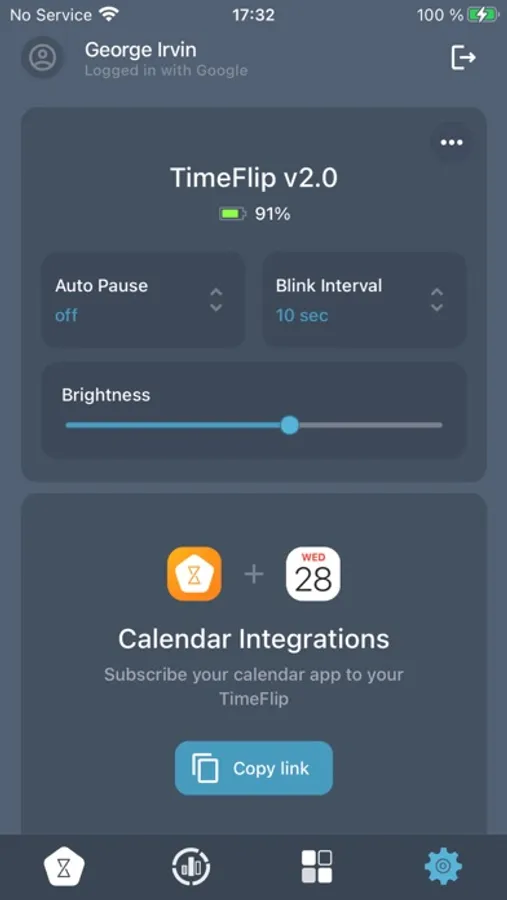
While logging time for a task, TIMEFLIP2 blinks periodically in user-defined task color to notify on current task status. TIMEFLIP2 can be used both as direct and pomodoro timer. In the latter case, the device starts blinking in red color on approaching user-defined time interval to signal the end of Pomodoro sprint.
All user-generated time data is stored securely in AWS cloud and is synchronized with the device regularly or on demand. For more details on user data policy, please, refer to our Privacy Policy.
TimeFlip2 has an on-board memory to store data of 1166 flips (30-40 days of activity). It has been designed as a network-independent solution from the very beginning. Once TIMEFLIP2 device is initially set up with an app it does not require a network or permanent connection to the app/smartphone to operate. Every time TIMEFLIP2 app is opened, it will immediately synchronize with the device and read out all generated time data, sending it to the cloud.
TIMEFLIP2 is the tool for everyone who needs to measure (and bill) time spent per project/client/process or seeking a tool to control and improve productivity, for example applying different patterns and techniques like pomodoro. Our typical users work in industries like: software development, consulting, design, marketing, media, education, legal, etc.
At the start, user marks TIMEFLIP2 sides with the tasks or activities he/she wants to track and assigns them once in the mobile app. Whenever one wants to start tracking a task or activity, he/she simply places TIMEFLIP2 with the corresponding side facing up and the device automatically starts clocking time for it. Thus, all user time stats is logged and visualized in the app or web service and can be exported in xls or csv format.
While logging time for a task, TIMEFLIP2 blinks periodically in user-defined task color to notify on current task status. TIMEFLIP2 can be used both as direct and pomodoro timer. In the latter case, the device starts blinking in red color on approaching user-defined time interval to signal the end of Pomodoro sprint.
All user-generated time data is stored securely in AWS cloud and is synchronized with the device regularly or on demand. For more details on user data policy, please, refer to our Privacy Policy.
TimeFlip2 has an on-board memory to store data of 1166 flips (30-40 days of activity). It has been designed as a network-independent solution from the very beginning. Once TIMEFLIP2 device is initially set up with an app it does not require a network or permanent connection to the app/smartphone to operate. Every time TIMEFLIP2 app is opened, it will immediately synchronize with the device and read out all generated time data, sending it to the cloud.