AppRecs review analysis
AppRecs rating 4.5. Trustworthiness 65 out of 100. Review manipulation risk 21 out of 100. Based on a review sample analyzed.
★★★★☆
4.5
AppRecs Rating
Ratings breakdown
5 star
100%
4 star
0%
3 star
0%
2 star
0%
1 star
0%
What to know
✓
Low review manipulation risk
21% review manipulation risk
✓
High user satisfaction
100% of sampled ratings are 5 stars
About PhotoFetch: Solve & Reveal
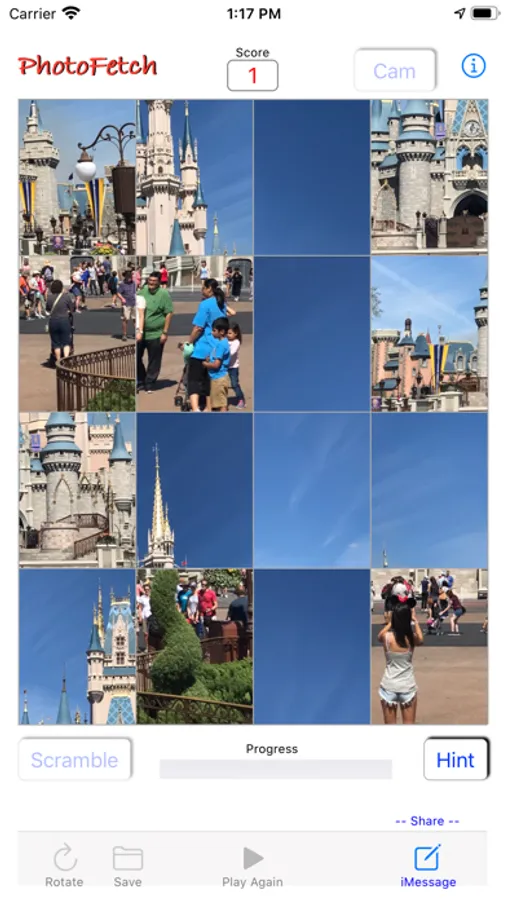
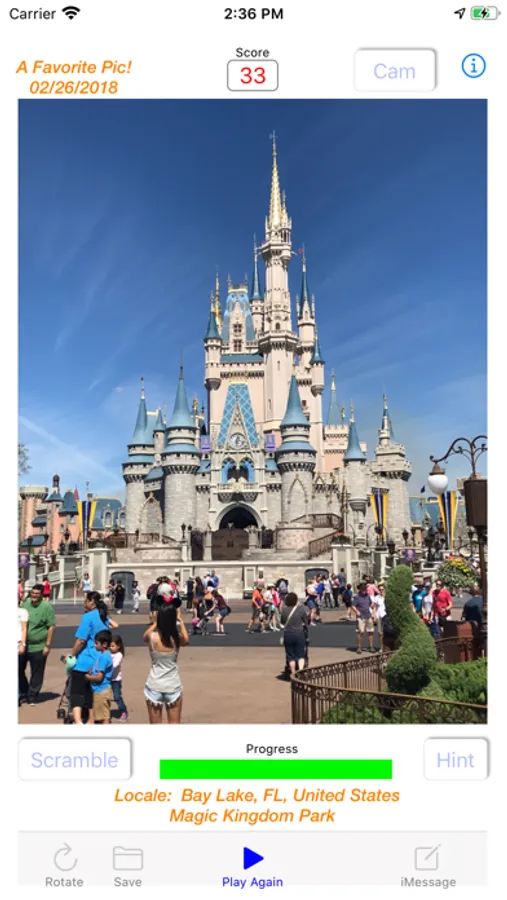
PhotoFetch is a challenging photo retrieval game designed to scramble your own photos into an array of 16 "tiles." At start, a randomly chosen photo from your own Photo Library will be scrambled and displayed. Tap [BEGIN] to highlight the tile already in its correct position then begin solving the puzzle by using a fingertip to slide each tile into its correct position. The Progress Bar will advance to reflect the number of correctly placed tiles. The [HINT] button will highlight a tile and show where it belongs using an animated red square. A maximum of 6 Hints are allowed per play. When finished, the gridlines disappear and the photo's date and location will be revealed!
Options: To select a new random photo tap [PLAY AGAIN] in the tool bar at the bottom of the screen. To select a specific photo tap the [SELECT PHOTO] button to access the iPhone's library or tap the [CAM] button to use the camera. To scroll through the most recently taken photos simply Swipe the screen Up to display them or Down to step back through them. Once a photo has been chosen tap [SCRAMBLE] to scramble it and then tap [BEGIN] to start solving! Tap [ROTATE] before scrambling to rotate the photo 90 degrees if desired.
Options: To select a new random photo tap [PLAY AGAIN] in the tool bar at the bottom of the screen. To select a specific photo tap the [SELECT PHOTO] button to access the iPhone's library or tap the [CAM] button to use the camera. To scroll through the most recently taken photos simply Swipe the screen Up to display them or Down to step back through them. Once a photo has been chosen tap [SCRAMBLE] to scramble it and then tap [BEGIN] to start solving! Tap [ROTATE] before scrambling to rotate the photo 90 degrees if desired.