In this campus management app, you can view and customize your schedule, receive notifications, and export calendar details. Includes schedule creation, notifications, calendar sharing, and privacy controls.
AppRecs review analysis
AppRecs rating 4.5. Trustworthiness 52 out of 100. Review manipulation risk 25 out of 100. Based on a review sample analyzed.
★★★★☆
4.5
AppRecs Rating
Ratings breakdown
5 star
98%
4 star
1%
3 star
1%
2 star
0%
1 star
0%
What to know
✓
High user satisfaction
98% of sampled ratings are 5 stars
✓
Authentic reviews
No red flags detected
About CPS Campus
Much more than a powerful, personalized schedule for students and teachers at The College Preparatory School.
SCHEDULE
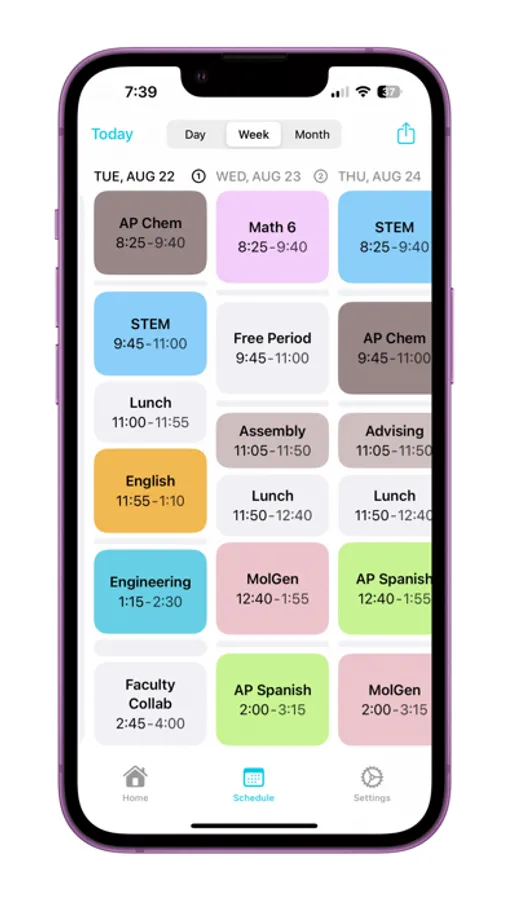
CPS Campus brings you an all new experience for an all new school year. A new rotating schedule dynamically populates with your customized courses, and notifies you when your classes begin and end. Want to create a meeting? Just long press on any block in your schedule to create an event in your calendar. Want to export your schedule? Tap on the share button to do so and add school holidays to your calendar. Style your courses with the all-new Palette Studio. And you can add schedule widgets to your Home Screen.
HOME
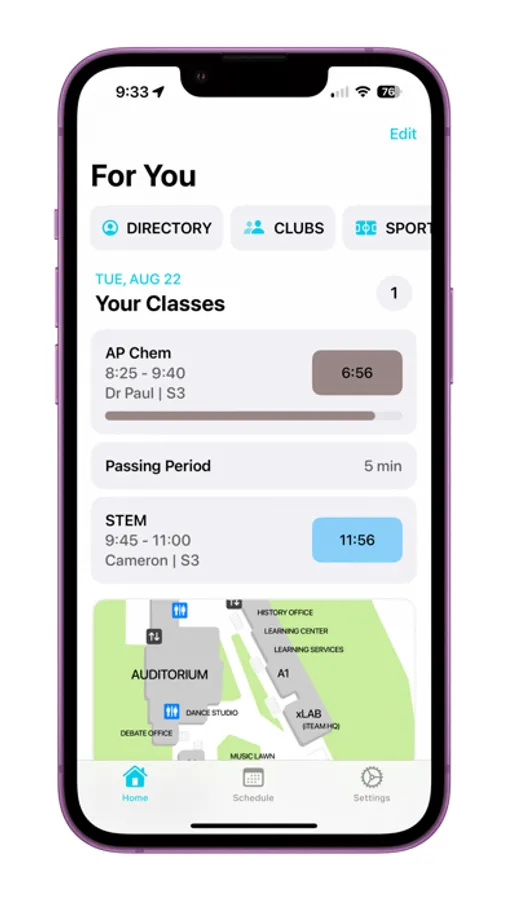
The Home page intelligently organizes your current and next classes, Common Classroom details, RHF points and drop-in classes, and more. And you can rearrange and configure the information that's displayed, and dive into to designated pages from the top.
CLUBS & SPORTS
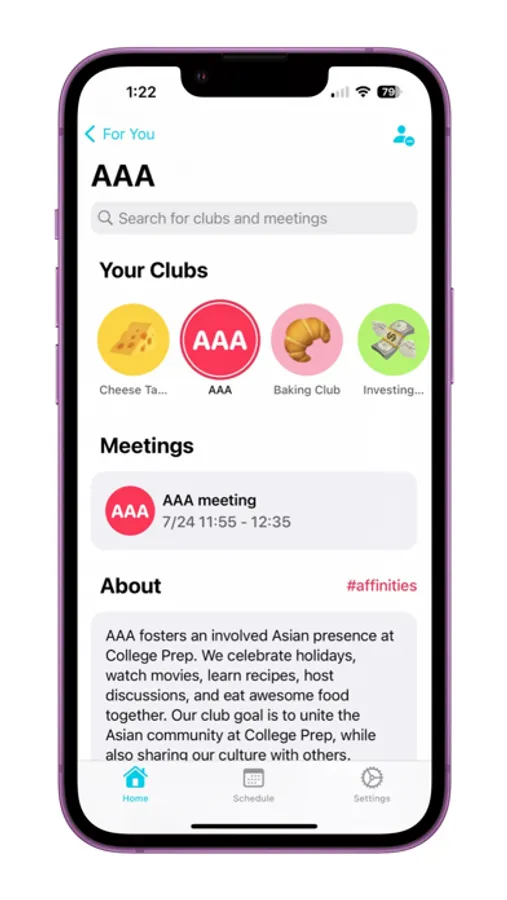
Follow the student clubs and athletic teams you join to receive personalized notifications for their meetings or games. View their individual pages for leaders, members, links, upcoming meetings, future games, and search for just what you need anytime. And if you're a club leader, you can customize your page with link, plus request a meeting or bake sale straight from the app.
CAMPUS ID
Also, everything—that means schedule, clubs, and sports—securely syncs across your Apple devices via your Campus ID, including CPS Campus for macOS. Your Campus ID gives you access to the new school Directory as well, where you can see other students’ classes, socials, clubs, and more. And with powerful privacy features, you’re in control of what you share with others.
SCHEDULE
CPS Campus brings you an all new experience for an all new school year. A new rotating schedule dynamically populates with your customized courses, and notifies you when your classes begin and end. Want to create a meeting? Just long press on any block in your schedule to create an event in your calendar. Want to export your schedule? Tap on the share button to do so and add school holidays to your calendar. Style your courses with the all-new Palette Studio. And you can add schedule widgets to your Home Screen.
HOME
The Home page intelligently organizes your current and next classes, Common Classroom details, RHF points and drop-in classes, and more. And you can rearrange and configure the information that's displayed, and dive into to designated pages from the top.
CLUBS & SPORTS
Follow the student clubs and athletic teams you join to receive personalized notifications for their meetings or games. View their individual pages for leaders, members, links, upcoming meetings, future games, and search for just what you need anytime. And if you're a club leader, you can customize your page with link, plus request a meeting or bake sale straight from the app.
CAMPUS ID
Also, everything—that means schedule, clubs, and sports—securely syncs across your Apple devices via your Campus ID, including CPS Campus for macOS. Your Campus ID gives you access to the new school Directory as well, where you can see other students’ classes, socials, clubs, and more. And with powerful privacy features, you’re in control of what you share with others.