Fullifier
Arno Appenzeller
4.8 ★
store rating
Free
AppRecs review analysis
AppRecs rating 4.5. Trustworthiness 85 out of 100. Review manipulation risk 25 out of 100. Based on a review sample analyzed.
★★★★☆
4.5
AppRecs Rating
Ratings breakdown
5 star
90%
4 star
5%
3 star
0%
2 star
0%
1 star
5%
What to know
✓
Low review manipulation risk
25% review manipulation risk
✓
Credible reviews
85% trustworthiness score from analyzed reviews
✓
High user satisfaction
90% of sampled ratings are 5 stars
About Fullifier
Fullifier is an Action extension for Safari that lets you play every HTML5 (thats about every web video on iOS) video in the native iOS fullscreen video player.
With this you get native scrubbing, the various skip functions and more you love about the system video player. Never struggle with annoying video players on the web again.
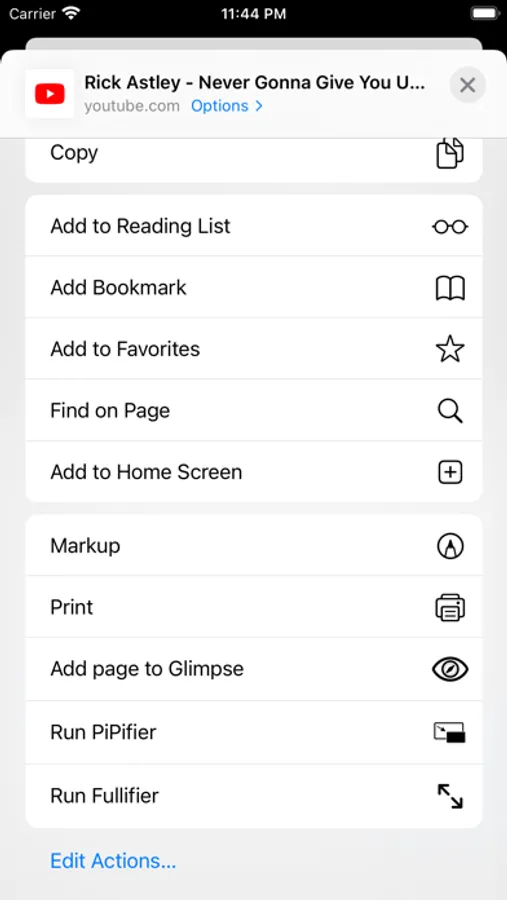
If you have an HTML5 video playing on any website like Youtube just press Run Fullifier in Safari's Share Menu to enable native fullscreen for this video.
With this extension you can even use the system fullscreen player on sites that hide the native video controls or use own (most of the times worse) video controls.
Usage:
1. Open Safari
2. Open the Webtools Menu (aA)
3. Choose Manage Extensions
4. Enable 'Fullifier'
5. Select 'Fullifier' on a website with a video
With this you get native scrubbing, the various skip functions and more you love about the system video player. Never struggle with annoying video players on the web again.
If you have an HTML5 video playing on any website like Youtube just press Run Fullifier in Safari's Share Menu to enable native fullscreen for this video.
With this extension you can even use the system fullscreen player on sites that hide the native video controls or use own (most of the times worse) video controls.
Usage:
1. Open Safari
2. Open the Webtools Menu (aA)
3. Choose Manage Extensions
4. Enable 'Fullifier'
5. Select 'Fullifier' on a website with a video