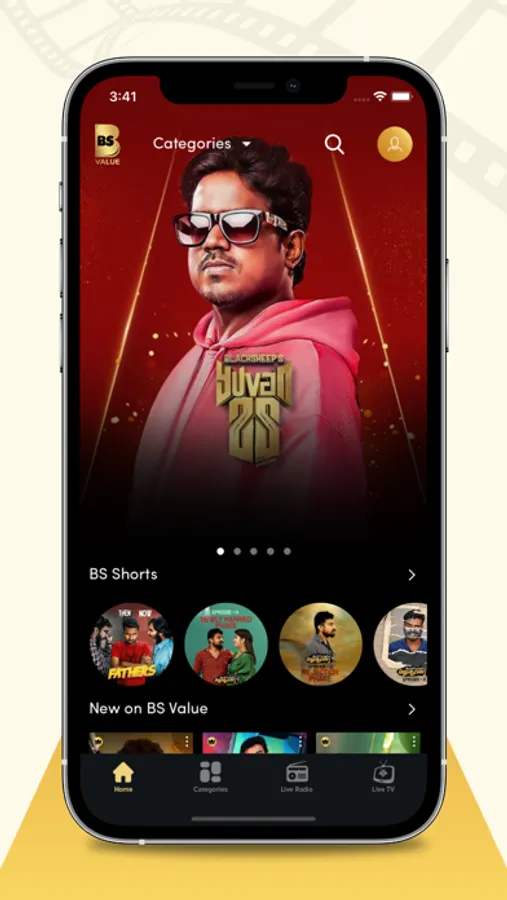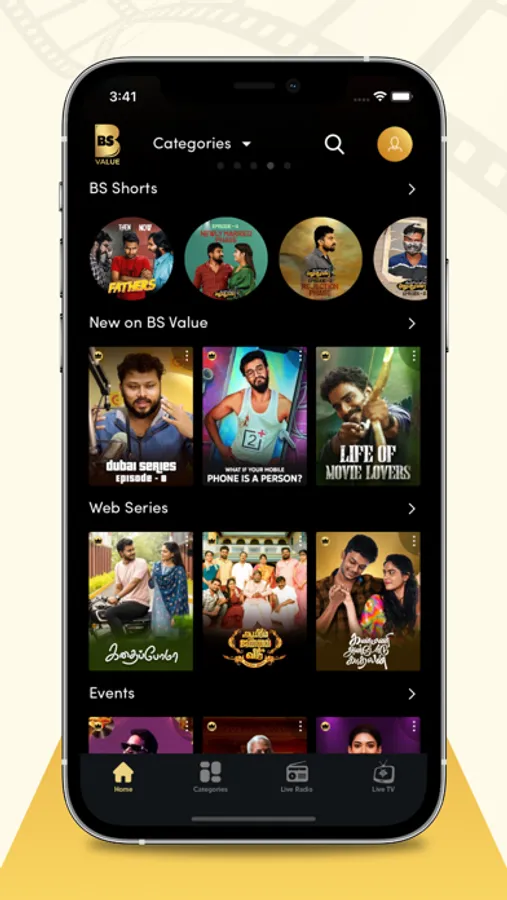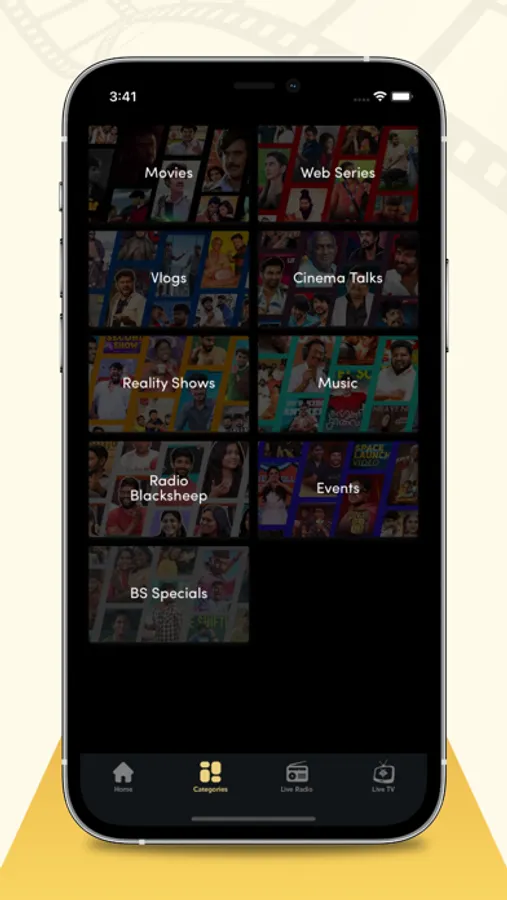
In this infotainment app, users can watch, share, and subscribe to engaging content. Includes multiple subscription plans with varying advertisement levels.
AppRecs review analysis
AppRecs rating 1.4. Trustworthiness 69 out of 100. Review manipulation risk 27 out of 100. Based on a review sample analyzed.
★☆☆☆☆
1.4
AppRecs Rating
Ratings breakdown
5 star
18%
4 star
1%
3 star
6%
2 star
1%
1 star
73%
What to know
⚠
Pricing complaints
Many low ratings mention paywalls or pricing
⚠
Mixed user feedback
Average 1.9★ rating suggests room for improvement
⚠
High negative review ratio
75% of sampled ratings are 1–2 stars
About Blacksheep Value
Black Sheep is an infotainment channel which aims to engage an audience of all categories. Black Sheep will be an upgraded version of Smile Mixture, this time aiming for more fun and entertainment. Watch, Share and Subscribe.
Subscription:
Plan 1:
This subscription purchase is valid for 1 year with three advertisement break videos in the app and will be re-billed every 1 year by Apple iTunes until cancelled by the user. Apple iTunes will send a monthly e-mail well in advance of renewal containing a hyperlink to manage the subscription. Apple iTunes subscriptions can be managed from a mobile device or computer that uses the same Apple ID as the initial purchase. BS Value cannot manage Apple iTunes subscriptions. Apple iTunes cancellation steps are listed below for your convenience.
Plan 2:
This subscription purchase is valid for 1 year with two advertisement break videos in the app and will be re-billed every 1 year by Apple iTunes until cancelled by the user. Apple iTunes will send a monthly e-mail well in advance of renewal containing a hyperlink to manage the subscription. Apple iTunes subscriptions can be managed from a mobile device or computer that uses the same Apple ID as the initial purchase. BS Value cannot manage Apple iTunes subscriptions. Apple iTunes cancellation steps are listed below for your convenience.
Plan 3:
This subscription purchase is valid for 1 year with one advertisement break videos in the app and will be re-billed every 1 year by Apple iTunes until cancelled by the user. Apple iTunes will send a monthly e-mail well in advance of renewal containing a hyperlink to manage the subscription. Apple iTunes subscriptions can be managed from a mobile device or computer that uses the same Apple ID as the initial purchase. BS Value cannot manage Apple iTunes subscriptions. Apple iTunes cancellation steps are listed below for your convenience.
Plan 4:
This subscription purchase is valid for 1 year with no advertisement break videos in the app and will be re-billed every 1 year by Apple iTunes until cancelled by the user. Apple iTunes will send a monthly e-mail well in advance of renewal containing a hyperlink to manage the subscription. Apple iTunes subscriptions can be managed from a mobile device or computer that uses the same Apple ID as the initial purchase. BS Value cannot manage Apple iTunes subscriptions. Apple iTunes cancellation steps are listed below for your convenience.
• Payment will be charged to iTunes Account at confirmation of purchase
• Subscription automatically renews unless auto-renew is turned off at least 24-hours before the end of the current period
• Account will be charged for renewal within 24-hours prior to the end of the current period
• Subscriptions can be managed and auto-renewal can be turned off by going to the user's Account Settings after purchase
Terms & Privacy Policy
https://bsvalue.com/terms-condition.html
https://bsvalue.com/privacy-policy.html
Subscription:
Plan 1:
This subscription purchase is valid for 1 year with three advertisement break videos in the app and will be re-billed every 1 year by Apple iTunes until cancelled by the user. Apple iTunes will send a monthly e-mail well in advance of renewal containing a hyperlink to manage the subscription. Apple iTunes subscriptions can be managed from a mobile device or computer that uses the same Apple ID as the initial purchase. BS Value cannot manage Apple iTunes subscriptions. Apple iTunes cancellation steps are listed below for your convenience.
Plan 2:
This subscription purchase is valid for 1 year with two advertisement break videos in the app and will be re-billed every 1 year by Apple iTunes until cancelled by the user. Apple iTunes will send a monthly e-mail well in advance of renewal containing a hyperlink to manage the subscription. Apple iTunes subscriptions can be managed from a mobile device or computer that uses the same Apple ID as the initial purchase. BS Value cannot manage Apple iTunes subscriptions. Apple iTunes cancellation steps are listed below for your convenience.
Plan 3:
This subscription purchase is valid for 1 year with one advertisement break videos in the app and will be re-billed every 1 year by Apple iTunes until cancelled by the user. Apple iTunes will send a monthly e-mail well in advance of renewal containing a hyperlink to manage the subscription. Apple iTunes subscriptions can be managed from a mobile device or computer that uses the same Apple ID as the initial purchase. BS Value cannot manage Apple iTunes subscriptions. Apple iTunes cancellation steps are listed below for your convenience.
Plan 4:
This subscription purchase is valid for 1 year with no advertisement break videos in the app and will be re-billed every 1 year by Apple iTunes until cancelled by the user. Apple iTunes will send a monthly e-mail well in advance of renewal containing a hyperlink to manage the subscription. Apple iTunes subscriptions can be managed from a mobile device or computer that uses the same Apple ID as the initial purchase. BS Value cannot manage Apple iTunes subscriptions. Apple iTunes cancellation steps are listed below for your convenience.
• Payment will be charged to iTunes Account at confirmation of purchase
• Subscription automatically renews unless auto-renew is turned off at least 24-hours before the end of the current period
• Account will be charged for renewal within 24-hours prior to the end of the current period
• Subscriptions can be managed and auto-renewal can be turned off by going to the user's Account Settings after purchase
Terms & Privacy Policy
https://bsvalue.com/terms-condition.html
https://bsvalue.com/privacy-policy.html