AppRecs review analysis
AppRecs rating 4.5. Trustworthiness 58 out of 100. Review manipulation risk 28 out of 100. Based on a review sample analyzed.
★★★★☆
4.5
AppRecs Rating
Ratings breakdown
5 star
100%
4 star
0%
3 star
0%
2 star
0%
1 star
0%
What to know
✓
High user satisfaction
100% of sampled ratings are 5 stars
About LikePics
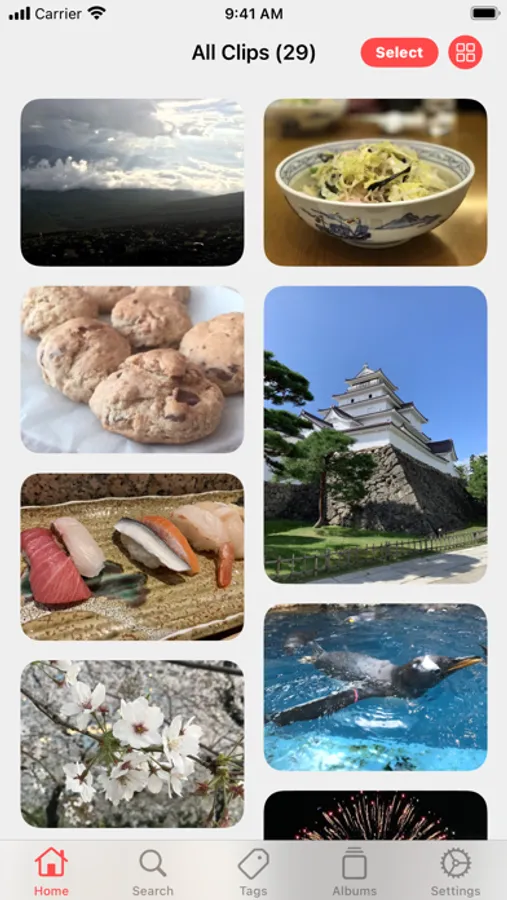
LikePics is a simple app that lets you save and organize images from the web or from other apps, complete with tagging and easy management.
【Main Features】
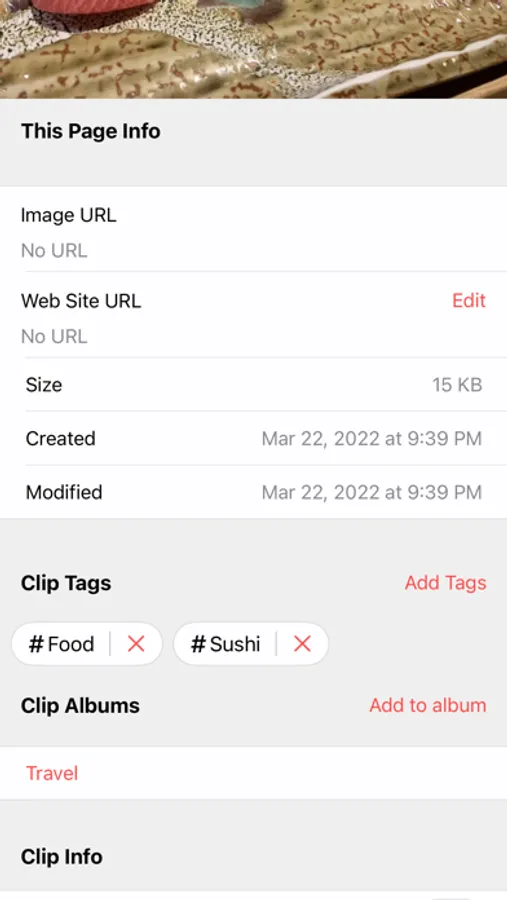
■ Save Web/Local Images
・Share website URLs or images directly to LikePics from other apps (such as browsers, Twitter and other social media apps, or the Photos app).
・When sharing from a website, LikePics saves both the image data and the website information—making it easy to revisit the original page from within the app.
・You can also browse and save images directly from the “Find” feature in the Settings screen.
■ Create Image Clips
・Group multiple images together into a single “clip.”
・Perfect for sets of images that have meaning when viewed together.
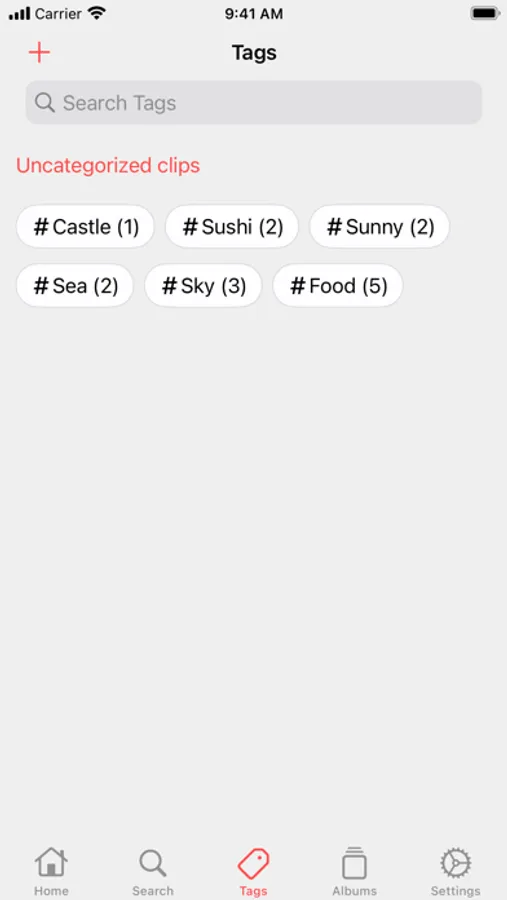
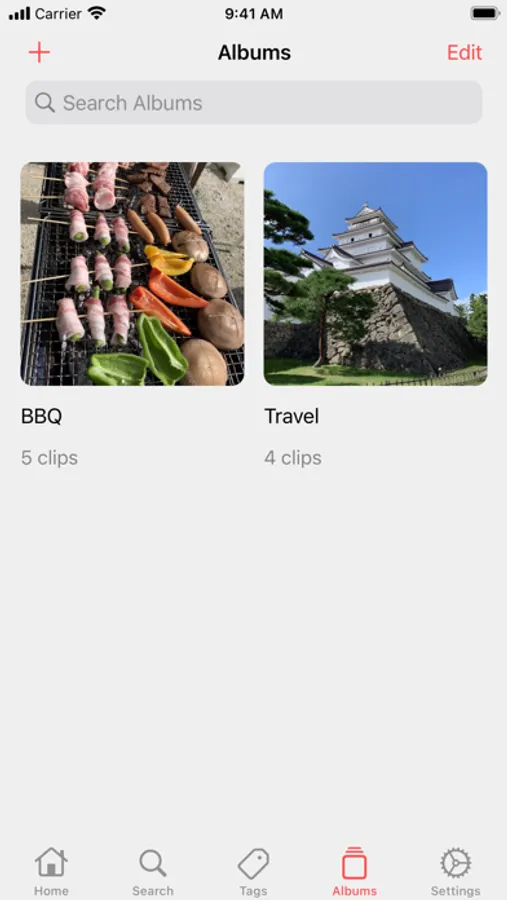
■ Organize with Tags & Albums
・Add custom tags to your image clips.
・Group image clips into albums for better organization.
■ Search Your Collection
・Search image clips by details such as the original website URL, tag names, or album names.
・Sort search results in your preferred order.
■ Slideshow
・View your saved images as a slideshow.
・Customize playback speed, order, and more.
■ More Features
・Hide images, tags, or albums with authentication.
・Supports both Dark Mode and Light Mode.
・Sync data across multiple devices via iCloud.
・Available in English and Japanese.
【Main Features】
■ Save Web/Local Images
・Share website URLs or images directly to LikePics from other apps (such as browsers, Twitter and other social media apps, or the Photos app).
・When sharing from a website, LikePics saves both the image data and the website information—making it easy to revisit the original page from within the app.
・You can also browse and save images directly from the “Find” feature in the Settings screen.
■ Create Image Clips
・Group multiple images together into a single “clip.”
・Perfect for sets of images that have meaning when viewed together.
■ Organize with Tags & Albums
・Add custom tags to your image clips.
・Group image clips into albums for better organization.
■ Search Your Collection
・Search image clips by details such as the original website URL, tag names, or album names.
・Sort search results in your preferred order.
■ Slideshow
・View your saved images as a slideshow.
・Customize playback speed, order, and more.
■ More Features
・Hide images, tags, or albums with authentication.
・Supports both Dark Mode and Light Mode.
・Sync data across multiple devices via iCloud.
・Available in English and Japanese.