Pocket Docs - Document Storage
Evgeniy Konev
5.0 ★
store rating
Free
AppRecs review analysis
AppRecs rating 4.5. Trustworthiness 65 out of 100. Review manipulation risk 21 out of 100. Based on a review sample analyzed.
★★★★☆
4.5
AppRecs Rating
Ratings breakdown
5 star
100%
4 star
0%
3 star
0%
2 star
0%
1 star
0%
What to know
✓
Low review manipulation risk
21% review manipulation risk
✓
High user satisfaction
100% of sampled ratings are 5 stars
About Pocket Docs - Document Storage
- SAFE -
We don't use servers to store data, your documents are stored only on your device. For extra security, you can set a password and use TouchId or FaceId to quickly unlock.
- OFFLINE -
Create and view documents offline, the app works without an internet connection.
- DOCUMENT UPLOADING -.
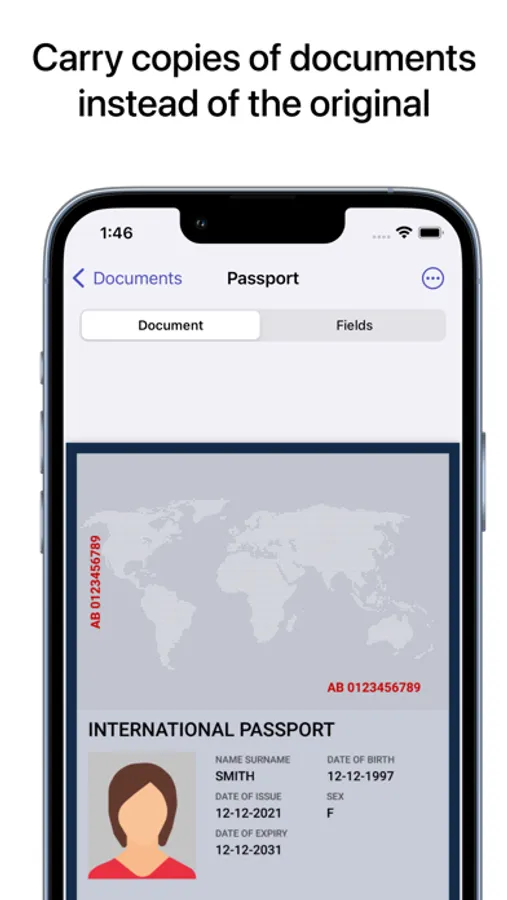
You can add a document to the app in several ways. Scan with the built-in scanner, upload a pdf from your device, or upload photos of a document. Documents are stored in PDF format.
- DOCUMENT FIELDS -
In the app you can create fields for each document. This way you can record the most frequently used data and not have to search through the entire PDF document. Saved fields can easily be copied to use where you need them. You can copy individual fields or all fields at once.
- QR DOCUMENTS -
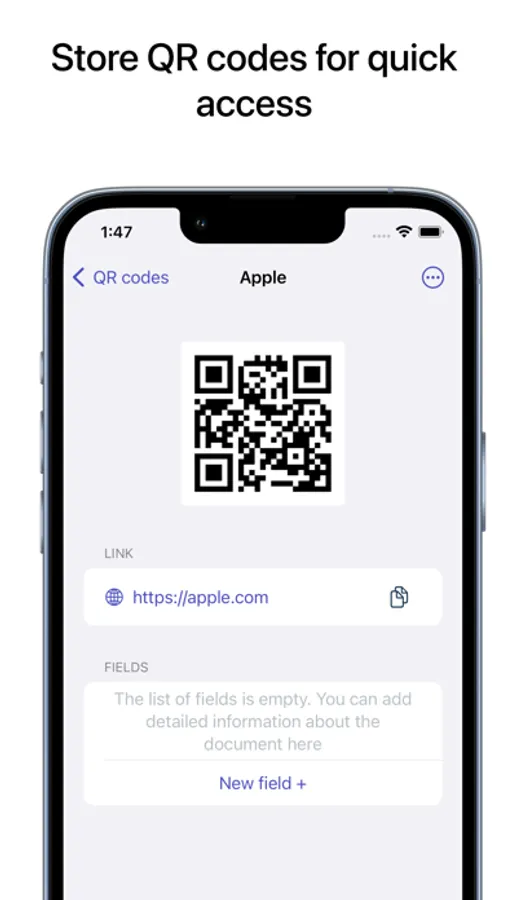
A new section of the app allows you to store qr codes. So you can scan movie tickets, transport tickets and any other information which is stored as a QR code.
- QR-codes -
Save qr codes for quick access. Here you can also create fields to quickly copy important information. For example, you can store ticket information, qr and any other information available as qr.
- SENDING DOCUMENTS -
Send PDF documents via email, social media, and other available methods.
We don't use servers to store data, your documents are stored only on your device. For extra security, you can set a password and use TouchId or FaceId to quickly unlock.
- OFFLINE -
Create and view documents offline, the app works without an internet connection.
- DOCUMENT UPLOADING -.
You can add a document to the app in several ways. Scan with the built-in scanner, upload a pdf from your device, or upload photos of a document. Documents are stored in PDF format.
- DOCUMENT FIELDS -
In the app you can create fields for each document. This way you can record the most frequently used data and not have to search through the entire PDF document. Saved fields can easily be copied to use where you need them. You can copy individual fields or all fields at once.
- QR DOCUMENTS -
A new section of the app allows you to store qr codes. So you can scan movie tickets, transport tickets and any other information which is stored as a QR code.
- QR-codes -
Save qr codes for quick access. Here you can also create fields to quickly copy important information. For example, you can store ticket information, qr and any other information available as qr.
- SENDING DOCUMENTS -
Send PDF documents via email, social media, and other available methods.