Form for Google Forms
Amad Marwat
4.8 ★
store rating
Free
AppRecs review analysis
AppRecs rating 3.8. Trustworthiness 76 out of 100. Review manipulation risk 30 out of 100. Based on a review sample analyzed.
★★★☆☆
3.8
AppRecs Rating
Ratings breakdown
5 star
88%
4 star
7%
3 star
2%
2 star
1%
1 star
2%
What to know
⚠
Ad complaints
Many low ratings mention excessive ads
⚠
Pricing complaints
Many low ratings mention paywalls or pricing
⚠
Review quality concerns
47% of sampled 5-star reviews are very short
About Form for Google Forms
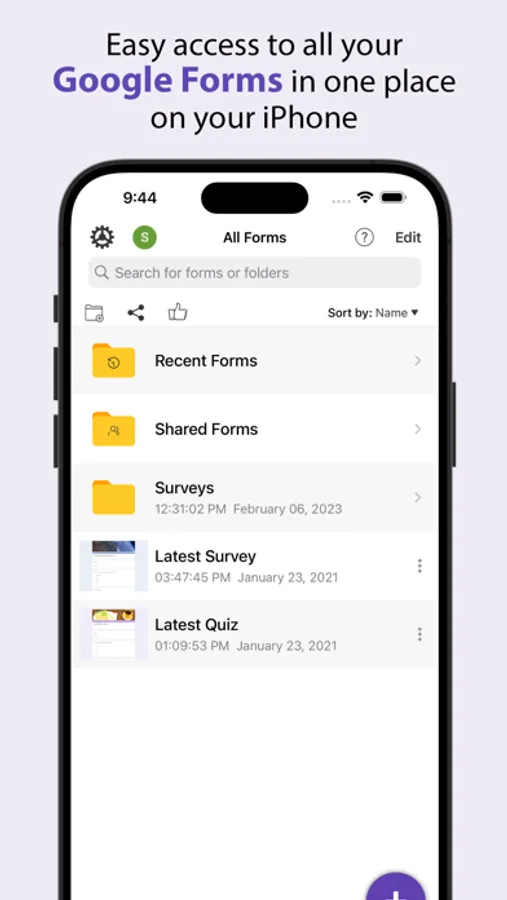
Create, edit, and manage all your Google forms on your iOS, iPhone, iPod or iPad with the free FormApp. With this app you can:
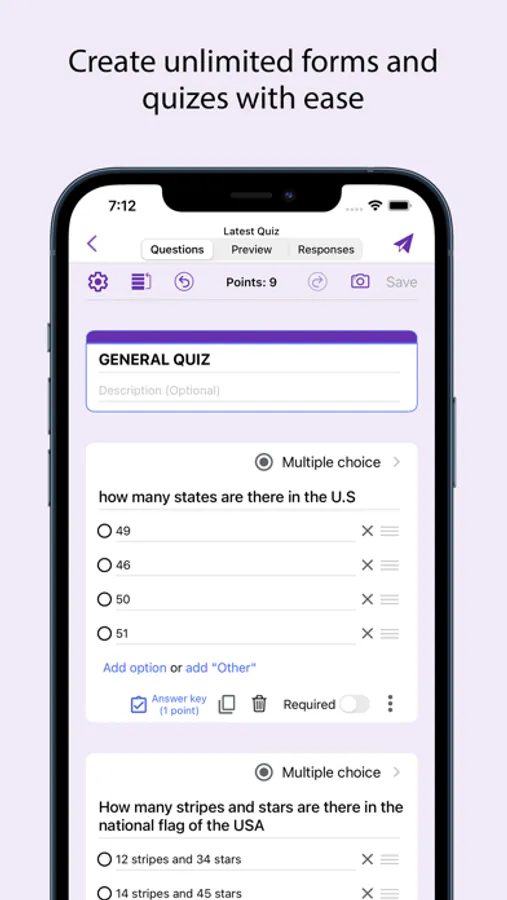
Create new forms:
• Create new forms on your iOS device.
• Tons of beautiful templates to choose from.
• Import questions from existing forms.
• Add collaborators / editors to your forms.
Edit existing forms:
• Open any form from your Google Drive on your iOS device.
• Create or edit any question.
• Undo / redo support.
• Re-order questions.
• Preview forms.
• Add and remove sections.
• Add response validation.
• Add images and videos.
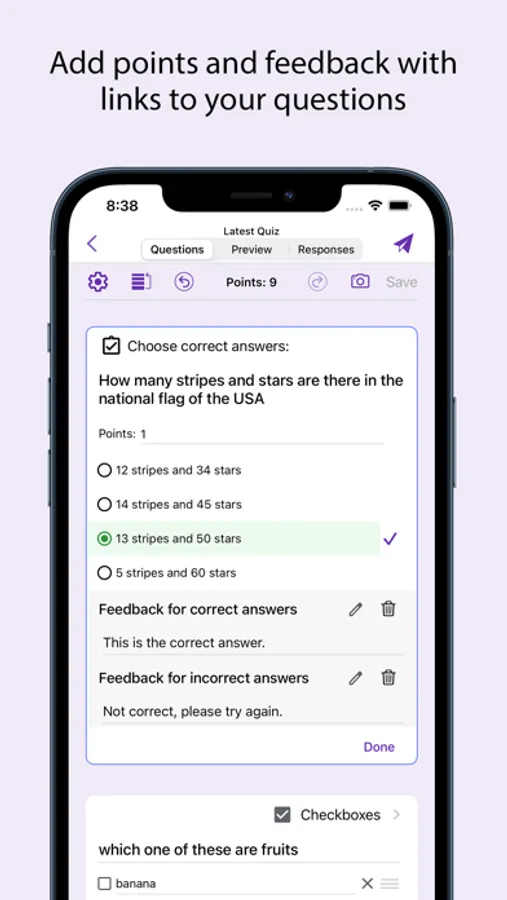
• Ability to set points.
• Ability to set correct answers.
• Ability to add feedback with url links.
Response notifications:
• Get notified via notifications whenever some submits a new response.
Scan questions:
• Scan questions using camera.
• Scan questions using images from photos library.
• Scan questions using doc, pdf, ppt etc files from the Files app.
• Scan questions using clipboard.
View form responses:
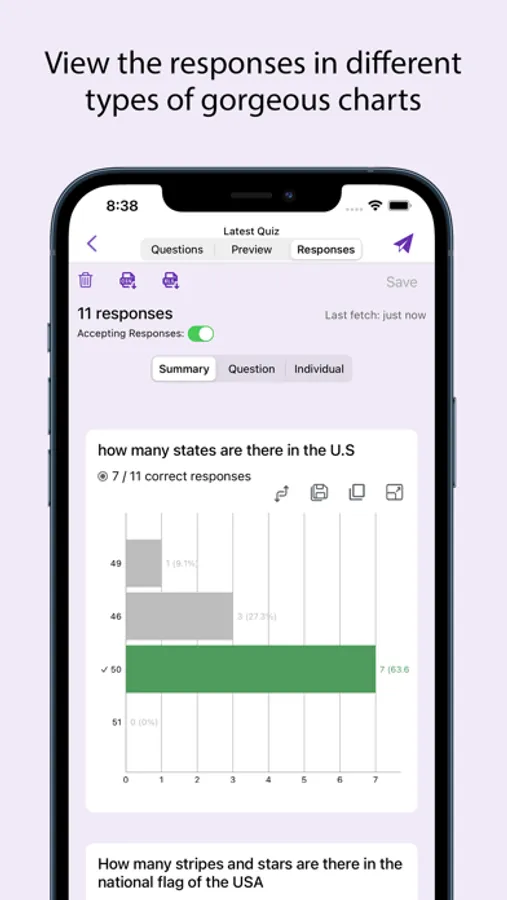
• View forms in three modes i.e. Summary, Questions and Individual responses mode on your iOS device.
• Export responses in CSV or Excel file format.
• Record responses in mp4 file format and share them in apps like Tiktok, Snapchat or Instagram etc.
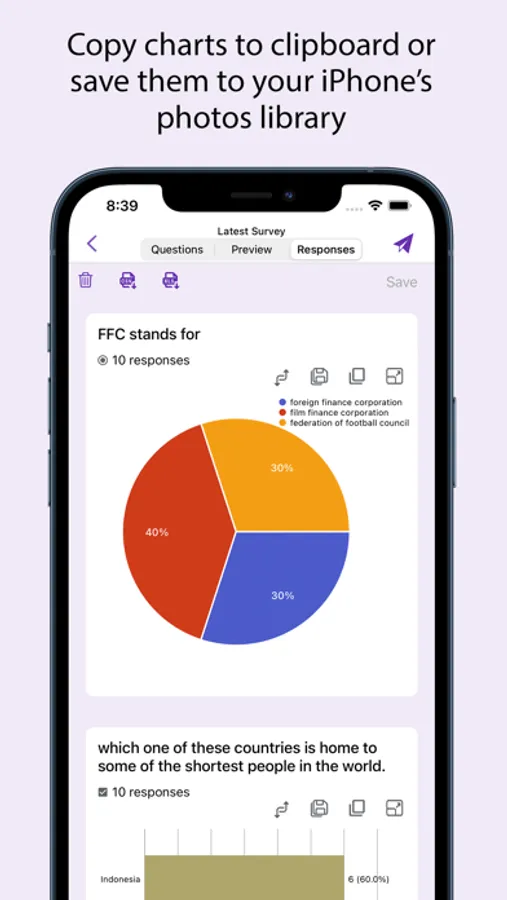
• Responses are shown in beautiful graphs in summary mode.
• Ability to copy response charts to clipboard or save them to photos library.
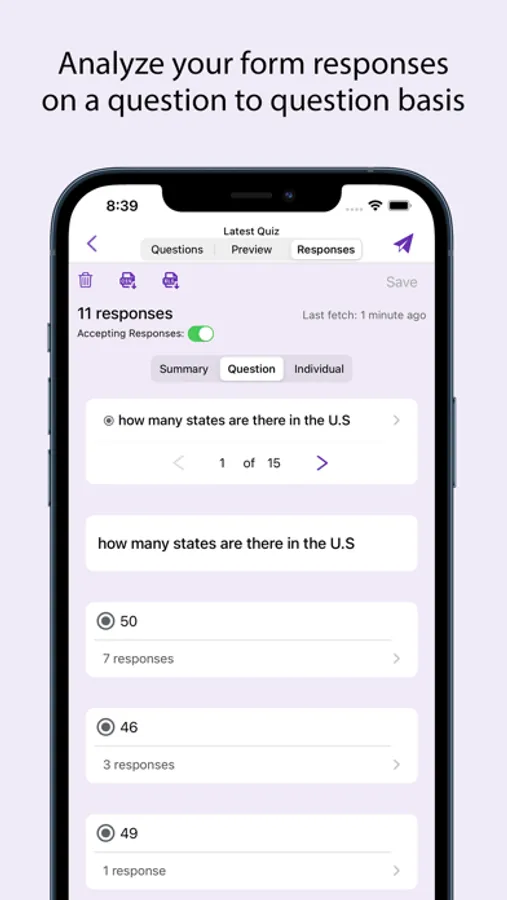
• View responses based on questions in Questions mode.
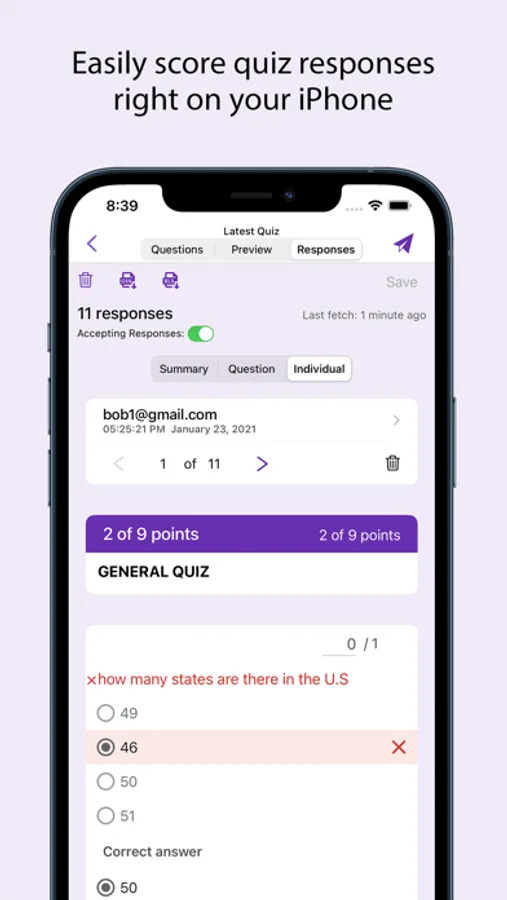
• View responses from individual users in Individual mode.
• Ability to delete a single response or all responses.
• Ability to set individual feedback for responses to questions in quizzes.
• View and set score for quiz responses.
• Ability to filter form responses based on date, email, questions and score.
Disclaimer: This is a third party app not associated with Google. All trademarks are property of their respective owners.
Privacy Policy: https://www.byteflowapps.com/FormsPRO/policies/Privacy/
Terms of Use: https://www.byteflowapps.com/FormsPRO/policies/TermsOfUse/
GOT QUESTIONS? CAN'T FIGURE OUT HOW TO DO SOMETHING?
Please email us at support.formspro@byteflowapps.com and we’ll help you figure it out.
Create new forms:
• Create new forms on your iOS device.
• Tons of beautiful templates to choose from.
• Import questions from existing forms.
• Add collaborators / editors to your forms.
Edit existing forms:
• Open any form from your Google Drive on your iOS device.
• Create or edit any question.
• Undo / redo support.
• Re-order questions.
• Preview forms.
• Add and remove sections.
• Add response validation.
• Add images and videos.
• Ability to set points.
• Ability to set correct answers.
• Ability to add feedback with url links.
Response notifications:
• Get notified via notifications whenever some submits a new response.
Scan questions:
• Scan questions using camera.
• Scan questions using images from photos library.
• Scan questions using doc, pdf, ppt etc files from the Files app.
• Scan questions using clipboard.
View form responses:
• View forms in three modes i.e. Summary, Questions and Individual responses mode on your iOS device.
• Export responses in CSV or Excel file format.
• Record responses in mp4 file format and share them in apps like Tiktok, Snapchat or Instagram etc.
• Responses are shown in beautiful graphs in summary mode.
• Ability to copy response charts to clipboard or save them to photos library.
• View responses based on questions in Questions mode.
• View responses from individual users in Individual mode.
• Ability to delete a single response or all responses.
• Ability to set individual feedback for responses to questions in quizzes.
• View and set score for quiz responses.
• Ability to filter form responses based on date, email, questions and score.
Disclaimer: This is a third party app not associated with Google. All trademarks are property of their respective owners.
Privacy Policy: https://www.byteflowapps.com/FormsPRO/policies/Privacy/
Terms of Use: https://www.byteflowapps.com/FormsPRO/policies/TermsOfUse/
GOT QUESTIONS? CAN'T FIGURE OUT HOW TO DO SOMETHING?
Please email us at support.formspro@byteflowapps.com and we’ll help you figure it out.