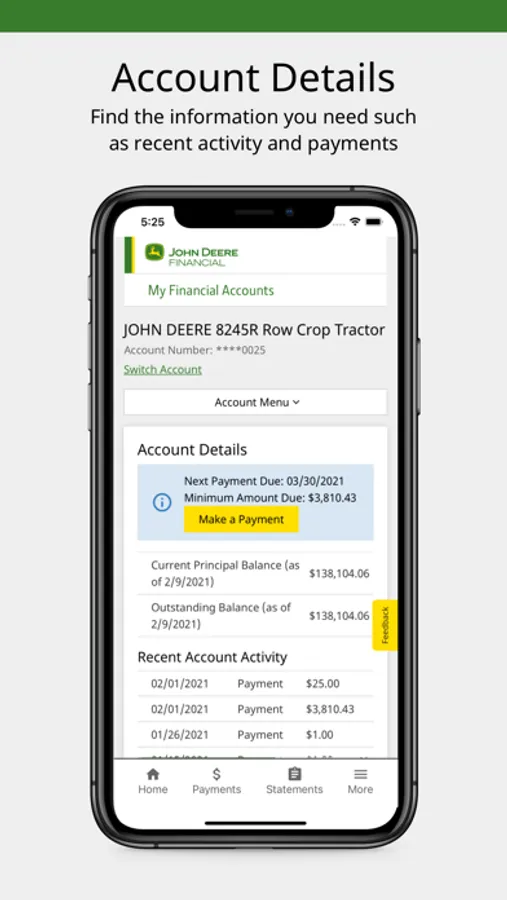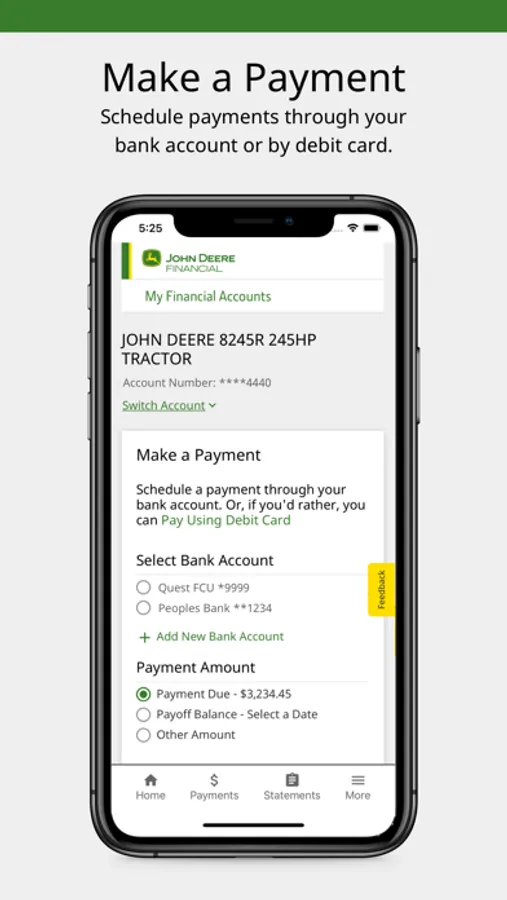
With this account management app, you can view account details, make payments, and enroll in AutoPay. Includes account overview, payment scheduling, and statement access.
AppRecs review analysis
AppRecs rating 4.5. Trustworthiness 0 out of 100. Review manipulation risk 0 out of 100. Based on a review sample analyzed.
★★★★☆
4.5
AppRecs Rating
Ratings breakdown
5 star
90%
4 star
9%
3 star
1%
2 star
0%
1 star
0%
What to know
✓
High user satisfaction
90% of sampled ratings are 5 stars
About MyFinancial
Official app for John Deere Financial Account Management. View your account details and your statement, make a payment, and enroll in AutoPay. Convenient. Secure. Simple. Account Management on the go.
Manage Your John Deere Financial Accounts
• Quick and easy access to all your accounts 24/7
• Get information you need such as loan rate and terms, credit limits and available credit
• Review activity and balances in your accounts
Make One-Time Payments
• Schedule payments on your individual accounts
• Pay using either your bank account or debit card
• Setup multiple bank accounts for to facilitate payments from different sources
Manage Automatic Payments
• Enroll in Auto Pay to ensure you never miss a payment
• Change Auto Pay settings such as your bank account or payment date
View Statements
• Access to current monthly statement and statements for the past 18 months
• Available in a PDF format that can be easily downloaded and printed
Contact Us
• Submit a question or comment by email
• Reach a customer service representative by phone
NOTE: Minimum System Requirements: iOS 11.1 and higher are supported.
Manage Your John Deere Financial Accounts
• Quick and easy access to all your accounts 24/7
• Get information you need such as loan rate and terms, credit limits and available credit
• Review activity and balances in your accounts
Make One-Time Payments
• Schedule payments on your individual accounts
• Pay using either your bank account or debit card
• Setup multiple bank accounts for to facilitate payments from different sources
Manage Automatic Payments
• Enroll in Auto Pay to ensure you never miss a payment
• Change Auto Pay settings such as your bank account or payment date
View Statements
• Access to current monthly statement and statements for the past 18 months
• Available in a PDF format that can be easily downloaded and printed
Contact Us
• Submit a question or comment by email
• Reach a customer service representative by phone
NOTE: Minimum System Requirements: iOS 11.1 and higher are supported.