Floating Clock
Hangzhou OrangeJuice Technology Co., Ltd.
4.7 ★
store rating
Free
AppRecs review analysis
AppRecs rating 4.7. Trustworthiness 68 out of 100. Review manipulation risk 16 out of 100. Based on a review sample analyzed.
★★★★☆
4.7
AppRecs Rating
Ratings breakdown
5 star
89%
4 star
4%
3 star
2%
2 star
1%
1 star
4%
What to know
✓
Low review manipulation risk
16% review manipulation risk
✓
High user satisfaction
89% of sampled ratings are 5 stars
About Floating Clock
Floating Clock - Flash Sale Assistant: Your Shopping Weapon
Ever missed out on snapping up Moutai, train tickets, or limited-edition items because of inaccurate timing or unstable internet? Floating Clock - Flash Sale Assistant is designed for flash sales, offering millisecond-precision timing to help you easily grab your desired items! Download now and never worry about missing out again!
Key Features
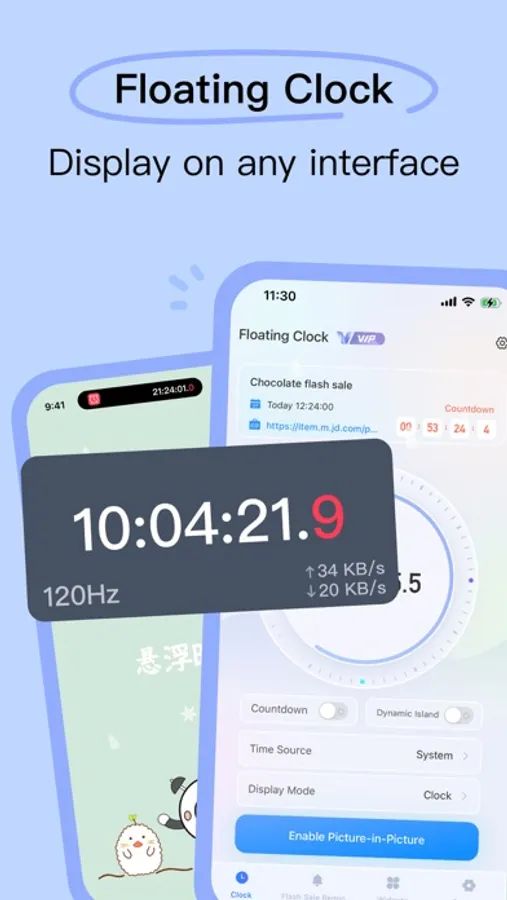
Millisecond Floating Clock: Precise timing to boost your success rate in flash sales.
Multi-Platform Time Sync: Supports all major platforms—every second counts.
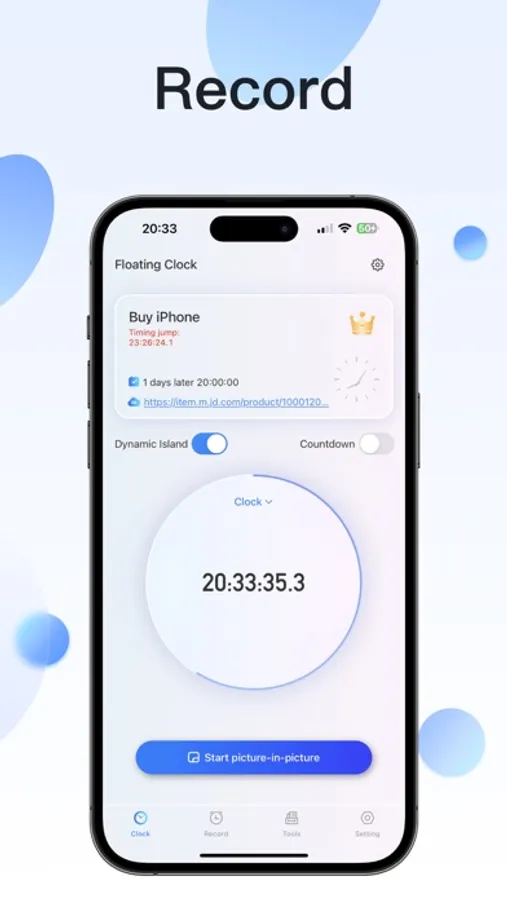
Scheduled Auto-Jump: The app takes you to the sale at the crucial moment.
Real-Time Device Monitoring: Keep an eye on internet speed and CPU for a smoother experience.
More Features: Cross-screen AI translation, data usage monitoring, and more to explore.
Real User Feedback
"Extremely useful, a must-open for every flash sale! Snagged Moutai several times." — Jianjian
"Essential for ticket grabbing." — Cream
"Great, free to use, conscientious." — Lanshan
"Convenient for monitoring internet speed and checking time, highly recommend downloading." — yzl
Why Choose Us?
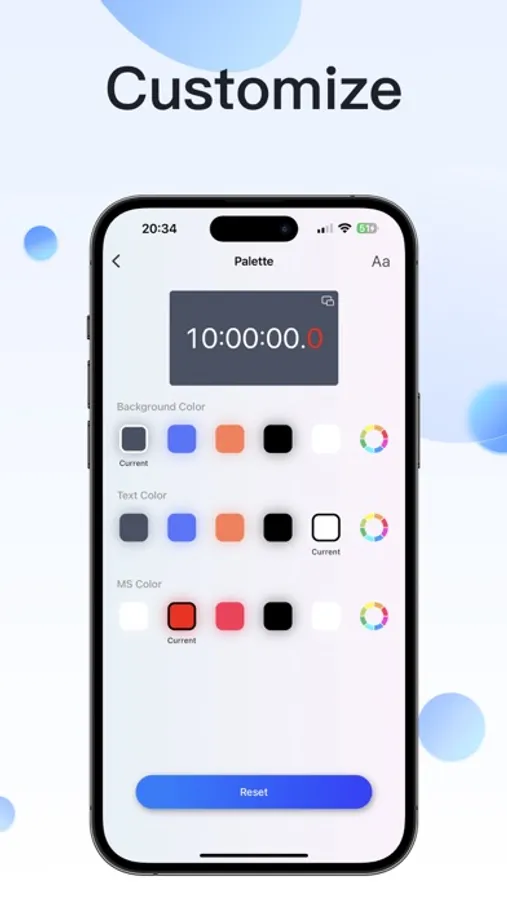
Free to Use: Core features like the millisecond clock, floating window, and dynamic island are completely free—no payment required to enjoy them.
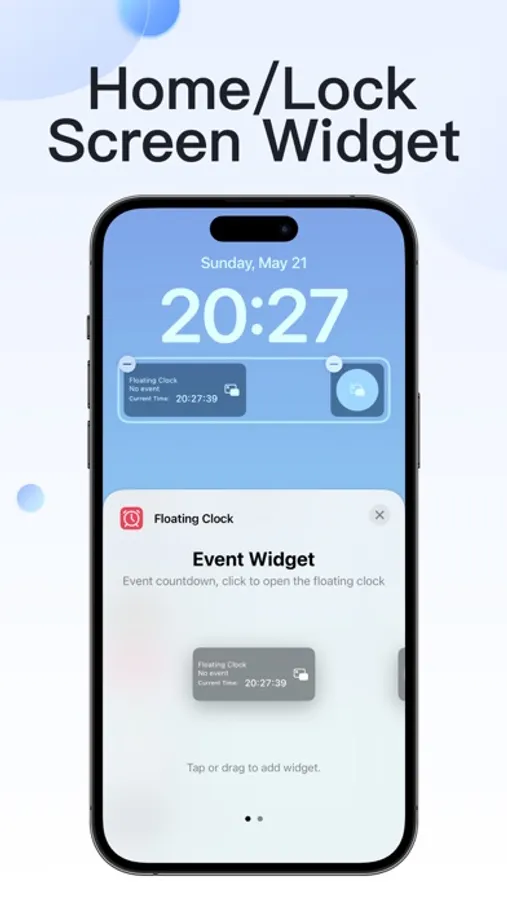
Fully Compatible: Supports iPhone, iPad, and Apple Watch, perfectly adapted to the latest iOS features.
Easy to Use: Intuitive interface, simple operation—ready to use right after download with no complicated setup.
Use Cases
Snapping up popular items like Moutai, limited-edition sneakers, or concert tickets.
Grabbing train and flight tickets in flash sales.
Participating in time-limited shopping events on e-commerce platforms.
Privacy policy: https://hzjuzhi.com/apps/floatingclock/privacy/
Terms of Use: https://hzjuzhi.com/apps/floatingclock/terms/
Ever missed out on snapping up Moutai, train tickets, or limited-edition items because of inaccurate timing or unstable internet? Floating Clock - Flash Sale Assistant is designed for flash sales, offering millisecond-precision timing to help you easily grab your desired items! Download now and never worry about missing out again!
Key Features
Millisecond Floating Clock: Precise timing to boost your success rate in flash sales.
Multi-Platform Time Sync: Supports all major platforms—every second counts.
Scheduled Auto-Jump: The app takes you to the sale at the crucial moment.
Real-Time Device Monitoring: Keep an eye on internet speed and CPU for a smoother experience.
More Features: Cross-screen AI translation, data usage monitoring, and more to explore.
Real User Feedback
"Extremely useful, a must-open for every flash sale! Snagged Moutai several times." — Jianjian
"Essential for ticket grabbing." — Cream
"Great, free to use, conscientious." — Lanshan
"Convenient for monitoring internet speed and checking time, highly recommend downloading." — yzl
Why Choose Us?
Free to Use: Core features like the millisecond clock, floating window, and dynamic island are completely free—no payment required to enjoy them.
Fully Compatible: Supports iPhone, iPad, and Apple Watch, perfectly adapted to the latest iOS features.
Easy to Use: Intuitive interface, simple operation—ready to use right after download with no complicated setup.
Use Cases
Snapping up popular items like Moutai, limited-edition sneakers, or concert tickets.
Grabbing train and flight tickets in flash sales.
Participating in time-limited shopping events on e-commerce platforms.
Privacy policy: https://hzjuzhi.com/apps/floatingclock/privacy/
Terms of Use: https://hzjuzhi.com/apps/floatingclock/terms/