With this body tracker app, you can log photos, compare progress over time, and create time-lapse videos. Includes customizable reminders, photo organization, and sharing options.
AppRecs review analysis
AppRecs rating 4.2. Trustworthiness 77 out of 100. Review manipulation risk 31 out of 100. Based on a review sample analyzed.
★★★★☆
4.2
AppRecs Rating
Ratings breakdown
5 star
68%
4 star
10%
3 star
4%
2 star
4%
1 star
13%
What to know
✓
Credible reviews
77% trustworthiness score from analyzed reviews
✓
High user satisfaction
78% of sampled ratings are 4+ stars (4.2★ average)
✓
Authentic reviews
Natural distribution, no red flags
About Progress Snapshot Body Tracker
Capture Your Journey, See Your Progress, Stay Motivated!
Progress Snapshot is the ultimate app for tracking personal growth over time. Whether you are documenting fitness progress, child growth, skincare results, pregnancy, post-surgery recovery, or any transformation, this app makes it easy to stay consistent and visualize real change.
Stay on Track with Smart Reminders
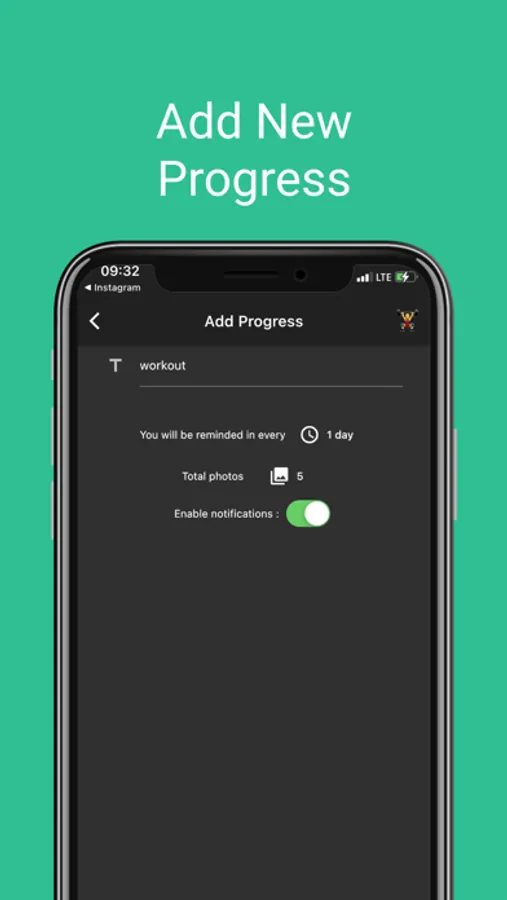
Never forget to capture your progress. Set custom reminders on selected days and receive notifications to take your daily or weekly photos. Stay committed to your journey with automated tracking.
Compare & See the Difference Over Time
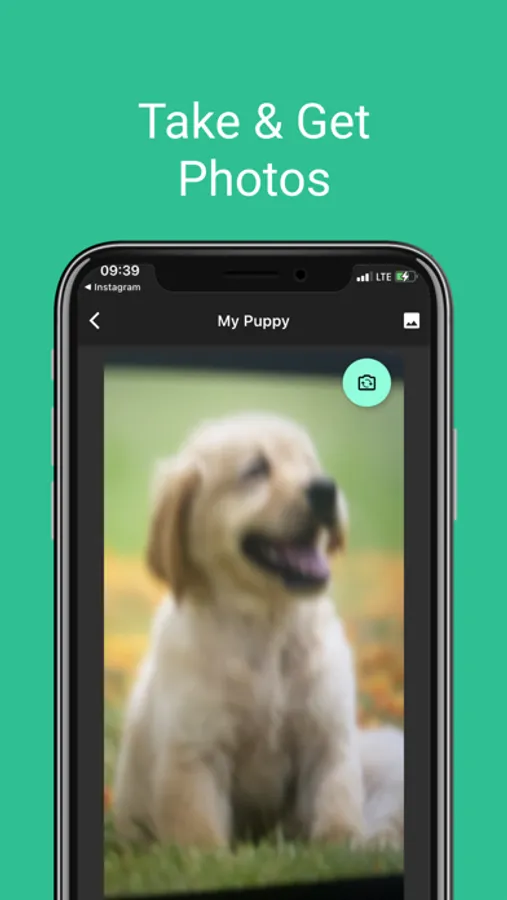
Easily browse past photos and compare your progress with a side-by-side view. See how far you’ve come and stay motivated with a clear visual representation of your transformation.
Create Stunning Time-Lapse Videos
Watch your journey unfold with automatically generated time-lapse videos. Convert your photos into a seamless video and experience your progress in motion. Perfect for gym transformations, child growth, or long-term projects.
Organize and Manage Multiple Progress Journeys
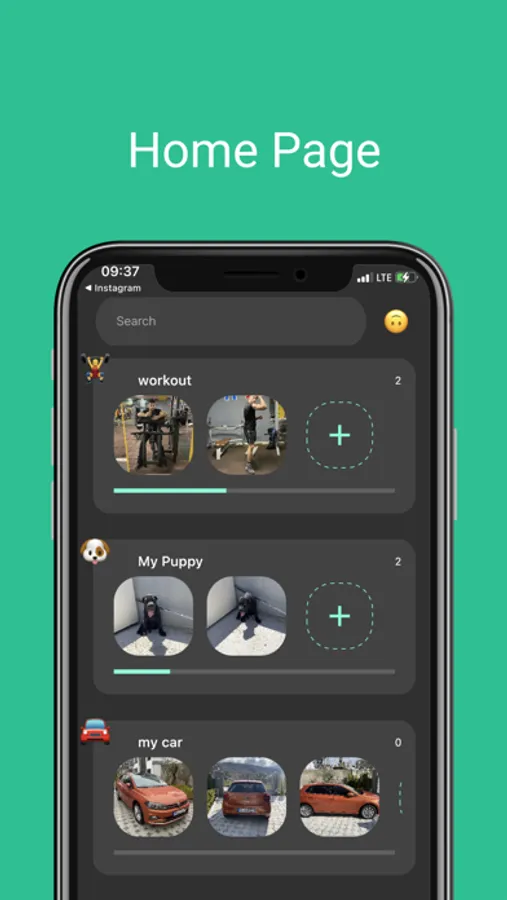
Track different types of progress at once! Create separate albums for gym results, child milestones, or any personal goals. Keep your memories structured and easy to access.
Easy Sharing or Private Tracking
Showcase your transformation by sharing your progress with friends and family or keep your journey private. You are in full control of your photos and videos.
Start capturing your progress today and see the change happen—one photo at a time!
terms and conditions: https://onatcipli.dev/terms-conditions
privacy policy: https://onatcipli.dev/privacy-policy
END USER LICENSE AGREEMENT: https://www.apple.com/legal/internet-services/itunes/dev/stdeula/
Progress Snapshot is the ultimate app for tracking personal growth over time. Whether you are documenting fitness progress, child growth, skincare results, pregnancy, post-surgery recovery, or any transformation, this app makes it easy to stay consistent and visualize real change.
Stay on Track with Smart Reminders
Never forget to capture your progress. Set custom reminders on selected days and receive notifications to take your daily or weekly photos. Stay committed to your journey with automated tracking.
Compare & See the Difference Over Time
Easily browse past photos and compare your progress with a side-by-side view. See how far you’ve come and stay motivated with a clear visual representation of your transformation.
Create Stunning Time-Lapse Videos
Watch your journey unfold with automatically generated time-lapse videos. Convert your photos into a seamless video and experience your progress in motion. Perfect for gym transformations, child growth, or long-term projects.
Organize and Manage Multiple Progress Journeys
Track different types of progress at once! Create separate albums for gym results, child milestones, or any personal goals. Keep your memories structured and easy to access.
Easy Sharing or Private Tracking
Showcase your transformation by sharing your progress with friends and family or keep your journey private. You are in full control of your photos and videos.
Start capturing your progress today and see the change happen—one photo at a time!
terms and conditions: https://onatcipli.dev/terms-conditions
privacy policy: https://onatcipli.dev/privacy-policy
END USER LICENSE AGREEMENT: https://www.apple.com/legal/internet-services/itunes/dev/stdeula/