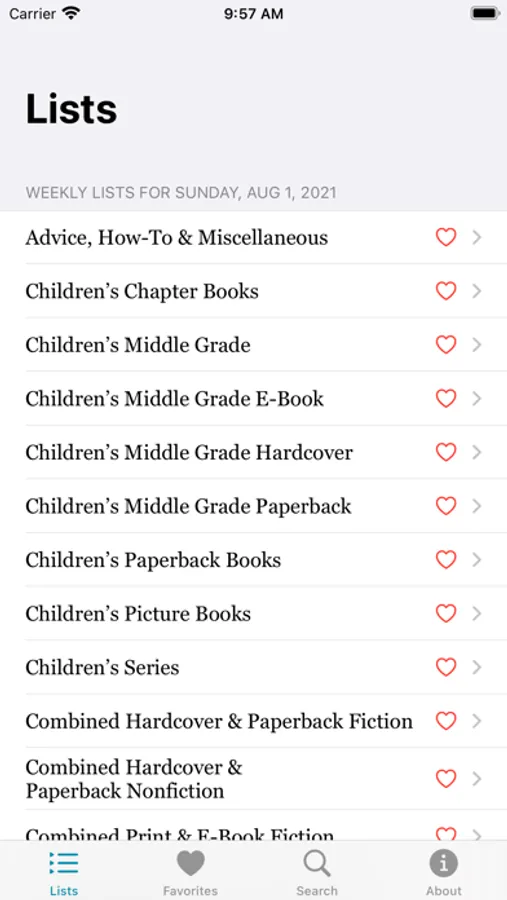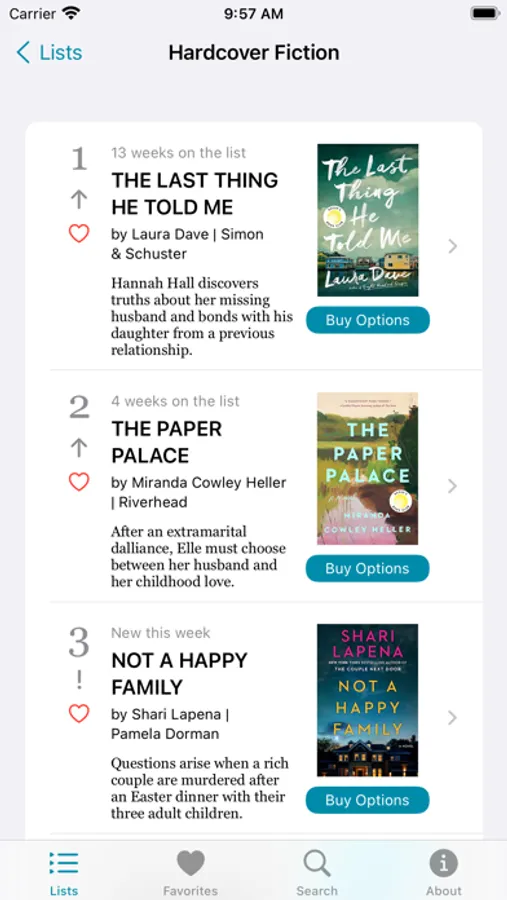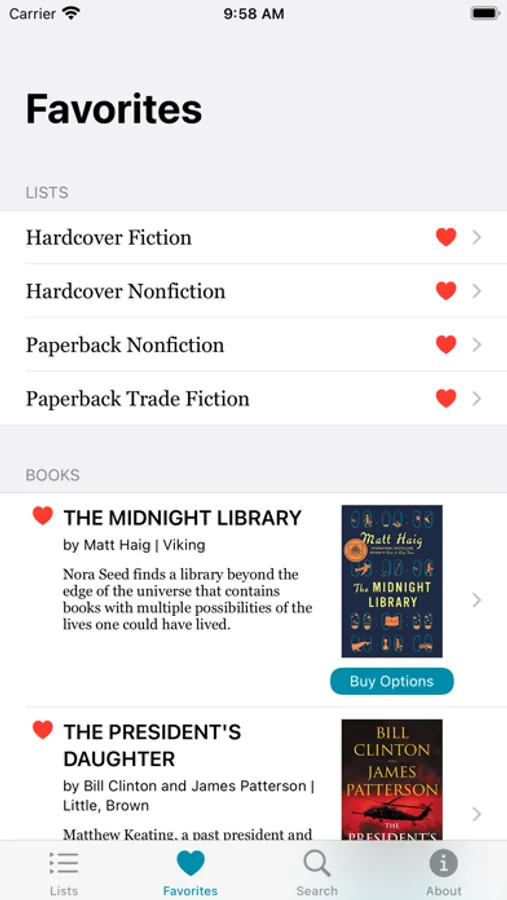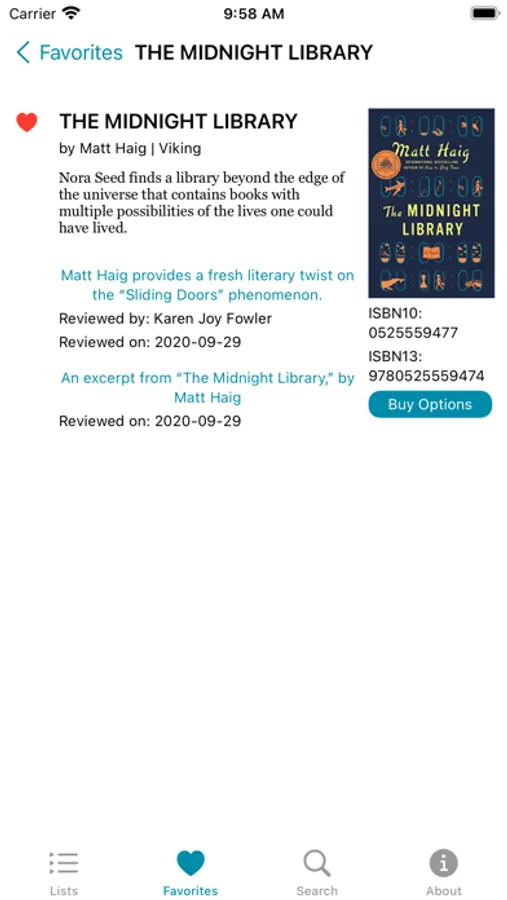
In this app, you can view and track best seller lists, explore book details, and manage favorites. Includes weekly and monthly updates, cover art, rankings, plot summaries, and buying options.
AppRecs review analysis
AppRecs rating 4.5. Trustworthiness 55 out of 100. Review manipulation risk 19 out of 100. Based on a review sample analyzed.
★★★★☆
4.5
AppRecs Rating
Ratings breakdown
5 star
73%
4 star
14%
3 star
7%
2 star
1%
1 star
5%
What to know
✓
High user satisfaction
87% of sampled ratings are 4+ stars (4.5★ average)
✓
Authentic reviews
Natural distribution, no red flags
About The Best Seller List
The Best Seller List provides a fast and easy way to learn what books are on any of The New York Times best seller lists.
The lists are divided into Weekly and Monthly updated sections. Any list can be selected as a favorite list for easier access.
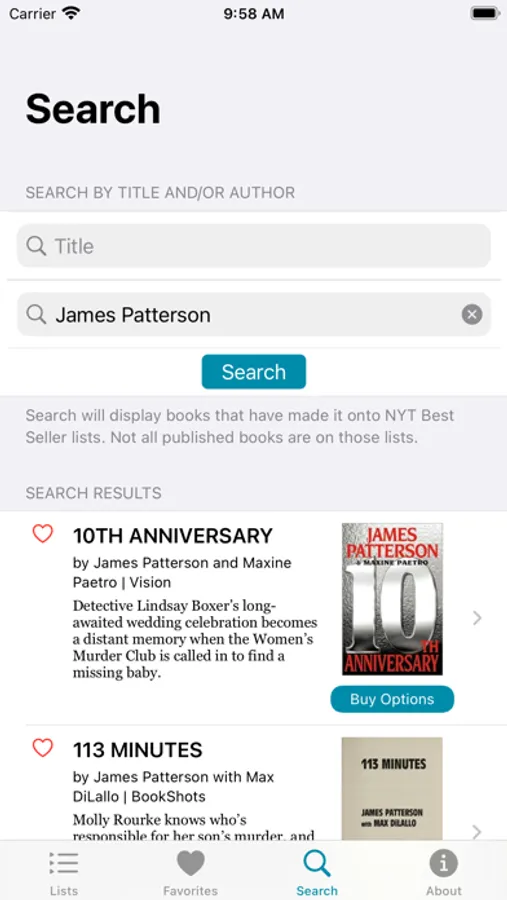
Each individual list displays every book on that list with its current ranking, movement indicator, title, author and publisher, plot summary, cover art and an Amazon buy button. You can also tap the heart to add or remove the specific book as a favorite.
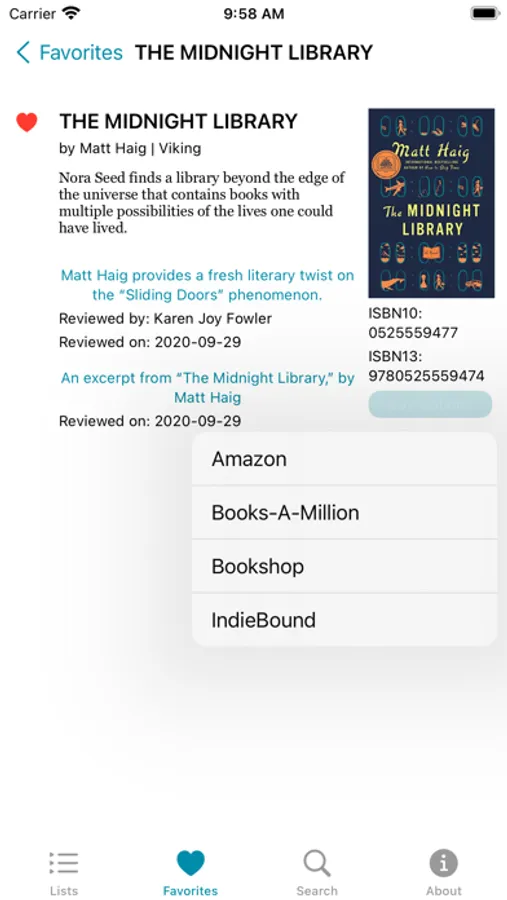
Individual books on a list have detail pages which can show any available book reviews as well as additional buying options from Books-A-Million, Bookshop and IndieBound as well as Amazon. Detail pages display the books ISBN10 and ISBN13 numbers. Books can also be added to or removed from favorites list from detail pages.
The Favorites page displays your selected favorite lists as well as your selected favorite books, all stored locally on your phone for your privacy.
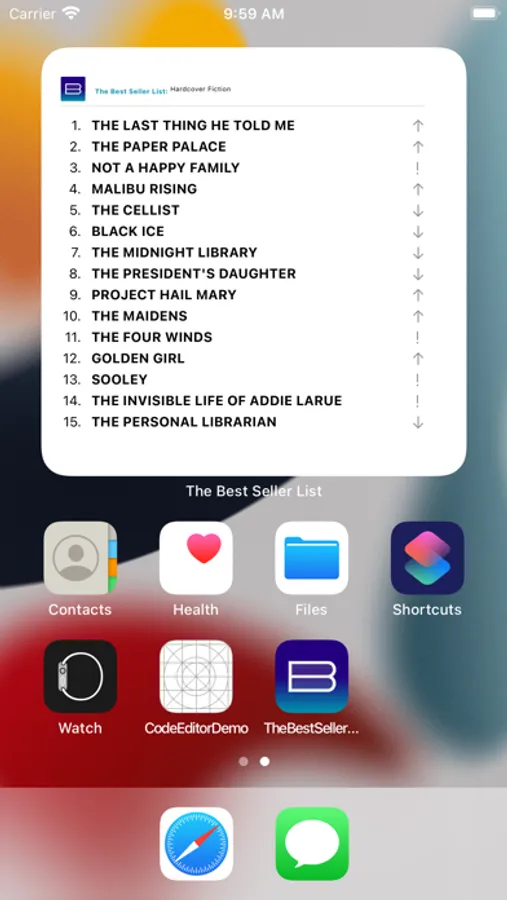
Add as many medium or large format widgets as you want to your home screen and each widget can display a different list. Tapping the widget opens the app to that list, showing you more details about the books on the list. You can also add square or rectangular Lock Screen widgets.
The lists are divided into Weekly and Monthly updated sections. Any list can be selected as a favorite list for easier access.
Each individual list displays every book on that list with its current ranking, movement indicator, title, author and publisher, plot summary, cover art and an Amazon buy button. You can also tap the heart to add or remove the specific book as a favorite.
Individual books on a list have detail pages which can show any available book reviews as well as additional buying options from Books-A-Million, Bookshop and IndieBound as well as Amazon. Detail pages display the books ISBN10 and ISBN13 numbers. Books can also be added to or removed from favorites list from detail pages.
The Favorites page displays your selected favorite lists as well as your selected favorite books, all stored locally on your phone for your privacy.
Add as many medium or large format widgets as you want to your home screen and each widget can display a different list. Tapping the widget opens the app to that list, showing you more details about the books on the list. You can also add square or rectangular Lock Screen widgets.