Flowtrac
Flowtrac
4.4 ★
store rating
Free
AppRecs review analysis
AppRecs rating 4.2. Trustworthiness 82 out of 100. Review manipulation risk 37 out of 100. Based on a review sample analyzed.
★★★★☆
4.2
AppRecs Rating
Ratings breakdown
5 star
86%
4 star
0%
3 star
0%
2 star
0%
1 star
14%
What to know
✓
Credible reviews
82% trustworthiness score from analyzed reviews
✓
High user satisfaction
86% of sampled ratings are 4+ stars (4.4★ average)
About Flowtrac
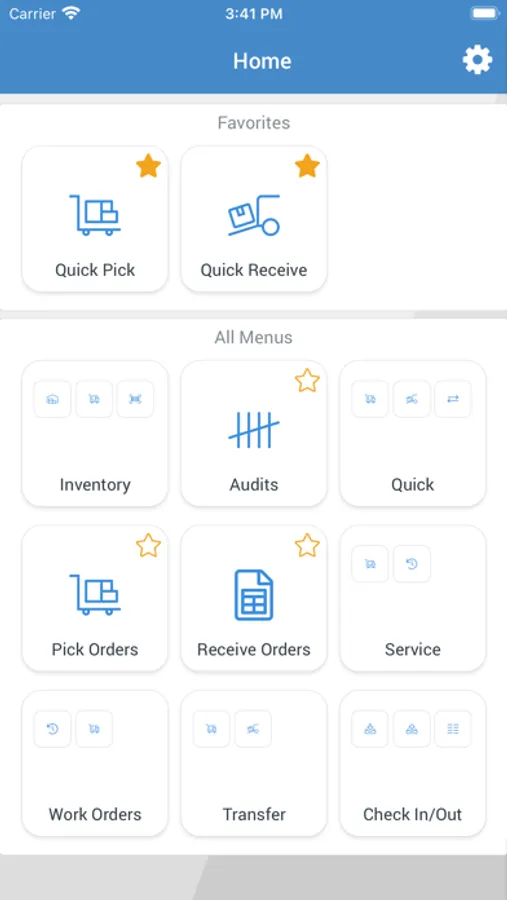
You may use either Cellular or WIFI enabled devices to connect to your registered Flowtrac cloud account. A mobile barcode scanner gun or your smartphone may be used.
Features of this app include:
Inventory Lookup – Find warehouse and bin location quantities by entering the Product code or scanning the barcode.
Put Away – Scan Products located in a designated receiving area of the warehouse and be directed to preferred and open bin locations in the warehouse. Scan the To Bin label and move inventory from receiving areas to desired bin location.
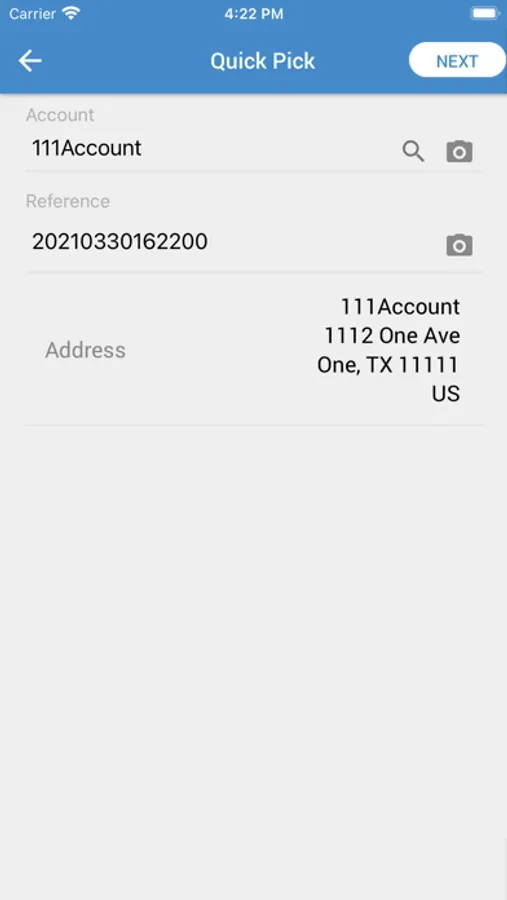
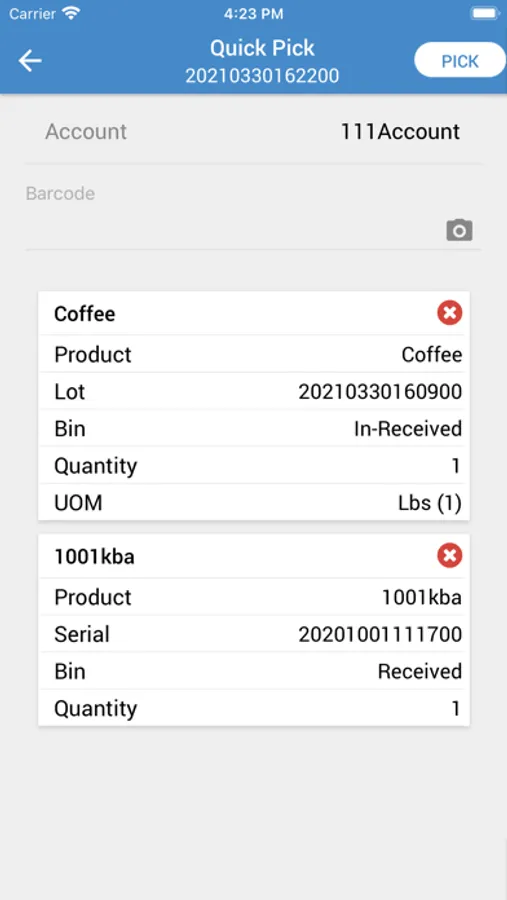
Picking – Reduces quantity on hand through either the Quick (no Order created) or the Pick Order menus. Enter product or Scan barcode, enter or scan the Bin label. Stock is removed from the bin location. Account name and reference fields provide additional information. Picking an actual Order validates and instructs operator what and where to pick products.
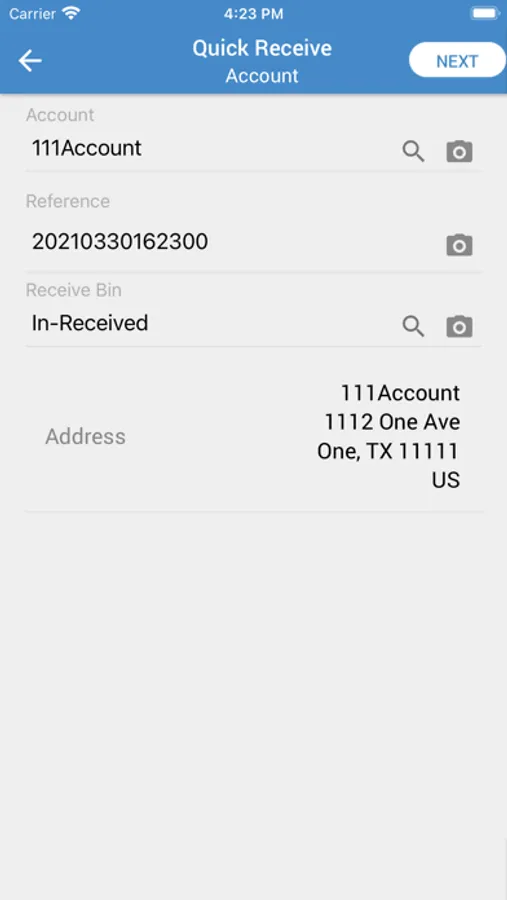
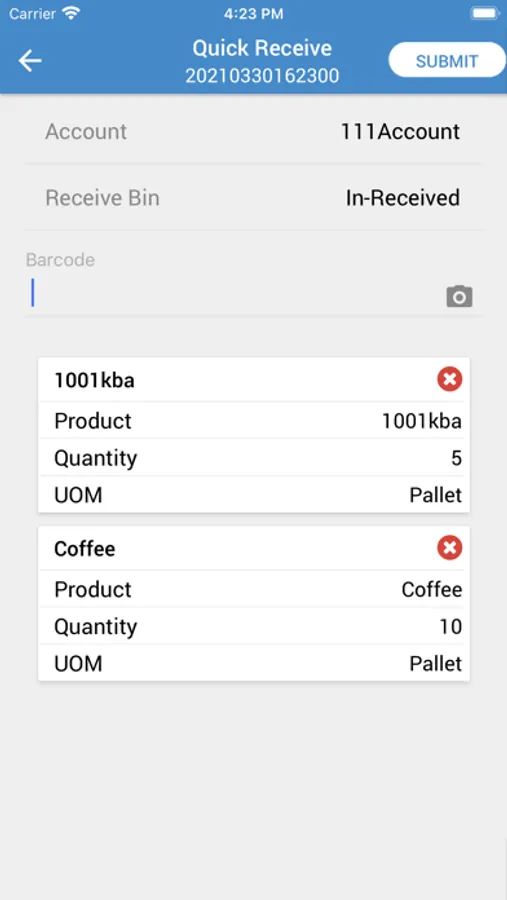
Receiving – Increase quantity on hand through either the Quick (no Order created) or Receive Order menus. Enter product or Scan barcode, then enter or scan the Bin label. Stock is received into a bin location. Account name and reference fields provide additional information. Picking an actual Order validates and instructs operator what and where to pick products.
Transferring – Transfer (move) quantity on hand through either the Quick (no Order created) or Transfer Order menus. Enter From Warehouse/Bin, then product or Scan barcode, then enter or scan theTo Warehouse/Bin label and stock is transferred. Transfer Order require both Picking From a warehouse location and then a separate function to Receive in to another warehouse location.
Auditing – Audit (count) Orders are created at the Flowtrac cloud hosted site via a browser. The app will then prompt operator to choose the Audit Order and quickly move through all the locations and/or products requested on the order to be counted.
Work In Process – Work (production) Orders are created at the Flowtrac cloud hosted site via a browser. The app allows picking of products and quantity as well as logging start/stop times of operators scanning their time. Work Center movement can also be scanned.
Servicing Assets – Service (repair or maintenance) Orders are created at the Flowtrac cloud hosted site via a browser. The app allows picking of products and quantity as well as logging start/stop times of operators scanning their time. The orders are recorded and logged for each asset.
Features of this app include:
Inventory Lookup – Find warehouse and bin location quantities by entering the Product code or scanning the barcode.
Put Away – Scan Products located in a designated receiving area of the warehouse and be directed to preferred and open bin locations in the warehouse. Scan the To Bin label and move inventory from receiving areas to desired bin location.
Picking – Reduces quantity on hand through either the Quick (no Order created) or the Pick Order menus. Enter product or Scan barcode, enter or scan the Bin label. Stock is removed from the bin location. Account name and reference fields provide additional information. Picking an actual Order validates and instructs operator what and where to pick products.
Receiving – Increase quantity on hand through either the Quick (no Order created) or Receive Order menus. Enter product or Scan barcode, then enter or scan the Bin label. Stock is received into a bin location. Account name and reference fields provide additional information. Picking an actual Order validates and instructs operator what and where to pick products.
Transferring – Transfer (move) quantity on hand through either the Quick (no Order created) or Transfer Order menus. Enter From Warehouse/Bin, then product or Scan barcode, then enter or scan theTo Warehouse/Bin label and stock is transferred. Transfer Order require both Picking From a warehouse location and then a separate function to Receive in to another warehouse location.
Auditing – Audit (count) Orders are created at the Flowtrac cloud hosted site via a browser. The app will then prompt operator to choose the Audit Order and quickly move through all the locations and/or products requested on the order to be counted.
Work In Process – Work (production) Orders are created at the Flowtrac cloud hosted site via a browser. The app allows picking of products and quantity as well as logging start/stop times of operators scanning their time. Work Center movement can also be scanned.
Servicing Assets – Service (repair or maintenance) Orders are created at the Flowtrac cloud hosted site via a browser. The app allows picking of products and quantity as well as logging start/stop times of operators scanning their time. The orders are recorded and logged for each asset.