AppRecs review analysis
AppRecs rating 2.5. Trustworthiness 72 out of 100. Review manipulation risk 25 out of 100. Based on a review sample analyzed.
★★☆☆☆
2.5
AppRecs Rating
Ratings breakdown
5 star
25%
4 star
0%
3 star
25%
2 star
13%
1 star
38%
What to know
✓
Low review manipulation risk
25% review manipulation risk
✓
Credible reviews
72% trustworthiness score from analyzed reviews
⚠
Mixed user feedback
Average 2.6★ rating suggests room for improvement
About RØDE Central Mobile
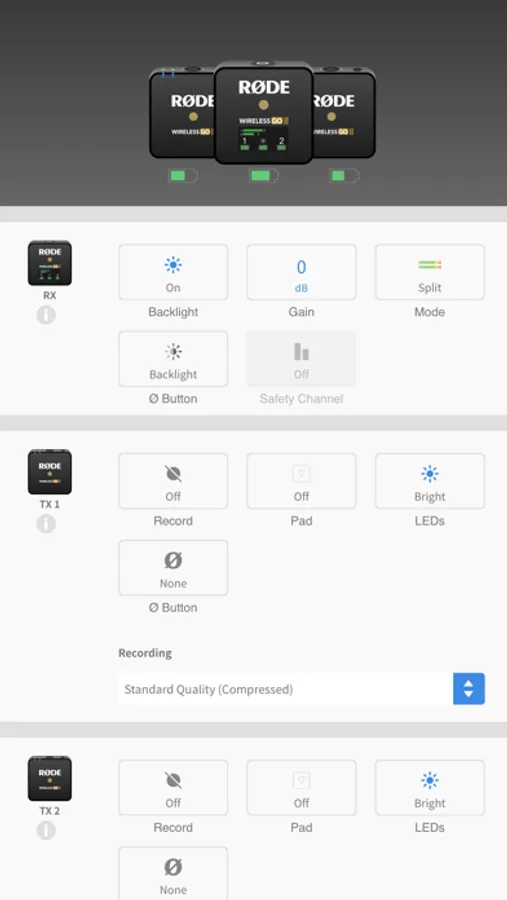
RØDE Central is an easy-to-use mobile companion app for compatible RØDE microphones that allows you to configure your device settings anywhere, unlock advanced features and processing, access device information, and update to the latest firmware.
Note: You will need to use an MFi-certified Lightning Accessory cable such as the RØDE SC15 or SC21 to connect your RØDE microphone to your smartphone. To access on-board recordings from the Wireless GO II, you will need to use the desktop version of the RØDE Central app.
Key Features
-------------
- Fully featured and easy-to-use companion app for a range of RØDE products
- Activate and control features and settings anytime, anywhere
- Access powerful on-board processing and effects, including compression, high-pass filtering, noise gating and the legendary Aphex® Aural Exciter™ and Big Bottom™
- Update your device firmware to access latest features
- Access device information, including clock, firmware version, battery levels, product ID and more
Supported Microphones and Settings
--------------------------------------
[ Wireless ME ]
- ME Mic: On, Off
- GainAssist: Auto, Dynamic, Off
- Split / Merged Mode
- Output Gain: Low, Mid, High
- LEDs: Dim, Bright
[ Wireless GO II ]
- Split / Merged Mode
- Backlight: On, Off
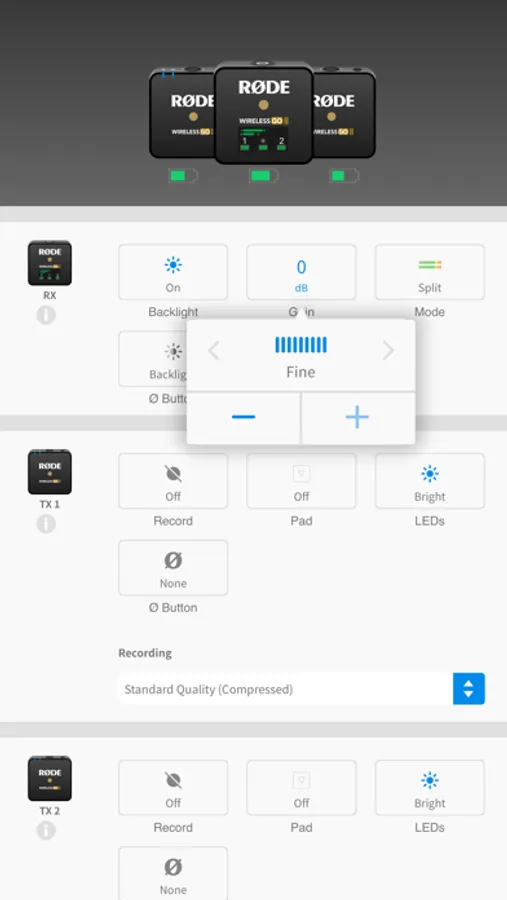
- Gain Mode: Fine, Coarse, Camera Preset
- Safety Channel: On, Off
- Button: Marker, Backlight, Mute, None
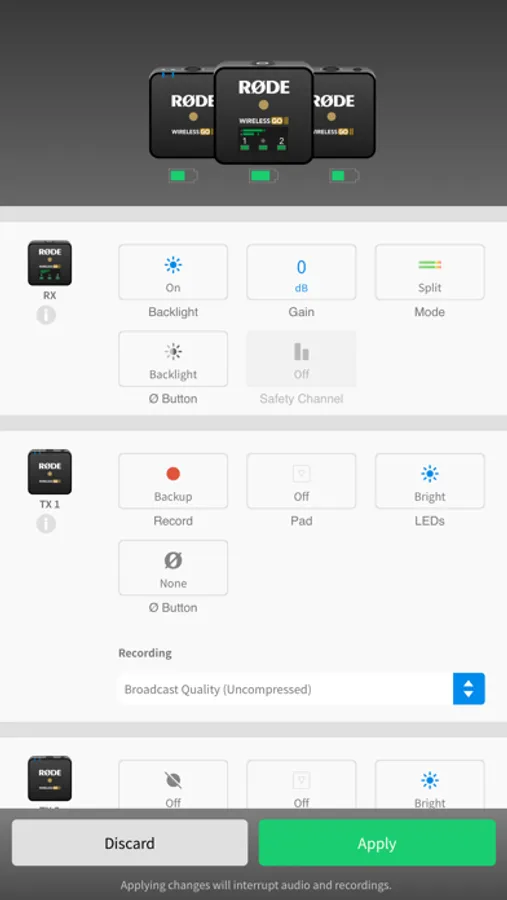
- On-board Recording: Always, Backup, Off
- Pad: On, Off
- Recording Quality: Compressed, Uncompressed
[ VideoMic GO II ]
- Input Gain
- High-frequency Boost: On, Off
- High-pass Filter: Off, 75Hz, 150Hz
- Pad: On, Off
- Direct Monitoring: On, Off
- Monitoring Level
[ AI-Micro ]
- Merged / Split / Stereo Input 1 Mode
- Input Gain (Input 1, 2)
- High-pass Filter: Off, 75Hz, 150Hz
- Direct Monitoring: On, Off
- Monitoring Level
[ NT-USB+ ]
- Input Gain
- High-pass Filter: Off/75Hz/150Hz
- Noise Gate: On, Off
- Compressor: On, Off
- Aphex® Aural Exciter™: On, Off
- Aphex® Big Bottom™: On, Off
- Save to Microphone (settings persist)
Note: You will need to use an MFi-certified Lightning Accessory cable such as the RØDE SC15 or SC21 to connect your RØDE microphone to your smartphone. To access on-board recordings from the Wireless GO II, you will need to use the desktop version of the RØDE Central app.
Key Features
-------------
- Fully featured and easy-to-use companion app for a range of RØDE products
- Activate and control features and settings anytime, anywhere
- Access powerful on-board processing and effects, including compression, high-pass filtering, noise gating and the legendary Aphex® Aural Exciter™ and Big Bottom™
- Update your device firmware to access latest features
- Access device information, including clock, firmware version, battery levels, product ID and more
Supported Microphones and Settings
--------------------------------------
[ Wireless ME ]
- ME Mic: On, Off
- GainAssist: Auto, Dynamic, Off
- Split / Merged Mode
- Output Gain: Low, Mid, High
- LEDs: Dim, Bright
[ Wireless GO II ]
- Split / Merged Mode
- Backlight: On, Off
- Gain Mode: Fine, Coarse, Camera Preset
- Safety Channel: On, Off
- Button: Marker, Backlight, Mute, None
- On-board Recording: Always, Backup, Off
- Pad: On, Off
- Recording Quality: Compressed, Uncompressed
[ VideoMic GO II ]
- Input Gain
- High-frequency Boost: On, Off
- High-pass Filter: Off, 75Hz, 150Hz
- Pad: On, Off
- Direct Monitoring: On, Off
- Monitoring Level
[ AI-Micro ]
- Merged / Split / Stereo Input 1 Mode
- Input Gain (Input 1, 2)
- High-pass Filter: Off, 75Hz, 150Hz
- Direct Monitoring: On, Off
- Monitoring Level
[ NT-USB+ ]
- Input Gain
- High-pass Filter: Off/75Hz/150Hz
- Noise Gate: On, Off
- Compressor: On, Off
- Aphex® Aural Exciter™: On, Off
- Aphex® Big Bottom™: On, Off
- Save to Microphone (settings persist)