Vimlike
Jasmine Studios
4.8 ★
store rating
Free
AppRecs review analysis
AppRecs rating 5.0. Trustworthiness 71 out of 100. Review manipulation risk 20 out of 100. Based on a review sample analyzed.
★★★★★
5.0
AppRecs Rating
Ratings breakdown
5 star
86%
4 star
11%
3 star
0%
2 star
4%
1 star
0%
What to know
✓
Low review manipulation risk
20% review manipulation risk
✓
Credible reviews
71% trustworthiness score from analyzed reviews
✓
High user satisfaction
86% of sampled ratings are 5 stars
About Vimlike
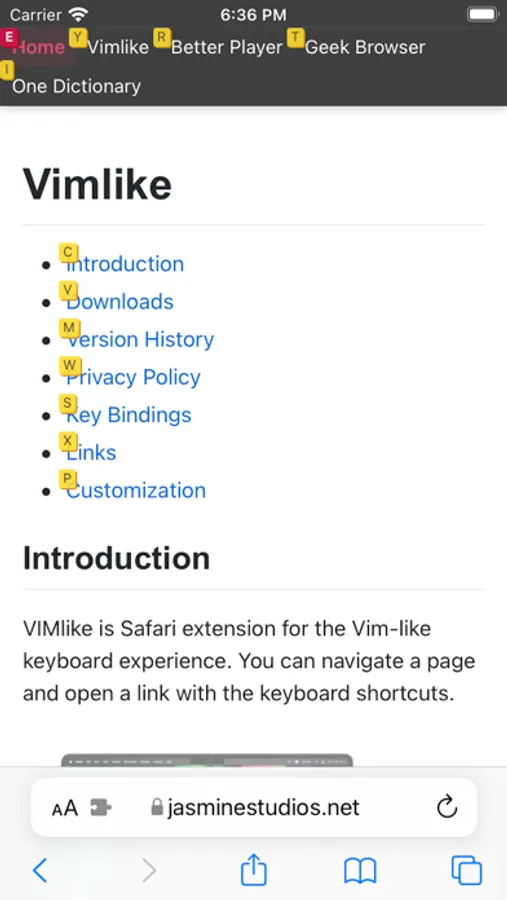
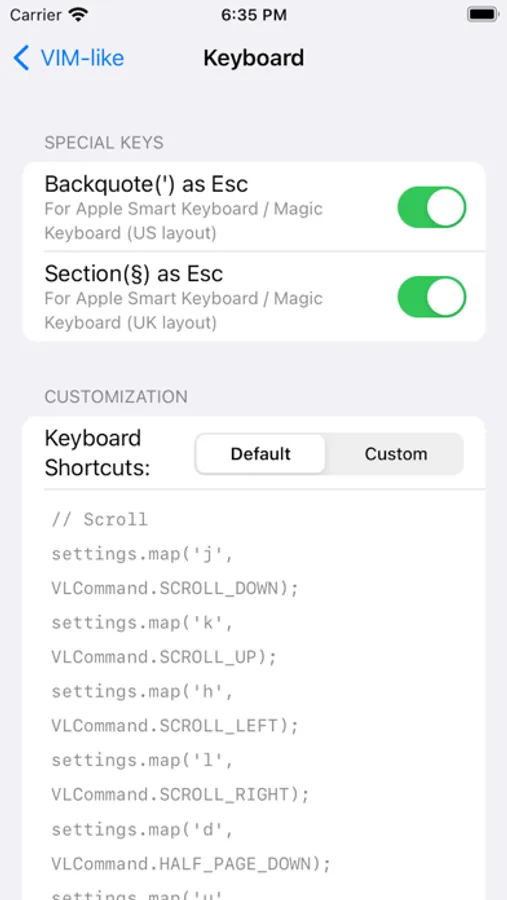
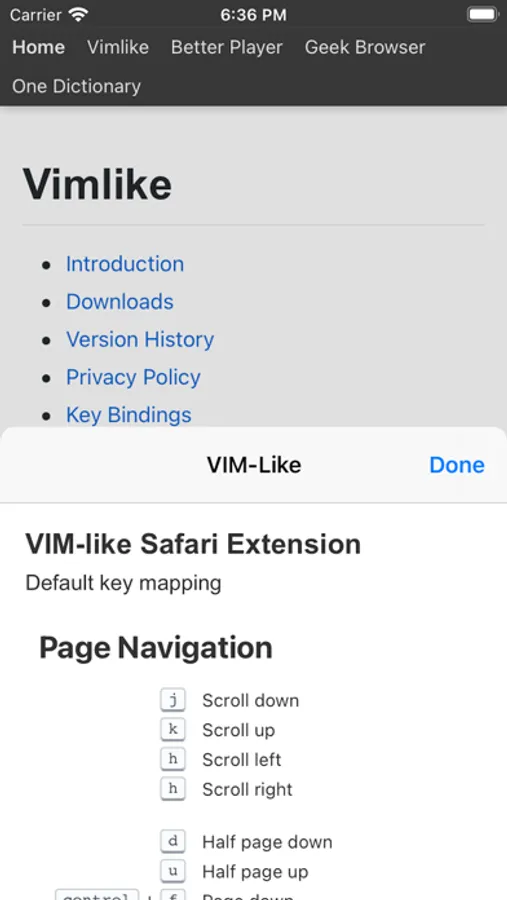
Vimlike is a Safari extension to browse the web by keyboard shortcuts like a vim-editor. See the default key binding below and you can customize every key mapping.
Page Navigation:
j Scroll down
k Scroll up
h Scroll left
l Scroll right
ctrl+f Page down
ctrl+b Page up
d Half page down
u Half page up
g g Go to bottom of the page
g Go to top of the page
i Go to the first edit box
a Open the link below the cursor
s Open the link below the cursor in a new window
Mode:
Esc/`/§ Normal mode
ctrl+i Insert mode
ctrl+d Dark mode
shift+r Reader view
? Help
History:
shift+h Go back
shift+l Go forward
Link:
f Toggle links
shift+f Toggle links (open a link in a new tab)
n Move to next link
shift+n Move to previous link
Tab:
t New tab
q Previous tab
w Next tab
x Close tab
shift+x Undo close tab
r Reload tab
Search Bar
o Open Search Bar
/ Search links
Video:
ctrl+u Play video in a fullscreen
ctrl+p Play video in a PIP
cmd+. Exit fullscreen video
Privacy Policy:
• Vimlike requires access to the websites to override the keyboard shortcuts
• Vimlike never collects any data from your browser. None of the data will leave your device.
Page Navigation:
j Scroll down
k Scroll up
h Scroll left
l Scroll right
ctrl+f Page down
ctrl+b Page up
d Half page down
u Half page up
g g Go to bottom of the page
g Go to top of the page
i Go to the first edit box
a Open the link below the cursor
s Open the link below the cursor in a new window
Mode:
Esc/`/§ Normal mode
ctrl+i Insert mode
ctrl+d Dark mode
shift+r Reader view
? Help
History:
shift+h Go back
shift+l Go forward
Link:
f Toggle links
shift+f Toggle links (open a link in a new tab)
n Move to next link
shift+n Move to previous link
Tab:
t New tab
q Previous tab
w Next tab
x Close tab
shift+x Undo close tab
r Reload tab
Search Bar
o Open Search Bar
/ Search links
Video:
ctrl+u Play video in a fullscreen
ctrl+p Play video in a PIP
cmd+. Exit fullscreen video
Privacy Policy:
• Vimlike requires access to the websites to override the keyboard shortcuts
• Vimlike never collects any data from your browser. None of the data will leave your device.